

Building a dynamic WordPress site often involves user interaction, from content submissions to profile management. Many site owners dream of creating communities or platforms where users can actively contribute, but the technical hurdles of custom development can be daunting.
This review explores WP User Frontend Pro, a powerful solution designed to empower your users and streamline your website management.
What is WP User Frontend Pro – Build submission forms | AppSumo
WP User Frontend Pro is a comprehensive WordPress plugin that allows you to create frontend submission forms and manage user-generated content directly from your website’s front end. It removes the need for users to access the WordPress backend, providing them with a seamless and intuitive interface to submit posts, register for events, manage profiles, and even make payments.
Key Features
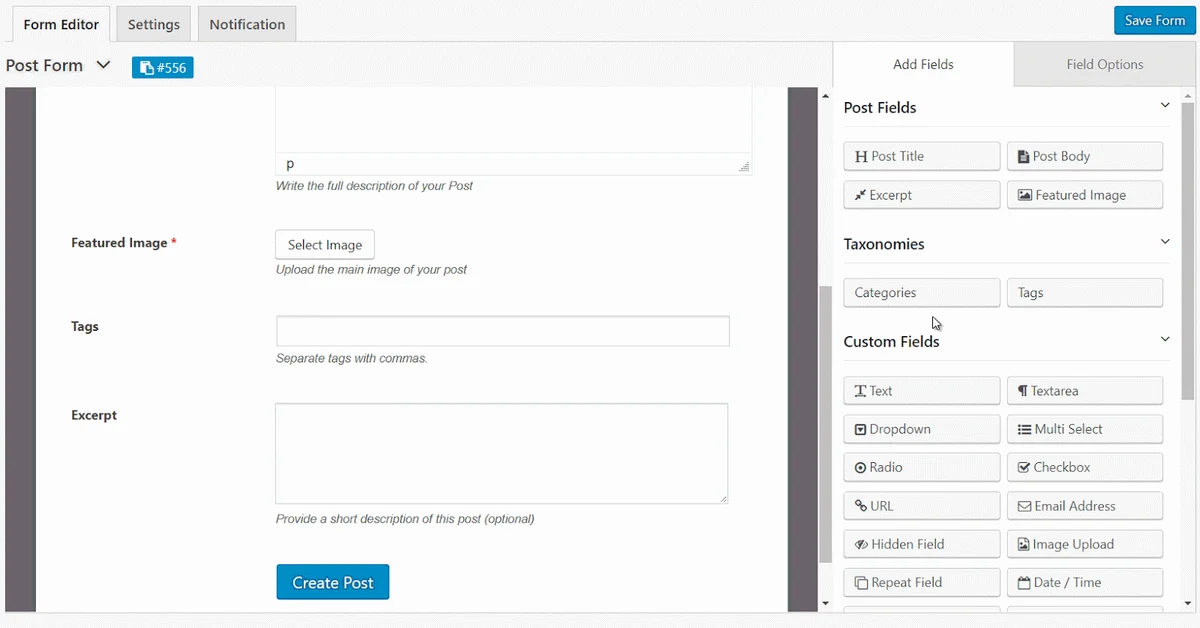
- Drag-and-Drop Form Builder: Easily create custom submission forms with a user-friendly drag-and-drop interface, allowing you to add various fields as needed.
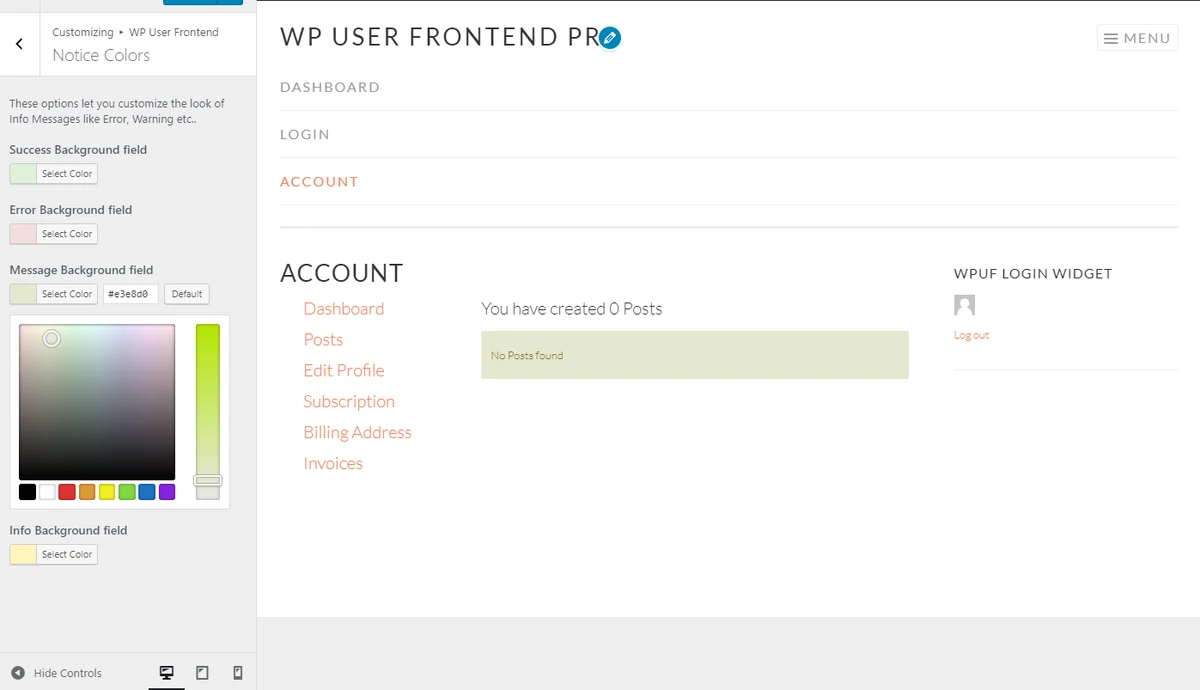
- User Profile Management: Enable users to create, edit, and manage their own profiles, including uploading images, adding bios, and customizing their dashboard appearance.
- Content Submission: Allow users to submit articles, posts, or any custom post type content directly from the frontend, simplifying guest posting and community contributions.
- Payment Gateway Integration: Implement paid posting systems or allow users to submit payments for services or registrations directly through the forms.
- Content Restriction: Control access to specific pages, posts, or content based on user roles or subscription levels, enhancing security and membership management.
- User Directory: Create organized directories to store and display user information, with full control over who can access this data.
How It Works
The core principle of WP User Frontend Pro is to bring backend functionality to the frontend. You can select pre-built templates or design your own forms using the intuitive form builder. Simply add the necessary fields – text areas, dropdowns, file uploads, etc. – and embed the form on any page of your WordPress site. Users then interact with this form directly, submitting their information without ever needing to log into the WP admin area.
Use Cases
- Guest Posting Platforms: Streamline the process of accepting guest posts from various contributors by providing a simple submission form.
- Membership Sites: Allow members to create and manage their profiles, submit content, and access exclusive areas.
- Event Registration: Set up forms for users to register for events, collect necessary details, and process payments if required.
- Business Directories: Enable businesses or individuals to submit their listings for inclusion in a public directory.
- Online Course Platforms: Facilitate user submissions for assignments or allow users to create course content if applicable.
Integrations & Compatibility
- WP User Frontend Pro offers compatibility with popular WordPress plugins and tools
- It integrates well with Advanced Custom Fields (ACF) free and pro versions to leverage custom field data in your frontend forms
- This allows for more complex data collection and management beyond standard WordPress fields.
Pricing & Value
WP User Frontend Pro provides a robust set of features that can significantly reduce the need for custom development, saving both time and resources. The value proposition lies in its ability to empower users and automate processes that would otherwise require extensive manual intervention or expensive coding.
Deal Details
As featured on AppSumo, WP User Frontend Pro is often available through limited-time deals, offering substantial savings on its premium features. These deals typically provide lifetime access or significant discounts, making it an accessible solution for a wide range of users.
Quick Take
- Ideal for WordPress users who want to enable frontend content submission and user profile management without coding.
- A practical solution for creating guest posting platforms, membership sites, and directories.
- Offers significant time and cost savings compared to custom development for these functionalities.
FAQs
Is WP User Frontend Pro good for custom post type frontend submissions?
Yes, it is highly recommended for frontend submissions with custom post types and ACF fields.
Is WP User Frontend Pro difficult to learn?
It has many features, so maximizing its full potential requires some dedicated learning time.
Does WP User Frontend Pro conflict with other login plugins?
Occasionally, plugins can conflict; testing and checking compatibility is advised.
Can WP User Frontend Pro integrate with WeMail?
While direct integration specifics may vary, it is possible to connect with other services through intermediary steps or custom setups.
How do I allow staff to upload videos for products through WP User Frontend Pro forms?
Use a file upload field in your form to enable video submissions for products.
Final Thoughts
WP User Frontend Pro stands out as a versatile and efficient plugin for anyone looking to extend their WordPress site’s capabilities. Its focus on frontend form building and user management empowers site owners to foster community engagement and streamline content workflows. The ability to achieve such functionality without technical coding expertise makes it an invaluable tool for bloggers, small businesses, and aspiring community builders alike.