
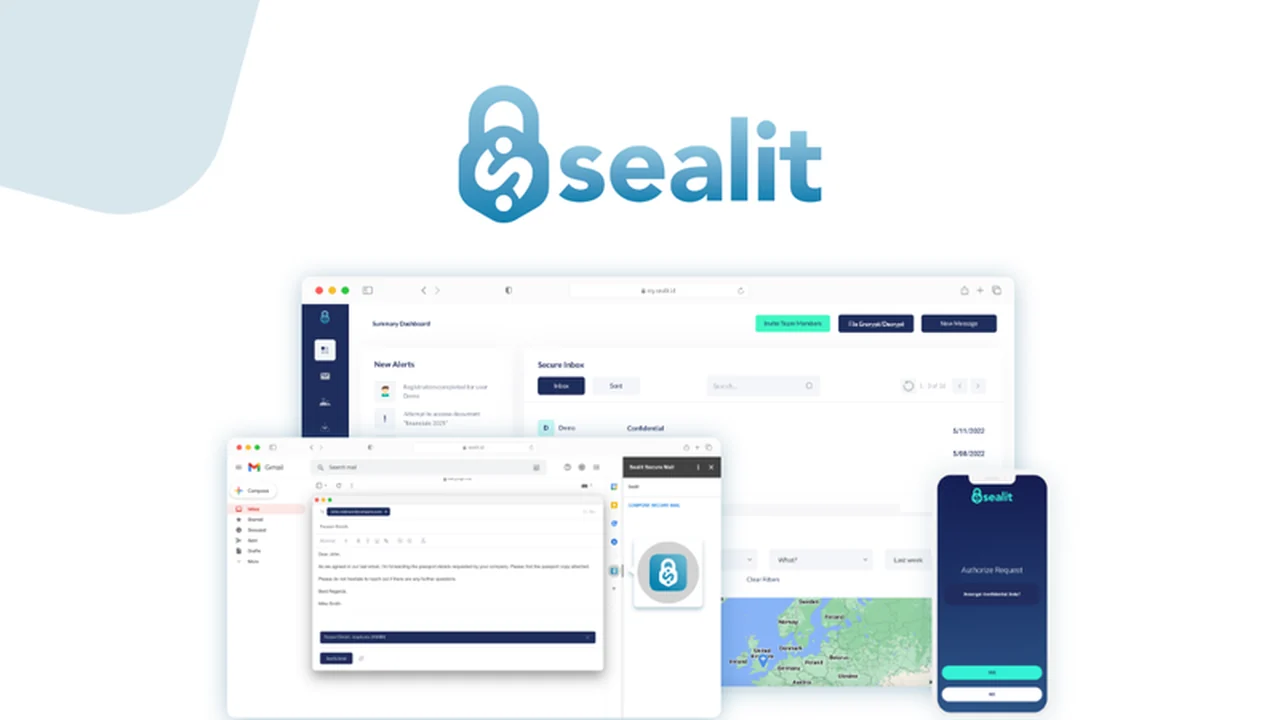
In today’s digital environment, safeguarding sensitive information is paramount. Many businesses struggle with complex security solutions that hinder daily workflows.
This review explores Sealit, a Zero Trust platform designed to protect, share, and monitor confidential emails and files seamlessly, eliminating the need for traditional passwords.
What is Sealit – Zero Trust email and file protection | AppSumo
Sealit is a comprehensive security solution built on the Zero Trust model. It aims to provide robust protection for sensitive data within emails and files, even if devices are compromised.
Key Features
- Password-less Security: Share sensitive emails and files with zero reliance on passwords, enhancing user experience and reducing the risk of breaches.
- Zero Trust Architecture: Ensures that data is protected at its core, verifying every access attempt regardless of location.
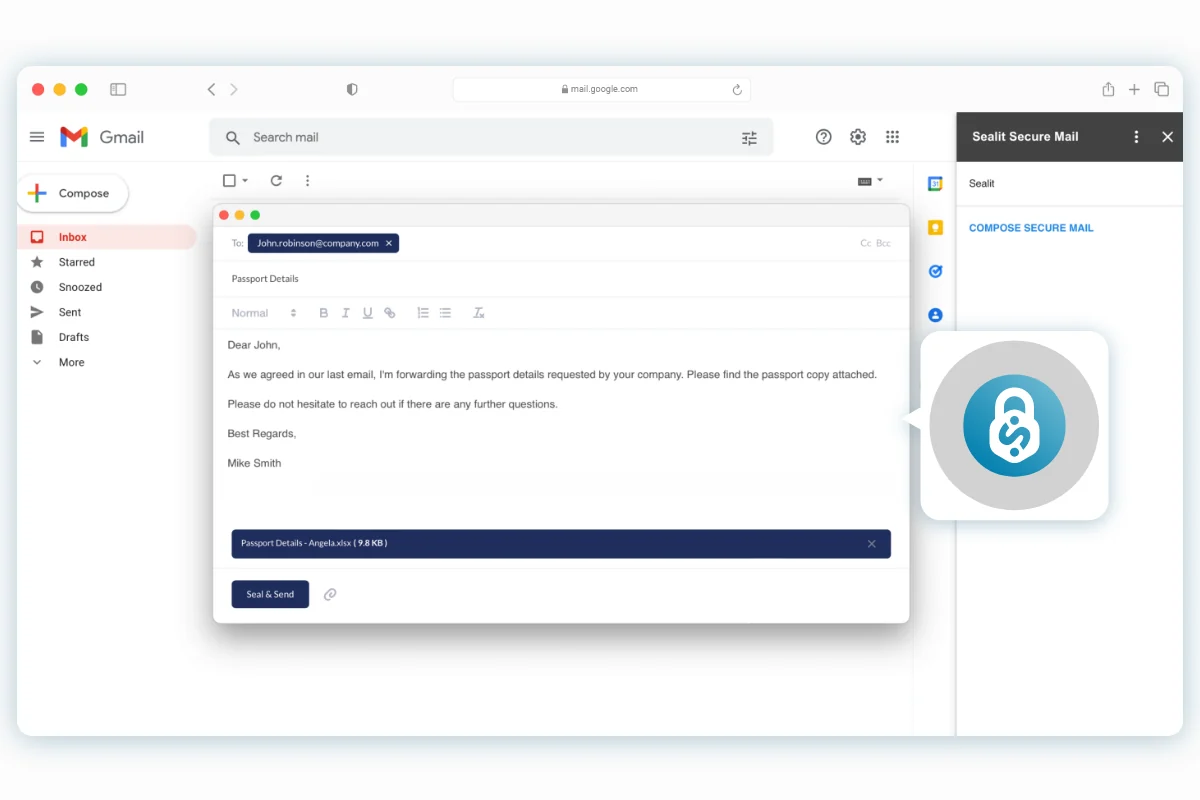
- Native Email Integration: Works directly within Outlook and Gmail, allowing users to send encrypted emails with a single click from their existing mailboxes.
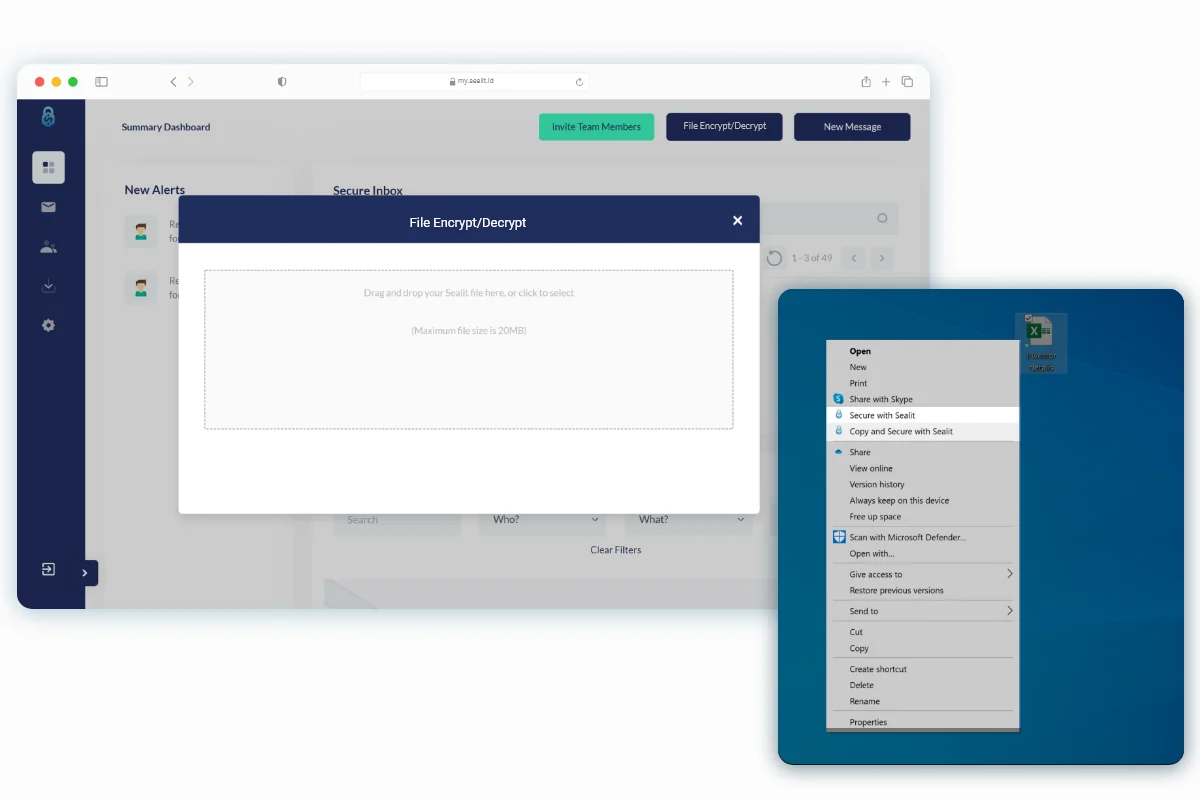
- File Encryption: Supports encryption of any file format through a simple right-click action on Windows or a drag-and-drop feature on the web portal for Mac users.
- Mobile Decryption: The Sealit mobile app enables decryption of secure emails and files using biometrics like Face ID or Touch ID, offering convenient and secure access.
- Access Control: Allows sharing of encrypted files with teams and the ability to modify access permissions even after encryption.
- Active Monitoring: Provides real-time alerts for suspicious activities and offers a detailed security overview of data access, including who, what, and from where.
- Compliance Assistance: Helps businesses comply with industry regulations such as HIPAA and GDPR.
- Smart Prompts: Features intelligent email protection prompts to alert users about potential misaddressed emails.
How It Works
Sealit integrates with your existing email services, offering an added layer of security. When sending an email or file, you can choose to secure it with Sealit. Recipients will receive a prompt to authenticate access, often through a quick biometric verification on their mobile device, rather than needing to manage a password. For files, encryption can be applied directly from your operating system or through the web portal, with access granted and monitored through the Sealit platform.
Use Cases
- Protecting client communications containing sensitive financial or personal information.
- Securely sharing project documents and intellectual property with team members.
- Ensuring compliance with data privacy regulations when handling confidential data.
- Facilitating secure collaboration with external partners and vendors.
- Reducing the risk of data breaches due to weak or compromised passwords.
Integrations & Compatibility
- Sealit offers native integrations for Outlook and Gmail, allowing for a smooth workflow within these popular email clients
- For file management, it supports Windows OS for direct desktop encryption and a web portal with drag-and-drop functionality for macOS users
- A dedicated mobile app is also available for iOS and Android devices, facilitating biometric authentication.
Pricing & Value
Sealit offers lifetime access, which can represent significant long-term value for businesses seeking a robust and integrated security solution. The AppSumo deal provides access to its core features, making it an accessible option for many.
Deal Details
The current AppSumo deal provides lifetime access to Sealit’s advanced security features. This includes comprehensive protection for emails and files, alongside monitoring and access control capabilities. The offer typically includes a 60-day money-back guarantee, allowing users to test the platform risk-free.
Quick Take
- Ideal for individuals and small to medium-sized businesses prioritizing secure data sharing without password complexities.
- Offers a streamlined approach to Zero Trust security, embedding protection directly into daily communication tools.
- Provides peace of mind through active monitoring and control over who accesses your sensitive information.
FAQs
Is there a limit to the file size that can be secured?
Recent updates indicate support for files over 1GB directly from Outlook and Gmail.
How does a recipient access a secured email or file?
Recipients authenticate access, often via biometrics or a simple verification prompt on their mobile device.
Does Sealit replace my current email service?
No, Sealit enhances your existing email service by adding a layer of secure communication.
Can Sealit be used for any file type?
Yes, Sealit can encrypt and decrypt any file format through its various access methods.
Is Sealit still available?
Some users have reported unavailability, but official updates should be checked for current status.
Final Thoughts
Sealit presents a compelling solution for enhancing email and file security through a Zero Trust framework. Its focus on user-friendliness, password-less authentication, and seamless integration with existing workflows makes it a practical choice for protecting confidential data. The platform’s active monitoring capabilities further add to its value by providing visibility and control over data access.