
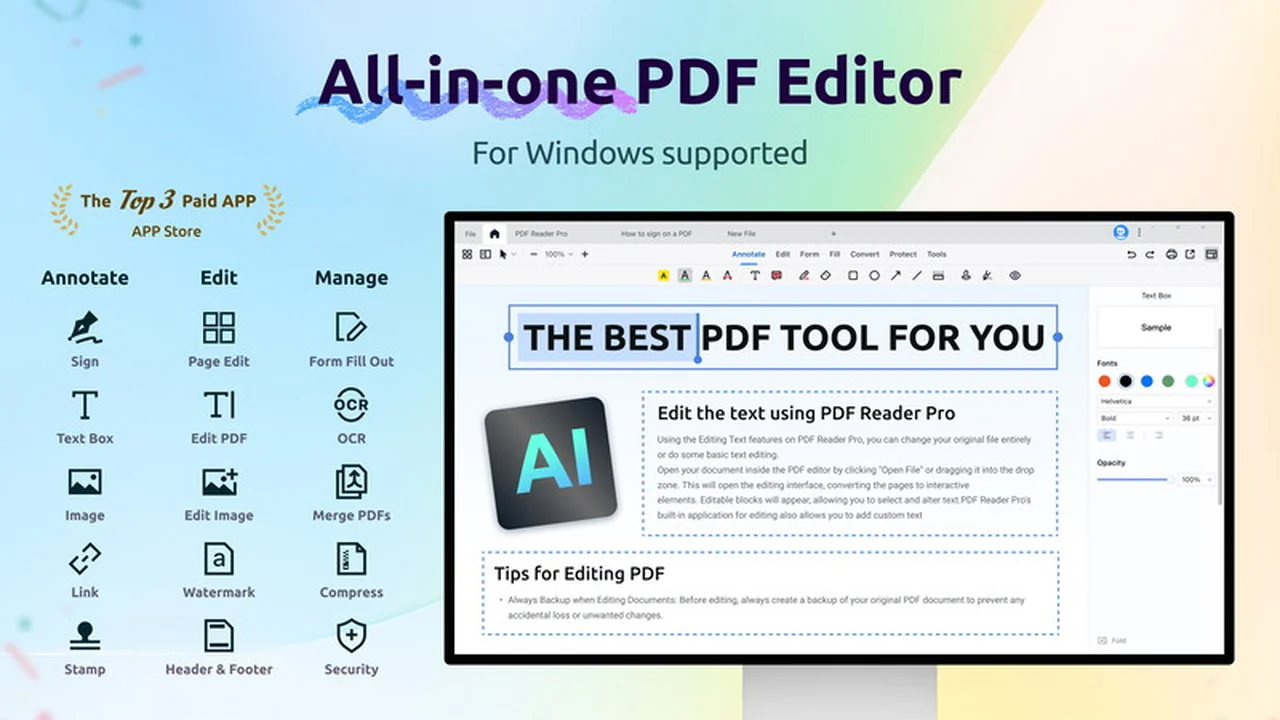
This review delves into PDF Reader Pro for Windows, a comprehensive solution designed to streamline your document management tasks. We will explore its extensive capabilities and how it can enhance your daily workflow.
Discover if this tool, available through a special AppSumo deal, is the right fit for your PDF editing and processing needs. Let’s take a closer look at what it offers.
What is PDF Reader Pro for Windows | AppSumo
PDF Reader Pro for Windows is an all-in-one PDF office suite that empowers users to read, edit, annotate, convert, create, perform OCR, fill forms, and sign PDF documents efficiently. It aims to simplify complex document workflows for individuals and businesses alike.
Key Features
This application boasts a wide array of features designed to cover almost every aspect of PDF handling:
- Editing: Modify text, images, headers, footers, watermarks, and backgrounds within your PDFs.
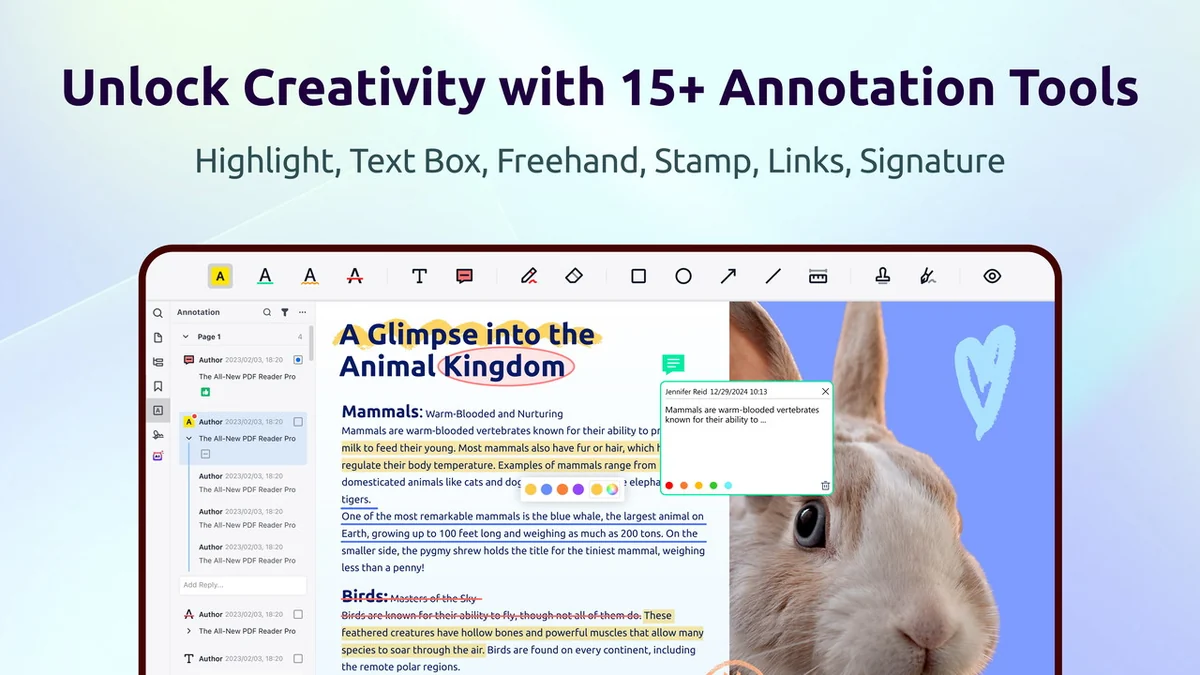
- Annotation Tools: Utilize highlights, freehand drawing, text boxes, sticky notes, shapes, and custom stamps for detailed feedback.
- Form Management: Create fillable PDF forms with various field types (text, radio buttons, checkboxes, images) and recognize/fill existing forms.
- Digital Signatures: Add electronic or ink signatures in multiple formats for secure document approval.
- OCR (Optical Character Recognition): Convert scanned documents and images into editable PDFs with support for over 90 languages.
- Conversion: Transform PDFs to and from various formats.
- Security: Protect sensitive information with password protection, watermarking, and redaction tools.
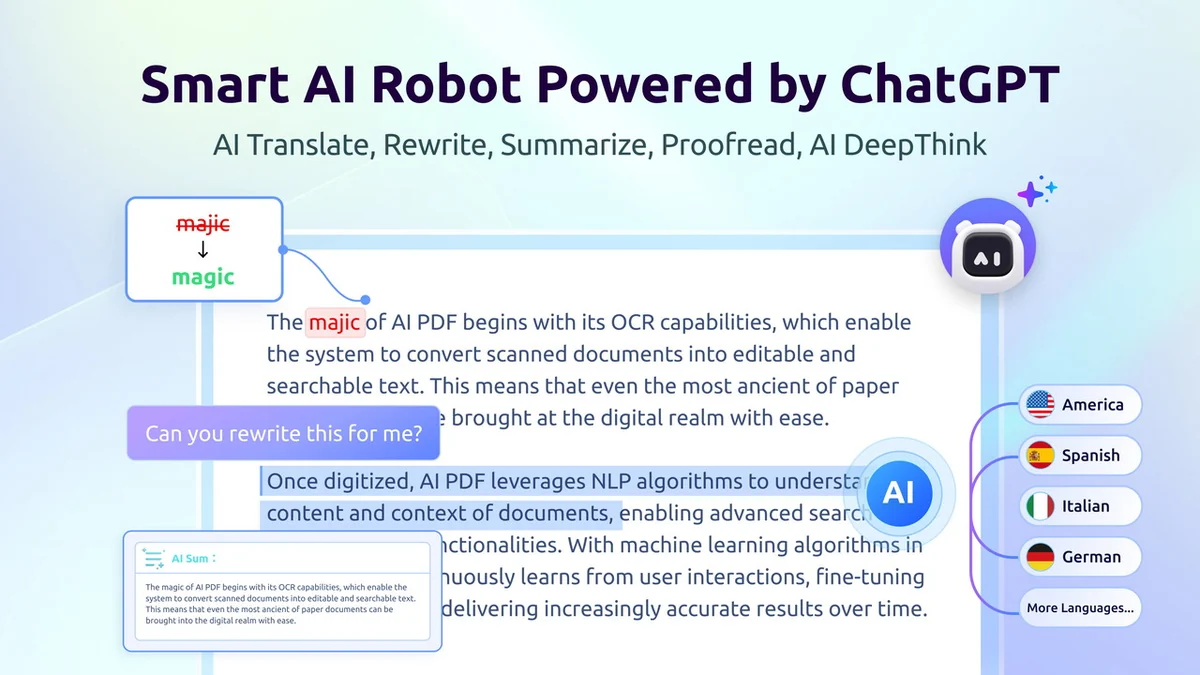
- AI Integration: Leverage ChatGPT and DeepSeek for AI-powered tasks like translation, summarization, rewriting, and proofreading.
- Page Management: Organize, insert, extract, rotate, reposition, replace, and delete pages.
- Batch Processing: Encrypt multiple PDF documents simultaneously.
How It Works
PDF Reader Pro for Windows operates on a user-friendly interface, making its extensive features accessible to all levels of users. You can open a PDF, and then select from the comprehensive toolbar to perform actions like editing text, adding annotations, or filling out forms. The AI features are integrated seamlessly, allowing you to process and understand document content with advanced AI models.
Use Cases
The versatility of PDF Reader Pro for Windows makes it suitable for a variety of scenarios:
- Professionals needing to edit contracts or reports.
- Students annotating research papers and textbooks.
- Businesses creating and managing fillable forms for clients or employees.
- Individuals signing important documents electronically.
- Anyone needing to convert scanned documents into editable text.
- Teams collaborating on documents with shared annotation capabilities.
Integrations & Compatibility
- While specific third-party software integrations are not detailed, PDF Reader Pro for Windows is designed to work effectively with standard PDF files
- Its AI capabilities extend its utility by integrating with AI models for enhanced document processing.
Pricing & Value
PDF Reader Pro for Windows is typically offered at a one-time purchase price, with options that can range around $59.99 and $79.99 depending on the specific package or lifetime deal. The AppSumo deal presents a significant opportunity to acquire this robust software at a reduced cost, offering substantial value for its comprehensive feature set.
Deal Details
The current offering on AppSumo provides a lifetime deal for PDF Reader Pro for Windows. This means you get access to the software and its features indefinitely with a single purchase, representing excellent long-term value. The deal often includes regular updates, ensuring you benefit from ongoing improvements to the application.
Quick Take
- Ideal for individuals and small to medium businesses seeking a powerful, all-in-one PDF solution.
- Offers extensive editing, annotation, form, and AI-powered features at a compelling price point.
- A cost-effective alternative to multiple single-purpose PDF tools.
FAQs
What is the refund policy?
There is a 60-day money-back guarantee to ensure customer satisfaction.
Are there AI features available?
Yes, it integrates with AI for tasks like translation and summarization.
Does it support scanned documents?
Yes, it includes OCR to convert scanned documents into editable text.
Can I create custom forms with PDF Reader Pro for Windows?
Absolutely, you can create fillable PDFs with various interactive elements.
Is PDF Reader Pro for Windows easy to use for beginners?
Yes, its intuitive interface makes it accessible for users of all skill levels.
Final Thoughts
PDF Reader Pro for Windows emerges as a powerful and versatile tool for anyone looking to manage their PDF documents with greater efficiency. Its wide range of features, from basic editing and annotation to advanced AI capabilities and form creation, positions it as a strong contender in the PDF software market. The AppSumo deal further enhances its appeal by offering a lifetime license, making it a highly valuable investment for long-term productivity gains.