
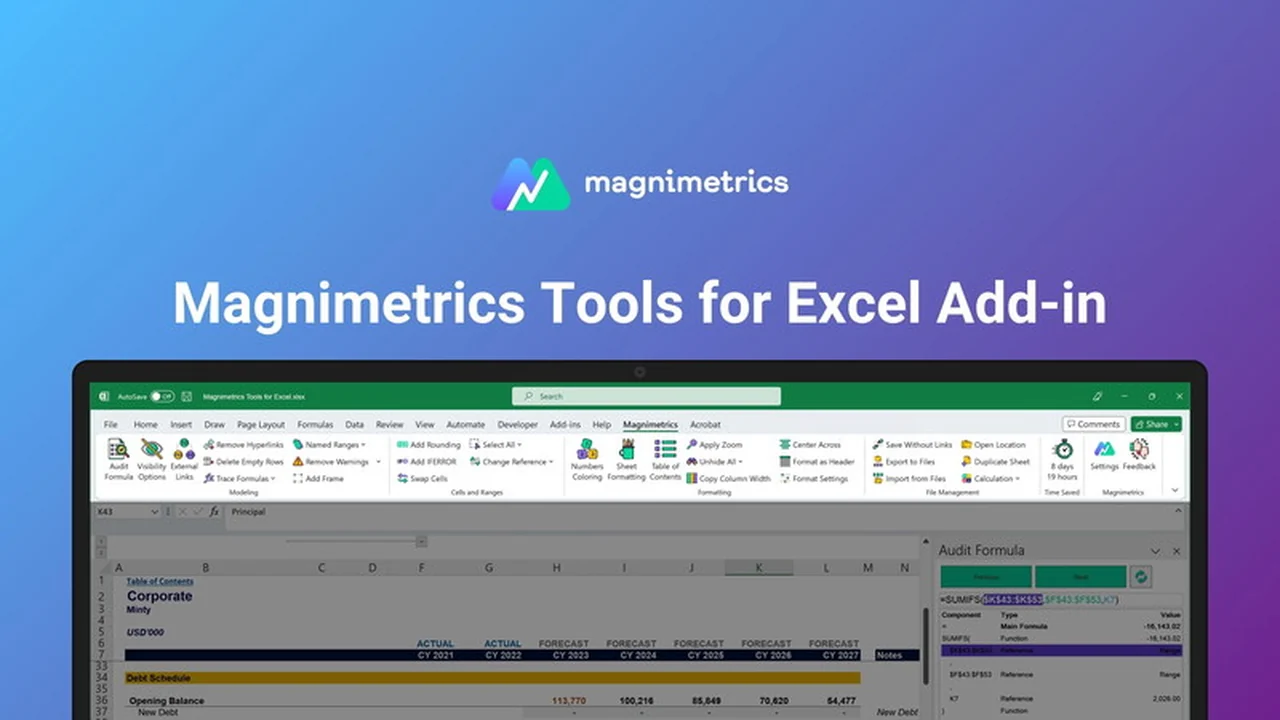
If your daily tasks involve extensive financial modeling and analysis within Excel, you know how precious time can be. Repetitive processes often consume a significant portion of your workday, diverting focus from strategic insights.
This review delves into Magnimetrics Tools for Excel, an AppSumo offering designed to automate these tedious tasks, making your financial workflows significantly more efficient and accurate. Discover how this add-in can revolutionize your approach to data analysis.
What is Magnimetrics Tools for Excel | AppSumo
Magnimetrics Tools for Excel is a powerful add-in specifically developed to enhance financial planning and analysis (FP&A) workflows. Created by financial analysts for financial analysts, it provides a collection of time-saving macros and features aimed at simplifying complex tasks, improving accuracy, and boosting overall productivity within Microsoft Excel.
Key Features
The Magnimetrics Tools for Excel add-in is packed with features designed to address common pain points in spreadsheet management.
-
Time-Saving Macros: Automate repetitive and time-consuming tasks, allowing you to concentrate on strategic analysis rather than manual data manipulation.
-
Streamlined Modeling & Analysis: Simplify intricate financial modeling and data analysis processes, leading to faster results and enhanced accuracy.
-
User-Friendly Interface: An intuitive design minimizes the learning curve and reduces the likelihood of errors, significantly improving efficiency.
-
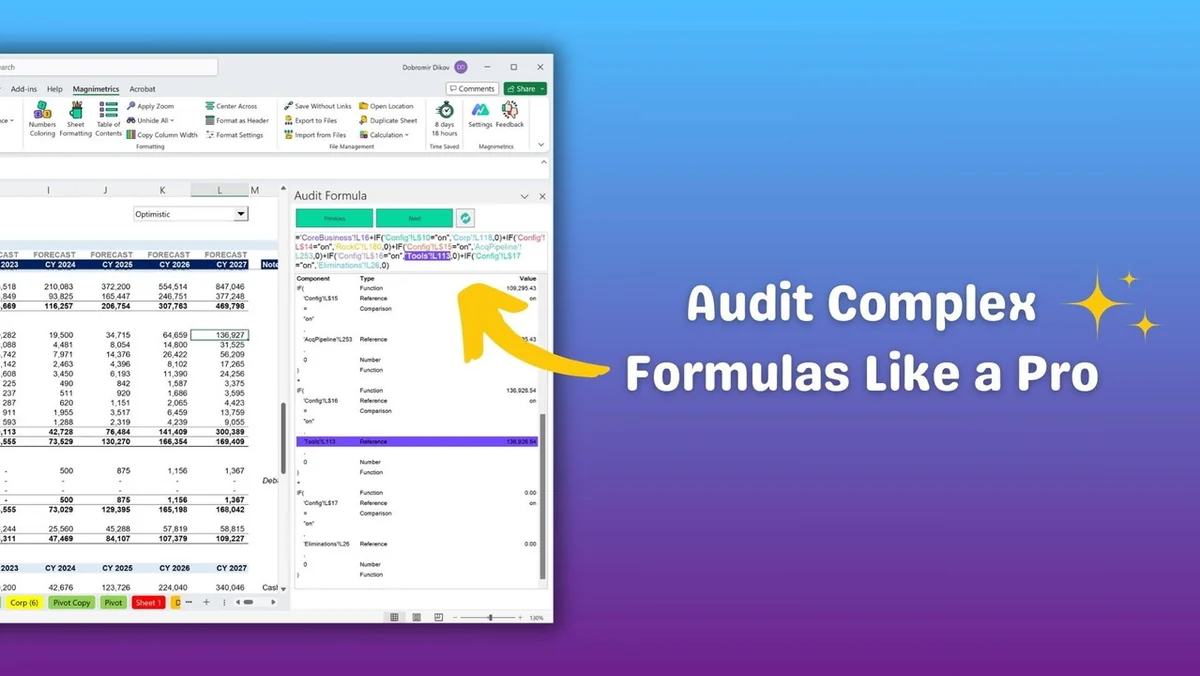
Audit Formula: Gain a deep understanding of any formula’s logic and data dependencies. Visually explore each step to effectively debug, identify errors, and optimize calculations.
-
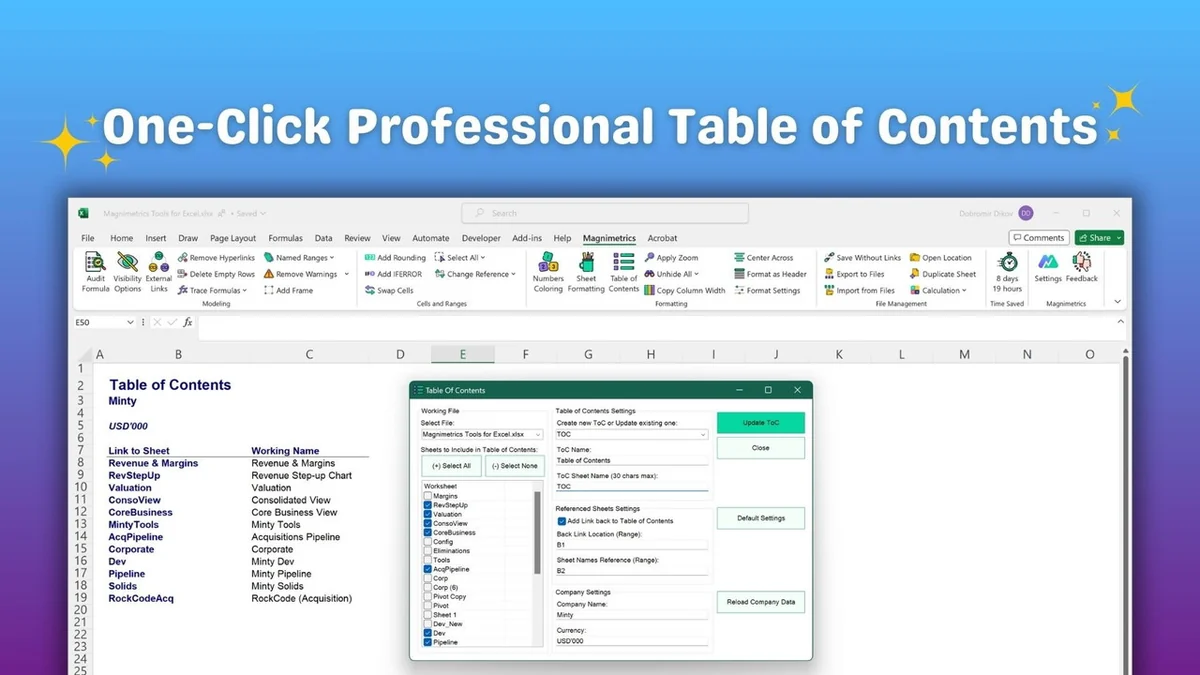
Table of Contents: Easily generate and maintain a dynamic table of contents for your workbooks, making navigation effortless for both yourself and others, especially when sharing files.
-
Numbers Coloring: Apply consistent color palettes to cells based on their content (formulas, numbers, links, etc.) for enhanced clarity and a professional appearance.
-
Shortcuts Manager: Customize shortcut commands to ensure your most-used Magnimetrics tools are always accessible with a quick key combination.
How It Works
Magnimetrics Tools for Excel operates as an add-in within Microsoft Excel, integrating seamlessly into your existing environment. Once installed, its features are accessible through a dedicated tab or menus, allowing you to apply its functionalities directly to your spreadsheets. The add-in automates complex calculations, provides visual aids for formula auditing, and helps organize workbooks with just a few clicks.
Use Cases
This tool is particularly beneficial for professionals in finance, accounting, and data analysis who frequently work with Excel. Specific use cases include:
- Automating the generation of financial reports and dashboards.
- Streamlining the process of building and auditing complex financial models.
- Improving the clarity and navigability of large and complex spreadsheets for team collaboration.
- Quickly identifying and correcting errors in formulas and calculations.
- Ensuring consistent formatting and presentation across multiple financial documents.
Integrations & Compatibility
- Magnimetrics Tools for Excel is designed to work with Microsoft Excel, enhancing its native capabilities
- Compatibility details are readily available from the provider, ensuring it integrates smoothly into your current Microsoft Office suite.
Pricing & Value
The value proposition of Magnimetrics Tools for Excel lies in its ability to reclaim significant amounts of time and reduce errors in critical financial tasks. By automating repetitive processes and simplifying complex analysis, it offers a substantial return on investment for individuals and teams aiming for greater efficiency and accuracy.
Deal Details
The Magnimetrics Tools for Excel deal, typically found on platforms like AppSumo, offers a lifetime license. This means a one-time purchase provides perpetual access to the software’s features, including potential future updates. A generous 60-day money-back guarantee is often included, allowing ample time to test the tool’s effectiveness within your workflows.
Quick Take
- Ideal for financial analysts and anyone performing complex Excel-based modeling and analysis.
- Significantly reduces time spent on repetitive tasks and improves formula auditing.
- Offers a lifetime license, providing long-term value with a single purchase.
FAQs
What if the Magnimetrics tab disappears from Excel?
This can be a cache issue resolved by enabling it through COM add-ins.
How does the Numbers Coloring feature benefit analysis?
It visually distinguishes cell types for easier identification and analysis.
Can the Table of Contents feature be customized?
While not explicitly detailed, most such features offer some level of customization.
Is Magnimetrics Tools for Excel compatible with all Excel versions?
Compatibility information is best confirmed directly with the vendor.
What kind of support is available if I encounter issues?
You can reach out to support@magnimetrics.com for assistance with any questions or issues.
Final Thoughts
Magnimetrics Tools for Excel presents a compelling solution for professionals seeking to elevate their Excel proficiency. Its suite of automated features, particularly the formula auditing and workbook organization tools, addresses key challenges in financial modeling and analysis. The lifetime deal structure further enhances its attractiveness, offering sustained value for users looking to streamline their operations and achieve greater accuracy in their financial work.