
Creating a professional-looking WordPress website can often feel overwhelming, especially without extensive coding knowledge.
This review explores Beaver Builder, a solution designed to streamline the website building process, making it accessible and efficient for users of all skill levels.
What is Beaver Builder – Build a stress-free WordPress site | AppSumo
Beaver Builder is a powerful WordPress page builder plugin that empowers users to construct functional and visually appealing websites. It eliminates the need for coding, allowing individuals with varying design experience to bring their website visions to life effectively.
Key Features
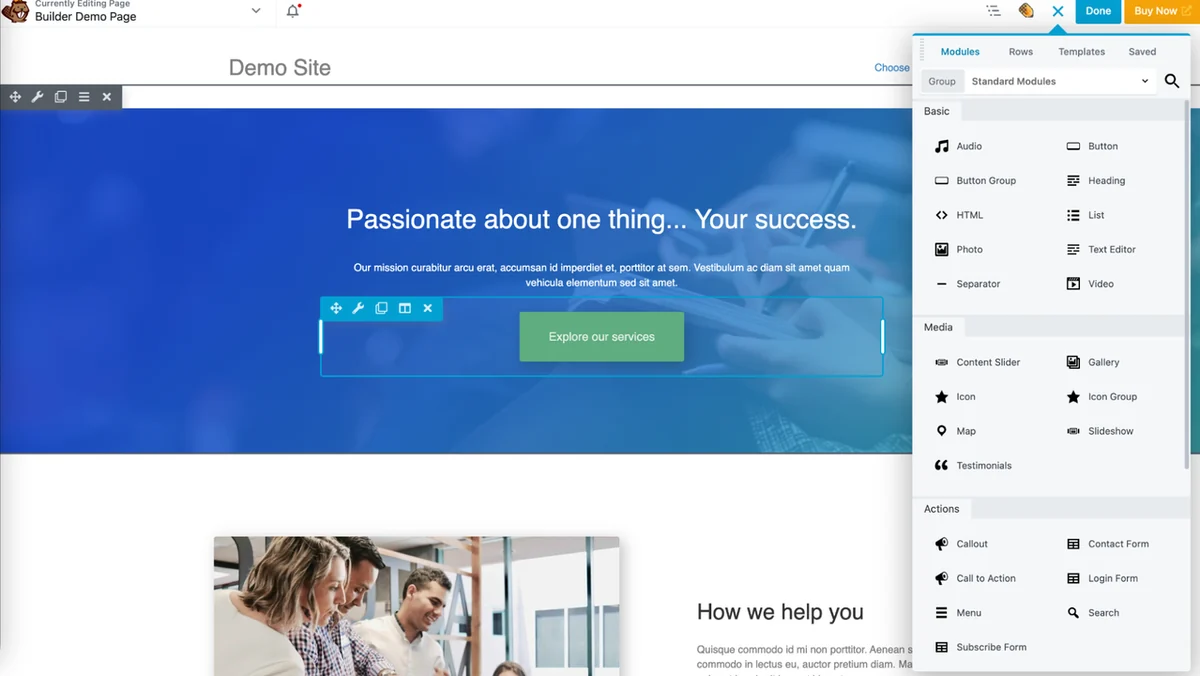
- Drag-and-Drop Interface: Build your website quickly and intuitively using a front-end drag-and-drop page builder, eliminating the need for code.
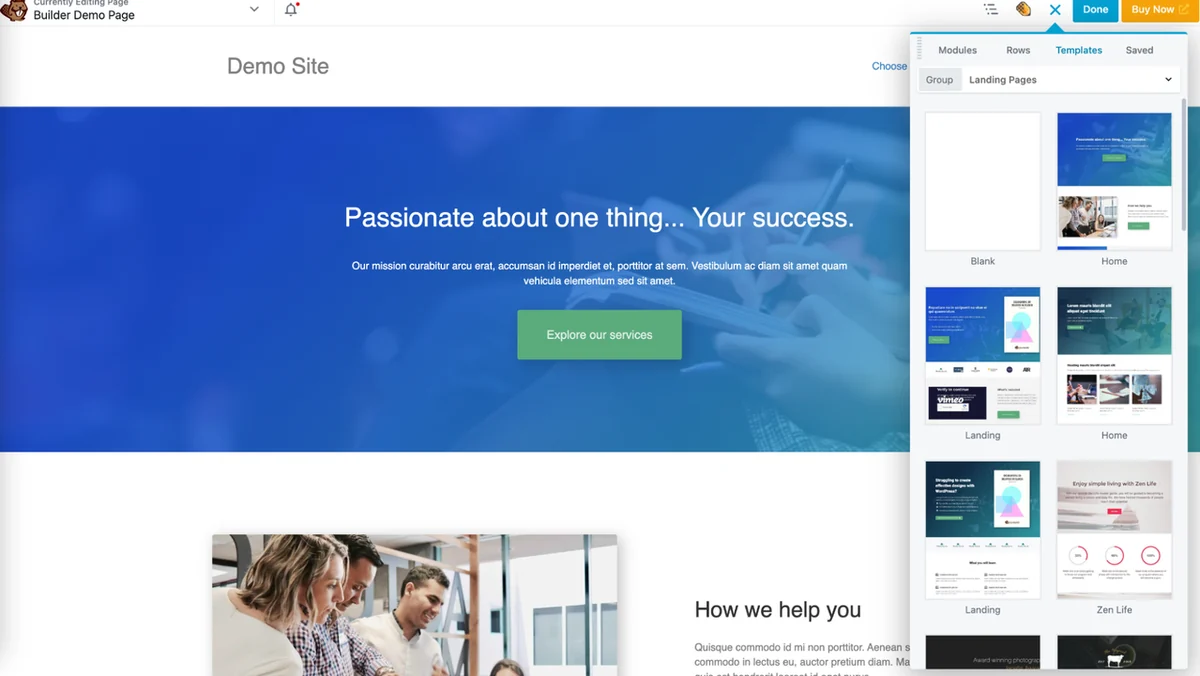
- Pre-designed Templates: Start with a variety of pre-designed templates that can be easily customized to match your unique brand aesthetic.
- Global Design Settings: Implement site-wide changes in just a few clicks, such as updating fonts and colors across all pages simultaneously.
- Pre-built Rows: Easily add and arrange pre-built rows and columns by dragging and dropping them onto your page.
- Extensive Element Library: Incorporate elements like photos, buttons, headings, text, separators, and more with simple drag-and-drop actions.
- Inline Text Editing: Edit text directly by double-clicking within the text box, with options to customize font, style, spacing, and more.
- Save Custom Modules: Reuse your custom-designed modules, templates, and rows across different sites to save time and effort.
- Mobile Responsive & SEO Friendly: Websites built with Beaver Builder are designed to be responsive across devices and optimized for search engines, ensuring fast loading times.
How It Works
Beaver Builder offers a visual, front-end editing experience. You can start by selecting a pre-designed template and then customize it by dragging and dropping content modules onto the page. Each element’s properties, such as text, links, size, color, and alignment, can be adjusted through an intuitive menu. For text content, inline editing allows for immediate changes by double-clicking on the text itself, further simplifying the design workflow.
Use Cases
- Small Business Websites: Create professional online presences without hiring expensive developers.
- Personal Portfolios: Showcase your work effectively with visually appealing layouts.
- Landing Pages: Design high-converting landing pages for marketing campaigns.
- Blogging Platforms: Enhance the visual appeal of your blog posts and site structure.
- E-commerce Stores: Build attractive product pages and site layouts for online shops.
Integrations & Compatibility
- Beaver Builder integrates seamlessly with popular WordPress themes such as Astra and Genesis
- It also offers compatibility with essential plugins like Gravity Forms, ActiveCampaign, ConvertKit, MailChimp, LearnDash, and MemberPress, enhancing the functionality of your website.
Pricing & Value
The value proposition of Beaver Builder lies in its user-friendly interface and comprehensive feature set, which significantly reduces the time and expertise typically required for website development. The ability to create professional, responsive, and SEO-friendly sites without coding is a considerable benefit.
Deal Details
This offer provides a digital download of Beaver Builder, granting you unlimited uses for the license. Your purchase is yours forever if you download and save it within 60 days of acquisition.
Quick Take
- Ideal for individuals and businesses seeking to build or redesign their WordPress site efficiently.
- A strong choice for those who want a visual, code-free website building experience.
- Offers significant value through its comprehensive features and unlimited usage license.
FAQs
How many websites can I build with one license?
One license allows for unlimited website uses.
Are websites built with Beaver Builder mobile responsive?
Absolutely, websites created with Beaver Builder are mobile responsive.
Can I save custom designs for later use?
Yes, you can save custom modules, templates, and rows for reuse.
Do I need to know how to code to use Beaver Builder?
No, Beaver Builder allows you to build websites without writing any code.
Is Beaver Builder beginner-friendly?
Yes, Beaver Builder is designed for users of all experience levels, including beginners.
Final Thoughts
Beaver Builder provides an accessible and powerful platform for creating professional WordPress websites. Its intuitive drag-and-drop interface, coupled with robust features and extensive integrations, makes it a standout solution for anyone looking to build a site stress-free.