
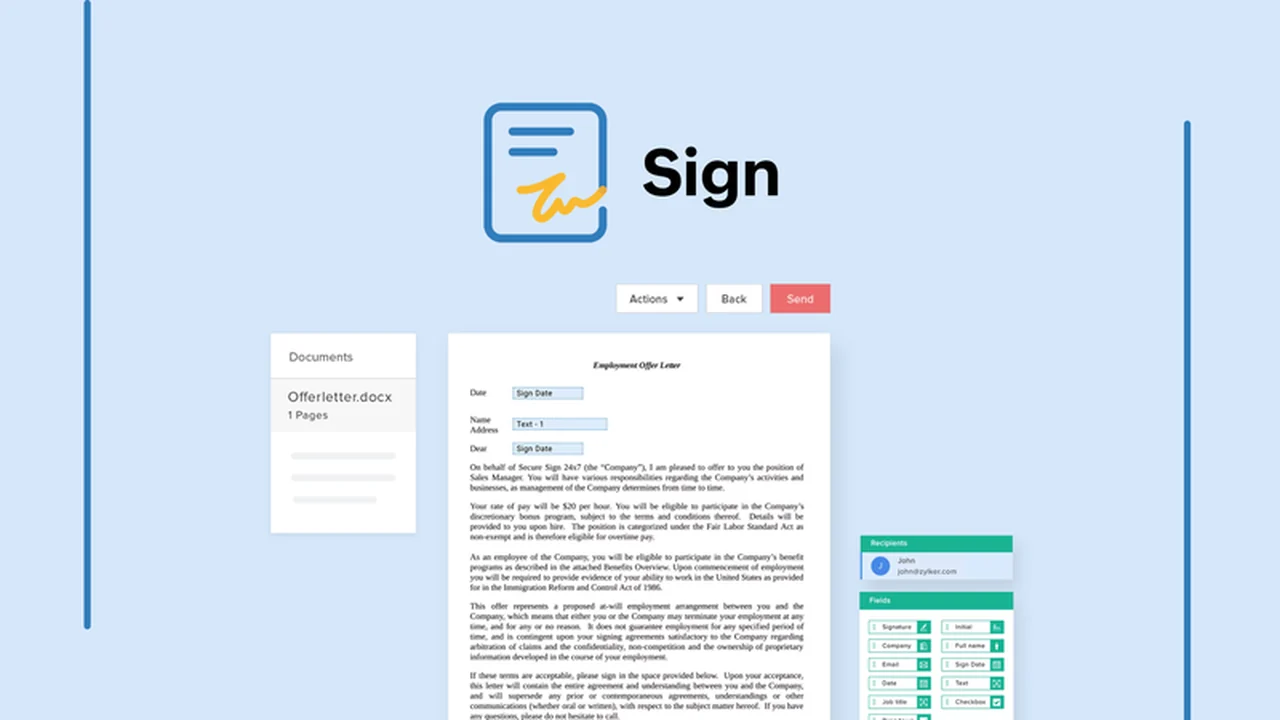
In today’s fast-paced business environment, efficient document handling is crucial. Zoho Sign offers a comprehensive solution for signing, sending, and managing important papers digitally, saving you valuable time and resources.
This review delves into the capabilities of Zoho Sign as available through AppSumo, exploring its features, how it operates, and the benefits it brings to various professional scenarios. We’ll assess its value proposition and provide a clear overview of what you can expect.
What is Zoho Sign – Sign documents within seconds | AppSumo
Zoho Sign is a robust electronic signature platform designed to simplify the entire document lifecycle. It empowers users to legally sign, send, and track documents from a single, unified interface. The platform focuses on making the process intuitive and secure for all parties involved.
Key Features
Zoho Sign comes equipped with a range of features to enhance efficiency and user experience:
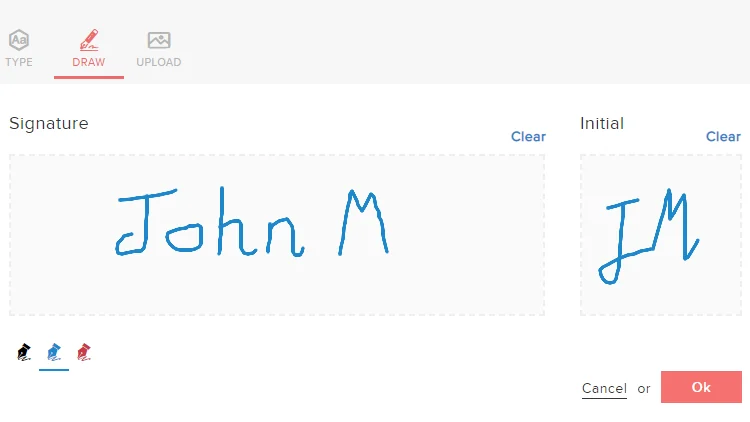
- Signature Flexibility: Type, draw, or upload your signature. Save your preferred choice for quick application on future documents.
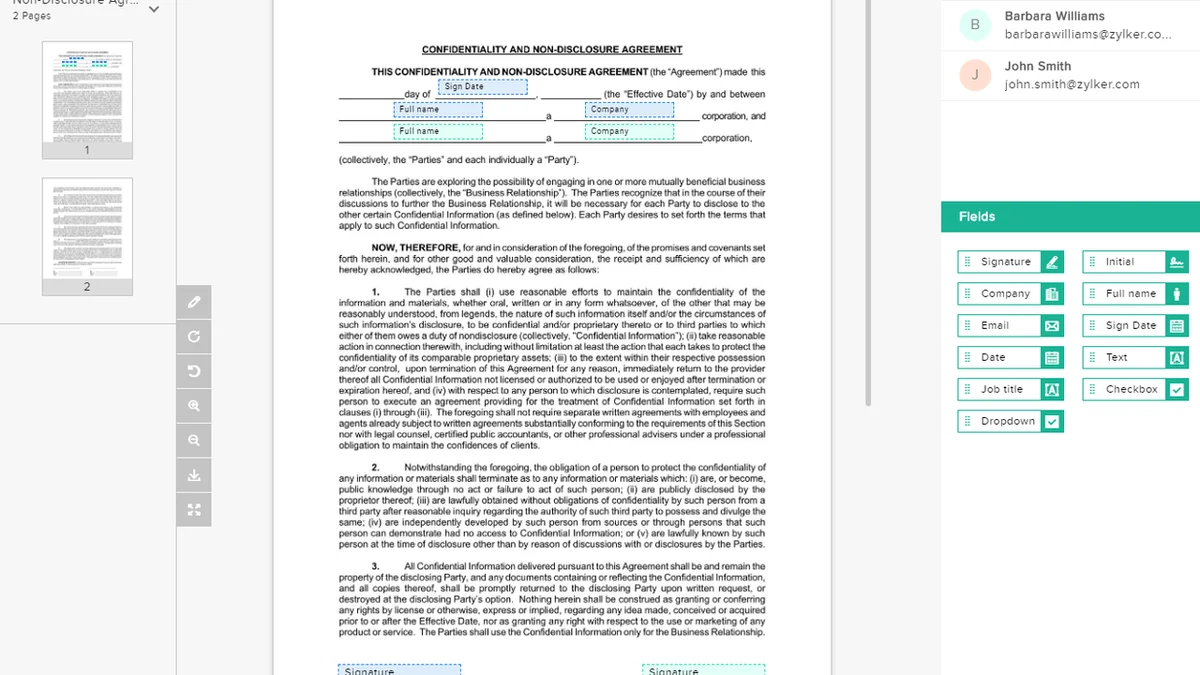
- Automatic Field Addition: The platform intelligently recognizes and adds fields with text tags, eliminating the need for manual input during the signing process.
- Customizable Templates: Convert frequently used documents into reusable templates, significantly reducing the time spent on repetitive tasks.
- Brand Customization: Personalize documents by adding your brand logo, colors, and content, reinforcing brand identity during client interactions.
- Team Collaboration: Facilitate document review and clarification among team members with real-time public or private notes, streamlining communication.
- Document Control: Maintain complete command over the signing process by dictating signature order, approving or denying documents, and recalling contracts.
- Multilingual Support: Offer signers the option to complete the signing process in their native language for a more accessible experience.
- Automated Reminders: Send timely, automated reminders to speed up the signing process without manual follow-ups.
- Hybrid Signing Options: Sign on the go via mobile or collect signatures in person, providing flexibility for various work styles.
- Enhanced Security: Benefit from multi-factor authentication and compliance with national and international laws for document protection.
How It Works
Getting started with Zoho Sign is straightforward. You can upload a document, prepare it for signing by adding necessary fields, and then send it to the intended recipients. Signers receive a link to access the document, where they can review, sign, and submit it electronically. The platform tracks the entire process, providing audit trails and ensuring legal validity.
Use Cases
Zoho Sign is a versatile tool applicable to numerous professional needs:
- Sales and Contracts: Quickly send and get signatures on proposals, quotes, and agreements.
- Human Resources: Streamline the onboarding process with digital employment contracts and policy acknowledgments.
- Legal Documents: Manage the signing of various legal paperwork efficiently and securely.
- Client Onboarding: Gather necessary client information and agreements without delays.
- Internal Approvals: Expedite the approval process for internal documents and memos.
Integrations & Compatibility
- Zoho Sign integrates seamlessly within the broader Zoho ecosystem, enhancing workflows with applications like Zoho People for onboarding and Zoho CRM for client contracts
- Beyond its native suite, it also connects with popular third-party tools, including HubSpot, Zapier, and Gmail, expanding its utility and compatibility.
Pricing & Value
The value of Zoho Sign is amplified by its availability through special offers, such as those found on AppSumo. These deals often provide lifetime access, making it an exceptionally cost-effective solution for businesses looking to adopt an electronic signature system without ongoing subscription fees.
Deal Details
AppSumo deals for Zoho Sign are typically time-sensitive, offering a limited window to acquire the software. Purchasers can secure lifetime access to the platform’s features, provided they download and save their license within 60 days of the purchase date. This offers a unique opportunity for long-term savings.
Quick Take
- Ideal for small to medium-sized businesses aiming to digitize document signing.
- Offers a cost-effective, lifetime solution through AppSumo deals.
- Provides essential features for secure and efficient electronic document management.
FAQs
What happens if I forget to download my license after purchase?
You must download and save your license within 60 days to secure lifetime access.
Can I create custom templates in Zoho Sign?
Yes, you can convert your frequently used documents into customizable and reusable templates.
How does Zoho Sign ensure document security?
It ensures security through multi-factor authentication and compliance with data protection regulations.
Can I use Zoho Sign on my mobile device?
Yes, Zoho Sign is accessible and functional on mobile devices for signing on the go.
Is Zoho Sign legally binding?
Yes, Zoho Sign is legally binding and complies with relevant e-signature laws.
Final Thoughts
Zoho Sign, particularly when acquired through an AppSumo deal, presents an exceptional opportunity for businesses to elevate their document workflow. Its comprehensive feature set, user-friendly interface, and robust security measures make it a valuable asset for streamlining operations and enhancing professional credibility. The ability to automate repetitive tasks and maintain control over the signing process provides significant advantages.