
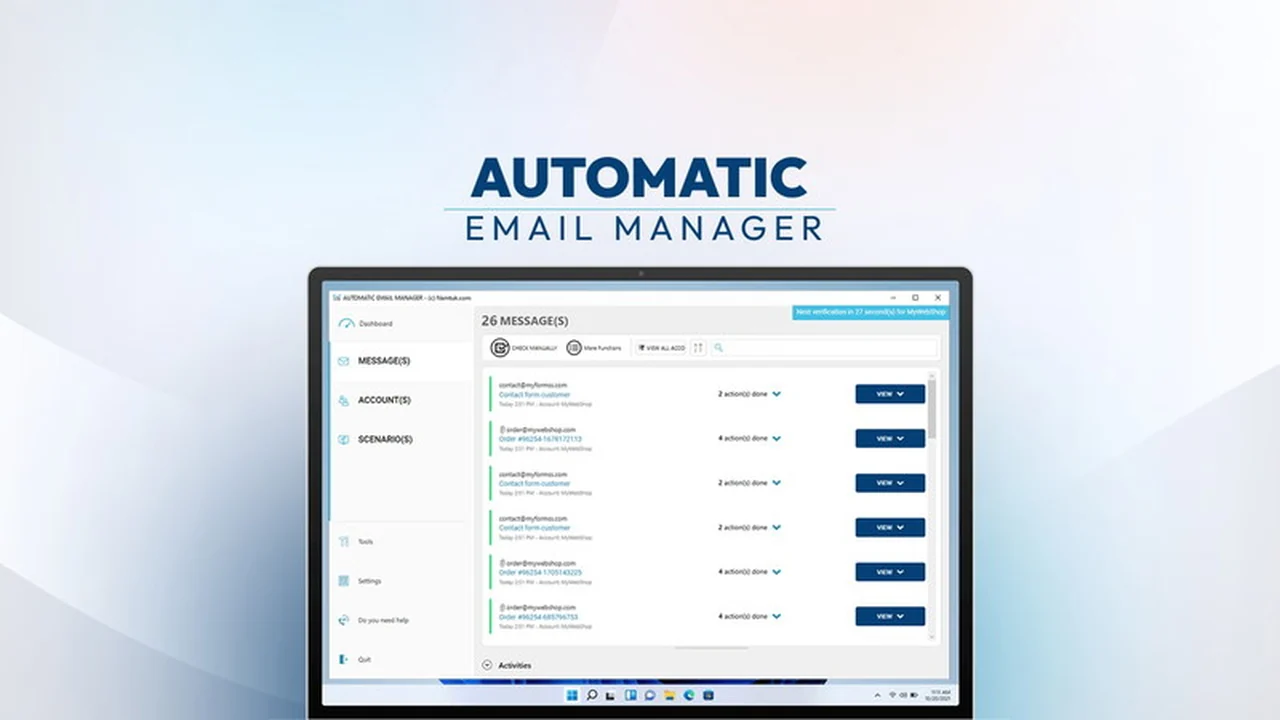
Spending too much time on repetitive email tasks can significantly hinder productivity. This review explores a solution designed to streamline those processes, allowing you to focus on more critical aspects of your business.
We’ll delve into how Automatic Email Manager can help you reclaim valuable hours by automating common email management actions, from printing attachments to sending automated replies.
What is Automatic Email Manager | AppSumo
Automatic Email Manager is a robust, locally installed Windows software designed to automate the handling of your incoming emails and their attachments. It operates on your PC or server, applying predefined rules and actions to manage emails as they arrive. This tool aims to eliminate the manual effort involved in tasks like printing, saving, converting, and replying to emails.
Key Features
This software offers a comprehensive suite of features to manage your email flow efficiently:
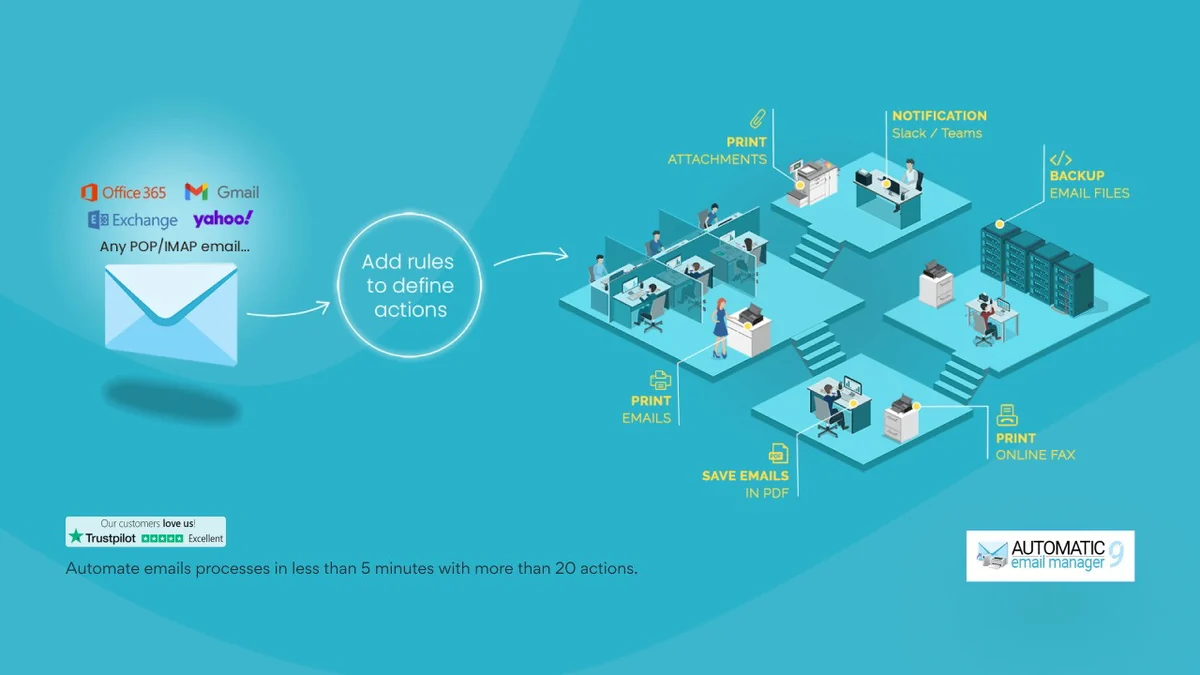
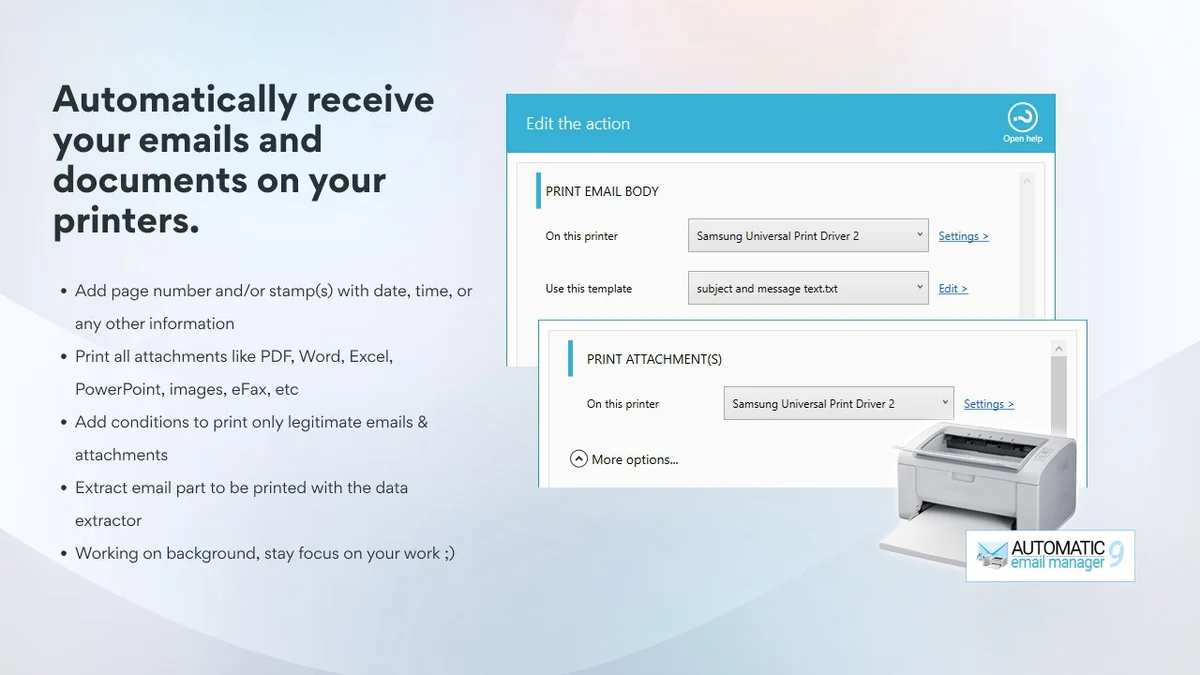
- Automated Printing: Automatically prints email bodies and/or attachments (invoices, orders, reports) to any connected printer.
- File Conversion and Saving: Converts emails into various formats including PDF, images, EML, MSG, and text, saving them to specified network folders for archiving or integration with other software.
- Real-time Actions: Executes actions like saving to CSV databases, assigning categories, changing subjects, deleting, moving, or copying emails in real-time as new messages are received.
- Automated Replies: Sends auto-replies based on predefined rules.
- Notification Integration: Sends notifications to platforms like Slack, Microsoft Teams, and Telegram, including email content and attachments.
How It Works
The core functionality of Automatic Email Manager revolves around setting up specific rules within the application. You define criteria for incoming emails, such as sender, subject line keywords, or recipient. Once a rule is established, you assign a set of actions to be performed when an email matches those criteria. This could involve anything from printing an order confirmation to saving an invoice as a PDF in a specific folder, or even sending a standard reply to a customer inquiry.
Use Cases
Automatic Email Manager is particularly beneficial for individuals and businesses that deal with a high volume of routine email correspondence. Potential applications include:
- E-commerce Order Processing: Automatically print new order details and save customer invoices.
- Invoice Management: Auto-save incoming invoices as PDFs to a designated accounting folder.
- Report Distribution: Automatically print or save reports received via email.
- Customer Support: Send templated replies to common inquiries or route support tickets based on keywords.
- Document Archiving: Systematically convert and store important emails and attachments for compliance or record-keeping.
Integrations & Compatibility
- While Automatic Email Manager primarily operates on your local machine, it can integrate with cloud storage solutions through local folder synchronization
- For example, it can save files to your local disk, which can then be synced to services like Google Drive using their respective desktop applications
- Direct integration with cloud storage platforms like Google Drive is not a primary feature, but workarounds exist.
Pricing & Value
The value proposition of Automatic Email Manager lies in its ability to significantly reduce manual labor. By automating repetitive tasks, it frees up time that can be reinvested in revenue-generating activities or strategic planning. The investment in this software aims to provide a tangible return through increased operational efficiency and reduced human error.
Deal Details
This particular offering, available on AppSumo, typically provides a specific duration of access to the software. Users are encouraged to redeem their codes within 60 days of purchase. It’s important to note that this deal is not stackable, meaning multiple purchases do not extend the functionality or duration beyond what a single deal provides.
Quick Take
- Ideal for Windows users needing to automate repetitive email tasks.
- Saves significant time by handling printing, saving, and replying automatically.
- Offers a practical solution for streamlining workflows with incoming emails.
FAQs
How does this compare to free email archiving software?
Automatic Email Manager offers advanced automation features beyond basic archiving.
Does it plan to save data into Google Sheets?
Future updates might include more integrations, but current functionality focuses on local saving and CSV export.
Can this filter by Labels in GMAIL?
The software’s filtering is based on email content, sender, and subject, not Gmail labels directly.
Is this a lifetime deal or an annual fee?
The AppSumo deal offers a specific duration of access, not a lifetime license.
Can Gmail attachments be automatically saved to a specific folder in Google Drive?
It saves to your local disk; use Google Drive’s sync feature for cloud storage.
Final Thoughts
Automatic Email Manager | AppSumo presents a compelling solution for anyone drowning in email management tasks. Its ability to automate printing, saving, converting, and responding to emails can lead to substantial time savings and improved operational efficiency. While it operates locally, its robust rule-based system and integration possibilities make it a powerful tool for streamlining your daily digital workflow.