
Enhancing your WordPress website’s social presence is crucial for audience engagement and growth. This review focuses on WP Social, a plugin designed to streamline the integration of various social media functionalities directly into your site.
We will explore its features, how it works, and its overall value, especially for those looking to leverage social interactions without complex setups. The goal is to provide a clear understanding of what WP Social offers and how it can benefit your online presence.
What is WP Social – Add social functions to WordPress site | AppSumo
WP Social is a WordPress plugin engineered to integrate essential social media features into your website. It aims to simplify the process of adding social logins, share buttons, and follower counters, consolidating these often-separate functionalities into a single, manageable solution.
The plugin is designed to boost user engagement and expand your site’s reach by making it easier for visitors to connect with your social profiles and share your content. It addresses the need for a more social and interactive WordPress experience.
Key Features
- Social Logins: Allows users to register and log in to your WordPress site using their existing social media accounts like Facebook, Google, and LinkedIn.
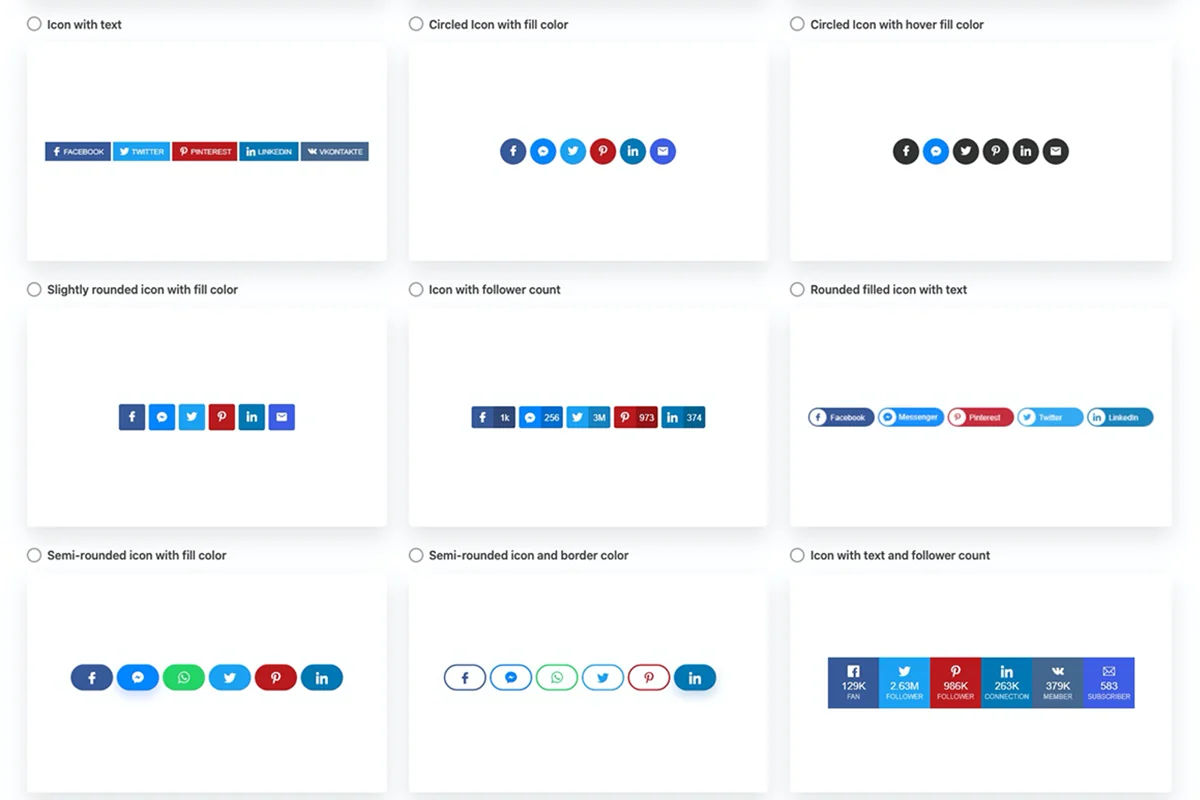
- Customizable Share Buttons: Offers 18 distinct styles for social sharing buttons, enabling you to match your site’s aesthetic.
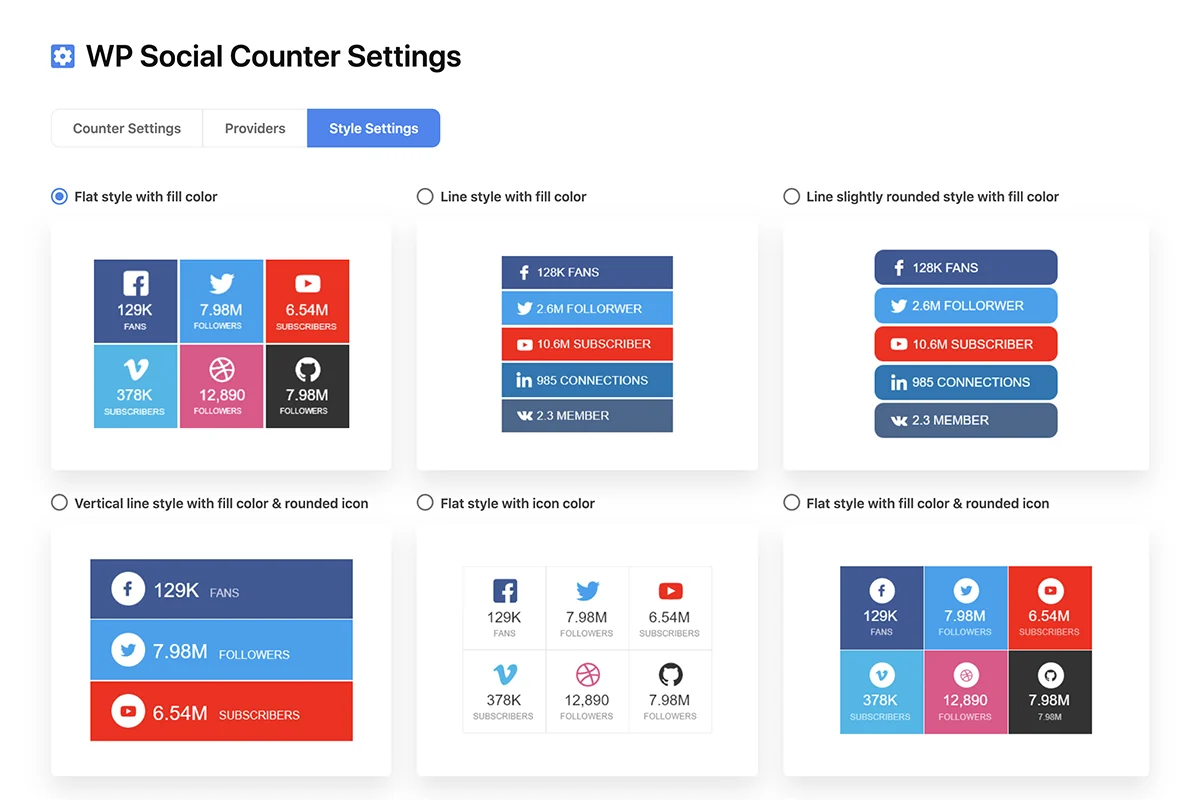
- Follower Counters: Displays your social media subscriber and follower counts directly on your website to build credibility and encourage more follows.
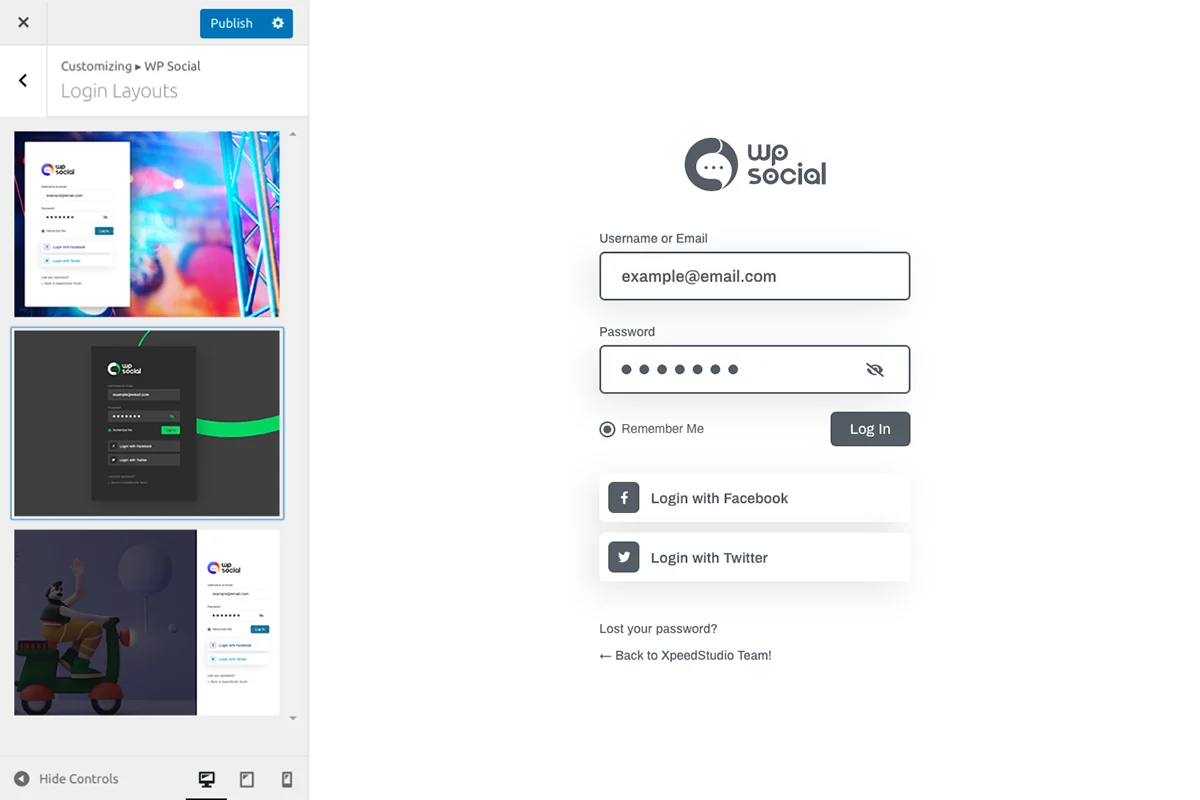
- Login Page Customization: Provides ready-made templates to enhance the appearance of your WordPress login and registration pages.
- Unified Functionality: Integrates multiple social features into one plugin, reducing the need for several individual tools.
How It Works
Implementing WP Social involves installing the plugin on your WordPress site. Once activated, you can configure each social feature through its intuitive dashboard. This typically includes connecting your social media developer accounts for login functionality and selecting preferred styles for share buttons and counters.
The plugin utilizes shortcodes and easy-to-access settings to allow for flexible placement and customization of social elements across your site. The setup process guides you through connecting to the social networks you wish to integrate.
Use Cases
- Bloggers: Enhance content discoverability and engagement by making sharing easy and showcasing follower growth.
- Influencers: Build a stronger online community by offering seamless social logins and displaying a robust follower count.
- Social Media Managers: Streamline the process of adding social credibility and shareability to client websites with a single tool.
- E-commerce Store Owners: Encourage impulse sharing and social logins to simplify the customer journey.
Integrations & Compatibility
- WP Social is designed to work with the WordPress platform
- It supports integration with major social networks such as Facebook, Google, and LinkedIn for login purposes
- While primarily focused on core social functionalities, its compatibility with your specific theme and other plugins should be considered
- The plugin aims for broad compatibility within the WordPress ecosystem
- For detailed compatibility information, consulting the product’s documentation or support is advisable.
Pricing & Value
The value proposition of WP Social lies in its ability to consolidate multiple social features into one plugin, potentially saving costs compared to purchasing separate solutions. Options are often available that provide lifetime access to features.
Considering the breadth of functionalities offered, from social logins to share counters and login page customization, WP Social presents itself as a cost-effective choice for enhancing a WordPress site’s social capabilities.
Deal Details
The AppSumo deal for WP Social typically offers lifetime access to the Agency Plan. This includes all future Agency Plan updates, ensuring the plugin remains current. Codes must be redeemed within 60 days of purchase.
This particular offer is intended for new WP Social users who do not currently have an account, providing a straightforward entry point to the plugin’s premium features.
Quick Take
- Ideal for WordPress users needing to integrate social logins, share buttons, and follower counters efficiently.
- Offers a simplified, all-in-one solution to boost social engagement and website interactivity.
- A strong contender for bloggers, influencers, and businesses looking to expand their online social footprint.
FAQs
I have a page that includes a newsletter to download. I use social login to unlock the PDF download and collect leads from those who download the PDF.
WP Social can facilitate social logins, which could potentially be integrated with lead generation processes.
How does WP Social Login/Register feature deals along with 2FA?
The plugin’s login feature is separate from two-factor authentication (2FA) implementation.
How lightweight is it? Can I use Social Login only when the visitor gets to buy a product (in woo)?
The plugin’s lightness varies, and specific conditional display for WooCommerce purchases is not a standard feature.
Add Google Login to Comments?
WP Social primarily focuses on login and registration, not directly on adding social logins to comment forms.
Is there a button for Bluesky?
Currently, there is no dedicated Bluesky button available in WP Social.
Final Thoughts
WP Social provides a comprehensive suite of tools for users aiming to inject social functionality into their WordPress websites. Its ability to combine social logins, share buttons, and follower counts into a single plugin simplifies management and can enhance user engagement significantly.
While minor user-reported issues like occasional bugs or specific customization limitations exist, the overall value and functionality offered, especially through lifetime deals, make WP Social a compelling option for those looking to improve their site’s social integration. The 60-day money-back guarantee from AppSumo further reduces the risk for potential buyers.