
In today’s digital world, sharing files and sensitive information across devices can often feel like a balancing act between convenience and security. Many solutions require complex setups or come with recurring subscription costs that don’t fit every user’s needs.
This comprehensive review will explore QRClip, a file-sharing platform designed with privacy and simplicity at its core. We’ll delve into its unique features, understand how it works, and assess its value for various applications.
What is QRClip – File Sharing Built for Privacy, Simplified. | AppSumo
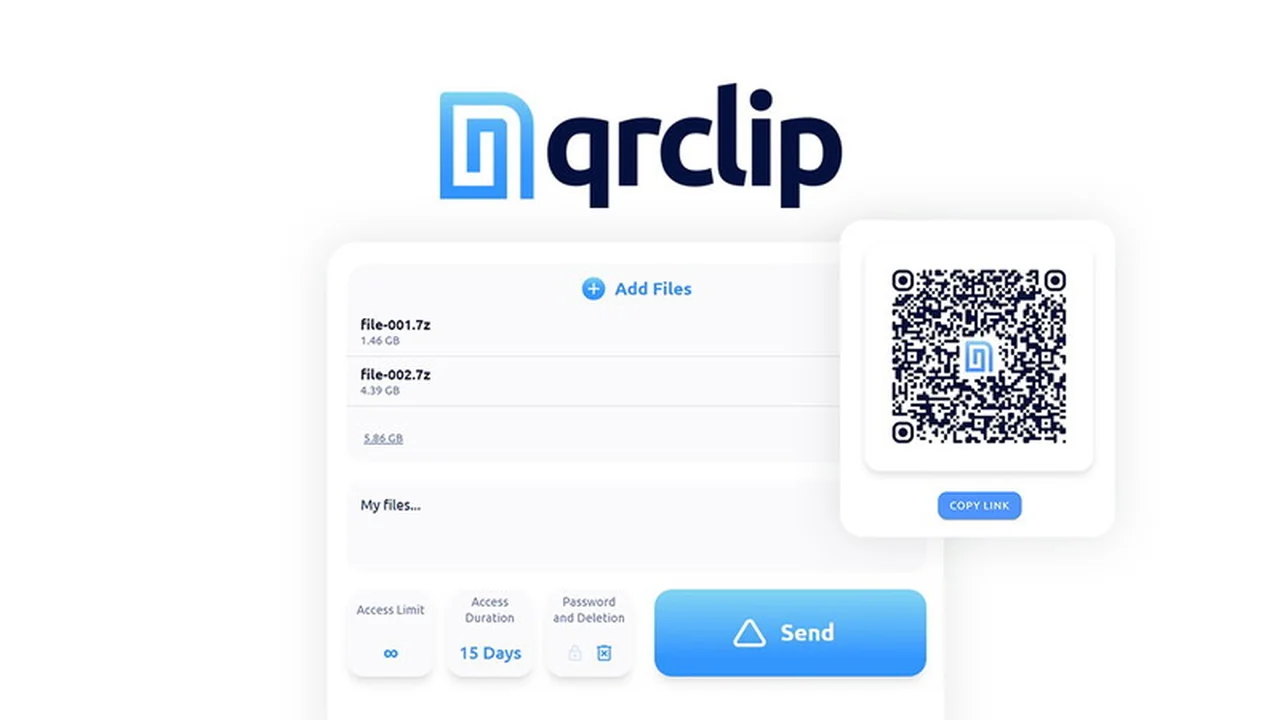
QRClip is a secure file and text transfer platform that generates temporary QR codes and links for private sharing between any compatible devices. It offers user-controlled self-destruction options, ensuring that shared data doesn’t persist longer than necessary.
The platform operates on a transparent pay-as-you-go balance system, eliminating the need for traditional monthly or annual subscriptions. This approach provides flexibility and ensures users only pay for the resources they consume, with purchased balances never expiring.
Key Features
- End-to-End Encryption: Utilizes XChaCha20-Poly1305 for zero-knowledge encryption, meaning only the sender and intended recipient can access the data.
- Self-Destructing Data: Files, links, and QR codes can be set to automatically disappear after a specified time or number of downloads.
- Password Protection: An optional password can be added for an extra layer of security on highly sensitive information.
- Dynamic QR Codes: Allows updating the content associated with a QR code without needing to generate a new one.
- Access Control: Set download limits and time expirations to manage who can access shared content and for how long.
- Multi-Receiver QR Codes: Facilitates secure file collection from multiple individuals using a single code.
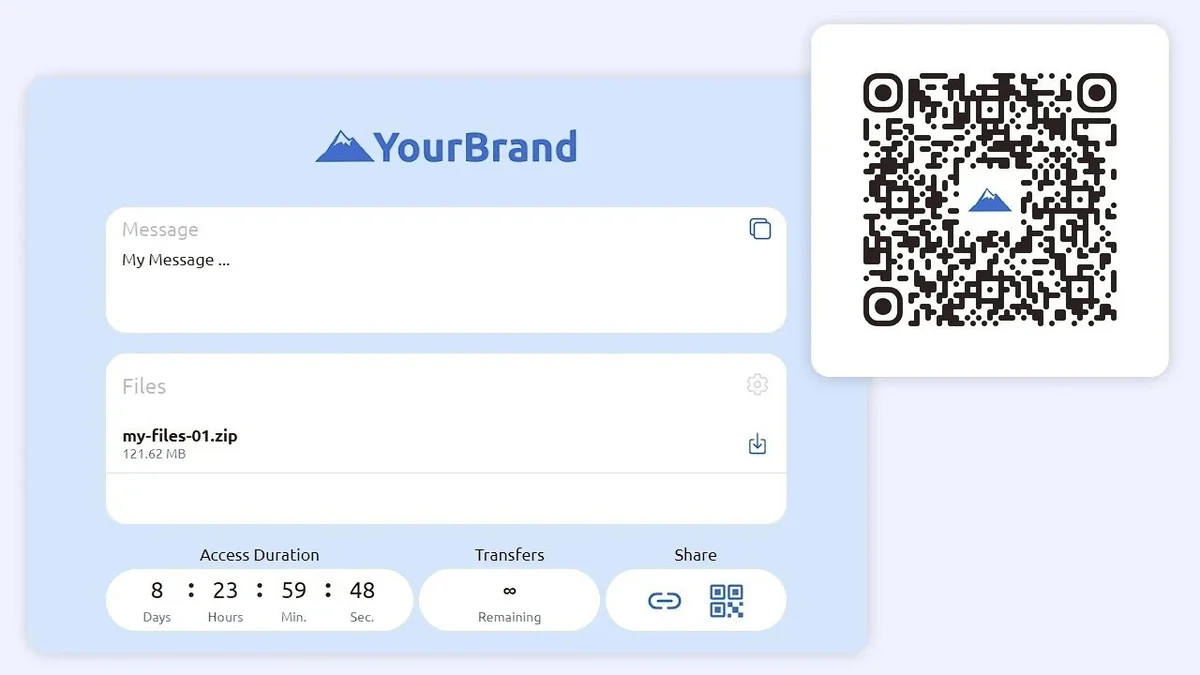
- Customizable QR Codes: Appearance of QR codes can be adjusted for a more branded experience.
- QRClip Portals: Create secure, customizable drop zones for others to send encrypted files without requiring a QRClip account.
How It Works
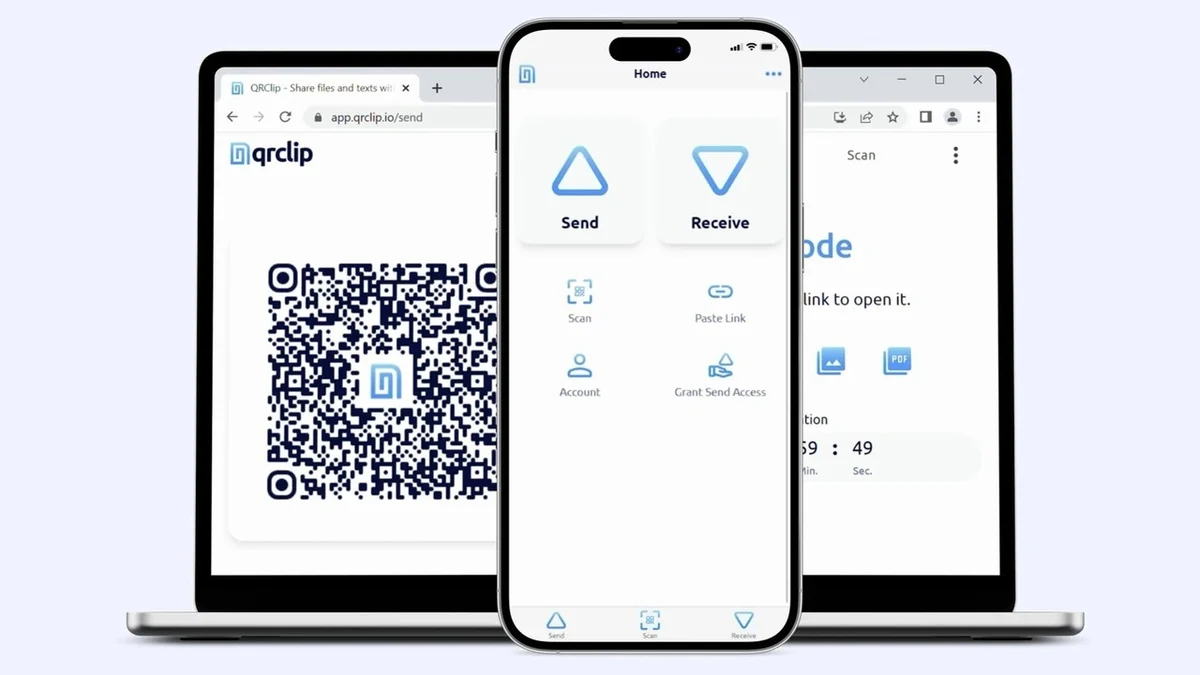
QRClip simplifies file sharing through a straightforward process. Users can upload files or paste text directly into the QRClip interface. The platform then generates a secure QR code and/or a shareable link.
Recipients can access the shared content by scanning the QR code with their device’s camera or by clicking the provided link. All data is encrypted on the sending device and decrypted only by the recipient, ensuring privacy throughout the transfer.
Use Cases
- Securely transferring passwords and login credentials between devices.
- Sharing confidential work documents or sensitive personal information.
- Sending temporary files or notes that should not be stored long-term.
- Collecting files from clients or collaborators in a secure manner.
- Distributing information for events or presentations where access needs to be temporary.
Integrations & Compatibility
QRClip is designed for broad accessibility and offers seamless cross-platform support.
- Web Browser: Accessible via any modern web browser on desktops and mobile devices.
- Mobile Apps: Dedicated applications are available for Android and iOS.
- Progressive Web App (PWA): Provides an integrated desktop experience.
- Microsoft Outlook Add-in: Enhances email workflows for convenient sharing.
- Command-Line Interface (CLI): Allows for integration into scripts and automated processes for power users.
Pricing & Value
QRClip utilizes a transparent pay-as-you-go balance system. Users add funds to an account balance, and costs are calculated based on storage (gigabytes per day) and data transferred (gigabytes downloaded). This model offers significant value by avoiding recurring subscription fees.
The pay-as-you-go balance purchased for QRClip never expires, providing long-term flexibility and eliminating the pressure of subscription renewals. A cost calculator on the QRClip website assists in estimating expenses.
Deal Details
QRClip is available through a special offer, providing a lifetime of access to its advanced features. This typically involves purchasing a set amount of balance for a one-time fee, which can then be used for all file transfers. The deal ensures that users benefit from the platform’s security and privacy features without ongoing subscription costs.
Quick Take
- Ideal for individuals and businesses prioritizing data security and privacy.
- Excellent for users who need to share sensitive information temporarily.
- Beneficial for those seeking a cost-effective, pay-as-you-go alternative to traditional subscription services.
FAQs
Can QRClip data be accessed by the platform itself?
No, the platform operators cannot access your encrypted data.
What are the key differences between QRClip and traditional cloud storage?
QRClip offers stronger zero-knowledge and end-to-end encryption for transfers.
Is the use case of QRClip good for lead magnets, user guides, or other marketing materials?
QRClip can be used for marketing materials, though its primary focus is security and privacy.
Is it possible to QR code a website or landing page?
Yes, you can link your QR code to any website or landing page you choose.
Is it possible to not have an expiration date on a QR code?
You can create dynamic QR codes that do not have a set expiration date.
Final Thoughts
QRClip – File Sharing Built for Privacy, Simplified. offers a compelling solution for anyone concerned about the security and privacy of their digital transfers. Its robust encryption, flexible self-destructing options, and user-friendly pay-as-you-go model make it a standout choice.
By removing the complexity and recurring costs associated with many file-sharing services, QRClip empowers users to share data with confidence. Whether for personal use or professional applications, its focus on privacy makes it a valuable tool in the modern digital landscape. Consider exploring QRClip for your secure sharing needs.