
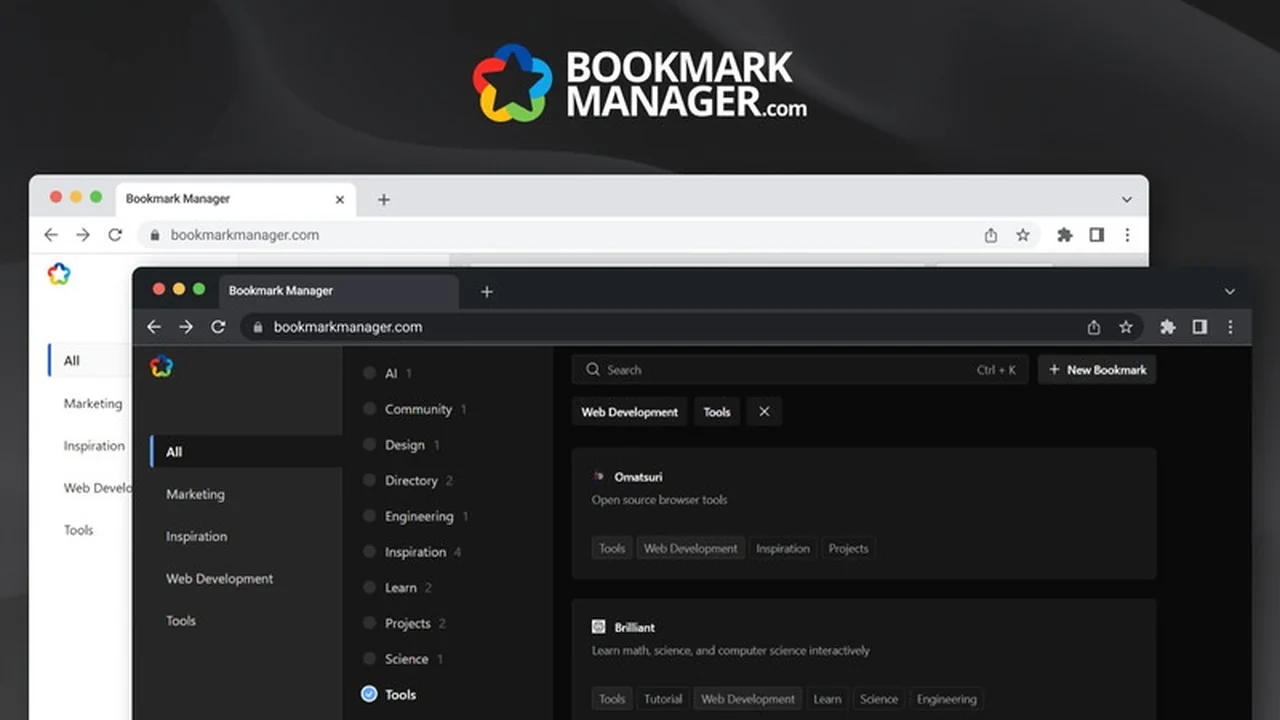
Tired of a sprawling collection of bookmarked links that are impossible to navigate? This review dives deep into BookmarkManager.com, a tool designed to bring order to your online saved resources.
Discover how its unique tagging system and user-friendly interface can transform your bookmark management, ensuring you can find what you need, when you need it. We’ll explore its features, how to use it, and its overall value.
What is BookmarkManager.com | AppSumo
BookmarkManager.com is a personal bookmark manager that prioritizes simplicity and efficiency through an exclusive tagging system. It aims to eliminate the frustration of a disorganized digital library by allowing users to organize and quickly rediscover their saved links.
Key Features
BookmarkManager.com distinguishes itself with a set of powerful yet straightforward features:
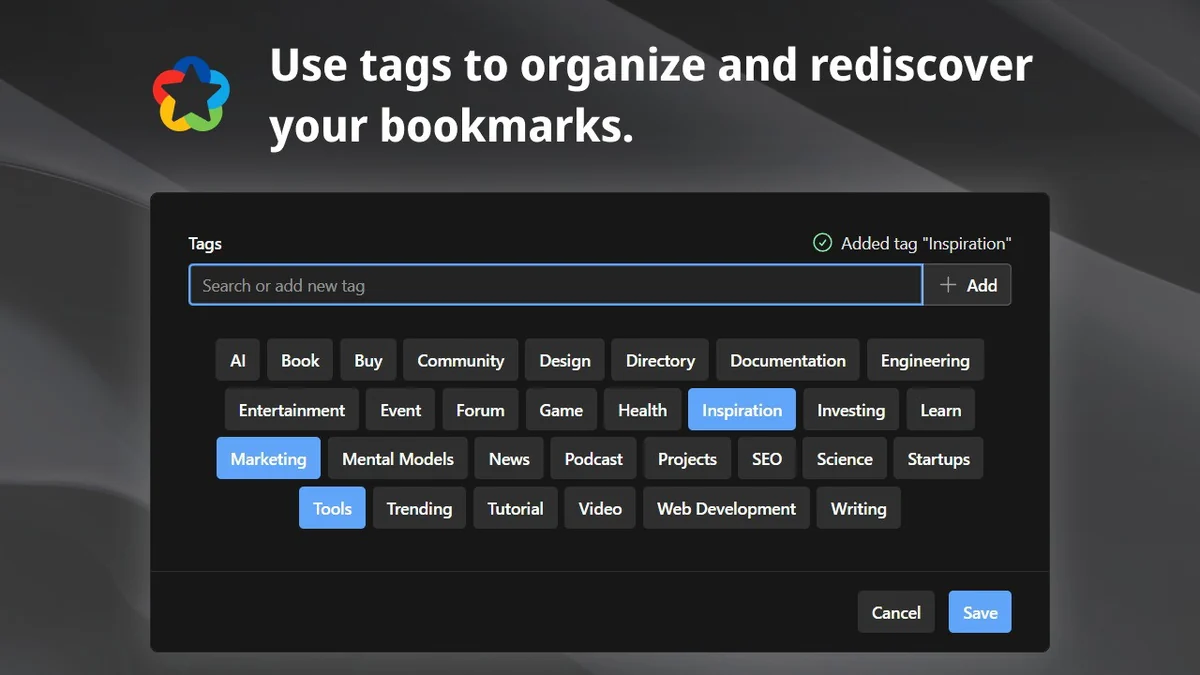
- Exclusive Tagging System: Unlike conventional bookmark managers, BookmarkManager.com allows for the chaining of multiple tags to filter bookmarks, enabling precise retrieval.
- Smart Tagging: This feature helps in organizing your bookmarks and makes it easy to rediscover any saved link by combining tags into a powerful filter.
- Powerful Search Capabilities: Find your links swiftly with a robust search function.
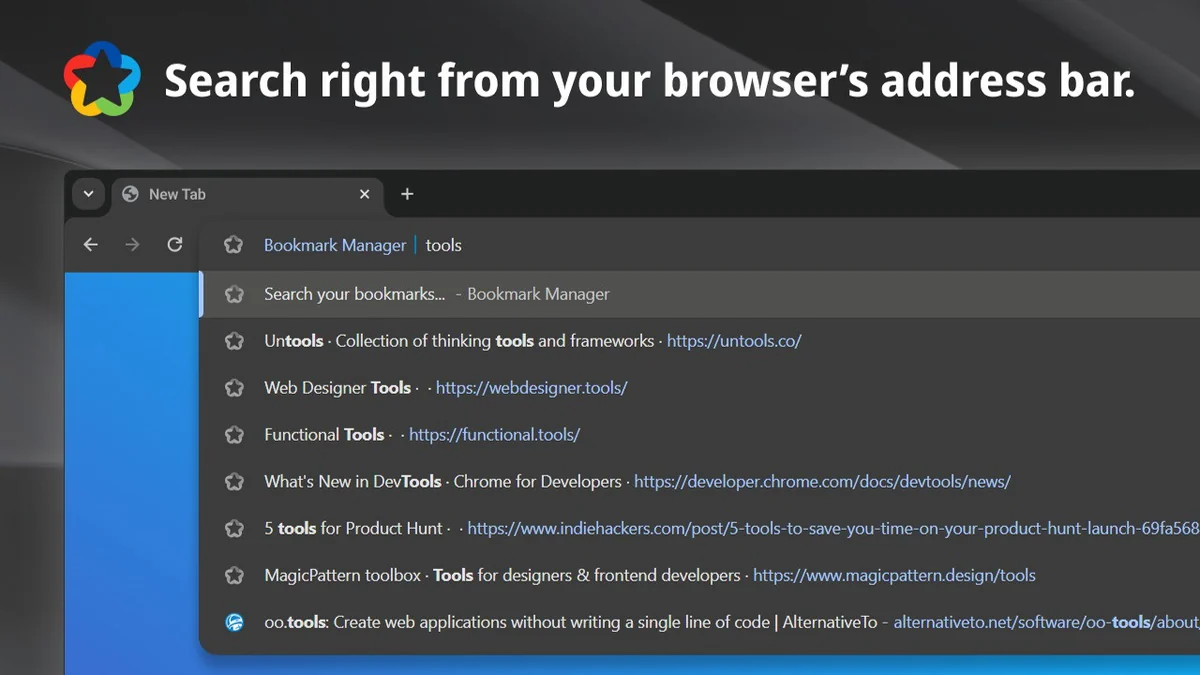
- Chrome Extension: Search your bookmarks directly from your browser’s address bar by typing ‘[b]’ followed by your search term.
- Seamless Syncing: Your digital library stays updated across all your devices.
- Light and Dark Modes: Switch between themes to suit your preference and reduce eye strain.
- Mobile Optimization: Access and manage your bookmarks effortlessly on any mobile device.
- Privacy and Security: The platform is designed with user privacy as a core principle.
How It Works
Getting started with BookmarkManager.com is designed to be intuitive. You save links as you normally would, but instead of just adding them to a folder, you apply tags. The real power comes when you want to find a specific link; you can combine multiple tags in the search bar to create a highly specific filter. This ‘exclusive tagging’ method ensures that even with thousands of bookmarks, you can drill down and find exactly what you’re looking for in seconds.
Use Cases
BookmarkManager.com is ideal for a variety of users looking to streamline their online workflow:
- Researchers and Students: Organize research papers, articles, and study materials by subject, topic, or source.
- Content Creators: Keep track of inspiration, articles to reference, and assets needed for projects.
- Professionals: Manage industry articles, client resources, and important links for daily tasks.
- Hobbyists: Organize recipes, crafting tutorials, or any links related to personal interests.
- Anyone Overwhelmed by Bookmarks: If your browser’s bookmark bar is a mess, this tool offers a clear path to organization.
Integrations & Compatibility
- BookmarkManager.com offers a Chrome extension for enhanced browser integration, allowing for quick searching directly from the address bar
- It is fully optimized for mobile devices, ensuring a consistent experience across platforms
- A Google or Microsoft account is required for sign-up, indicating integration with these identity providers.
Pricing & Value
The value proposition of BookmarkManager.com is centered around its lifetime access deal. This provides a one-time purchase for continuous use of the service, eliminating recurring subscription fees. This model offers significant long-term savings for individuals who rely heavily on organized bookmarking.
Deal Details
The current offering provides lifetime access to BookmarkManager.com. This is a single purchase that grants ongoing access to the service. It’s important to note that this deal is not stackable, and codes must be redeemed within 60 days of purchase. The product requires a Google or Microsoft account for signup.
Quick Take
- For individuals drowning in unorganized bookmarks.
- Ideal for those who value efficient, tag-based organization.
- Offers a cost-effective lifetime solution to bookmark management.
FAQs
What is the refund policy?
There is a 60-day money-back guarantee for you to try the product.
Is my data secure with BookmarkManager.com?
The platform prioritizes user privacy and security in its design.
How does the Chrome extension work?
It allows you to search your bookmarks from the address bar using a simple prefix.
Can I use BookmarkManager.com on my phone?
Yes, it is fully optimized for mobile use on any device.
What is the core principle behind BookmarkManager.com?
Its core principle is exclusive tagging for simple and efficient bookmark organization.
Final Thoughts
BookmarkManager.com presents a compelling solution for anyone struggling to keep their digital links in order. The emphasis on exclusive tagging is a genuinely innovative approach that moves beyond basic categorization. Its user-friendly interface, coupled with the convenience of a Chrome extension and mobile optimization, makes it a powerful tool for rediscovering information quickly. Given the lifetime access deal and the 60-day money-back guarantee, it’s an opportune moment to explore how BookmarkManager.com can bring much-needed structure to your online saved resources.