
Managing team meetings can be a significant hurdle, especially for distributed or remote teams operating across various time zones. Finding a time slot that accommodates everyone often leads to delays and inefficiencies.
This review explores Meetquo, a platform designed to simplify meeting creation and management, focusing on enhancing team collaboration and decision-making processes.
What is Meetquo – Create and manage meetings for teams | AppSumo
Meetquo is a web-based platform built to address the challenges of traditional team meetings. It provides a structured environment for teams to collaborate asynchronously, gather input, and formalize decisions without the need for simultaneous availability. The core aim is to boost efficiency and ensure important outcomes are captured and tracked effectively.
Key Features
Meetquo offers a suite of features designed to facilitate seamless meeting management and collaboration:
- Meeting Document: A central, co-created document serves as a single source of truth for all meeting-related information, decisions, and insights. It functions as a virtual meeting room accessible in real-time.
- Version History: Easily track changes and revert to previous versions of the Meeting Document, ensuring critical information is preserved.
- Discussion Section: Facilitates asynchronous communication through text-based messages and one-minute video messages, allowing participants to share ideas and ask questions at their convenience.
- Proposal Rating: Team members can rate submitted proposals to identify the most valued contributions, helping to streamline decision-making.
- Signature Panel: An optional feature that allows participants to digitally sign meeting outcomes, creating a final PDF report with signatures and an audit trail.
- Team and Participant Management: Simple tools for creating teams and inviting participants to meetings.
How It Works
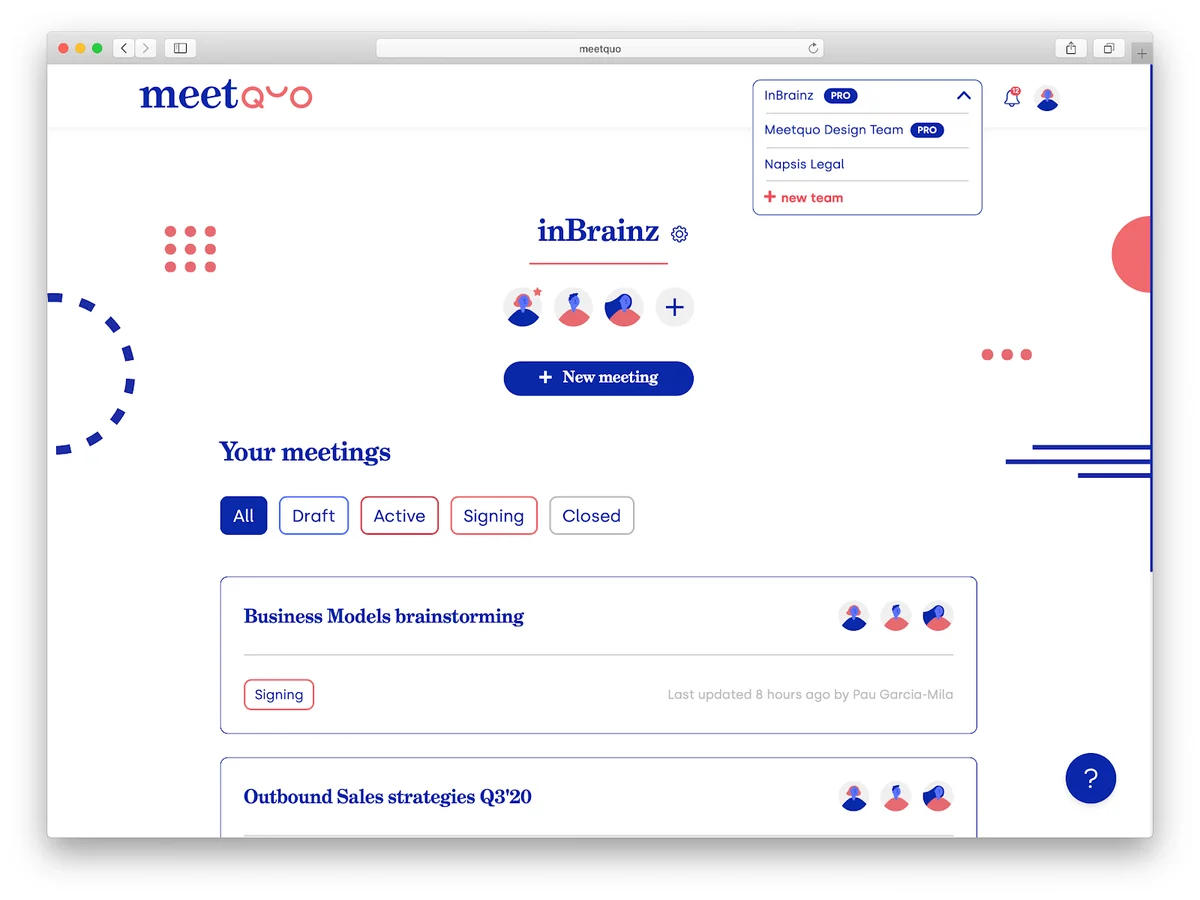
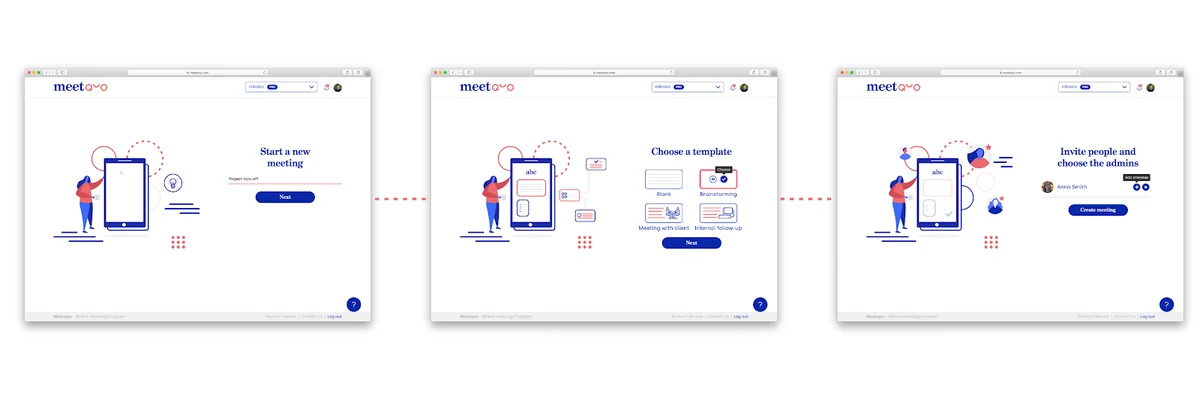
The process with Meetquo is designed to be straightforward and intuitive. Users begin by setting up a meeting and defining their team structure, inviting relevant participants. The platform then facilitates asynchronous interaction, allowing team members to contribute their thoughts, comments, and ideas within the Meeting Document and the Discussion Section at their own pace.
Once discussions are complete and decisions are reached, the optional Signature Panel can be activated to formalize the outcomes. The final, signed document is securely stored in the cloud for future reference.
Use Cases
Meetquo is well-suited for a variety of scenarios where efficient team collaboration and clear decision-making are paramount:
- Remote teams needing to overcome time zone differences for effective communication.
- Project teams requiring a centralized place to capture and track decisions.
- Brainstorming sessions where diverse input is needed from all members.
- Organizations looking to reduce the time spent in synchronous video calls.
- Teams that benefit from a clear, documented record of meeting outcomes and agreements.
Integrations & Compatibility
Meetquo offers integrations to enhance its functionality within existing workflows. These include:
- Slack: For seamless communication and notifications within your team’s Slack channels.
- Zapier: Enabling connections with a vast array of other applications to automate tasks and streamline processes.
The platform is designed to be accessible via web browsers, ensuring compatibility across different operating systems and devices.
Pricing & Value
Meetquo is presented through an AppSumo Lifetime Deal, offering significant value for users looking for a long-term solution. This model typically provides access to the platform’s features for a one-time payment, avoiding recurring subscription costs.
Deal Details
The AppSumo Lifetime Deal for Meetquo grants access to the Pro Plan, which includes the core features of the platform. This plan is designed for enhanced team collaboration and decision tracking. A 60-day money-back guarantee is provided, allowing ample time to evaluate the platform’s suitability for your needs.
Quick Take
- Ideal for remote and distributed teams struggling with synchronous meeting scheduling.
- Perfect for ensuring clear documentation and tracking of team decisions.
- A valuable tool for improving asynchronous communication and efficiency.
FAQs
Does Meetquo integrate with other project management tools?
Meetquo integrates with Slack and Zapier, which can connect to many other applications.
What happens after a meeting is concluded in Meetquo?
Outcomes can be optionally signed by participants, generating a final PDF report.
How does Meetquo handle meeting version history?
Each change to the Meeting Document creates a new version for easy tracking and retrieval.
Can I embed Meetquo meetings on my website?
Information regarding embedding meetings directly on a website is not detailed in the provided notes.
What types of asynchronous communication does Meetquo support?
Meetquo supports text-based messages and one-minute video messages.
Final Thoughts
Meetquo presents a compelling solution for teams aiming to optimize their meeting processes and decision-making. By embracing asynchronous communication, it effectively removes the friction associated with scheduling across time zones and ensures that valuable input is captured and acted upon.
The platform’s emphasis on a centralized Meeting Document, coupled with features like video messaging and proposal rating, fosters a more inclusive and productive collaborative environment. For organizations seeking to enhance efficiency and gain clarity on project outcomes, Meetquo is certainly worth considering.