
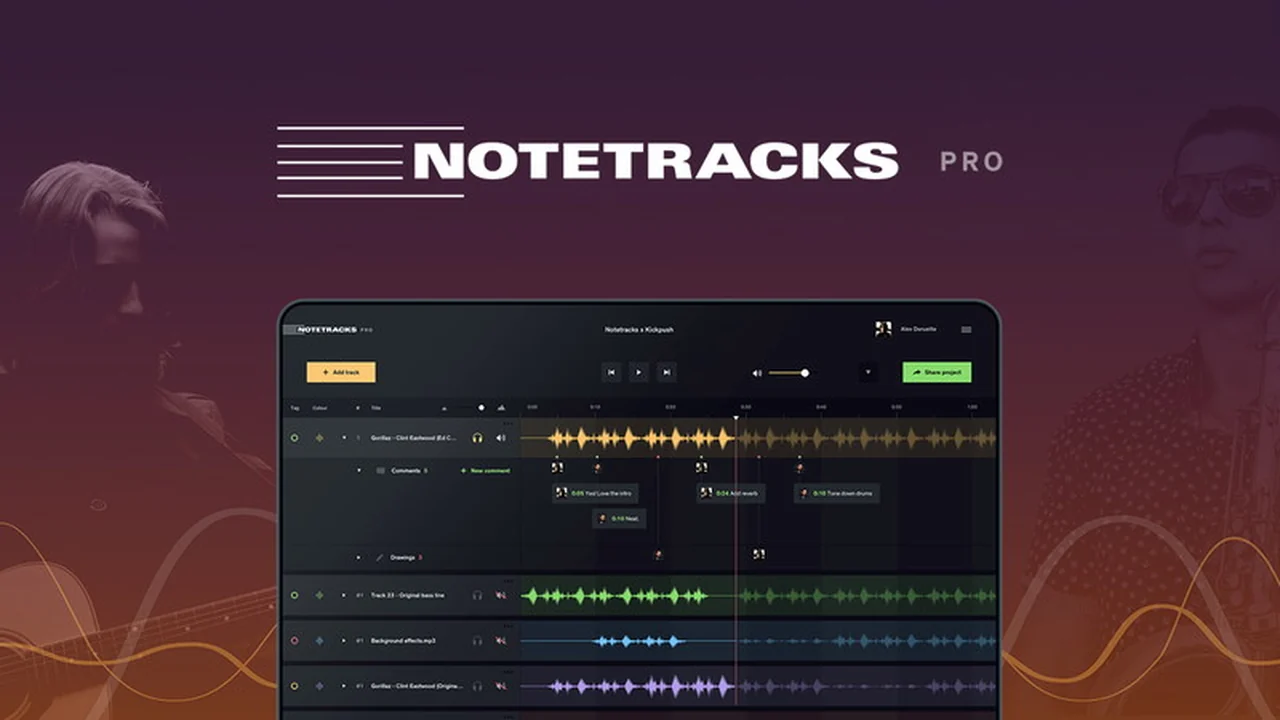
This review explores Notetracks Pro, a platform designed to simplify the often complex process of collaborating on audio projects. We’ll cover its core functionalities and how it addresses common pain points for audio professionals.
Discover how Notetracks Pro can transform your team’s workflow, making feedback loops smoother and project delivery more efficient. From musicians to podcasters, this tool aims to bring clarity to audio creation.
What is Notetracks Pro – Collaborate on audio tracks | AppSumo
Notetracks Pro offers a dedicated, private online space for teams to share, review, and provide feedback on audio projects. It aims to eliminate the inefficiencies of traditional communication methods like email chains and scattered file sharing, allowing for real-time collaboration directly on audio tracks.
Key Features
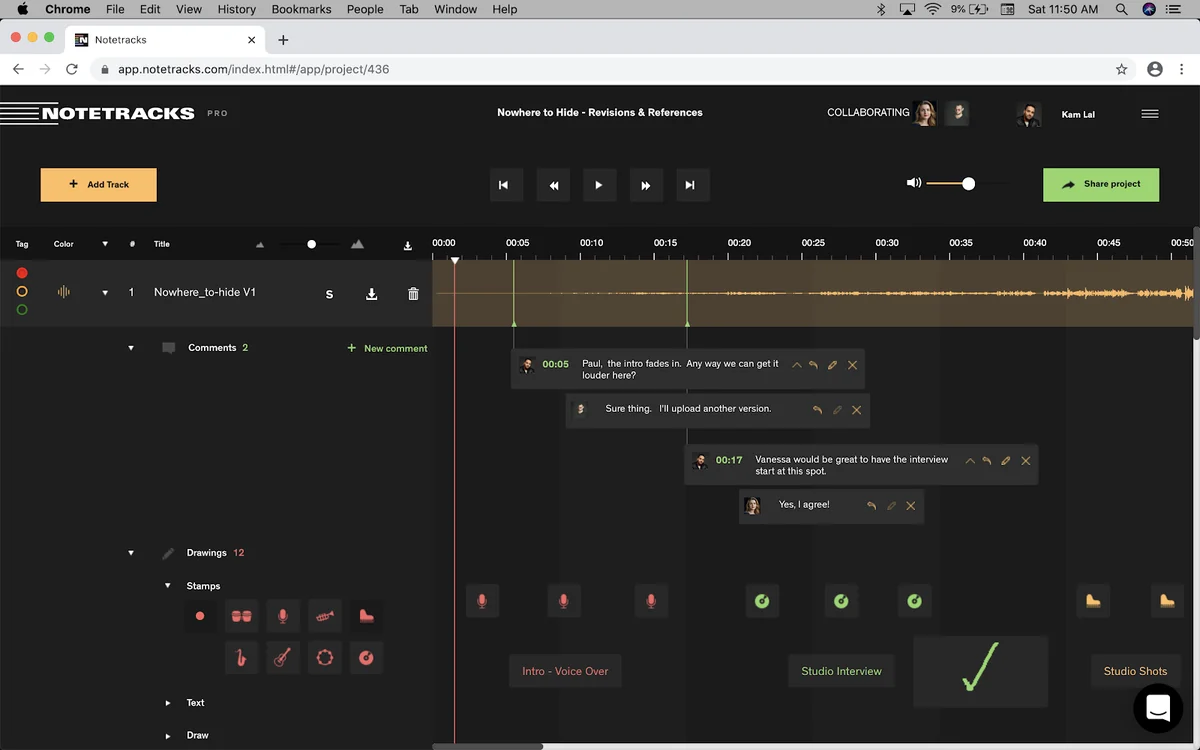
- Time-Stamped Comments: Insert notes and feedback directly onto the audio waveform at specific points during playback, ensuring precision.
- Freehand Drawing Tool: Visually mark up tracks with customizable colors and symbols for more intuitive feedback.
- Real-Time Collaboration: Experience simultaneous note-taking and conversation, similar to collaborative document editing.
- Version Comparison: Easily manage and compare multiple audio tracks or revisions within the same project.
- Video Sync: Integrate video files to review audio against visual content, with the ability to comment on both.
- Exportable Reports: Download comments and feedback as PDF or text files for a comprehensive record.
- Permission Controls: Share projects with collaborators and assign view or edit permissions.
How It Works
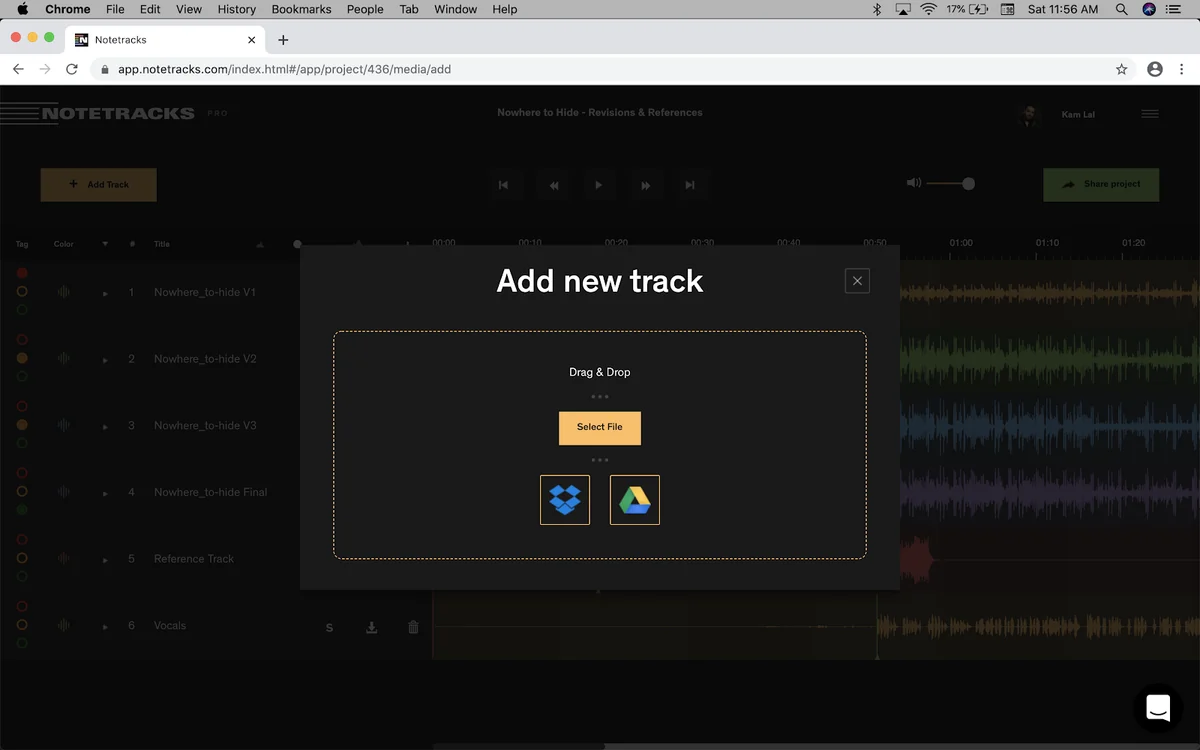
Getting started with Notetracks Pro is straightforward. Users can upload audio or video files (supporting formats like MP3, WAV, M4A, MP4, MOV) directly via drag-and-drop or through cloud storage services like Dropbox and Google Drive. Once a file is imported, its waveform becomes visible, allowing for quick navigation. Playback can be initiated, and users can insert time-stamped comments and use the freehand drawing tools to annotate the track without halting playback. Collaborators can be invited to the project via email, and they can then contribute their own notes and engage in conversations.
Use Cases
- Music Production: Musicians and producers can receive and give feedback on mixes, arrangements, and vocal takes.
- Podcasting: Editors and hosts can provide notes on content, pacing, and sound quality for episodes.
- Video Production: Sound designers and editors can sync audio with video, offering feedback on dialogue, sound effects, and music.
- Voice Over Work: Clients can review voice recordings and provide specific direction on delivery and tone.
- Audio Book Creation: Authors and editors can collaborate on narration and mastering.
Integrations & Compatibility
- Notetracks Pro offers integrations with popular audio editing software such as Adobe Audition and Audacity
- Its web-based nature ensures broad compatibility across most modern browsers, and it supports common audio and video file formats.
Pricing & Value
Notetracks Pro provides a clear value proposition for anyone involved in audio collaboration. By centralizing feedback and streamlining communication, it saves time and reduces the potential for misinterpretation. The platform’s features are designed to enhance productivity and improve the quality of the final audio product.
Deal Details
This product is available through AppSumo, offering a lifetime deal that includes all features across all plans. A 60-day money-back guarantee is provided, allowing users ample time to evaluate the platform.
Quick Take
- Ideal for teams needing a centralized platform for audio feedback.
- Reduces confusion from scattered communication channels.
- Enhances the speed and clarity of audio project revisions.
FAQs
How are different versions of a track managed?
You can easily upload and compare multiple audio tracks or versions within the same project interface.
Can I add voice notes instead of just text?
Yes, audio voice comments are a feature allowing for spoken feedback.
Is it possible to record audio directly within Notetracks Pro?
Yes, the platform now includes audio recording capabilities for direct input.
Can I collaborate with people who don’t have an account?
Yes, you can share projects with collaborators via public links and allow for no-signup commenting.
What audio file formats can I upload?
You can upload MP3, WAV, and M4A audio files, as well as MP4 and MOV video files.
Final Thoughts
Notetracks Pro presents a compelling solution for anyone looking to refine their audio collaboration process. Its intuitive interface, combined with powerful features like time-stamped commenting and real-time interaction, makes it an invaluable tool for creative teams. By moving away from fragmented communication, Notetracks Pro empowers users to focus on what truly matters: creating exceptional audio.