
Creating a thriving online community often feels like a balancing act between managing engagement and maintaining control.
This review dives deep into PeerBoard, a solution designed to bring your community forum directly onto your website, offering a branded and controlled environment for your audience.
What is PeerBoard – Create a branded community forum | AppSumo
PeerBoard provides a way to build a community forum that is hosted directly on your own website, eliminating the need for reliance on external social platforms. This approach gives you greater control over the user experience, branding, and data, ensuring your community remains a central part of your digital presence.
Key Features
PeerBoard comes equipped with a robust set of features designed to facilitate community building and engagement:
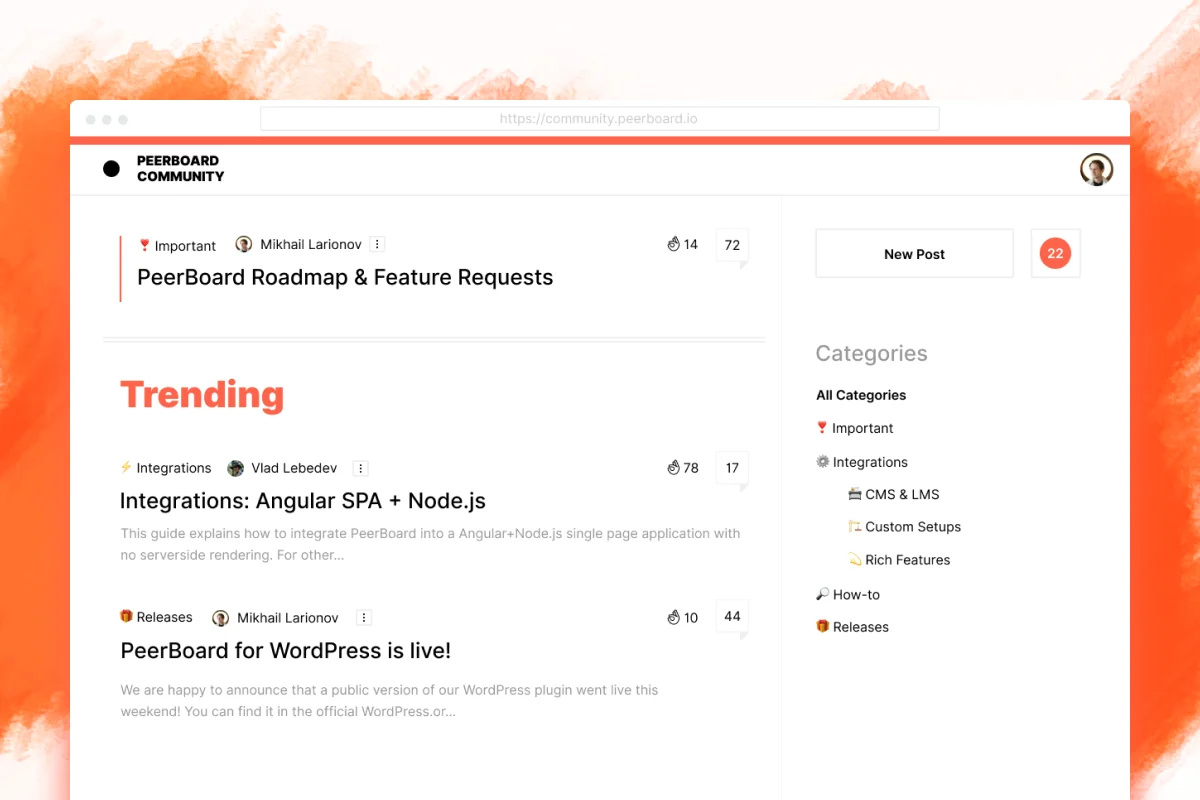
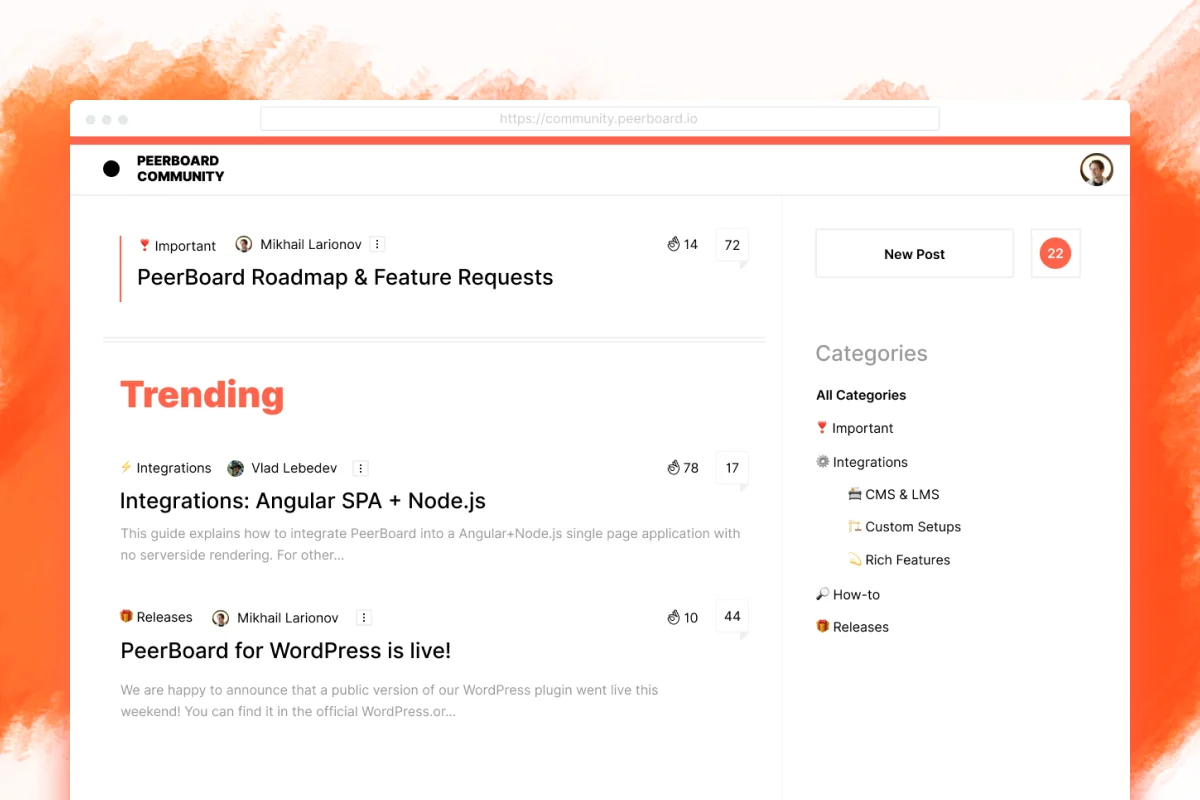
- Branded Experience: Offers complete white-label customization, including custom theme colors, logo integration, and tailored categories and topics to match your brand identity.
- Subreddit-like Feed: Features a single, categorized newsfeed that operates similarly to a Facebook feed, making it intuitive for users. High-value posts are prioritized based on engagement and recency.
- Public and Private Forums: Enables the creation of both public and private community spaces with full control over visibility, access rights, and registration options.
- Rich Media Support: Allows for the inclusion of images and videos in posts, enhancing user engagement and content richness.
- Real-time Threads: Facilitates in-depth conversations through real-time, branched discussion threads where members can respond and react to comments.
- Customizable User Profiles: Empowers members to personalize their profiles with taglines, bios, avatars, and more.
- Built-in CRM: Includes an integrated CRM for accessing and managing community members, their information, and statistics, with easy updates and blocking capabilities.
- Easy Embedding: Offers a WordPress plugin for quick integration and provides open-source components and SDKs for seamless integration into various custom environments.
How It Works
Getting started with PeerBoard is designed to be straightforward. You can embed the community forum as a customizable page directly into your website, with the WordPress plugin allowing for setup in as little as 10 minutes.
For those not using WordPress, the platform’s open-source components and SDKs are available for integration into custom-built websites, supporting environments like React and Node.
Use Cases
PeerBoard is versatile and can be beneficial for a wide range of applications:
- SaaS Platforms: Provide a dedicated space for users to ask questions, share tips, and connect with each other.
- Coaching and Membership Sites: Offer exclusive community access as a value-added benefit to paying members.
- Blogs and Content Creators: Foster deeper engagement with readers by creating a community hub around your content.
- Service Marketplaces: Enable users and service providers to communicate and build relationships.
Integrations & Compatibility
- PeerBoard offers a WordPress plugin for seamless integration with WordPress sites
- For custom solutions, it provides open-source components and SDKs that are compatible with various development frameworks such as React and Node.js, allowing for integration into a broad spectrum of web environments.
Pricing & Value
The value proposition of PeerBoard is enhanced by its accessible pricing structure, particularly through limited-time deals. The core offering aims to provide a comprehensive community-building tool without recurring subscription fees for lifetime access.
Deal Details
Currently, a compelling deal is available for PeerBoard on AppSumo, offering lifetime access. This package typically includes core features such as white-label customization, flexible community structure, a powerful post editor, and integration capabilities. Key limitations in the standard deal might involve a cap on monthly active users and the presence of a PeerBoard footer, which can often be removed with an additional code or upgrade.
Quick Take
- Ideal for website owners seeking to centralize their community.
- Offers robust branding and control over the forum experience.
- Provides a cost-effective, lifetime solution for community engagement.
FAQs
What kind of content can be shared in posts?
Posts support rich media, including images and videos, along with markdown for full expression.
How easy is it to integrate PeerBoard?
It’s designed for easy integration, with a WordPress plugin and SDKs for custom builds.
Is PeerBoard suitable for private communities?
Absolutely, you can create both public and private community forums with controlled access.
Can I customize the look and feel of my community?
Yes, PeerBoard offers extensive white-label customization options to match your brand.
What is PeerBoard?
PeerBoard is a platform for creating a branded community forum directly on your website.
Final Thoughts
PeerBoard presents a compelling option for individuals and businesses looking to cultivate a dedicated community space without the distractions and limitations of third-party platforms. Its emphasis on branding, control, and user-friendly features makes it a strong contender for enhancing website engagement and fostering deeper connections with your audience.