

This review dives deep into Overlay, a plugin designed to bridge the gap between design and development by transforming Figma components into functional code.
We’ll explore its core functionalities, how to effectively use it, and its potential to streamline your design-to-code workflow, saving you valuable time and effort.
What is Overlay – Turn Figma components into frameworks | AppSumo
Overlay is a powerful Figma plugin that automates the conversion of your meticulously crafted design components into clean, reusable code. It supports popular frameworks like React, Vue.js, and HTML, aiming to reduce the manual effort involved in translating designs into functional web elements.
Key Features
Overlay offers a range of features designed to facilitate a smoother design-to-code transition:
- Clean and Reusable Code: Generates code that is easy to understand and integrate into your projects.
- Code Props Editable: Allows for adjustments to code properties directly within the plugin.
- Minimum CSS Lines: Focuses on efficient styling with a minimal CSS footprint.
- Style Variables: Utilizes style variables for consistent and maintainable design implementation.
- Framework Support: Currently supports React, Vue.js, and HTML with SCSS or Styled Components, with more frameworks planned.
- No Dependencies: Provides standalone code that can be directly copied and pasted.
How It Works
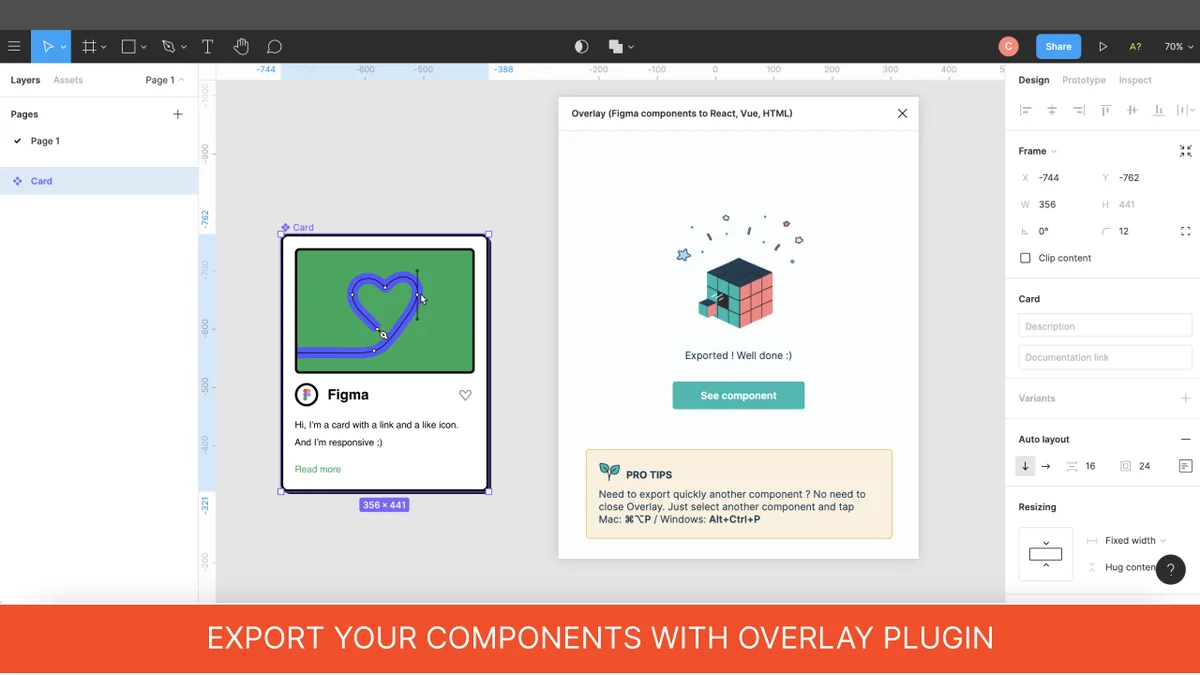
The process with Overlay is straightforward. You start by creating a project within the plugin, selecting your desired framework (React, Vue.js, or HTML with SCSS/Styled Components). Then, you export your Figma components, and Overlay generates the corresponding code. The plugin emphasizes the use of Figma’s Auto Layout and Variants features for optimal code output.
Use Cases
Overlay is particularly beneficial for:
- Designers: Quickly generate code snippets for prototypes or to hand off to developers, ensuring design fidelity.
- Developers: Save time by automatically converting design elements into foundational code structures, reducing repetitive coding tasks.
- Front-end Teams: Streamline the design integration process, fostering better collaboration between designers and developers.
- Individuals building with reusable components: Leverage pre-built Figma components to rapidly generate consistent code across projects.
Integrations & Compatibility
- Overlay currently integrates with Figma
- It is designed to work with React, Vue.js, and HTML code generation
- The developers have indicated plans to expand support to include other frameworks such as React Native, Angular, Svelte, Flutter, and Tailwind CSS in the future
- For styling, it supports CSS, SCSS, and Styled Components.
Pricing & Value
Overlay is available through a deal on AppSumo, offering a potentially cost-effective solution for individuals and teams looking to optimize their design-to-code workflow. The value lies in the time savings and the potential reduction in development costs associated with manual code conversion.
Deal Details
The AppSumo deal for Overlay typically includes lifetime access to the current features and future updates for a one-time payment. It often comes with a 60-day money-back guarantee, allowing users to test the tool thoroughly and ensure it meets their needs.
Quick Take
- Ideal for designers and developers seeking to automate design-to-code conversion.
- Provides clean, reusable code for React, Vue.js, and HTML projects.
- A valuable tool for streamlining workflows and saving development time.
FAQs
Is the product still supported?
The developers are actively working on Overlay and have plans for future framework expansions.
How does it handle Flexbox vs position: absolute?
Overlay primarily uses Flexbox by default and leverages Figma’s Auto-Layout for responsive components.
How does Overlay manage styles?
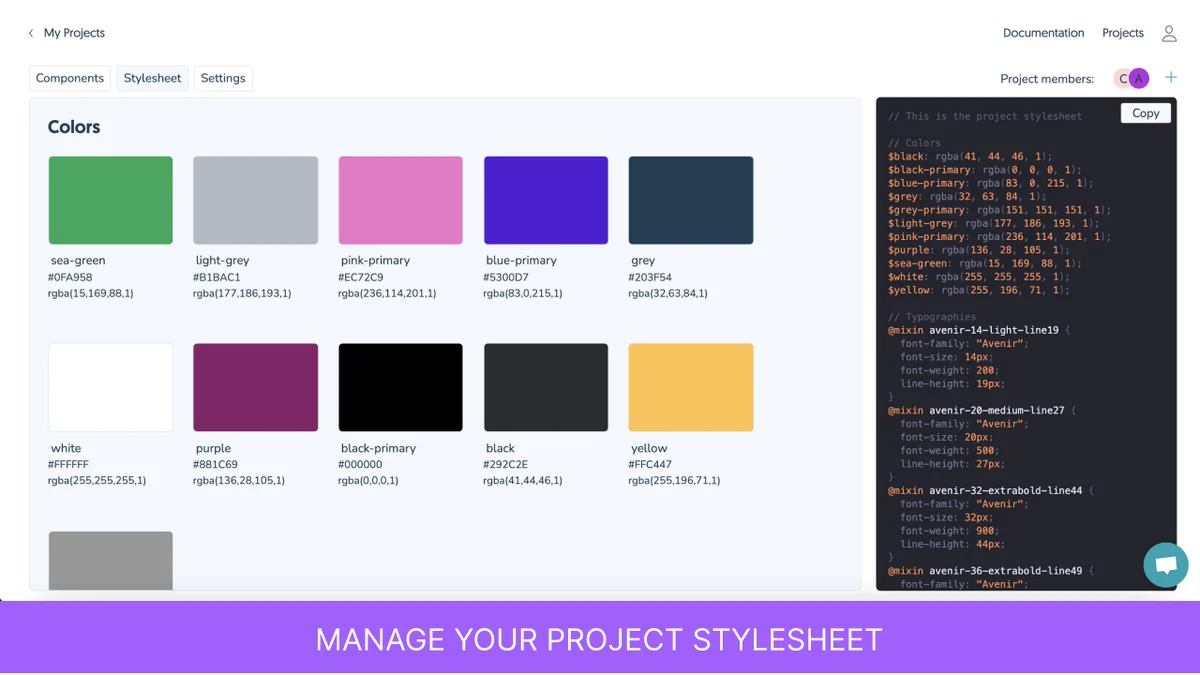
Overlay exports Figma styles (Colors, Fonts) into its own stylesheet using variables.
Does Overlay support CSS libraries like Tailwind or Bootstrap?
Currently, Overlay supports CSS, SCSS, and Styled Components, with Tailwind support planned.
Does Overlay support the latest Auto-Layout and Variants features of Figma?
Yes, Overlay strongly recommends and supports Figma’s Auto-Layout and Variants features.
Final Thoughts
Overlay presents a compelling solution for anyone looking to bridge the gap between design and code within Figma. Its focus on generating clean, reusable code for popular frameworks can significantly enhance productivity for both designers and developers. The ongoing development and planned feature expansions suggest a commitment to evolving with user needs, making it a promising tool for the future of design integration.