
Managing a WordPress site often involves a consistent stream of content. Keeping track of publishing dates, authors, and social sharing can quickly become overwhelming.
This review will explore how WP Scheduled Posts offers a solution to streamline these tasks. We’ll cover its features, how to use it, and whether it’s the right fit for your content management needs.
What is WP Scheduled Posts – Automate WordPress workflows | AppSumo
WP Scheduled Posts is a WordPress plugin designed to bring an editorial calendar directly into your website’s backend. It aims to replace manual workflows and scattered spreadsheets with a unified interface for planning, creating, and scheduling blog posts.
The plugin focuses on providing visual tools and automation to ensure your content is published reliably and reaches your audience efficiently. It’s built to simplify the process of content management for individuals and teams.
Key Features
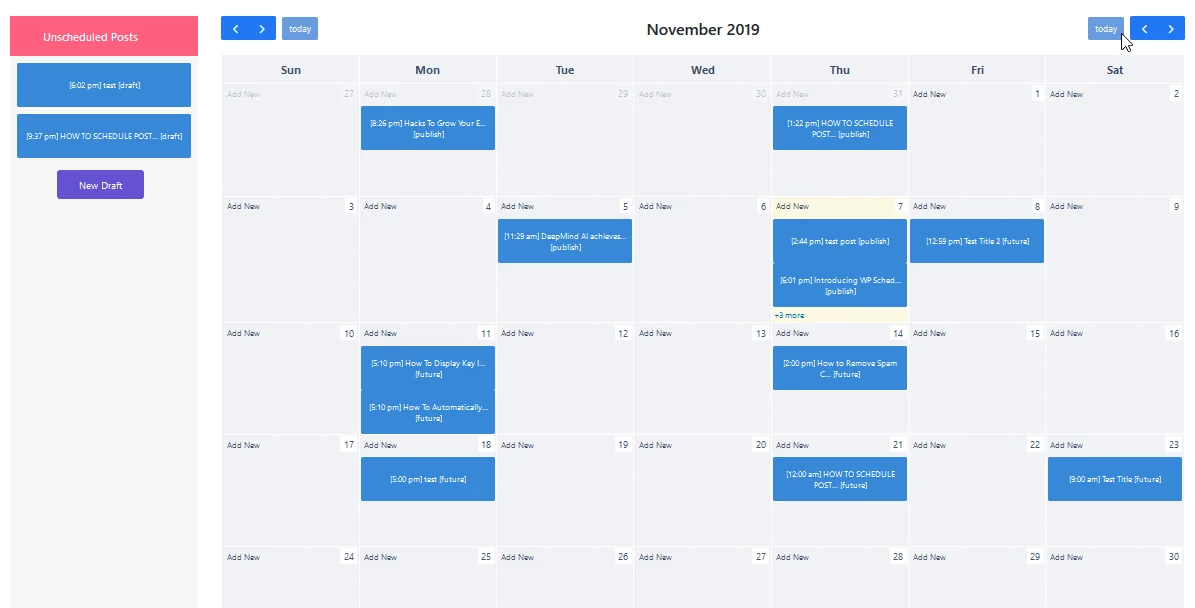
- Editorial Calendar Interface: View scheduled, draft, and published posts in a clear, month-to-month calendar layout.
- Drag-and-Drop Functionality: Easily create, edit, and reschedule posts by simply dragging them to a new date or time.
- Automated Publishing: Posts are automatically published at their scheduled times, removing the need for manual intervention.
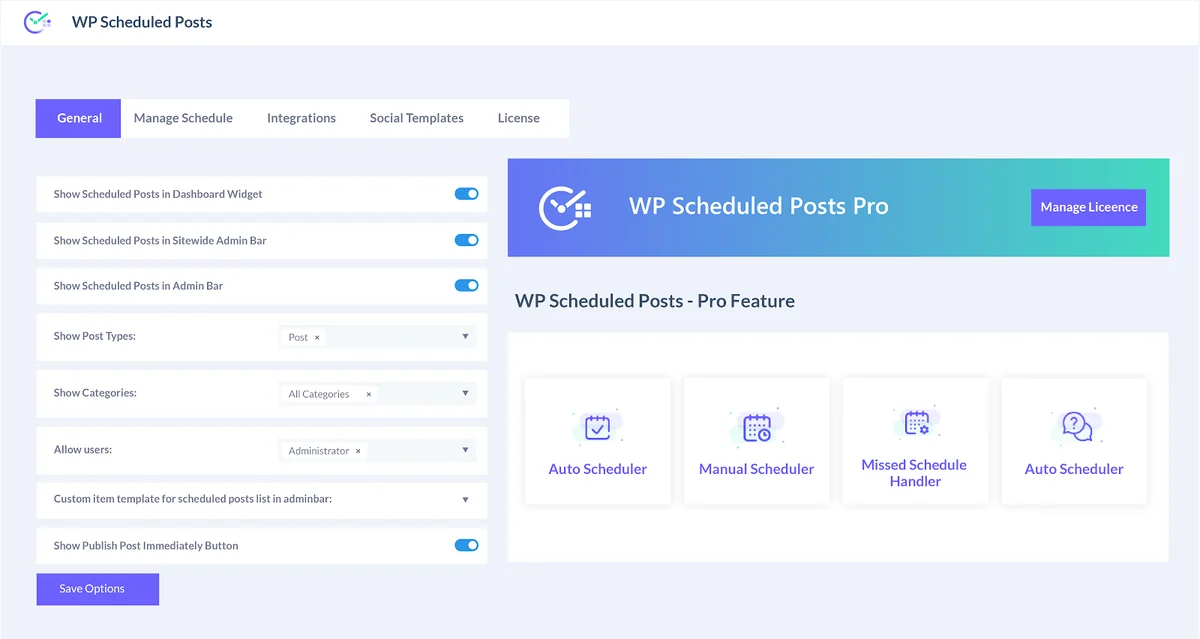
- Missed Schedule Handler: This feature ensures that if WordPress misses a scheduled post, the plugin can correct it and still publish the content.
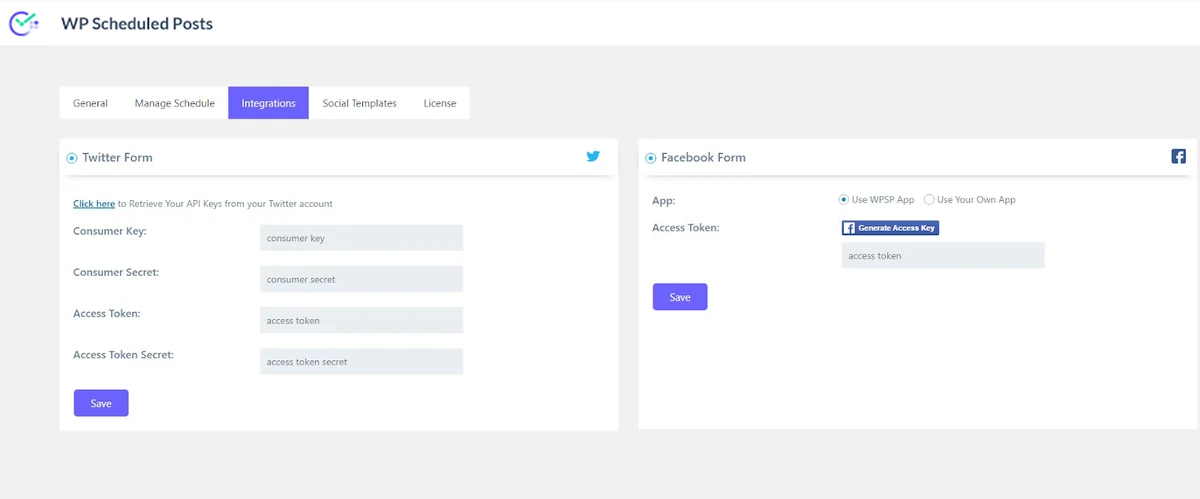
- Social Media Auto-Sharing: Schedule content to be automatically shared across major social networks like Facebook and Twitter directly from the plugin.
- Content Collaboration: Manage authors and posts efficiently within a central hub, facilitating teamwork.
How It Works
Upon installation, WP Scheduled Posts adds an intuitive editorial calendar to your WordPress dashboard. You can create new posts directly within this calendar or select existing drafts.
Using the drag-and-drop interface, you can assign dates and times for your content to be published. The plugin then takes over, ensuring posts go live as scheduled and can automatically share them to connected social media platforms.
Use Cases
- Bloggers: Plan and schedule a month’s worth of blog posts in advance, freeing up daily time for writing or promotion.
- Content Creators: Maintain a consistent publishing schedule across multiple platforms and ensure content reaches their audience on time.
- Small Businesses: Automate marketing content, product updates, and company news without requiring constant manual posting.
- Marketing Teams: Collaborate on content calendars, assign tasks, and ensure a smooth publishing workflow with clear visibility for everyone.
Integrations & Compatibility
- WP Scheduled Posts integrates directly with WordPress
- It also offers built-in functionality for auto-sharing content to Facebook and Twitter without requiring separate third-party tools
- The plugin is designed to work seamlessly within the WordPress environment, aiming for broad compatibility with most WordPress themes and other plugins, though as with any plugin, testing is always recommended.
Pricing & Value
The value proposition of WP Scheduled Posts lies in its ability to save time and prevent missed publishing opportunities. By automating routine tasks, it allows users to focus on creating content rather than managing its distribution.
For users looking for an all-in-one scheduling and automation solution for their WordPress content, the plugin offers a way to consolidate these efforts into a single, manageable tool.
Deal Details
This offer provides lifetime access to WP Scheduled Posts. It includes the ability to schedule an unlimited number of posts and auto-share them to all major social networks.
Customers have a 60-day money-back guarantee, offering a risk-free way to try out the plugin’s capabilities. Redemption of codes is typically required within 60 days of purchase.
Quick Take
- Ideal for content creators, bloggers, and small businesses struggling with manual content scheduling.
- Saves significant time and effort through automation and a user-friendly calendar interface.
- Offers a straightforward way to manage and publish content consistently on WordPress.
FAQs
What is the refund policy?
The purchase comes with a 60-day money-back guarantee from AppSumo.
Is the plugin suitable for teams?
Yes, it helps manage authors and posts in a central hub, facilitating collaboration.
What happens if a scheduled post is missed?
The plugin includes a ‘Missed Schedule Handler’ to ensure content is published even if WordPress misses a scheduled time.
Can I schedule posts for social media directly?
Yes, the plugin allows for automatic sharing to major social networks like Facebook and Twitter.
What is the primary function of WP Scheduled Posts?
It automates the planning, scheduling, and publishing of WordPress content from a single calendar interface.
Final Thoughts
WP Scheduled Posts presents a robust solution for anyone looking to bring order and efficiency to their WordPress content strategy. The visual calendar and drag-and-drop interface make managing a content pipeline far more intuitive than traditional methods.
The automation of publishing and social sharing, coupled with the safeguard against missed schedules, offers peace of mind for consistent content delivery. For individuals and teams aiming to save time and boost productivity, this plugin is a compelling option to consider.