
This review delves into wpDataTables, a powerful WordPress plugin designed to transform raw data into visually appealing and interactive tables and charts.
If you’re looking to present data effectively on your WordPress site without extensive coding, this guide will explore how wpDataTables can streamline that process.
What is wpDataTables – Create WordPress tables and charts | AppSumo
wpDataTables is a WordPress plugin that simplifies the creation of dynamic and responsive tables and charts directly within your WordPress website. It aims to make complex data presentation accessible to users of all technical skill levels, eliminating the need for manual coding in HTML or CSS.
Key Features
wpDataTables offers a comprehensive set of features to enhance data visualization:
- Responsive Design: Tables and charts automatically adapt to any screen size, ensuring a consistent user experience across devices.
- Conditional Formatting: Highlight specific data points, rows, or cells based on predefined conditions, making key information stand out.
- Multi-Criteria Filtering: Allow users to filter table data using multiple criteria, enabling them to find specific information quickly.
- Data Source Flexibility: Import data from various sources, including manual input, CSV, Excel, Google Sheets, MySQL queries, PHP arrays, JSON, and XML.
- Chart Creation Wizard: A step-by-step wizard helps you build interactive charts using Google Charts, Highcharts, or Chart.js rendering engines.
- Form-Based Columns: Automatically calculate sums, averages, minimums, and maximums for columns without manual effort.
- Foreign Key Functionality: Connect multiple tables to avoid data redundancy and maintain data integrity.
- Fixed Header & Columns: Keep table headers and columns visible while scrolling, improving readability for large datasets.
- Manual Table Updates: Easily replace, add, or modify data and table structures.
- Nested JSON & JSON Authentication: Create tables from APIs that return JSON data, with or without authentication.
- Single Cell Shortcode: Display individual data points with flexibility.
- Caching for Non-Server-Side Tables: Improve table loading speed through data caching.
How It Works
Getting started with wpDataTables is designed to be straightforward. You can input your data either manually or by uploading files from existing sources. The plugin then provides an intuitive interface for configuring your tables and charts.
Once your data is prepared and settings are applied, you can publish your creations directly onto your WordPress posts or pages using the standard WordPress editor, Visual Composer, or the Gutenberg block editor. Advanced features like filtering and sorting can be enabled, allowing frontend users to interact with the data.
Use Cases
wpDataTables is versatile and can be used for a wide range of applications:
- E-commerce Product Catalogs: Display product details, prices, and specifications in filterable tables.
- Real Estate Listings: Showcase property details with advanced search and filter options.
- Financial Reporting: Present financial data, budgets, and performance metrics clearly.
- Event Schedules: Organize and display event information with dates, times, and locations.
- Data Dashboards: Create visual summaries of key performance indicators and statistics.
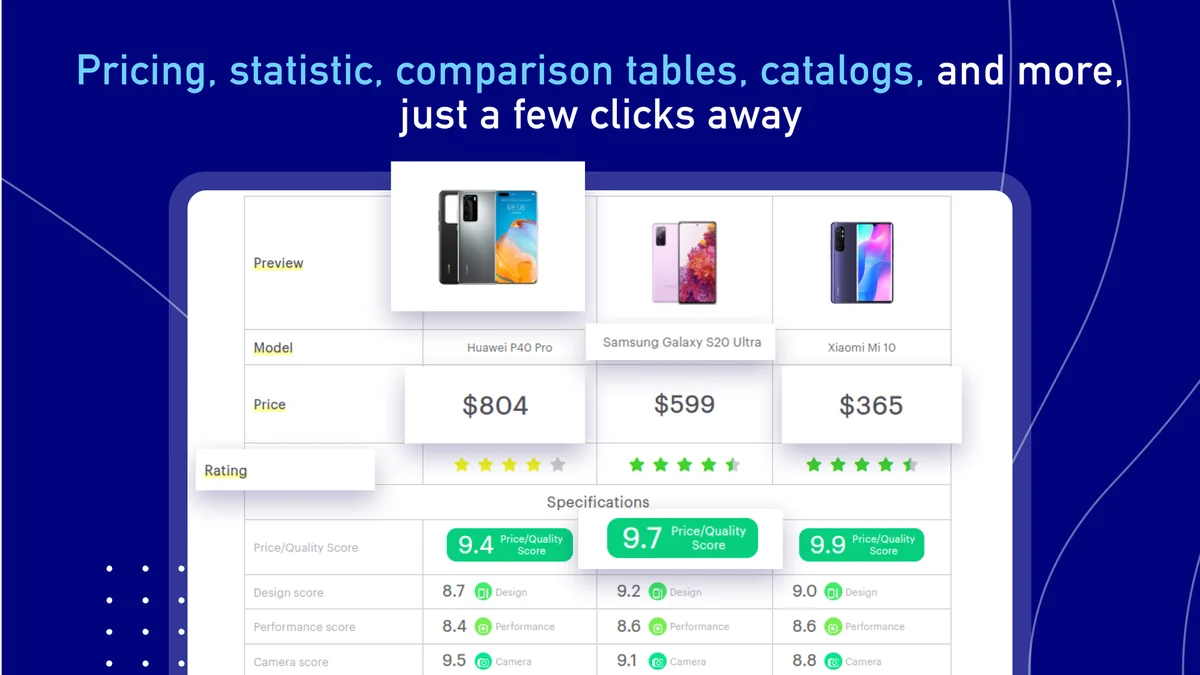
- Comparisons: Present side-by-side comparisons of products, services, or features.
Integrations & Compatibility
- wpDataTables seamlessly integrates with popular WordPress page builders, including the standard WP Editor, Visual Composer, and Gutenberg
- It supports connections to MySQL, MS SQL, and PostgreSQL databases, and can pull data from multiple servers
- The Google Sheets API allows for automatic synchronization with your Google Sheets, whether they are private or shared
- This ensures your website data remains up-to-date without manual intervention.
Pricing & Value
The value proposition of wpDataTables lies in its ability to offer robust data visualization tools without recurring subscription fees, especially when acquired through platforms like AppSumo.
This approach allows users to invest in a lifetime license, providing ongoing access to core functionalities and updates, which can be a significant cost saving compared to monthly or annual subscription models.
Deal Details
The AppSumo deal for wpDataTables typically offers a lifetime license to the plugin. This often includes access to all current and future updates, as well as essential features required for creating tables and charts.
Specific deal tiers might unlock additional add-ons or extend the number of website licenses. It’s recommended to check the current AppSumo page for the most up-to-date information on what is included in the offer.
Quick Take
- For WordPress users needing to display data in organized tables or engaging charts without coding.
- Ideal for creating filterable catalogs, comparison charts, and visual reports efficiently.
- Offers a cost-effective solution with a lifetime license, providing long-term value.

FAQs
Is the Google Sheets integration automatic?
Yes, the Google Sheets API enables automatic synchronization with your sheets.
Can I create interactive charts with wpDataTables?
Yes, you can create various interactive charts like pie, bar, and line graphs.
How does the conditional formatting feature work?
It lets you highlight table content based on specific rules you define.
Is wpDataTables suitable for beginners with no coding experience?
Absolutely, wpDataTables is designed for users with little to no coding knowledge.
Can I import data from existing Excel files?
Yes, wpDataTables allows you to import data directly from your Excel files.
Final Thoughts
wpDataTables stands out as a robust and user-friendly solution for anyone looking to enhance their WordPress website with dynamic data presentations. Its extensive features, from flexible data import to advanced filtering and charting capabilities, empower users to transform complex data into easily digestible visuals.
The ability to create responsive tables and charts without coding, coupled with the potential value of a lifetime deal, makes wpDataTables a compelling choice for bloggers, businesses, and developers alike who need to effectively communicate data.