

This review dives into Zoho Meeting, a comprehensive solution designed to streamline your online communication and presentation needs. We’ll explore its capabilities for both real-time meetings and engaging webinars.
You’ll discover how Zoho Meeting empowers teams to connect and collaborate effectively, offering features that enhance interactivity and control for hosts and participants alike.
What is Zoho Meeting – Meet and collaborate securely online | AppSumo
Zoho Meeting is a robust online meeting software and webinar platform. It provides a full suite of tools for remote collaboration, ensuring secure and efficient communication for individuals and businesses.
Key Features
- Online Meetings: Conduct real-time audio and video conferences from any location, with options for participants to join via their computer or a dial-in number.
- Screen Sharing: Share your entire screen, multiple screens, or specific applications with participants for clear visual communication.
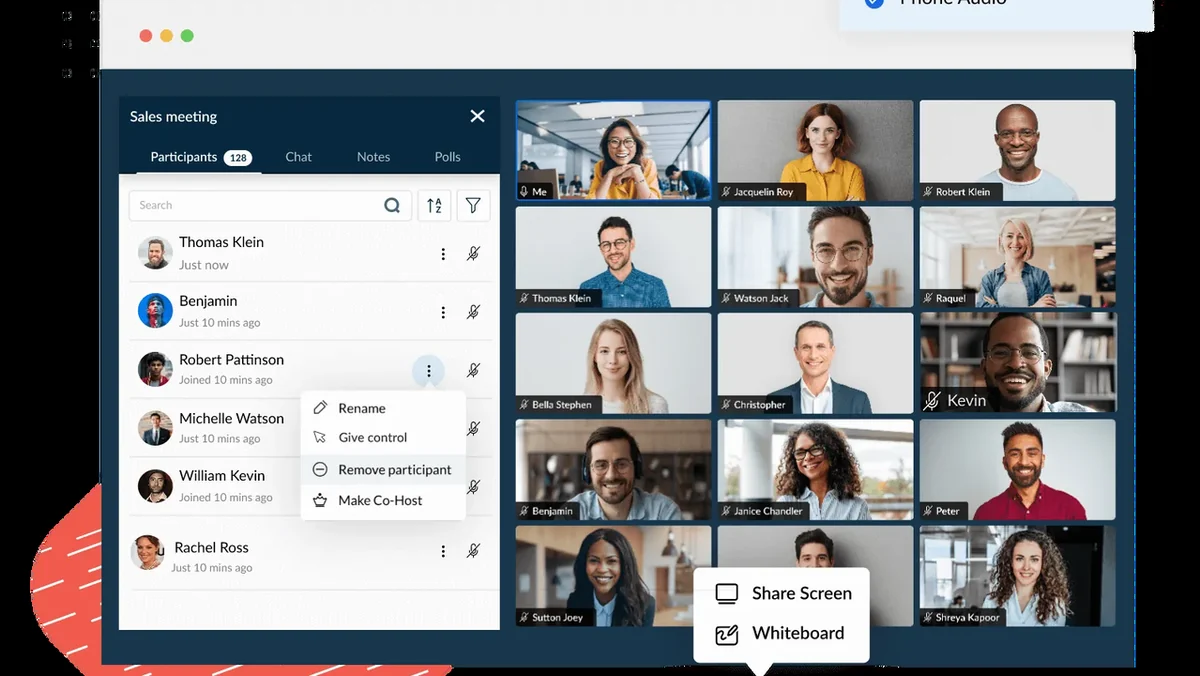
- Collaboration Tools: Utilize in-session chat for quick messages, take meeting notes directly within the app, and engage with the interactive whiteboard for real-time diagramming and idea generation.
- Moderator Controls: Maintain control over your meetings by assigning presenter roles, managing participant access, muting individuals, and sharing screen control as needed.
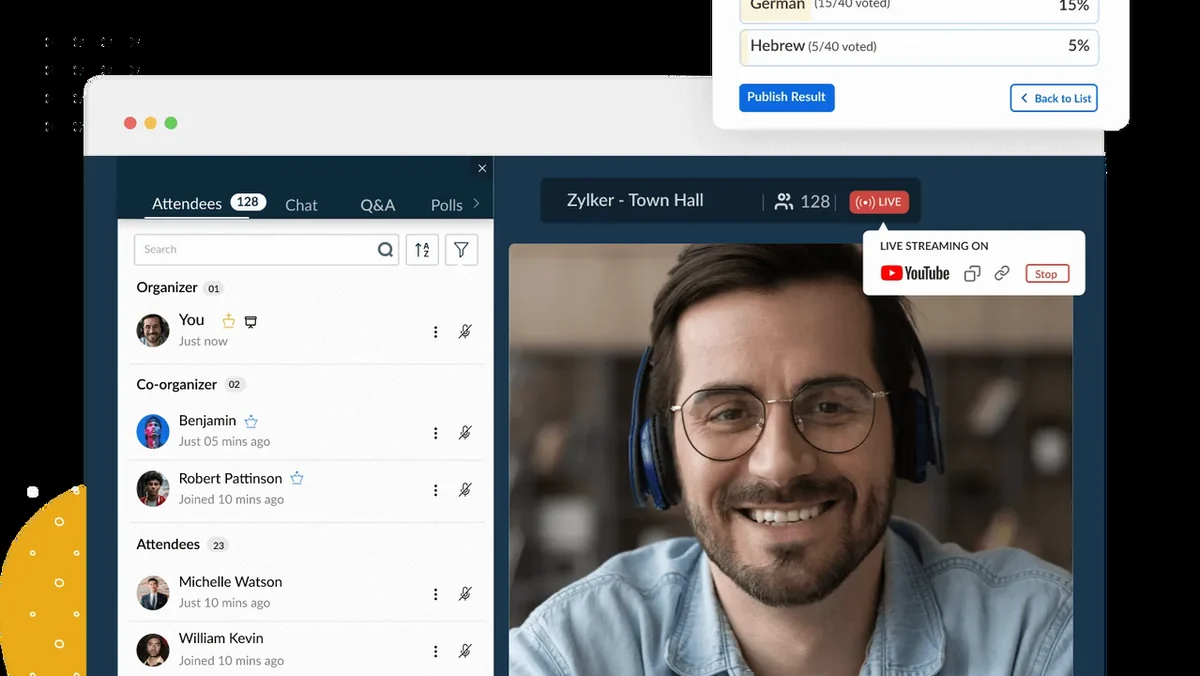
- Webinar Hosting: Host engaging one-time or recurring webinars with features like co-host capabilities, screen sharing for presenters, and the ability for attendees to speak.
- Customizable Registration: Design custom webinar registration forms with unique fields and branding to match your company’s identity and embed them on your website or social media.
- Branded Communications: Customize email invitations, confirmations, reminders, and follow-up messages to maintain brand consistency and encourage attendee engagement.
- Cloud Recording: Record webinars in the cloud for later sharing or offline access, ensuring no participant misses out on valuable content.
- Interactive Features: Enhance webinar engagement with polls, Q&A sessions that can be answered privately or publicly, and the ability to broadcast messages to all attendees.
- Performance Analytics: Gain insights into webinar performance with detailed reports on registrants, attendees, poll results, Q&A engagement, and overall session effectiveness.
How It Works
Setting up and running sessions in Zoho Meeting is designed to be straightforward. For meetings, you can schedule them, send out invitations with agendas, and then start the session with integrated audio, video, and screen sharing. Participants can easily join via a link or by dialing in.
Webinars involve a similar setup process, with added options for customizing registration pages and email communications. During a webinar, hosts and co-hosts can manage presentations, interact with attendees through polls and Q&As, and record the session for future use.
Use Cases
- Conducting internal team meetings and project sync-ups.
- Delivering product demonstrations and sales presentations.
- Hosting educational workshops and training sessions.
- Running informational webinars for marketing campaigns.
- Facilitating client consultations and virtual support calls.
- Collaborating on documents and designs in real-time.
Integrations & Compatibility
- Zoho Meeting is designed to work with various tools and platforms, enhancing its utility within existing workflows
- Compatibility extends to different operating systems and web browsers, ensuring broad accessibility for participants.
Pricing & Value
Zoho Meeting offers various plans to suit different needs, from basic meeting functionalities to advanced webinar features. The platform provides significant value by consolidating multiple communication and presentation tools into a single, accessible solution.
Deal Details
This particular offering is a limited-time deal available through AppSumo. It provides a digital download of Zoho Meeting, granting access to its core functionalities and features. Deals on AppSumo are often time-sensitive, so it’s advisable to check the specific offer details for duration and inclusions.
Quick Take
- Ideal for professionals and businesses seeking an all-in-one solution for online meetings and webinars.
- Offers robust features for collaboration, presentation control, and attendee engagement.
- Provides excellent value, especially when acquired through limited-time deals.
FAQs
Can I record my online meetings or webinars?
Yes, you can record sessions in the cloud for later sharing or offline use.
Does Zoho Meeting offer screen sharing capabilities?
Yes, it provides screen sharing for entire screens, multiple screens, or specific applications.
Is it possible to customize webinar registration forms?
Absolutely, you can customize registration forms with custom fields and branding for a professional look.
Can I host webinars with interactive features using Zoho Meeting?
Yes, you can host interactive webinars with polls, Q&As, and broadcast messages for audience engagement.
What are the primary benefits of using Zoho Meeting?
It offers secure online meetings and webinars with comprehensive collaboration and moderator tools.
Final Thoughts
Zoho Meeting stands out as a versatile and feature-rich platform for anyone needing to conduct online meetings or host engaging webinars. Its combination of user-friendly design, robust moderator controls, and interactive webinar tools makes it a compelling option for enhancing remote collaboration and communication.