
Managing shared schedules and team events can be a complex task, often requiring complicated software or multiple logins. This review dives into a solution designed to simplify that process.
Discover how Calendar.online, available through AppSumo, offers a streamlined approach to organizing and sharing your calendar, making team coordination more efficient and accessible.
What is Calendar.online – Coordinate with an e-calendar | AppSumo
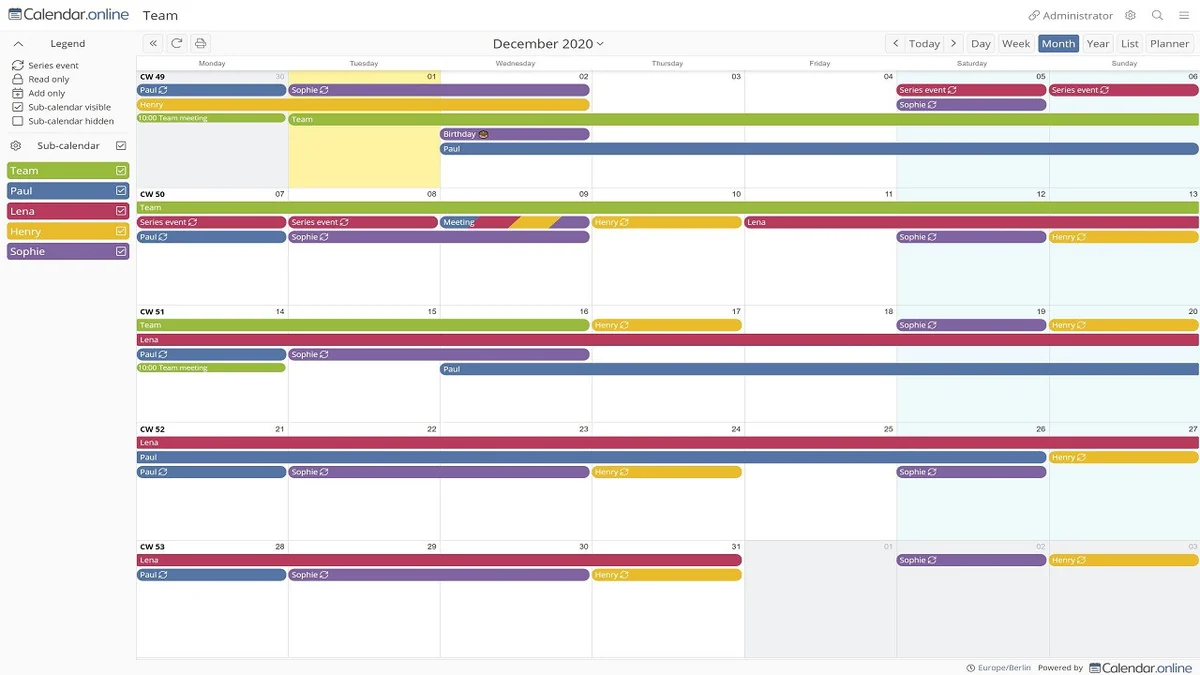
Calendar.online is a user-friendly, web-based online calendar platform built for easy sharing and robust access management. It allows individuals and teams to organize projects and events without the need for recipients to create accounts or logins.
This tool provides a straightforward way to grant read or edit permissions through shareable links, with optional password protection for enhanced security and the ability to restrict access to specific sub-calendars. It’s designed for both professional and private use, aiming to be a central hub for all your scheduling needs.
Key Features
- Web-Based Online Calendar: Access and manage your calendar from any internet-connected device.
- Extended Rights Management: Control who can view or edit specific parts of your calendar with granular permissions.
- Easy Sharing: Generate simple access links for teammates, clients, or collaborators.
- No Login Required for Recipients: Allow others to access your calendar without them needing to sign up.
- Optional Password Protection: Add an extra layer of security to your shared calendars.
- Email Notifications: Stay informed about new or changed events with automatic email alerts.
- Reminders: Set up reminders for important events to ensure nothing is missed.
- Website Integration: Embed your calendar into your own website using an HTML iframe.
- Public Roadmap: Transparent development with a public Trello roadmap for user input.
- GDPR Compliant: Adheres to data privacy regulations, verified as a partner.
How It Works
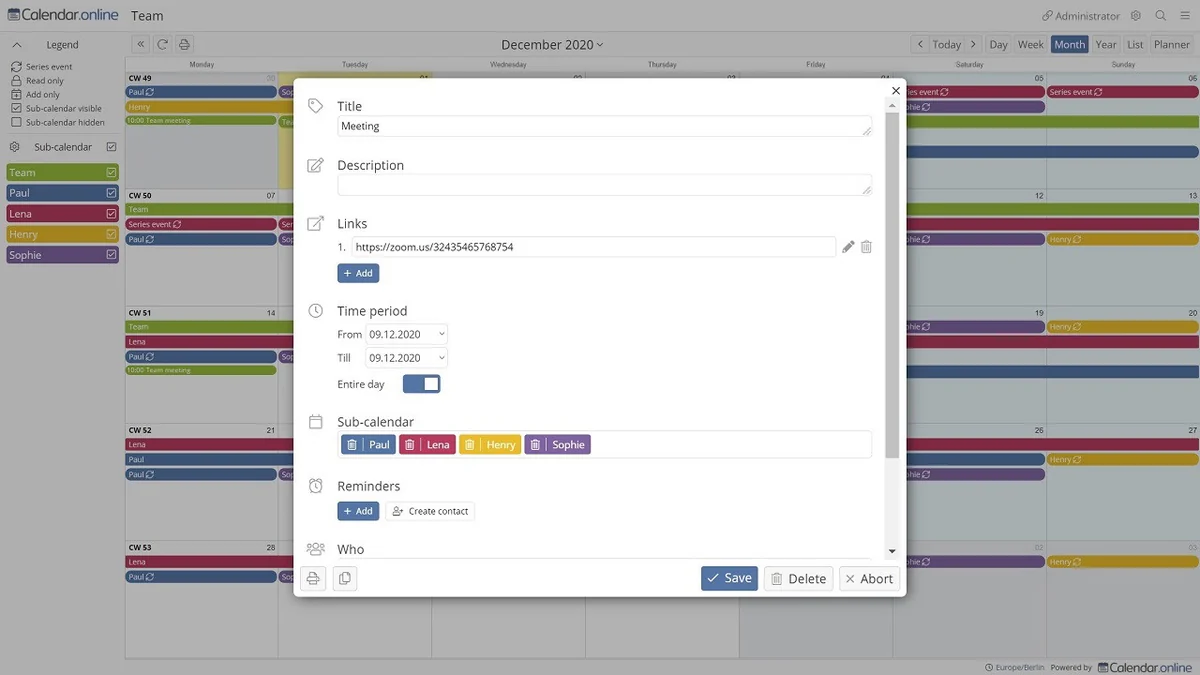
Getting started with Calendar.online is designed to be intuitive. You create events and manage your schedule directly within the web interface. For sharing, you generate specific links, assigning either read-only or edit access to them.
These links can be distributed to your team or collaborators, who can then view or interact with the calendar based on the permissions you’ve set, all without requiring a personal login. This makes it exceptionally simple for anyone to contribute to or view the shared schedule.
Use Cases
- Team Project Management: Coordinate project timelines, deadlines, and task assignments for groups of any size.
- Event Planning: Organize and share details for meetings, workshops, conferences, or social gatherings.
- Client Scheduling: Provide clients with access to your availability or upcoming appointments.
- Personal Organization: Manage your own appointments, tasks, and reminders across multiple devices.
- Internal Company Announcements: Display important company-wide dates and events on a shared monitor.
- Freelancer Coordination: Keep track of client projects and communication timelines efficiently.
Integrations & Compatibility
- Calendar.online can be directly integrated into your website using an HTML iframe
- This allows you to embed your shared calendar and keep it updated in real-time for visitors or customers
- The platform is designed to be accessible across all modern web browsers and devices, ensuring compatibility for both administrators and those with shared access.
Pricing & Value
The value proposition of Calendar.online lies in its simplicity and the extended control it offers over shared access. By eliminating the need for multiple user accounts and providing granular permissions, it saves time and reduces administrative overhead.
The ability to integrate with existing websites and its user-friendly interface contribute to its overall effectiveness as a scheduling tool for diverse needs, from small teams to individual productivity.
Deal Details
The AppSumo deal for Calendar.online typically offers lifetime access to the platform. This means a single purchase provides ongoing use of the software without recurring monthly fees. It’s important to note that codes must be redeemed within 60 days of purchase, and this specific deal is not stackable, meaning one code per user.
Quick Take
- Ideal for teams needing a straightforward way to share and manage schedules without complex setups.
- Beneficial for individuals who want an accessible online calendar with customizable sharing options.
- Offers a cost-effective, lifetime solution for improved organizational coordination.
FAQs
What is the refund policy?
There is a 60-day money-back guarantee to ensure you are satisfied with your purchase.
Can I embed Calendar.online into my website?
Yes, the calendar can be integrated into your website using an HTML iframe.
Does it offer password protection for shared calendars?
Yes, Calendar.online allows you to add optional password protection to your shared calendars.
Can I share my calendar without requiring logins?
Yes, you can share calendars with others via links that don’t require them to log in.
What is Calendar.online?
Calendar.online is a web-based e-calendar for simple sharing and advanced access management.
Final Thoughts
Calendar.online presents a compelling solution for anyone seeking to simplify their scheduling and team coordination. Its emphasis on ease of use, robust sharing capabilities without requiring logins for recipients, and customizable access management make it a versatile tool.
Whether you’re managing team projects, planning events, or simply looking for a more organized personal calendar, the platform’s straightforward approach and the value offered through the AppSumo deal make it a worthy consideration for enhancing your productivity and collaboration.