
Tired of lengthy email chains and missed calls when trying to explain ideas? This review dives into how BerryCast can transform your communication by integrating screen, camera, and audio recordings seamlessly.
Discover how this tool can help you clarify complex concepts, provide personalized feedback, and enhance overall team collaboration with intuitive video messaging.
What is BerryCast – Record your screen, camera & audio | AppSumo
BerryCast is a dynamic application designed to streamline communication through video. It allows users to record their screen, webcam, and audio simultaneously, offering a richer and more personal way to convey information than traditional text-based methods.
Key Features
- Screen Recording: Capture your computer screen to demonstrate processes or illustrate points.
- Camera Recording: Record your webcam feed to add a personal touch and face-to-face interaction to your messages.
- Audio Recording: Incorporate internal system audio and external microphone input for clear narration.
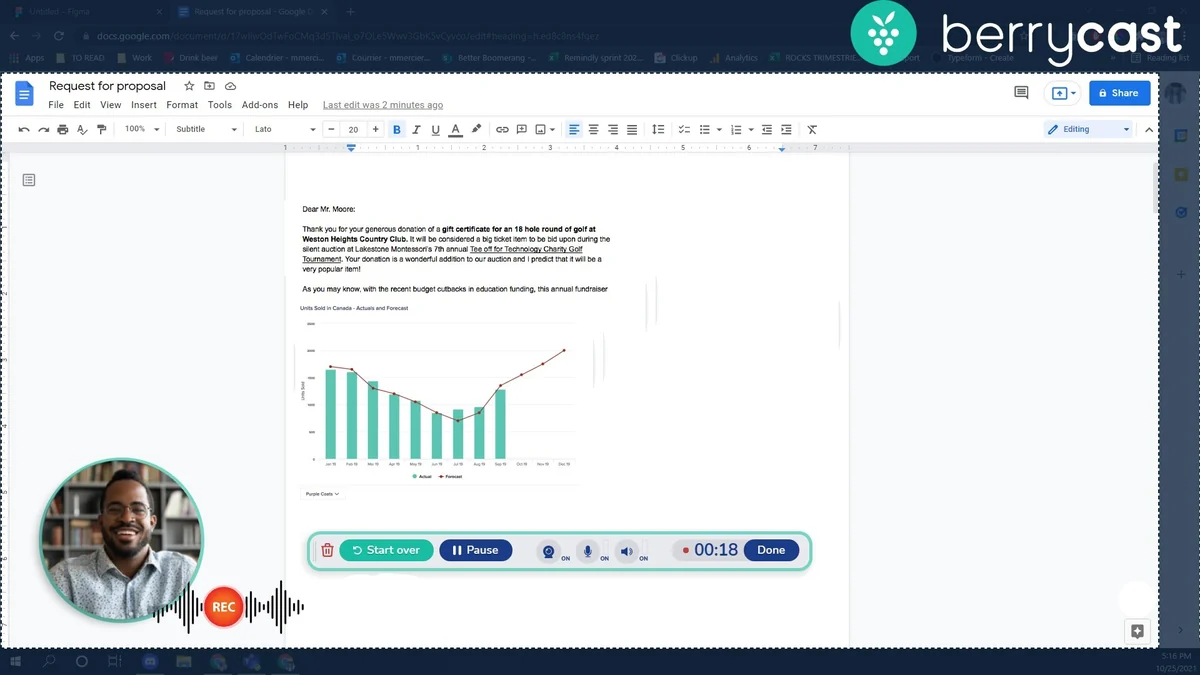
- All-in-One Recording: Combine screen, camera, and audio for comprehensive explanations and presentations.
- No Tech Skills Required: A simple, intuitive interface makes recording accessible to everyone.
How It Works
Using BerryCast is designed to be straightforward. The application enables users to initiate a recording with just a few clicks. You can choose to record your screen only, your screen with your webcam and audio, or just your webcam and audio, depending on your communication needs.
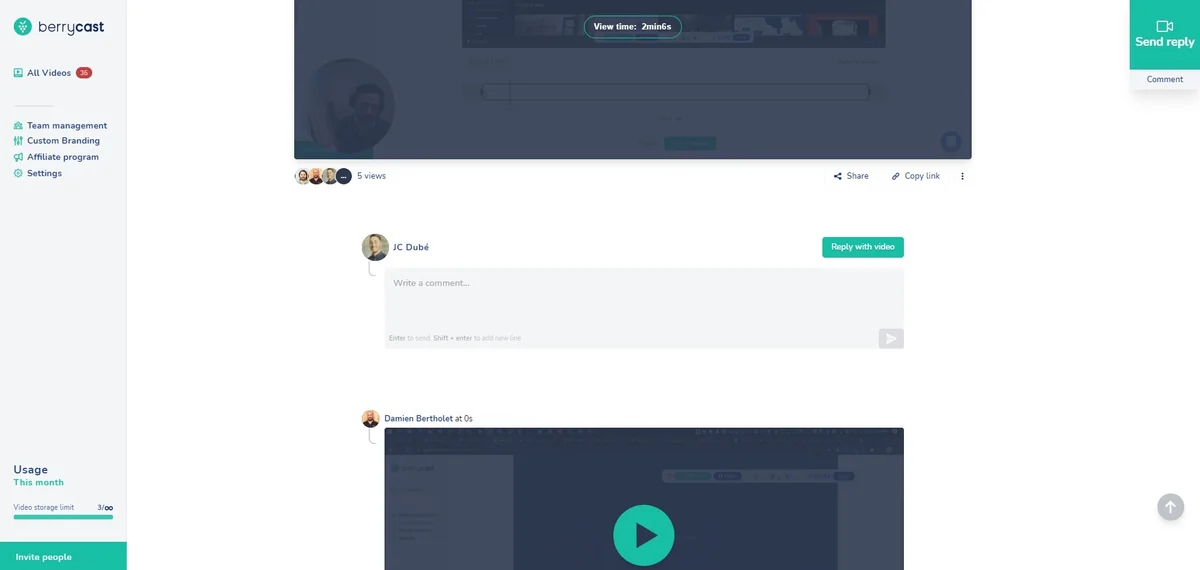
Once recorded, the video message can be easily shared. This can be done directly through platforms like Outlook or Microsoft Teams, or via a unique BerryCast URL, making it simple to distribute content to colleagues, clients, or customers.
Use Cases
- Explaining Complex Concepts: Visually break down intricate ideas that are difficult to articulate in writing.
- Creating Tutorials: Develop easy-to-follow guides for software, products, or processes.
- Personalized Client Communication: Offer tailored video updates or responses to customer inquiries.
- Sales Outreach: Enhance sales pitches with engaging video demonstrations and introductions.
- Educational Feedback: Provide detailed, visual feedback to students on assignments or lessons.
- Team Collaboration: Share project updates or feedback with team members in a more engaging format.
Integrations & Compatibility
- BerryCast supports direct sharing through popular communication tools such as Outlook and Microsoft Teams
- For wider distribution, it provides a unique URL for each recorded video, ensuring compatibility across various platforms and devices.
Pricing & Value
BerryCast is positioned as a tool to improve efficiency and clarity in digital communication. The value proposition lies in reducing miscommunication and saving time typically spent on extensive email exchanges or lengthy phone calls.
Deal Details
The BerryCast deal on AppSumo typically offers lifetime access to the platform. This grants users ongoing access to its features, with specific limitations on storage and seats subject to the terms of the current offering. It often includes a 60-day money-back guarantee for peace of mind.
Quick Take
- Ideal for professionals looking to reduce email back-and-forth.
- Great for educators and support teams needing to explain things visually.
- A simple, effective solution for adding a personal touch to digital messages.
FAQs
What kind of content can I create with BerryCast?
You can create tutorials, explanations, personalized messages, and sales pitches.
Is BerryCast suitable for beginners?
Absolutely, BerryCast is designed with a user-friendly interface requiring no technical expertise.
How easy is it to share a BerryCast recording?
Recordings can be shared via email, messaging apps, or a unique BerryCast URL.
Can I record without using my webcam?
Yes, you have the option to turn off your camera and only record your screen with audio.
What is the primary function of BerryCast?
BerryCast allows you to record your screen, camera, and audio to create and share video messages.
Final Thoughts
BerryCast offers a compelling solution for individuals and teams seeking to enhance their digital communication. By leveraging video, it bridges the gap often present in text-based interactions, leading to clearer understanding and increased efficiency. Its user-friendly design makes it accessible to a broad range of users, from educators to business professionals.