
Effortlessly manage your entire document signing process with BoloForms Signature. This platform is designed to help businesses of all sizes create, send, and securely store signed documents, eliminating the need for multiple disparate tools.
Discover how BoloForms Signature can centralize your workflow, from initial template creation to final secure storage, and understand its practical benefits for your daily operations.
What is BoloForms Signature – Send, sign, and store docs | AppSumo
BoloForms Signature is a comprehensive solution for businesses looking to digitize their document signing and management processes. It provides a unified platform to create signable templates, collect electronic signatures securely, and store all finalized documents in an organized manner.
Key Features
BoloForms Signature offers a robust set of features designed to simplify document workflows:
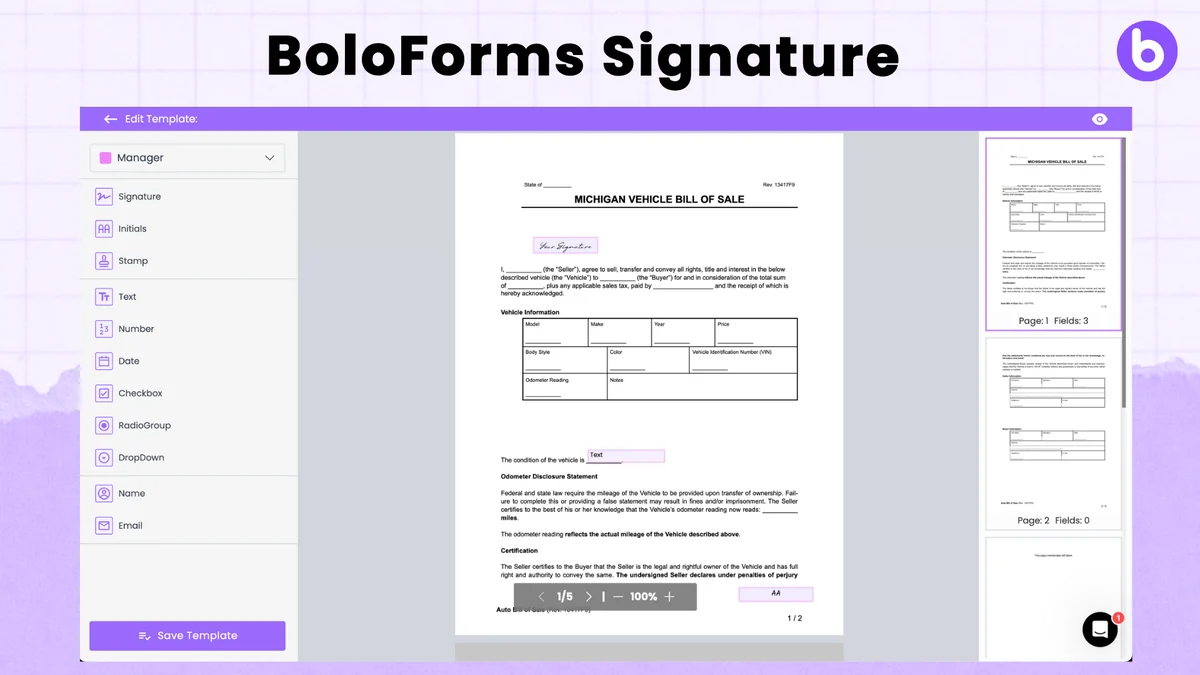
- Template Creation: Transform any document into a reusable, signable template. Customize layouts, colors, and fonts to match your brand.
- E-Signature Collection: Gather legally binding electronic signatures through drawing, uploading, or typing. Support for up to 10 signatures per document.
- Form Response Integration: Seamlessly integrate form responses, including signatures, directly into PDF documents, reducing manual entry for recipients.
- Secure Storage: Access all your signed PDFs directly on Google Drive and save signed data to Google Sheets.
- Collaboration: Invite colleagues to a shared workspace for easy collaboration across sales, HR, legal, and procurement teams.
- Secure Signatures: Each digital signature is secured with a unique private and public key to ensure integrity and prevent tampering.
How It Works
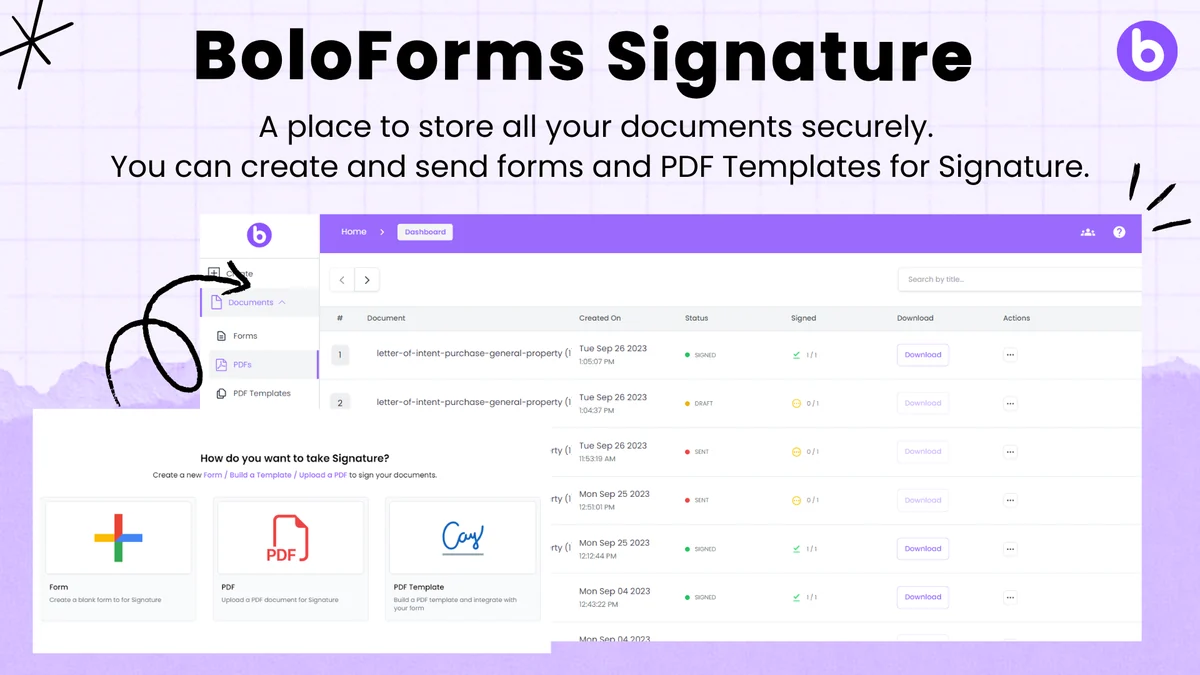
The process with BoloForms Signature is designed for simplicity and efficiency. Begin by creating a document or uploading an existing one, then convert it into a signable template. You can then define variable fields that can be pre-filled or completed by the recipient. Once ready, share the document via email, and recipients can provide their electronic signature using their preferred method.
The platform monitors the signing process, allowing you to track progress and send reminders if needed. All signed documents are securely stored and accessible through integrations like Google Drive.
Use Cases
- Sales Agreements: Quickly create and send sales contracts for e-signature.
- HR Onboarding: Streamline the process of collecting employment documents.
- Client Proposals: Get proposals signed by clients efficiently.
- Vendor Contracts: Expedite the signing of agreements with suppliers and vendors.
- Expense Forms: Collect signatures for expense approvals on standard forms.
Integrations & Compatibility
- BoloForms Signature integrates smoothly with Google Workspace, allowing you to save signed PDFs to Google Drive and signed data to Google Sheets
- The platform also offers API integration capabilities, enabling it to connect with other tools and workflows for enhanced signature collection across various business processes.
Pricing & Value
BoloForms Signature aims to consolidate document management needs, offering a single solution for creating, sending, signing, and storing documents. This can lead to significant cost savings by reducing reliance on multiple specialized software subscriptions.
Deal Details
This offering provides lifetime access to BoloForms Signature. It comes with a 60-day money-back guarantee, allowing you to test its capabilities thoroughly for two months to ensure it meets your business requirements.
Quick Take
- Ideal for businesses needing to centralize document signing and storage.
- Offers reusable templates and secure e-signature collection.
- A cost-effective solution to replace multiple subscription services.
FAQs
What methods are available for signing?
Signatures can be collected by drawing, uploading an image, or typing a name.
Does it integrate with Google Drive?
Yes, it seamlessly integrates with Google Drive for document storage.
How many signatures can I collect on one document?
You can collect up to 10 electronic signatures on a single document.
Can I use my own document templates?
Yes, you can transform your existing documents into signable templates within the platform.
Are digital signatures legally valid?
Yes, digital signatures are legally binding and recognized under various regulations.
Final Thoughts
BoloForms Signature presents a compelling solution for streamlining document workflows. Its ability to create templates, collect multiple secure e-signatures, and centralize storage makes it a valuable asset for any organization looking to improve efficiency and reduce paperwork. The integration with Google Workspace and the overall user-friendly design further enhance its appeal as a comprehensive document management tool.