
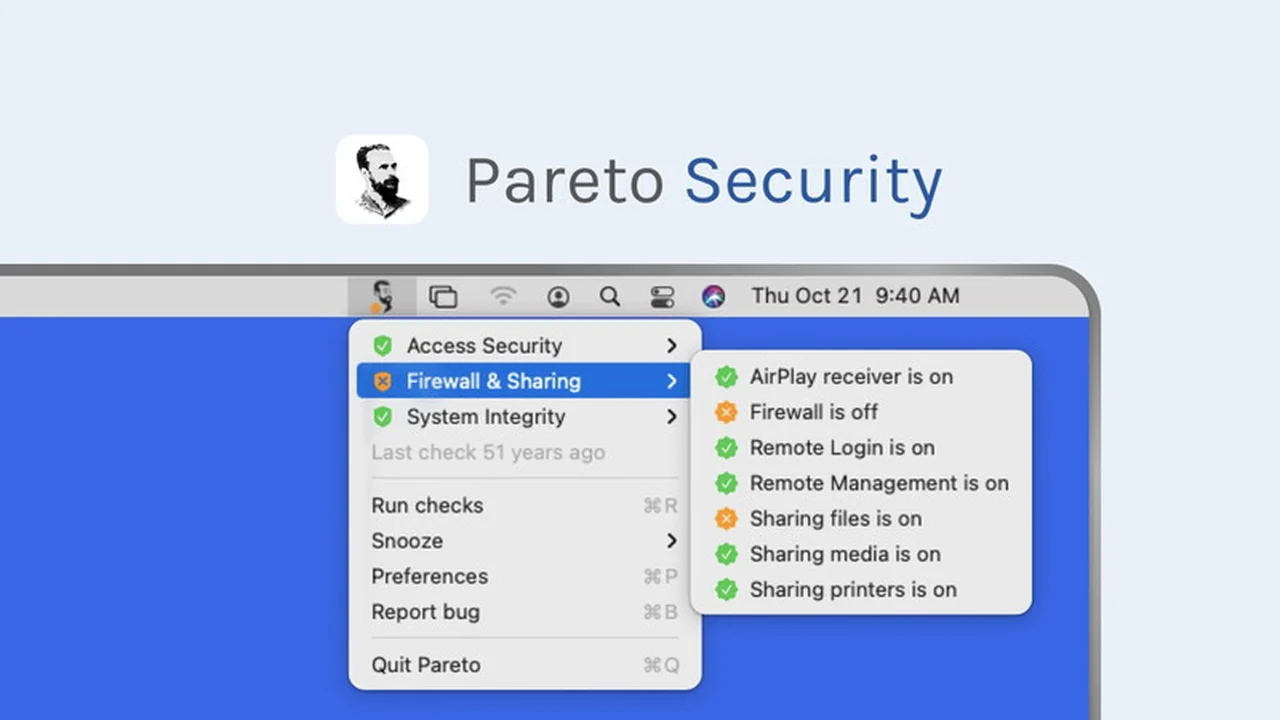
Protecting your Mac doesn’t have to be a complicated or time-consuming task. This review dives deep into Pareto Security, a user-friendly solution designed to keep your Apple devices secure without requiring advanced technical knowledge.
We’ll explore its core functionalities, understand how it operates, and see how it can be a valuable addition to your digital security toolkit, ensuring your peace of mind.
What is Pareto Security – Secure and protect your Mac | AppSumo
Pareto Security is a straightforward application built to help regular Mac users ensure their devices are properly secured. It focuses on checking and maintaining critical security settings that might otherwise be overlooked, especially by those who aren’t IT professionals.
The application aims to provide a robust layer of protection by verifying that essential security features are active and correctly configured on your personal Mac devices, making robust security accessible to everyone.
Key Features
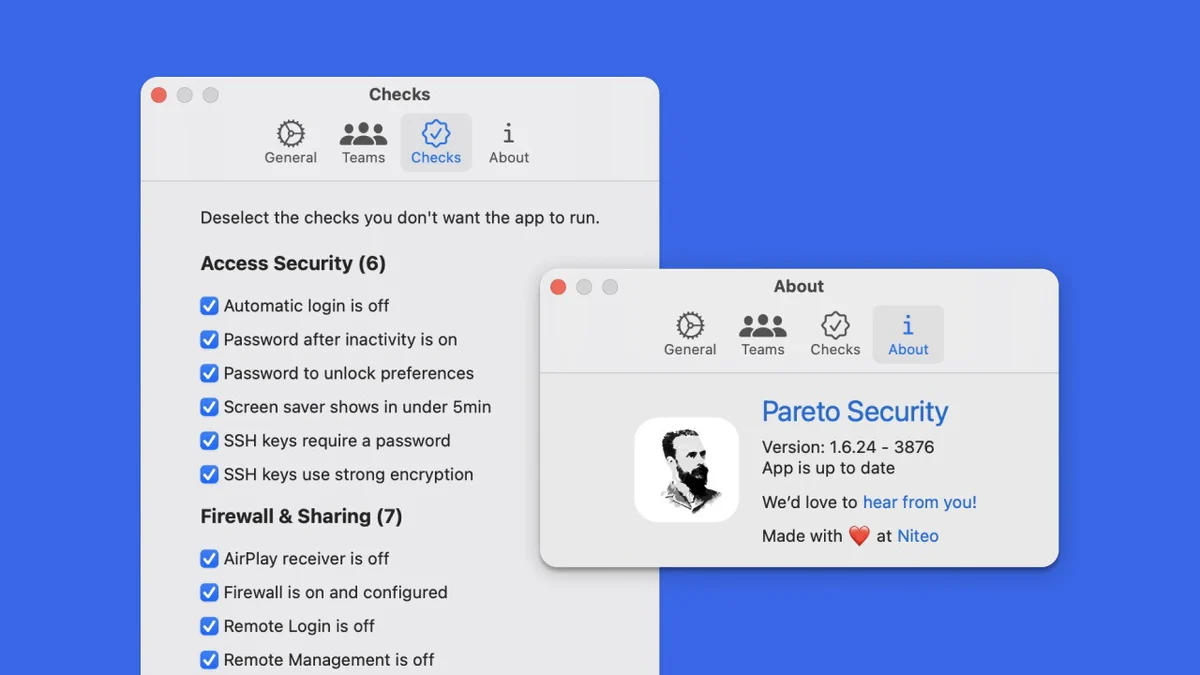
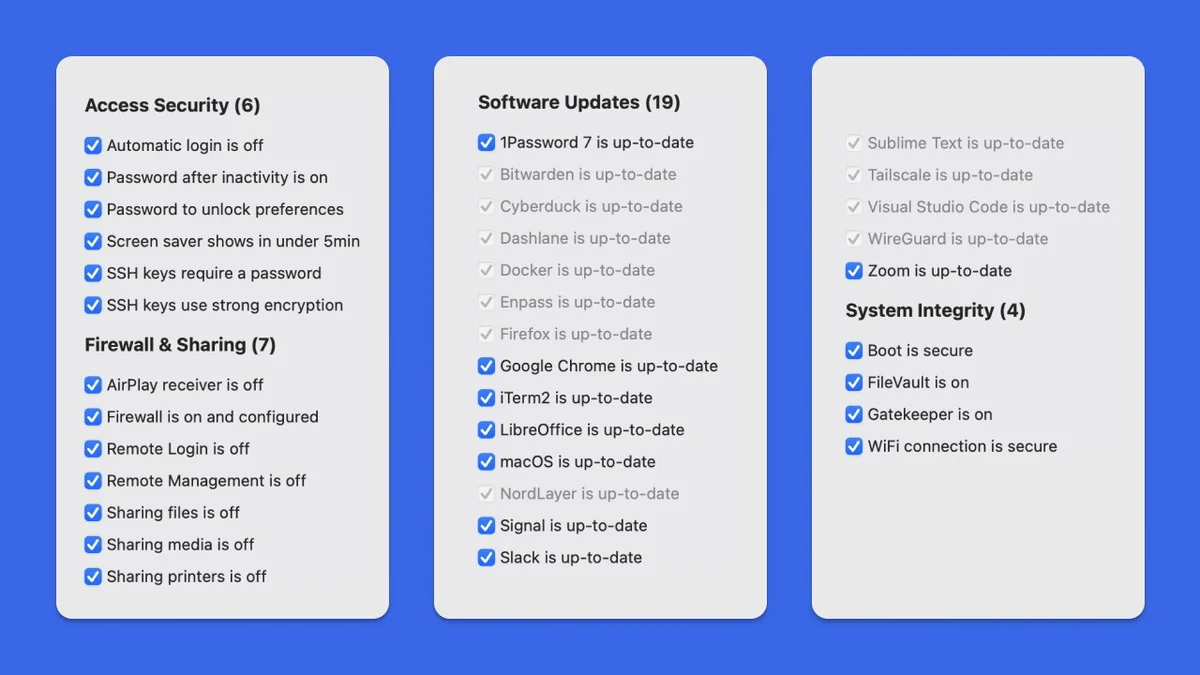
- Comprehensive Security Checks: Pareto Security audits 36 different security settings on your Mac to identify potential vulnerabilities.
- User-Friendly Interface: Designed for regular users, not just security experts, it simplifies complex security protocols.
- Automated Background Operation: The application runs automatically in the background, continuously monitoring your Mac’s security status.
- Snooze Functionality: You have the option to temporarily pause alerts or checks when needed.
- Open-Sourced: The software is open-sourced, meaning its code is publicly available for review.
- Local Operation: Pareto Security runs directly on your device, ensuring your data remains local and private.
How It Works
Pareto Security operates by performing regular checks on a wide array of your Mac’s security configurations. It identifies if any crucial settings, such as FileVault encryption, are turned off or not configured optimally. Once a potential issue is detected, it alerts you, allowing you to address it promptly.
The application is designed to be non-intrusive, running quietly in the background. You are informed of any necessary actions, but you retain full control over when and how to implement them. Its local and open-source nature further enhances trust and transparency in its operation.
Use Cases
- Ensuring sensitive company documents stored on your laptop remain encrypted and protected, even if the device is lost or stolen.
- Peace of mind for frequent travelers who carry important personal or professional data.
- Verifying that essential security features, which you assumed were active, are indeed functioning correctly.
- Providing an easy-to-use security solution for individuals who want to protect their Macs without delving into technical manuals.
Integrations & Compatibility
- Pareto Security is specifically designed to work with Mac operating systems
- As an open-sourced application that runs locally on your device, it does not require complex integrations with external services for its core functionality.
Pricing & Value
Pareto Security offers a lifetime access option through AppSumo, which includes all future updates. This provides ongoing protection and feature enhancements without recurring subscription fees. The value lies in its one-time purchase model for continuous security monitoring.
Deal Details
This deal provides lifetime access to Pareto Security. It is important to redeem your code(s) within 60 days of purchase to activate your license. All future software updates are included in this offer, ensuring you always have the latest version.
Please note that this particular deal is not stackable, meaning one code grants lifetime access to one user. The offer also comes with a 60-day money-back guarantee, allowing you to try the software risk-free.
Quick Take
- Ideal for everyday Mac users who want a simple way to bolster their device security.
- Perfect for individuals who may not be tech-savvy but want to ensure crucial settings like FileVault are active.
- Offers a cost-effective, one-time purchase for ongoing protection and peace of mind.
FAQs
What happens if I forget to renew a subscription?
This offer is for lifetime access, so there is no subscription to renew.
Can I trust the security checks it performs?
Yes, it audits 36 critical security settings and is transparent due to its open-source nature.
Does Pareto Security collect my personal data?
No, it is open-sourced and runs locally on your device, keeping your data private.
Is Pareto Security difficult to set up?
No, it’s designed for regular users with a simple, intuitive interface and automated operation.
What makes Pareto Security different from standard Mac security?
It actively checks and helps you maintain essential settings that Macs don’t always keep enabled by default.
Final Thoughts
Pareto Security presents a practical and accessible solution for enhancing your Mac’s security. By automating the checks of vital settings and presenting them in an understandable format, it removes the complexity often associated with cybersecurity.
For anyone looking to ensure their Mac is protected without becoming a security expert, or for those who have experienced the unsettling realization that a key security feature was off, Pareto Security offers a valuable layer of assurance and peace of mind.