
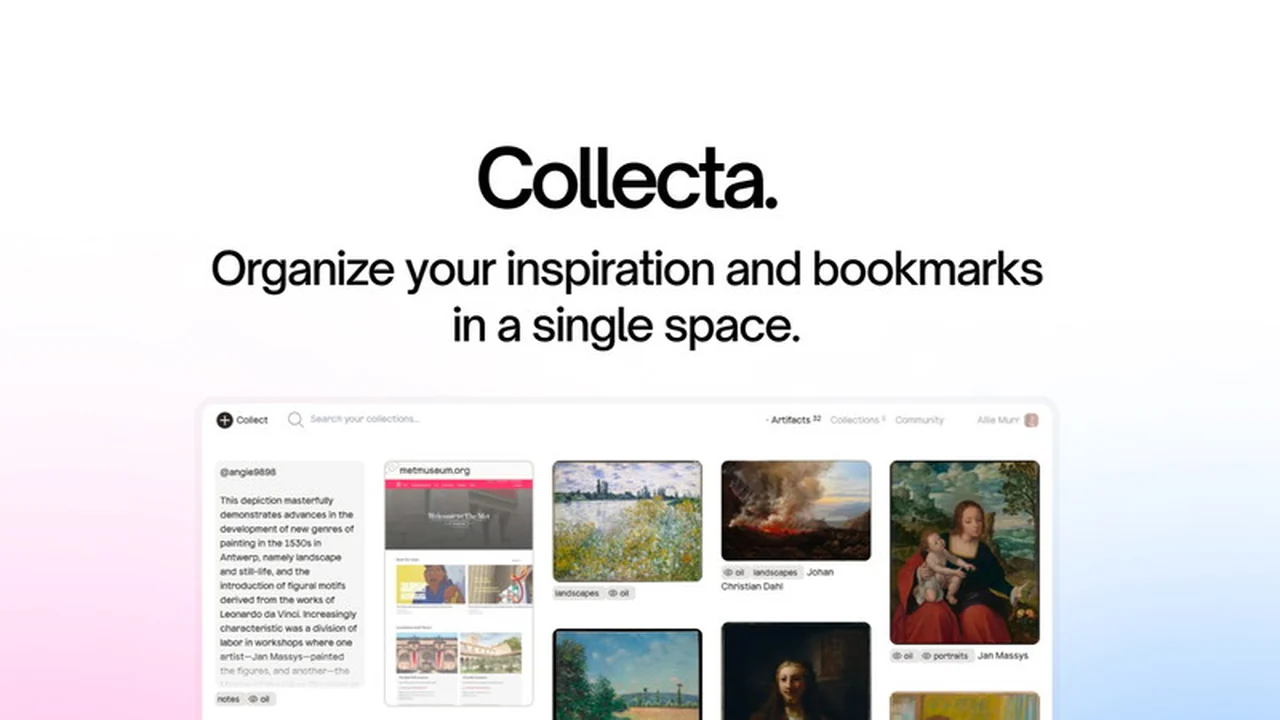
Are you tired of scattering your saved inspiration across countless browser tabs and platforms? Imagine a single, intuitive space where all your digital finds—from images and GIFs to links and text snippets—live harmoniously.
This review dives deep into Collecta, a promising new tool available on AppSumo, designed to streamline your digital organization and unlock a more efficient workflow. We’ll explore its core functionalities, how it simplifies content gathering, and who stands to benefit most.
What is Collecta | AppSumo
Collecta is a digital organization tool that acts as a unified hub for all your saved internet artifacts. It allows users to consolidate images, GIFs, links, text notes, and other digital content into a single, accessible location, preventing the common frustration of scattered inspiration.
Key Features
- Unified Saving: Consolidate images, GIFs, links, and text from across the web into one central space.
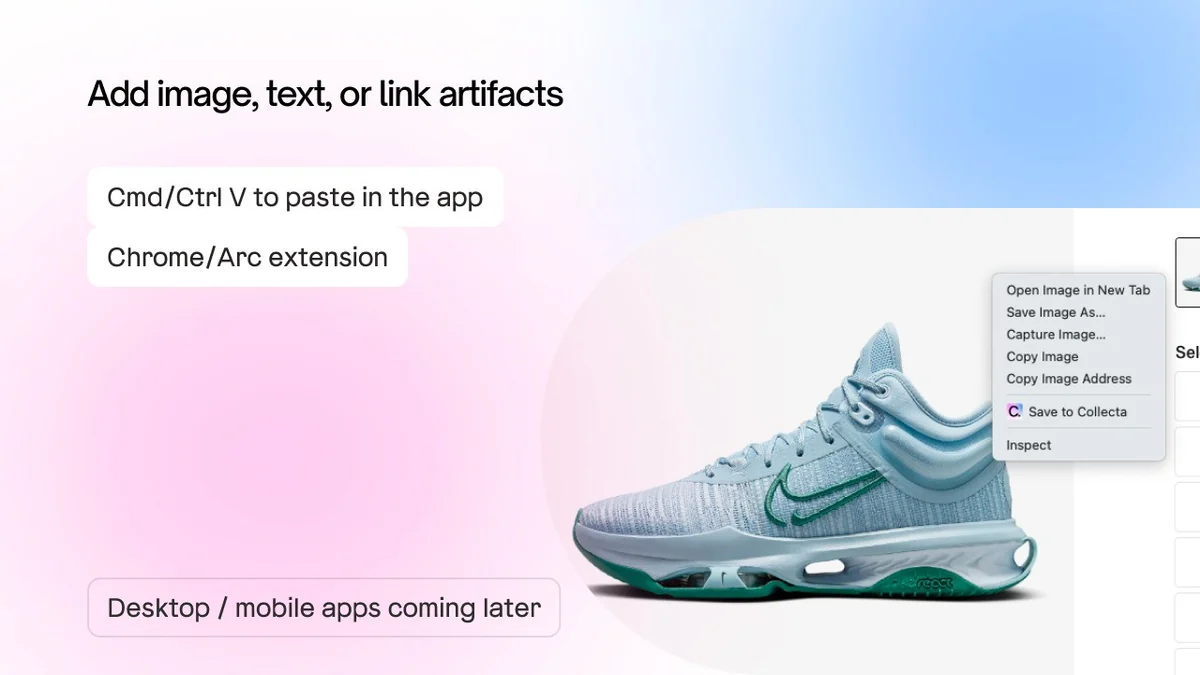
- Browser Extension: Easily capture web content with a convenient Chrome and Arc browser extension.
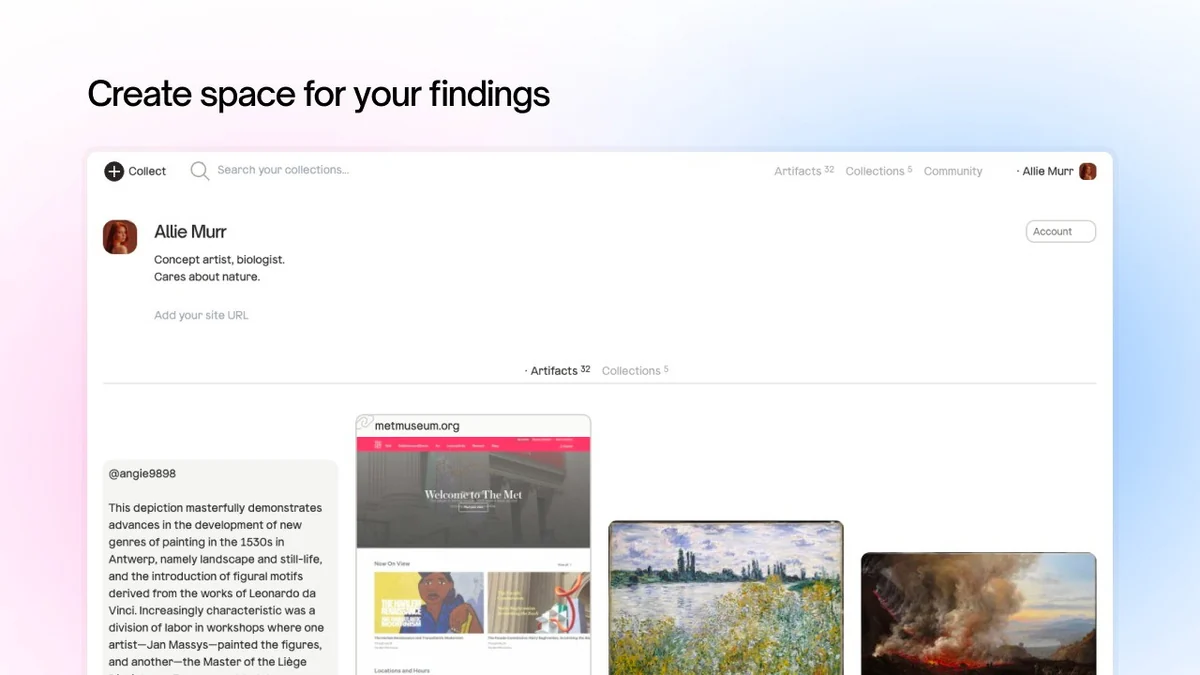
- Flexible Organization: Group your saved items into multiple collections, allowing for versatile categorization.
- Drag-and-Drop Interface: Upload and organize content with an intuitive drag-and-drop functionality.
- Private by Default: All your collected artifacts are private unless you choose to make specific collections public.
- Efficient Search: Quickly find existing items or create new collections on the fly with simple typing.
- Bulk Actions: Select and manage multiple artifacts simultaneously, mirroring a familiar desktop experience.
- Full Page Screenshots: The browser extension now captures full webpage screenshots when saving links, providing more context.
How It Works
Getting started with Collecta is straightforward. You can paste images, text, or links directly into the web application. For a more seamless experience, the browser extension allows you to right-click on images or capture entire web pages with a single click. Artifacts can then be assigned to one or more collections, which are easily created or searched for as you go. The platform is built for speed, enabling efficient organization through features like bulk selection.
Use Cases
- Designers & Artists: Gather visual inspiration, mood boards, color palettes, and reference materials.
- Content Creators: Save articles, links, and images for future content ideas and research.
- Developers: Store code snippets, design inspiration, and useful web resources.
- Students: Organize research links, notes, and relevant images for projects.
- Anyone Organizing Digital Life: A practical solution for decluttering your saved web content.
Integrations & Compatibility
- Collecta offers a Chrome and Arc browser extension for easy content capturing
- Mobile and desktop apps are reportedly in development, indicating a commitment to broader accessibility
- While specific third-party integrations are not extensively detailed, the focus is on providing a standalone, efficient organizational tool.
Pricing & Value
Collecta is currently available on AppSumo, offering a lifetime deal that bypasses recurring subscription fees. This presents significant value for users looking for a long-term solution to manage their digital assets. The deal typically includes lifetime access to current and future plan updates, subject to the terms of the specific AppSumo offer.
Deal Details
The AppSumo deal for Collecta provides a lifetime license. Users should be aware of the redemption period, typically 60 days from purchase. Uploads are capped at 500 artifacts per month, a limit designed to manage storage costs while remaining generous for most users. This deal is not stackable with other offers.
Quick Take
- Ideal for creatives and professionals who frequently save web content for inspiration or reference.
- Offers a streamlined and efficient way to organize diverse digital assets in one place.
- AppSumo deal provides excellent long-term value by eliminating subscription fees.
FAQs
What is the monthly upload limit?
There is a limit of 500 artifacts per month for uploads.
Can I organize my saved items?
Yes, you can assign artifacts to multiple collections for flexible organization.
How do I add content to Collecta?
You can paste content directly or use the browser extension for easy capturing.
Is my collected content private?
Yes, all your artifacts are private by default, with the option to make collections public.
What types of content can I save with Collecta?
Collecta allows you to save images, GIFs, links, and text snippets from the web.
Final Thoughts
Collecta | AppSumo presents a compelling solution for anyone overwhelmed by scattered digital inspiration. Its user-friendly interface, efficient capturing methods, and flexible organization features make it a valuable tool for designers, content creators, and anyone who regularly curates information online. The lifetime deal on AppSumo further enhances its appeal, offering a cost-effective, long-term solution. With a 60-day money-back guarantee, it’s a risk-free opportunity to centralize your digital world.