
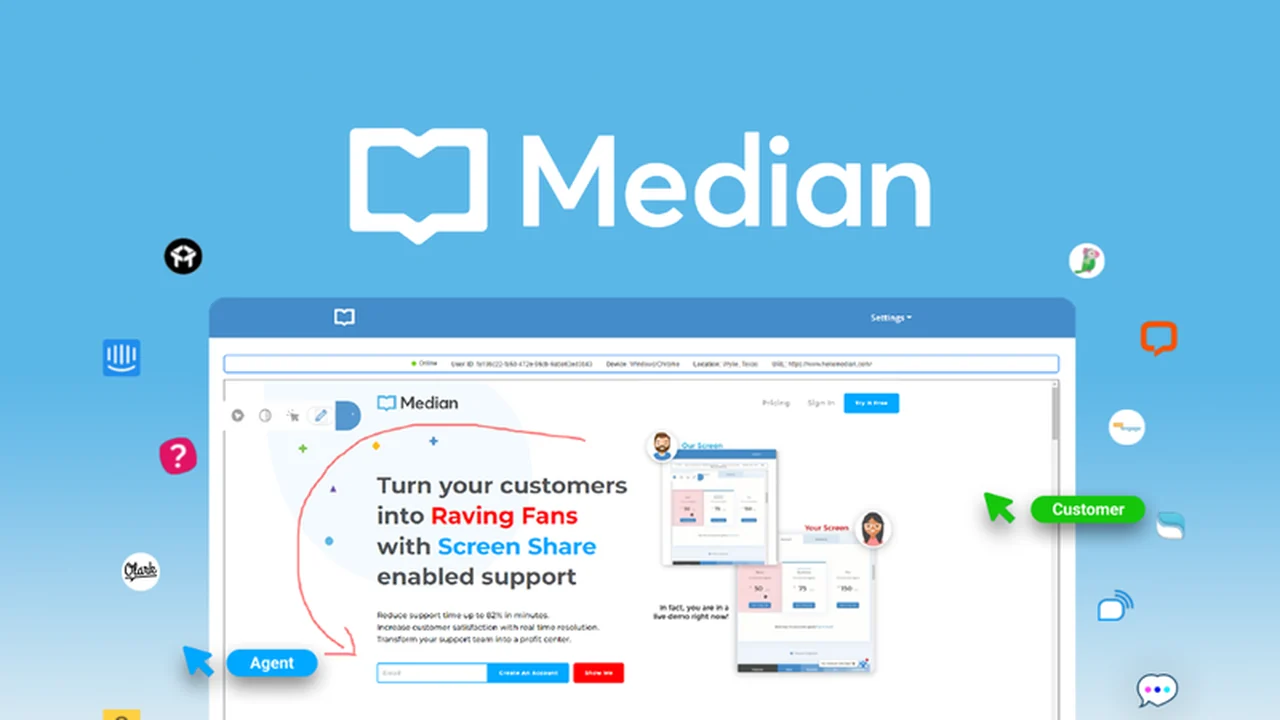
In the realm of customer service, efficiently resolving issues can be a significant challenge, especially when users struggle to articulate their problems.
This review explores Median, a tool designed to streamline customer support by offering immediate, one-click screen sharing, making it easier than ever to guide users and solve their problems directly.
What is Median – Resolve customer issues with screen share | AppSumo
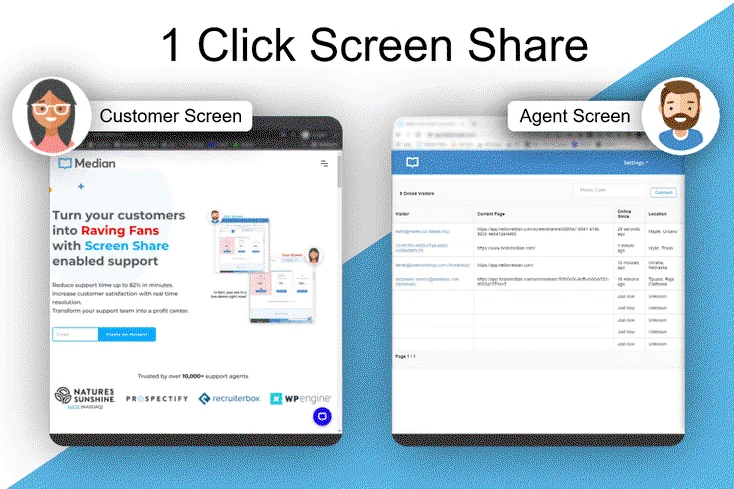
Median is a powerful customer support tool that allows support agents to resolve user issues with a simple, one-click screen share. It eliminates the need for customers to navigate complex download or installation processes, offering a seamless way for support teams to see and interact with a customer’s browser session in real-time.
Key Features
- One-Click Screen Share: Instantly join a customer’s session without any downloads or installations for them.
- Real-time Interaction: See exactly what your customer sees and how they are interacting with your website.
- Mouse Pointer Guidance: Place your mouse cursor on the customer’s screen to guide them visually.
- Drawing and Highlighting: Draw on the page to point out specific elements or buttons.
- Full Session Control: Request and gain permission to take complete control of the user’s browser session, allowing you to click and type.
- Automatic Sensitive Data Censoring: Credit card numbers, passwords, and other sensitive information are automatically hidden for security.
- Built-in Dashboard: View and manage your site’s users and visitors in real-time.
- Reduced Repeat Tickets: Teach customers how to use your product effectively, minimizing future issues.
How It Works
Implementing Median is straightforward. After placing a small piece of code on your website, the tool becomes active. When a customer needs assistance, a support agent can initiate a screen share directly from their dashboard. The customer simply needs to grant permission, and the agent can then see, guide, draw on, or even control the customer’s browser session to resolve the issue.
Use Cases
- E-commerce Support: Assist customers with adding items to their cart or completing checkout processes.
- Onboarding New Users: Guide first-time users through your product’s features and functionalities.
- Troubleshooting Technical Issues: Quickly identify and resolve software or website-related problems for non-tech-savvy users.
- Product Demonstrations: Showcase specific features or workflows to interested prospects or existing clients.
- Resolving Complex Queries: Provide immediate, hands-on help for intricate customer questions.
Integrations & Compatibility
- Median is designed to work across all devices and operating systems without requiring downloads or plugins for your users
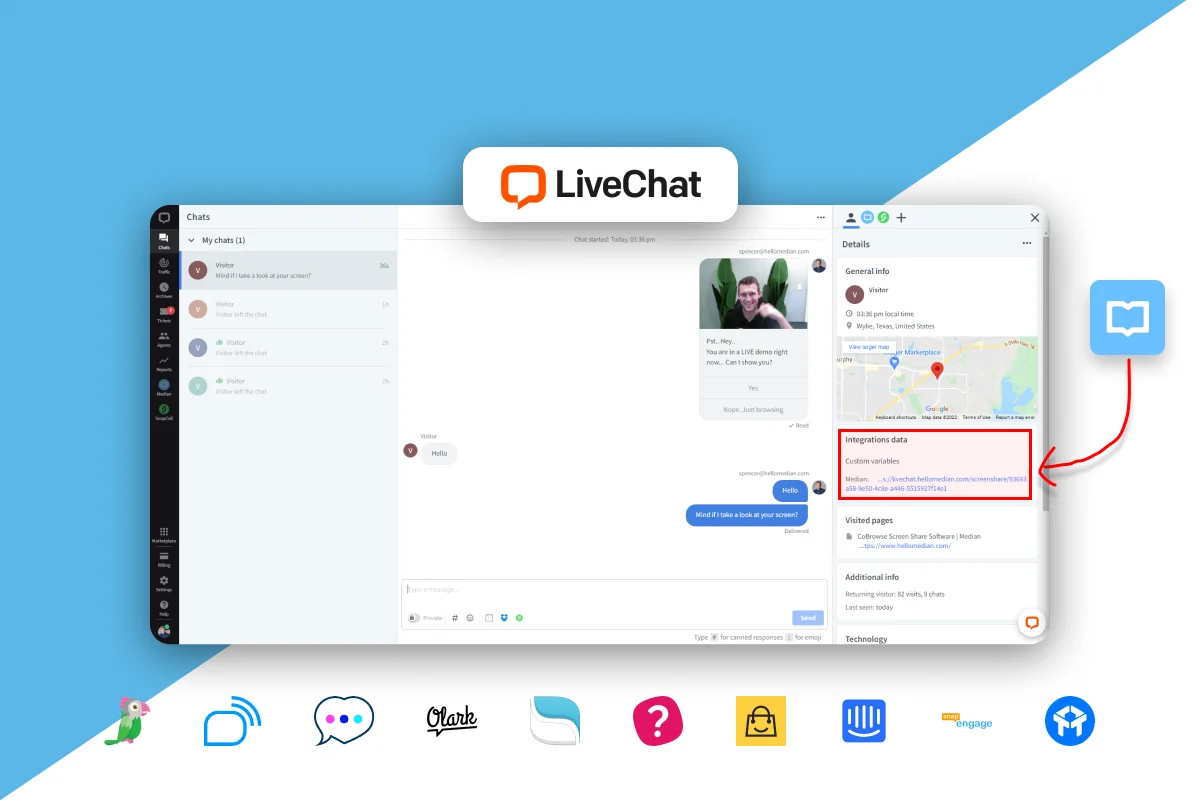
- It also offers integrations with popular chat tools such as Intercom, Drift, LiveChat, and tawk.to, allowing for a unified customer support experience across different communication channels.
Pricing & Value
The value proposition of Median lies in its ability to significantly reduce support resolution times and improve customer satisfaction. By offering immediate, interactive assistance, it minimizes the frustration associated with traditional support methods and can lead to a reduction in recurring support tickets.
Deal Details
The AppSumo deal for Median provides lifetime access to the platform. This typically includes access to all current and future updates, offering long-term value for businesses looking to enhance their customer support capabilities.
Quick Take
- Ideal for businesses providing online customer support via chat or phone.
- Perfect for companies with non-technical customers who need direct assistance.
- Offers a significant upgrade over traditional methods of explaining issues verbally or via screenshots.
FAQs
How is Median integrated into a website?
Median is integrated by placing a simple code snippet onto your website.
Is my customer’s sensitive data protected?
Yes, Median automatically censors sensitive information like credit card numbers and passwords.
Can Median help with e-commerce checkouts?
Yes, Median can assist customers during the checkout process on e-commerce sites.
Does the customer need to download any software?
No, customers do not need to download any software for Median screen sharing.
What is the primary benefit of using Median?
Median’s primary benefit is resolving customer issues efficiently with one-click screen sharing.
Final Thoughts
Median offers a compelling solution for any business aiming to elevate its customer support. The ease of use for both agents and customers, combined with powerful interactive features like drawing and remote control, makes it an indispensable tool for resolving issues swiftly and effectively. The no-download, no-installation approach removes significant barriers to entry for customers, leading to a smoother and more satisfactory support experience.