
In today’s fast-paced professional environment, efficiency is paramount. Repetitive typing and data entry can quickly eat into valuable work hours, hindering productivity and potentially leading to errors.
This review delves into Assist-Ant for Windows, a tool designed to tackle these challenges head-on. We’ll explore its core functionalities, how it simplifies template management, and its potential to transform your daily workflow.
What is Assist-Ant for Windows | AppSumo
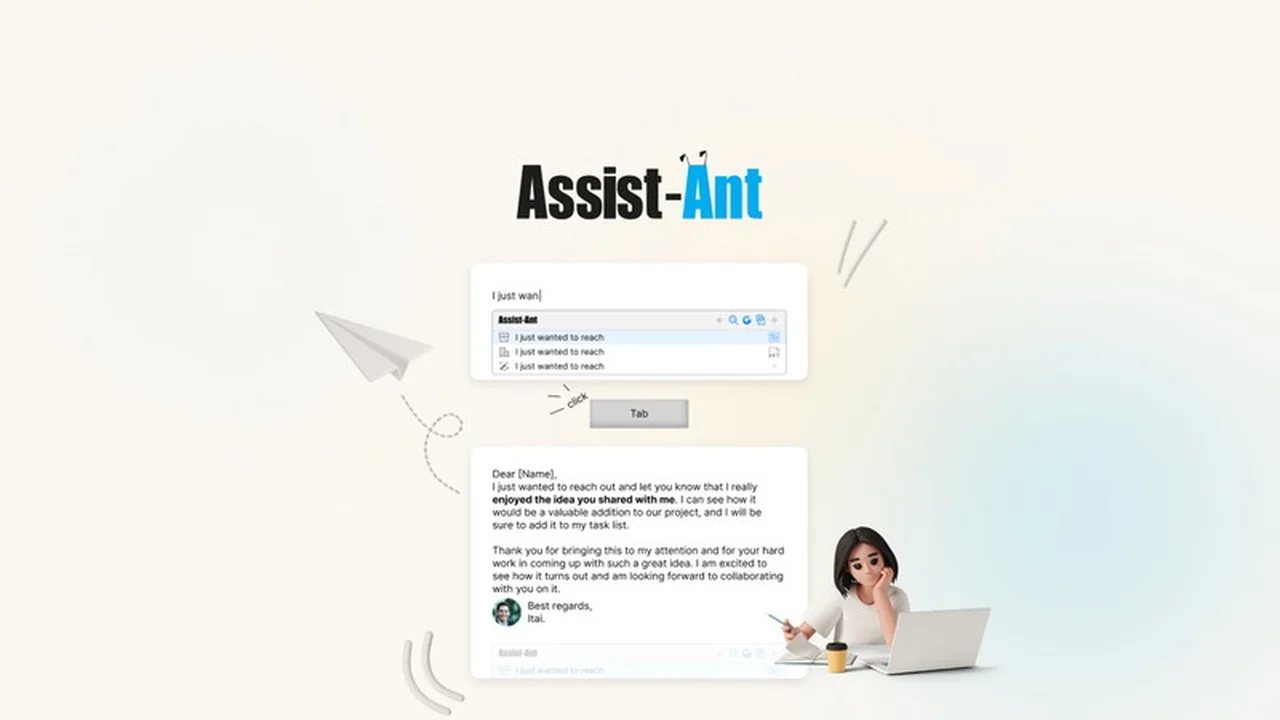
Assist-Ant for Windows is a sophisticated template management system built to significantly reduce repetitive work. It introduces an automated capture feature that allows users to quickly save and reuse frequently typed text and entire documents. The system aims to provide a centralized hub for all your templates, making them easily searchable, accessible, and shareable within a team.
Key Features
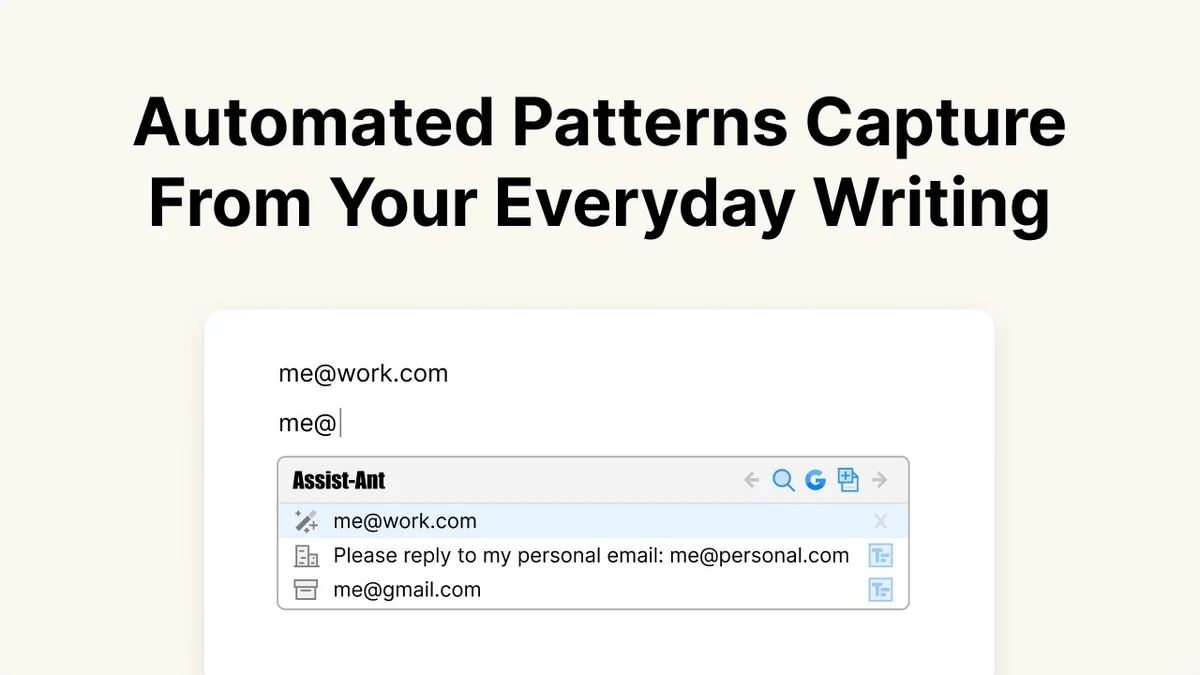
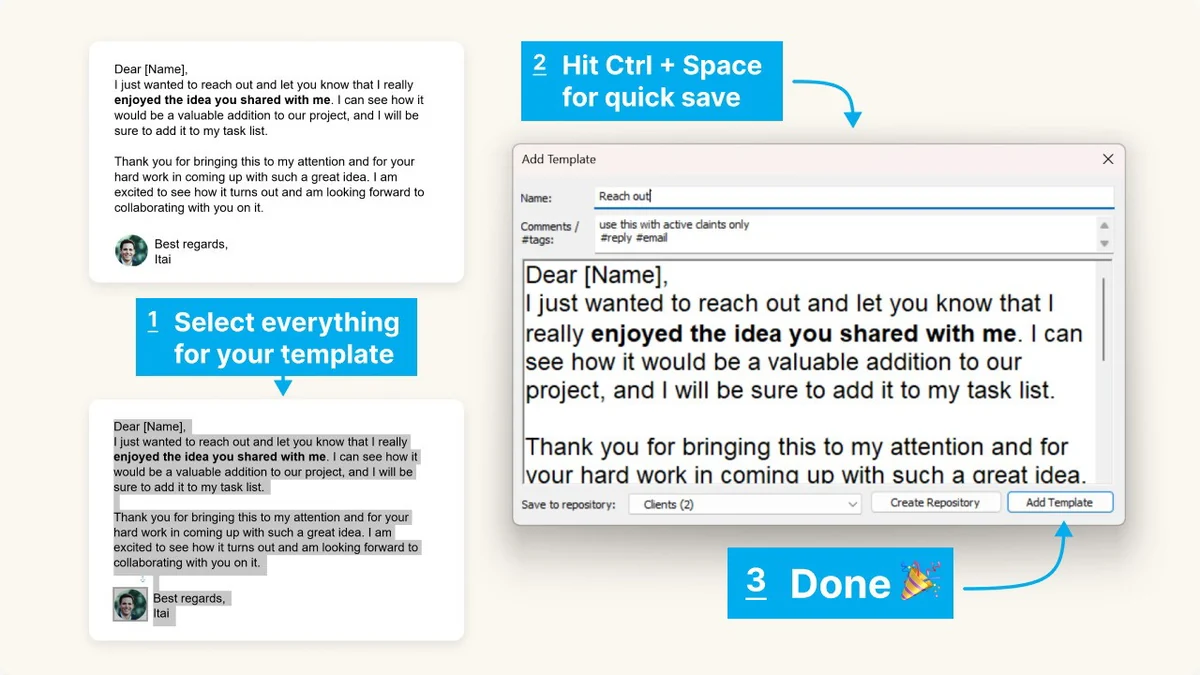
- Automated Template Capture: Easily save new templates by highlighting text and using a simple keyboard shortcut (Control + Space).
- Centralized Repository Management: Store and organize all your templates, deliverables, and other files in a single, secure location.
- Powerful Search Functionality: Quickly locate templates using keywords, tags, or other search criteria.
- Template Grouping with Hashtags: Organize templates effectively using a powerful hashtag grouping system.
- Support for Multiple File Types: Beyond text, Assist-Ant handles rich text documents, PDFs, PowerPoints, and even entire files for insertion.
- Team Collaboration: Facilitates sharing templates with colleagues for seamless teamwork.
- Super Clipboard Manager: Remembers up to 20 of your last copied items, with full image and text previews, all stored locally without data loss.
How It Works
Getting started with Assist-Ant is designed to be intuitive. To save a new template, you simply highlight the desired text or content and press Control + Space. This action automatically triggers the save template window, where you can add details and store it for future use.
The application provides a dedicated search panel and repository management system. This allows users to efficiently find, reuse, and share their saved templates. Its ability to handle various file types means you can manage more than just text snippets; entire documents and presentations can be incorporated into your workflow.
Use Cases
- Sales and Marketing: Quickly deploy pre-written email responses, product descriptions, or social media updates.
- Customer Support: Provide consistent and rapid answers to frequently asked questions or common support issues.
- Content Creation: Save and reuse boilerplate text, outlines, or frequently used formatting for articles and blog posts.
- Project Management: Store and share project templates, checklists, or standard operating procedures with your team.
- Freelancers and Small Businesses: Streamline client communication, proposals, and invoicing by having templates readily available.
Integrations & Compatibility
- Assist-Ant is exclusively designed for the Windows operating system
- While the current version does not natively support direct online platform integration like LinkedIn or Gmail for template access within those applications, it offers robust internal management
- The developers are exploring future enhancements, and direct contact may provide insights into workarounds or upcoming features for broader accessibility.
Pricing & Value
Assist-Ant is presented through a value-driven model, offering access to its comprehensive template management features. This approach aims to provide a significant return on investment by saving users considerable time and reducing manual effort. The tool’s ability to centralize and streamline template usage can lead to increased overall team productivity.
Deal Details
The offering for Assist-Ant for Windows includes a 60-day money-back guarantee. This allows ample time to test the software thoroughly and ensure it meets your specific workflow requirements and expectations before committing long-term.
Quick Take
- Ideal for Windows users seeking to automate repetitive typing and content creation.
- Perfect for individuals and teams who manage a large volume of recurring text or documents.
- Offers a straightforward method for saving, organizing, and accessing templates quickly.
FAQs
What types of files can Assist-Ant manage?
Assist-Ant supports text, rich text, PDFs, PowerPoints, and even entire files.
What happens to my copied items with the Super Clipboard Manager?
Your copied items are remembered locally with full previews, and data is not lost.
Is Assist-Ant actively maintained and updated?
The developers are committed to enhancing user experience and adding new features.
Can I access templates within web applications like LinkedIn or Gmail?
Direct access within specific web applications is not a feature of the current AppSumo version.
Are templates accessible regardless of location?
Currently, template accessibility is primarily within the Assist-Ant application on your Windows device.
Final Thoughts
Assist-Ant for Windows presents a compelling solution for anyone looking to reclaim time lost to repetitive tasks. Its automated capture, centralized repository, and robust search capabilities offer a streamlined approach to template management. While direct online integrations might be a future consideration, its core functionality on Windows is robust and promises significant productivity gains for individuals and teams alike.