
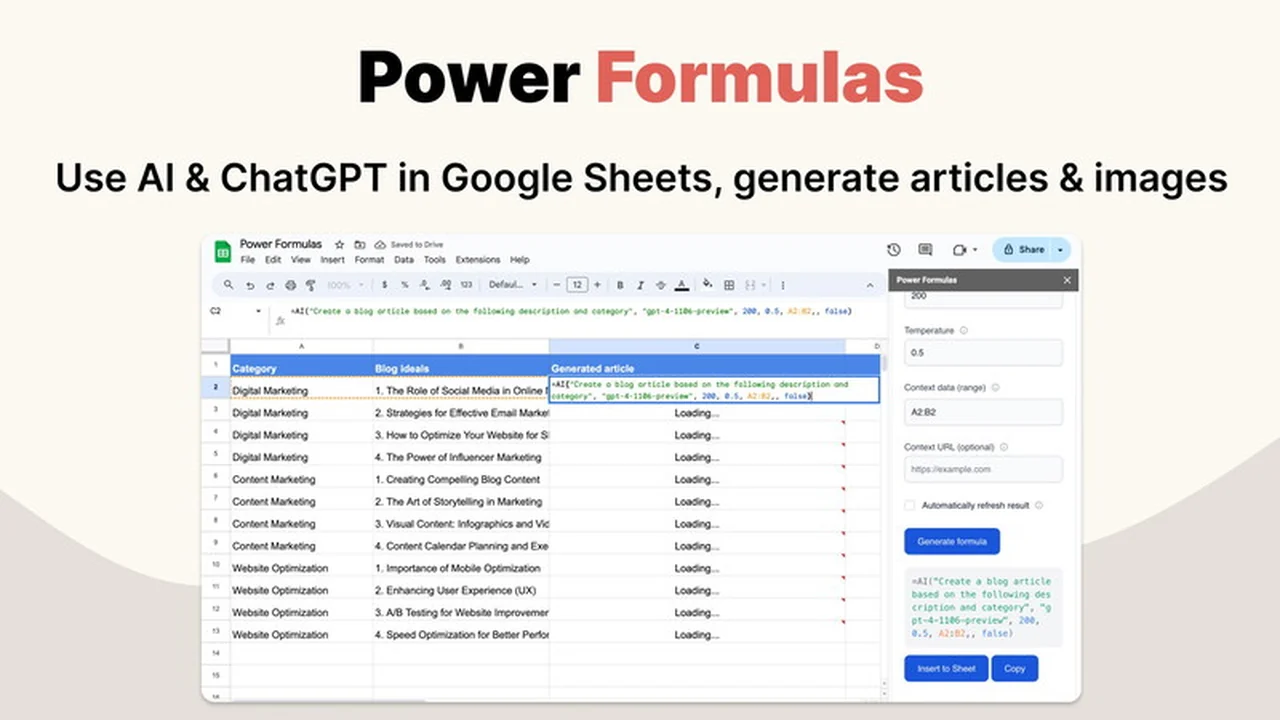
Are you looking to supercharge your Google Sheets with the power of Artificial Intelligence? This review dives into Power Formulas, a unique add-on designed to seamlessly integrate advanced AI models directly into your spreadsheets.
We’ll explore how this tool can automate content creation, generate stunning visuals, and streamline complex tasks, all while keeping you within your familiar Google Sheets environment.
What is Power Formulas: Use ChatGPT & AI in Google Sheets | AppSumo
Power Formulas is a powerful Google Sheets add-on that bridges the gap between your spreadsheets and leading AI language and image models. It allows users to harness the capabilities of AI technologies like OpenAI’s GPT models, Anthropic’s Claude, Google AI, and Cohere, directly within their spreadsheets.
Key Features
Power Formulas offers a robust set of features designed to enhance productivity and unlock new possibilities within Google Sheets:
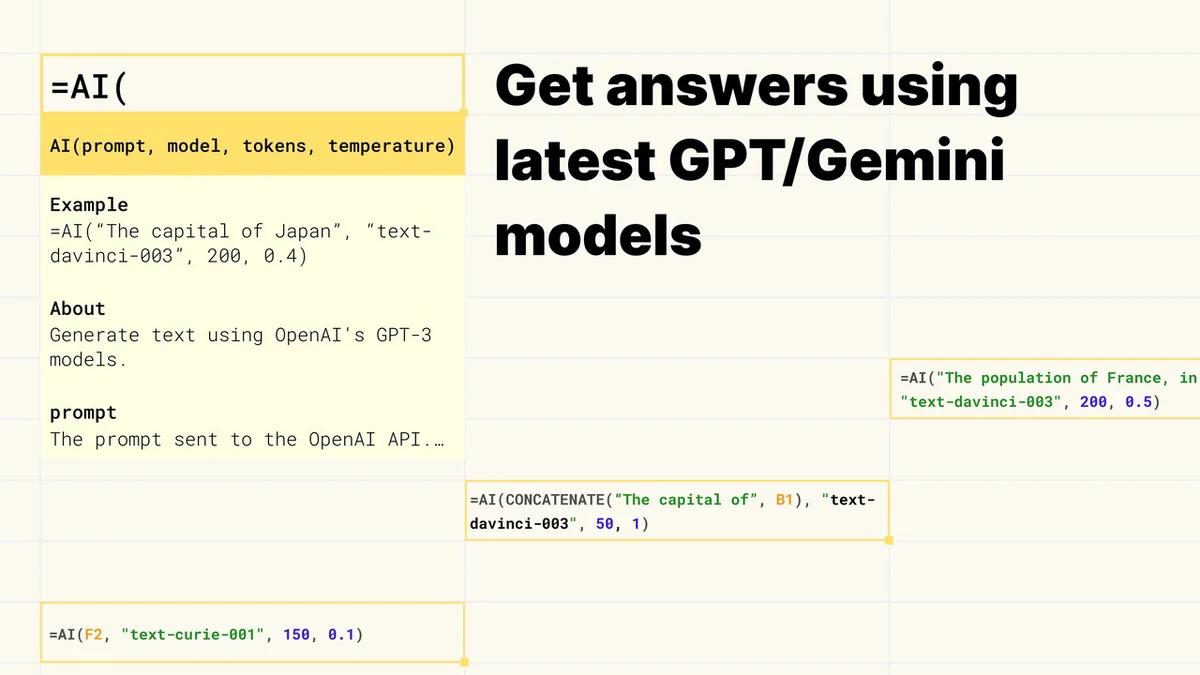
- =AI() Formula: This core function brings advanced AI models into your spreadsheet. It enables you to input data as a prompt and have the AI generate relevant content, transforming your spreadsheet into a smart assistant for problem-solving and content generation.
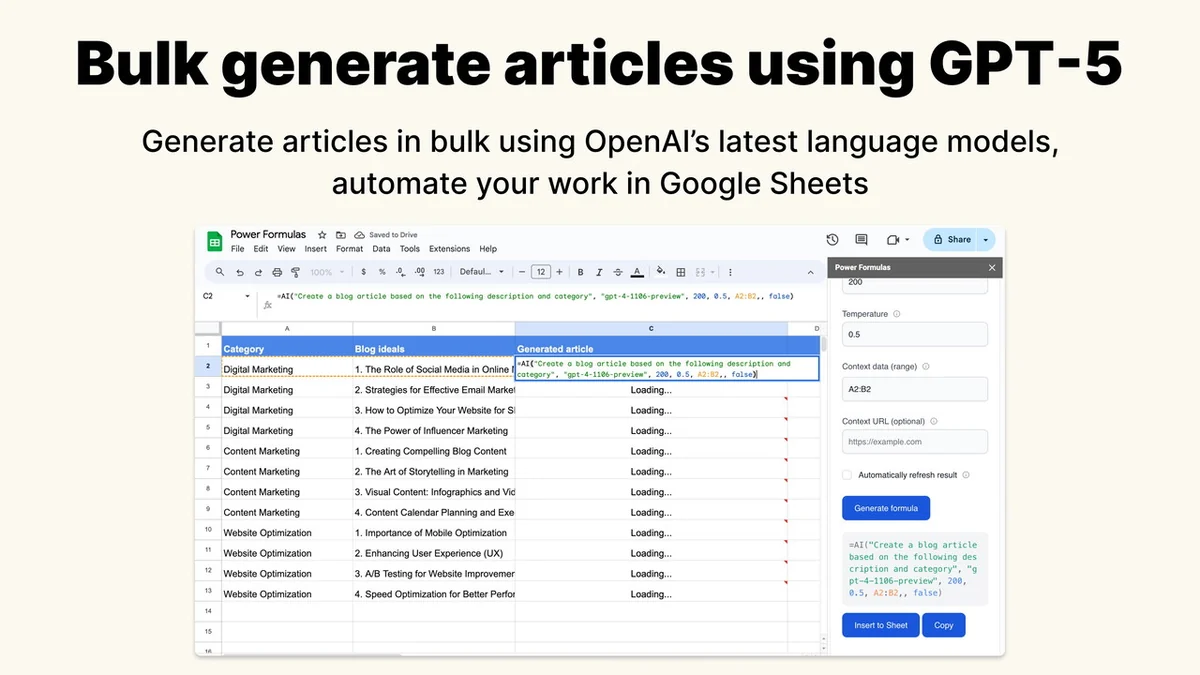
- Bulk Content Generation: The =AI() formula is optimized for generating a large volume of content quickly and efficiently, making it ideal for scaling SEO strategies and content creation efforts.
- Web Scraping Capability: A notable feature of the =AI() formula is its ability to automatically scrape web content. This allows you to include existing web data as part of your AI prompts for more comprehensive and informed content generation.
- =AI_IMAGE() Formula: This innovative formula transforms textual prompts into high-quality, unique visual elements in bulk. It’s a game-changer for marketers and design enthusiasts needing to create striking visuals without extensive graphic design work.
- Formula Builder: A user-friendly, no-code interface that simplifies the process of constructing complex AI formulas. It guides you through selecting formulas and inputting arguments, eliminating the need to memorize syntax.
- Support for Multiple AI Models: Power Formulas provides flexibility by integrating with a variety of AI model providers, including OpenAI, Anthropic/Claude, Google AI, and Cohere.
How It Works
Getting started with Power Formulas is designed to be straightforward. The add-on introduces custom formulas, namely =AI() and =AI_IMAGE(), which you can use directly in your Google Sheets cells.
For the =AI() formula, you input your desired prompt and any relevant data directly into the spreadsheet. The add-on then sends this information to your chosen AI model, returning the generated text content to your sheet. The =AI_IMAGE() formula works similarly, taking a text description and generating a corresponding image.
The Formula Builder simplifies this process further. It provides a visual interface where you can select the type of AI task you want to perform, enter your parameters in a form-like structure, and the builder generates the correct formula for you to use.
It’s important to note that Power Formulas itself does not include AI model credits. Users are required to obtain their own API keys from the respective AI providers to utilize the functions.
Use Cases
The versatility of Power Formulas opens up a wide array of practical applications:
- Content Creation: Generate blog post outlines, social media captions, product descriptions, email copy, and more in bulk.
- SEO Optimization: Create SEO-friendly articles and content pieces designed to rank higher in search engine results.
- Market Research: Summarize competitor websites or analyze online reviews by scraping web content and using AI to process it.
- Visual Asset Generation: Produce unique images for marketing materials, presentations, website graphics, or social media posts.
- Data Analysis & Augmentation: Use AI to interpret data, generate insights, or augment existing datasets with descriptive text.
- Personalized Communication: Craft personalized messages or responses based on customer data stored in your sheets.
Integrations & Compatibility
Power Formulas is built as a Google Sheets add-on, ensuring seamless integration within the Google Workspace ecosystem. It is compatible with all major AI model providers, allowing you to connect to:
- OpenAI (including GPT-5 and other GPT models)
- Anthropic (Claude models)
- Google AI (Gemini models)
- Cohere
Users will need to provide their own API keys from these providers. Your API keys are securely stored within your Google account.
Pricing & Value
Power Formulas presents an interesting value proposition, especially through its availability on platforms like AppSumo. The core functionality, including access to advanced AI models and the Formula Builder, is available across all plans.
The primary value lies in its ability to automate tasks that would otherwise require significant manual effort or switching between multiple tools. By integrating AI directly into Google Sheets, it streamlines workflows and potentially reduces the need for separate AI subscription services, depending on your usage and the AI models you choose.
Deal Details
The Power Formulas: Use ChatGPT & AI in Google Sheets deal, often found on AppSumo, typically offers lifetime access to the add-on’s features. This usually includes all current and future updates, providing ongoing value.
Past deal structures have included different tiers based on usage limits or features, with prices ranging from one-time fees to more comprehensive packages, often starting around $59.
The offer usually comes with a 60-day money-back guarantee, allowing ample time to test the product’s suitability for your needs.
Quick Take
- For individuals and businesses looking to automate content and image generation within Google Sheets.
- Ideal for SEO professionals, marketers, and anyone needing to process or create data-driven content at scale.
- Offers a powerful way to leverage AI without leaving your familiar spreadsheet environment.
FAQs
Can Power Formulas generate images?
Yes, the =AI_IMAGE() formula allows for bulk AI image generation from text prompts.
Is the Formula Builder easy to use?
Yes, the Formula Builder offers a user-friendly, no-code interface for creating formulas.
What AI models are supported by Power Formulas?
It supports models from OpenAI, Anthropic/Claude, Google AI, and Cohere.
Can I use Power Formulas offline?
No, Power Formulas requires an active internet connection to communicate with AI models.
Does Power Formulas require separate AI model credits?
Yes, you will need to provide your own API keys and associated credits from AI model providers.
Final Thoughts
Power Formulas: Use ChatGPT & AI in Google Sheets | AppSumo presents a compelling solution for anyone seeking to inject AI capabilities directly into their spreadsheet workflows. The ability to generate content and images in bulk, coupled with features like web scraping and a user-friendly Formula Builder, makes it a potent tool for enhancing productivity.
While users need to manage their own AI API keys and credits, the seamless integration and broad model support offer significant value. For those who heavily rely on Google Sheets for data management and content creation, Power Formulas is an add-on worth serious consideration.