
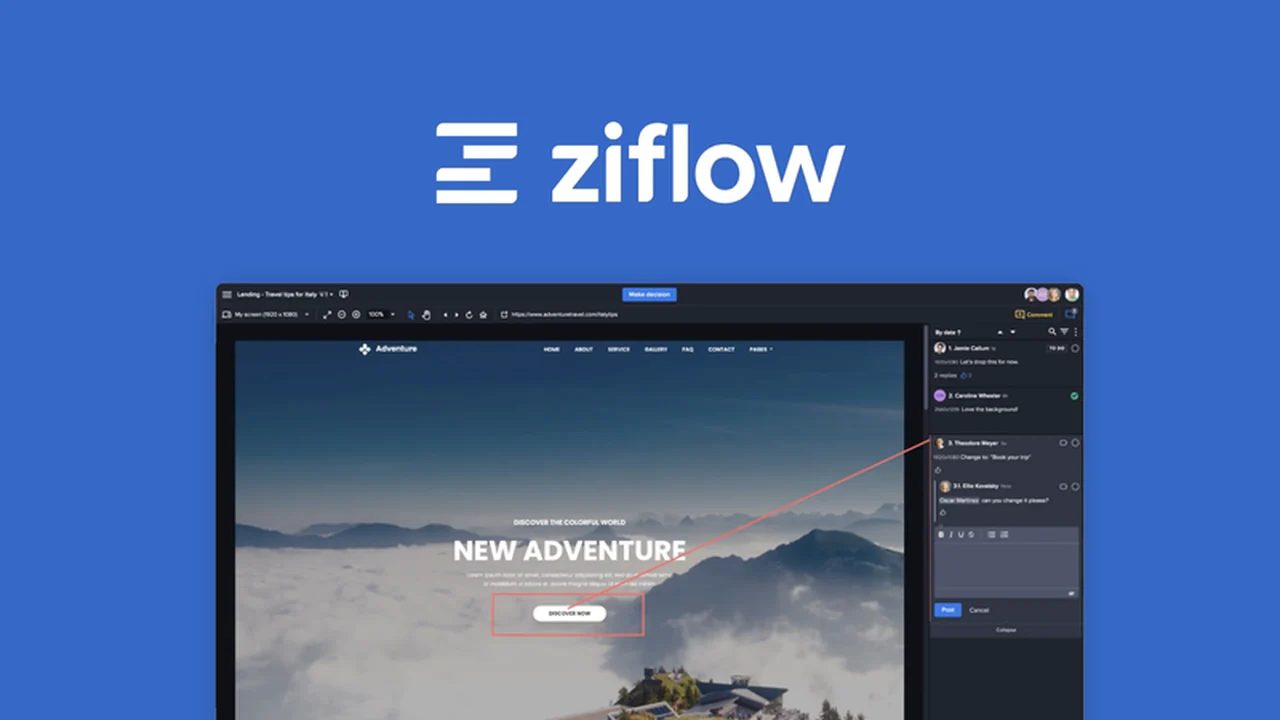
This review dives deep into Ziflow, a powerful creative collaboration platform designed to streamline your content approval process. We’ll explore how its intuitive features can transform how your team and clients provide and receive feedback.
Discover how Ziflow can reduce stress and increase efficiency, making creative project management smoother from start to finish. If you’re looking to enhance your team’s productivity, this guide will highlight Ziflow’s core benefits and functionalities.
What is Ziflow – Simplify your content workflow | AppSumo
Ziflow is a comprehensive creative collaboration tool that centralizes the feedback and approval stages for all your digital assets. It simplifies the often complex process of managing revisions, ensuring that all stakeholders can easily contribute and track progress on images, documents, audio, video, and live websites.
Key Features
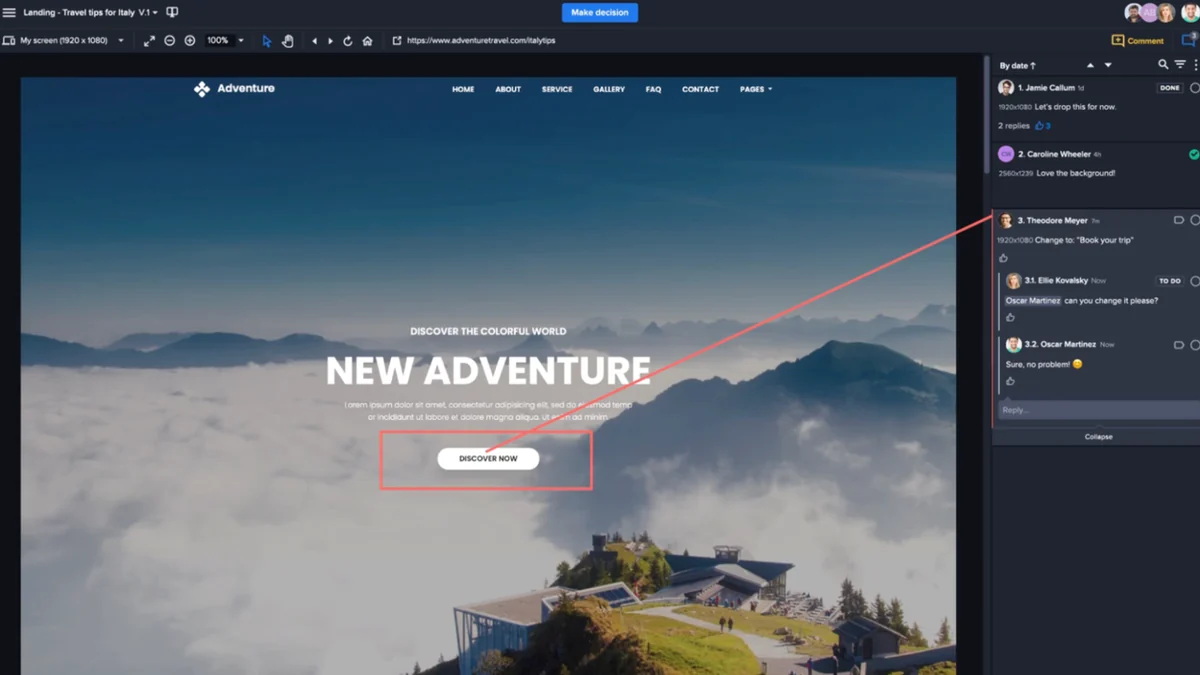
- Frame and Pixel Accurate Markup Tools: Leave precise feedback directly on assets, ensuring clarity and reducing misinterpretation.
- Unlimited Reviewers: Invite an unlimited number of team members or clients to provide input without additional costs.
- Multi-Format Asset Review: Support for a wide range of file types including images, documents, audio, video, URL snapshots, and live websites.
- @Mention Functionality: Tag specific reviewers in comments to draw their attention and facilitate targeted discussions.
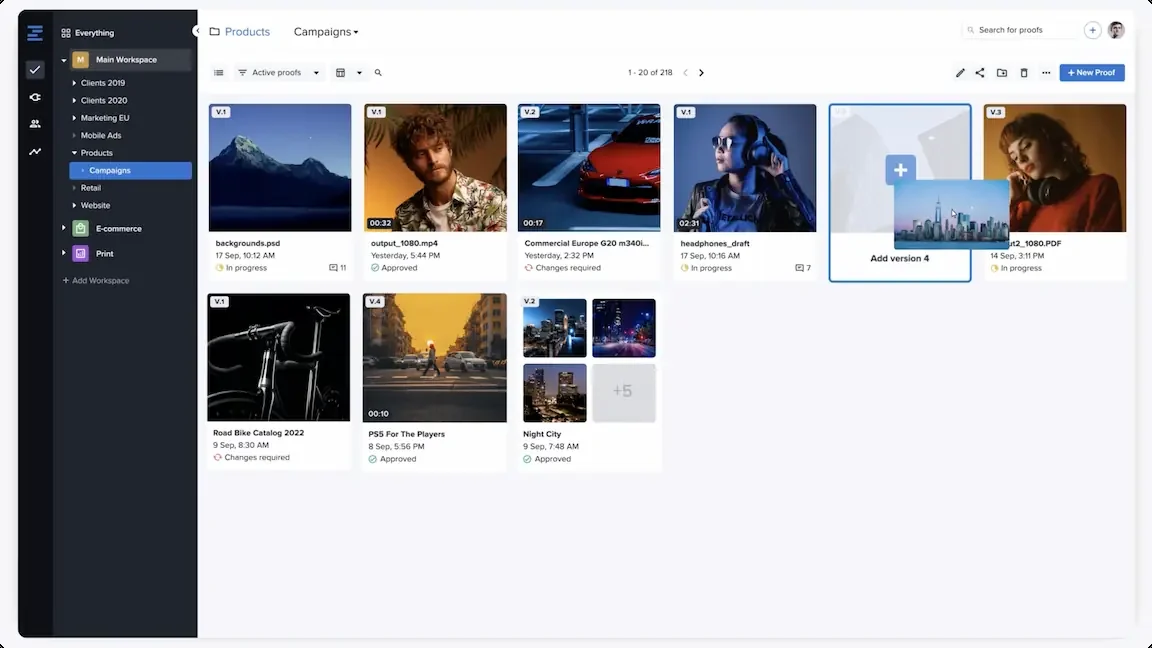
- Version Management: Track every iteration of an asset with unlimited version history and easy access to previous stages.
- Side-by-Side Proof Comparison: Visually compare different versions of an asset with changes clearly highlighted.
- Automated Workflow Templates: Set up custom approval sequences to automate the routing of assets for efficient sign-offs.
- Brand Customization: Personalize the platform with your company logo and brand colors for a professional touch.
- Batch Review Capabilities: Review multiple assets at once, consolidating feedback for efficient processing.
- Custom Intake Forms: Create tailored forms to gather specific information from reviewers when submitting assets.
How It Works
Using Ziflow is designed to be straightforward. You upload your creative asset to the platform, whether it’s a design mock-up, a video edit, or a document. Then, you invite your chosen reviewers, who can access the asset through a shareable link. Reviewers can then use Ziflow’s intuitive markup tools to add comments, annotations, and markups directly on the asset itself. All feedback is collected in a centralized thread, linked to the specific version of the asset. Automated workflows can be configured to move assets through predefined approval stages, notifying relevant parties at each step.
Use Cases
- Marketing Teams: Streamline the review and approval of ad creatives, social media posts, and campaign materials.
- Design Agencies: Efficiently manage client feedback on website designs, branding projects, and graphic assets.
- Video Production: Provide frame-accurate comments on video edits, ensuring precise revisions.
- Content Creators: Gather feedback on blog posts, articles, and other written content in a structured manner.
- Product Development: Review prototypes and product visuals with cross-functional teams.
- Client Collaboration: Offer a professional and easy-to-use platform for clients to provide feedback on their projects.
Integrations & Compatibility
- Ziflow offers extensive integration capabilities, allowing it to connect with a wide array of popular tools you likely already use
- This ensures a seamless flow of information and assets between your existing project management systems, cloud storage, and creative software
- Examples include project management platforms like Asana and monday.com, cloud storage solutions such as Dropbox and Google Drive, and creative suites like Adobe Creative Cloud.
Pricing & Value
Ziflow provides a robust set of features that address common pain points in creative workflows. The value proposition lies in its ability to centralize feedback, reduce revision cycles, and improve team communication, ultimately saving time and resources. The AppSumo deal offers a significant opportunity to acquire this comprehensive tool at a fraction of its regular cost, making it an accessible solution for businesses of all sizes.
Deal Details
This AppSumo deal is a time-sensitive offer, providing lifetime access to Ziflow’s powerful features. By securing this deal, you can benefit from advanced creative collaboration tools without ongoing subscription fees. It’s important to act quickly to take advantage of this limited-time opportunity to enhance your team’s content workflow.
Quick Take
- Ideal for marketing teams, agencies, and anyone managing creative projects with multiple stakeholders.
- Simplifies feedback and approval processes, saving time and reducing miscommunication.
- Offers robust features for detailed asset review and workflow automation.
FAQs
Can I compare different versions of a project?
Yes, you can compare proofs side-by-side with highlighted changes.
How does Ziflow handle feedback for video projects?
Ziflow offers frame-accurate commenting for video and motion projects.
Does Ziflow offer version control for my assets?
Yes, Ziflow provides unlimited version management and a full history of all work.
Can I invite external clients to review assets?
Yes, Ziflow allows you to invite an unlimited number of reviewers, including external clients.
What types of assets can I review in Ziflow?
You can review images, documents, audio, video, URL snapshots, and live websites.
Final Thoughts
Ziflow offers a compelling solution for simplifying and accelerating creative workflows. Its comprehensive feature set, from precise markup tools to automated approval processes, directly addresses the challenges of collaborative content creation. For teams looking to enhance efficiency and ensure clear communication throughout the review cycle, this platform presents a valuable opportunity, especially through the current AppSumo offering.