
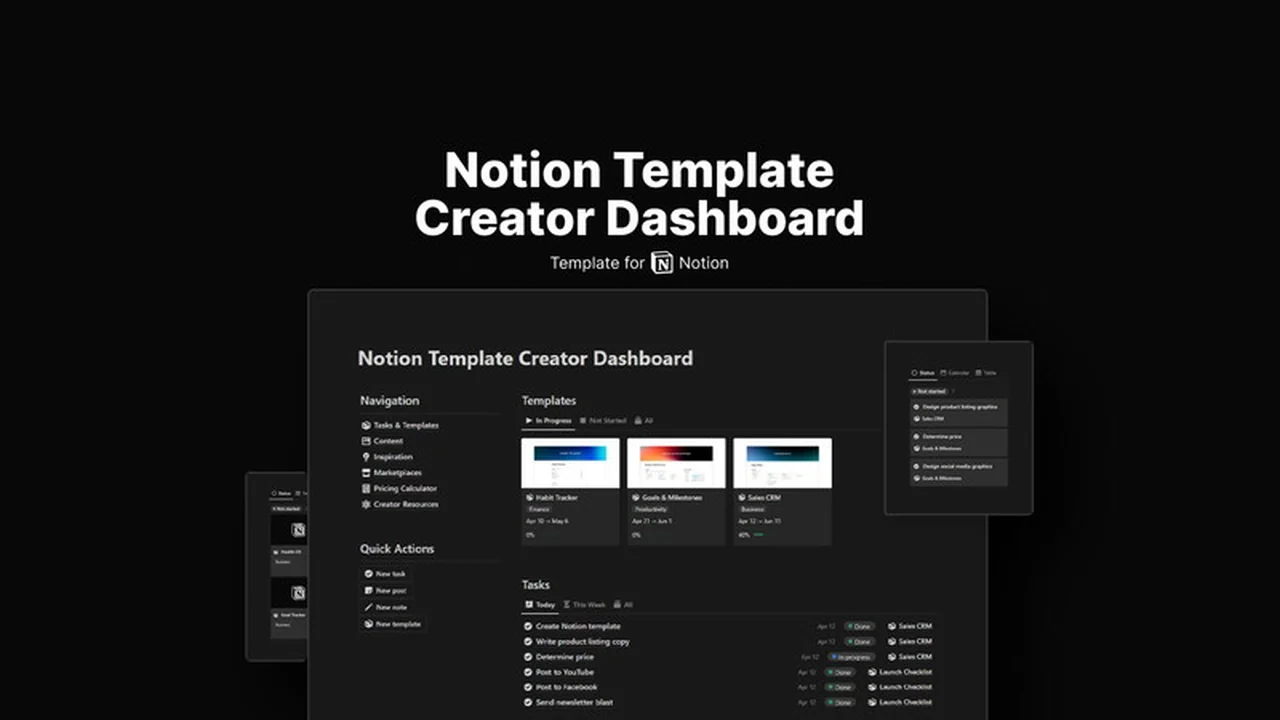
For individuals passionate about building and selling Notion templates, managing both product development and brand promotion can be a significant challenge.
This review explores the Notion Template Creator Dashboard, a comprehensive solution designed to simplify these crucial aspects of your creator business and maximize your efficiency.
What is Notion Template Creator Dashboard | AppSumo
The Notion Template Creator Dashboard is a specialized tool crafted for Notion creators who are actively developing and marketing their templates. It aims to centralize various essential functions, from idea generation and template organization to social media planning and pricing strategy, all within a single, accessible platform.
Key Features
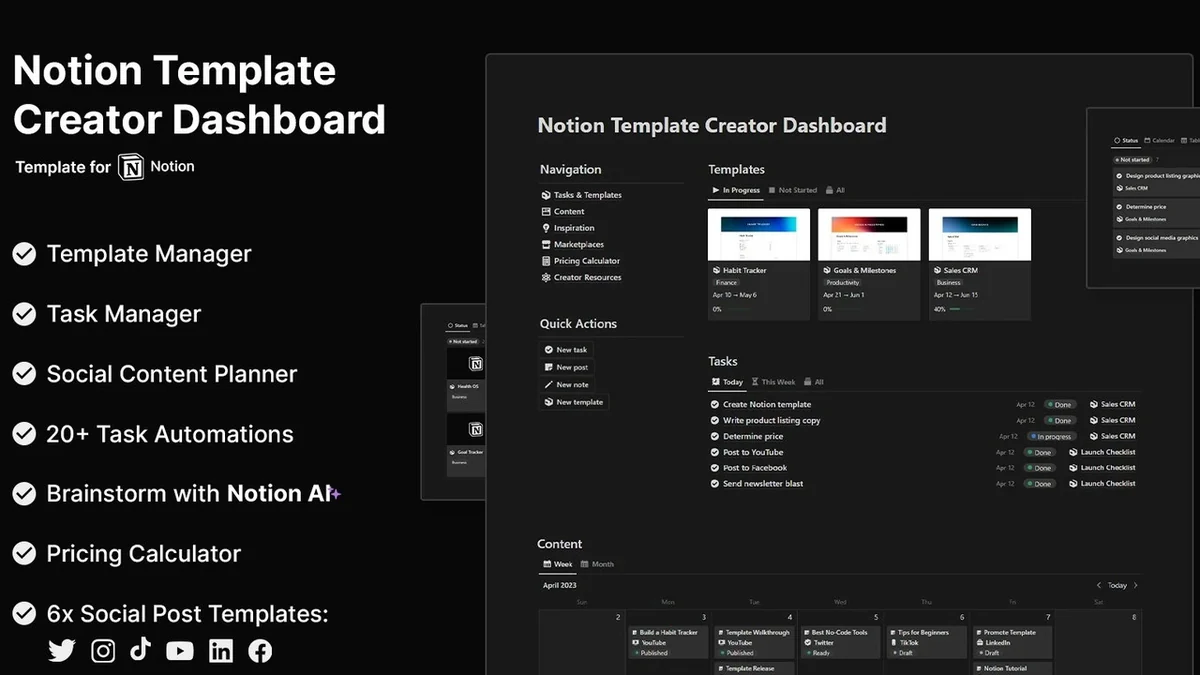
- Template Manager: Keep all your created Notion templates neatly organized in one central location for easy access and retrieval.
- Task Manager: Efficiently manage your workflow by creating, prioritizing, and tracking all your development and business-related tasks.
- Social Media Content Planner: Strategize and schedule your daily social media posts across major platforms to consistently engage your audience.
- Notes Database: A dedicated space for storing resources, ideas, inspirations, and any other important information crucial for your creative process.
- Pricing Calculator: A practical tool to help you accurately determine optimal pricing for your Notion templates based on various factors.
- Brainstorming & Inspiration Features: Leverage Notion AI to generate innovative template ideas and overcome creative blocks, ensuring a steady stream of unique concepts.
- Creator Resources: Access a curated collection of tools and information designed to save you time and enhance your organizational capabilities.
How It Works
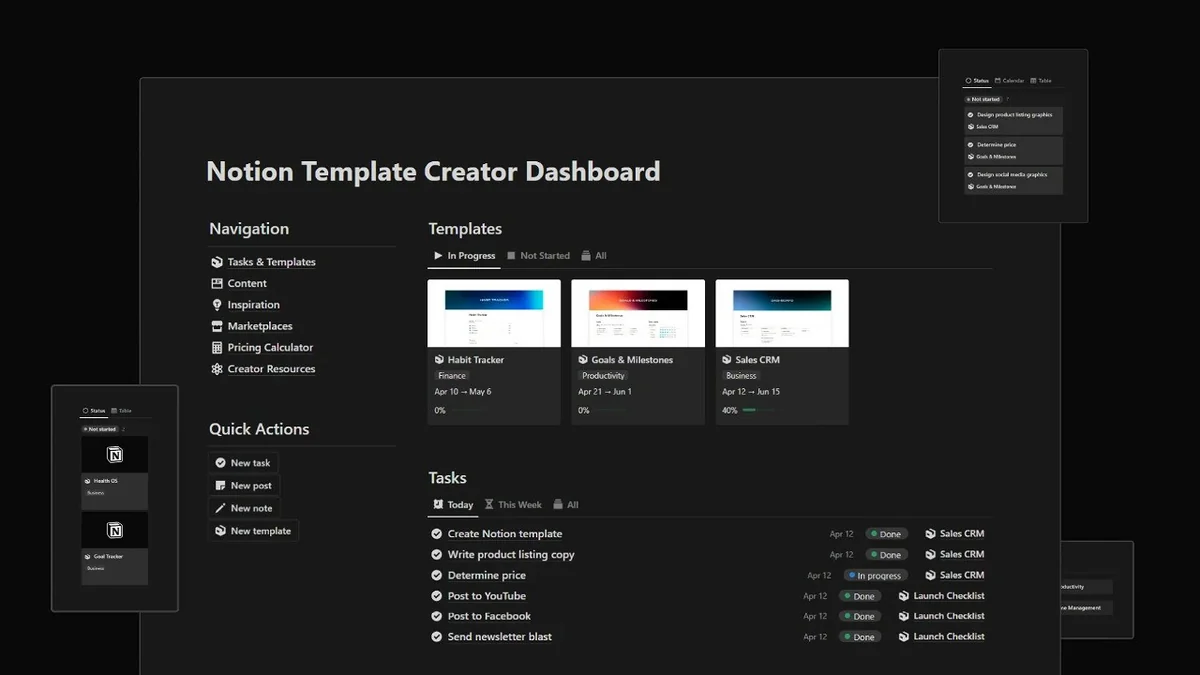
The dashboard functions as an integrated system within Notion, consolidating your template inventory, task management, social media calendar, and idea generation tools. By centralizing these elements, it reduces the need to jump between multiple applications. You can input template details, track project progress, plan your content, and brainstorm new ideas, all within the dashboard’s structured environment.
Use Cases
- Launch new Notion templates more rapidly by having all necessary components managed.
- Maintain consistent social media presence and engagement without feeling overwhelmed.
- Organize all your creative ideas and resources in a structured and easily searchable manner.
- Systematically plan and execute your marketing and content creation strategies.
- Ensure your templates are priced appropriately for market competitiveness and profitability.
Integrations & Compatibility
- This product is designed to function within Notion
- Specific third-party integrations are not a primary focus of this dashboard’s functionality.
Pricing & Value
The Notion Template Creator Dashboard offers a comprehensive suite of tools for a one-time purchase, providing lifetime access to its features. This model can represent significant value for creators who plan to consistently use and benefit from its organizational and planning capabilities over the long term.
Deal Details
The current offer provides lifetime access to the Notion Template Creator Dashboard. Users are advised to download and save the dashboard within 60 days of purchase to secure their access permanently. This is a time-sensitive offer typical of limited-time deals.
Quick Take
- Ideal for Notion template creators looking to centralize their business operations.
- Streamlines template management, task tracking, and social media content planning.
- Offers AI-powered brainstorming to enhance creativity and idea generation.
FAQs
What kind of content can I plan with the social media planner?
You can plan daily content for all major social media platforms.
Is this dashboard suitable for beginners?
Yes, it supports both new and experienced creators in managing their Notion template business.
How is my access secured after purchase?
You gain lifetime access by downloading and saving the dashboard within 60 days of purchase.
Can I use Notion AI for idea generation with this dashboard?
Yes, it includes features that integrate Notion AI for brainstorming template ideas.
What is the main purpose of the Notion Template Creator Dashboard?
It helps Notion creators organize templates, manage tasks, and plan social media content.
Final Thoughts
The Notion Template Creator Dashboard | AppSumo presents a compelling solution for Notion template entrepreneurs. By integrating essential business functions into a single, intuitive system, it empowers creators to focus more on product development and less on the administrative overhead. The inclusion of Notion AI for idea generation and a structured approach to content planning and task management makes it a valuable asset for anyone looking to scale their Notion template business effectively.