
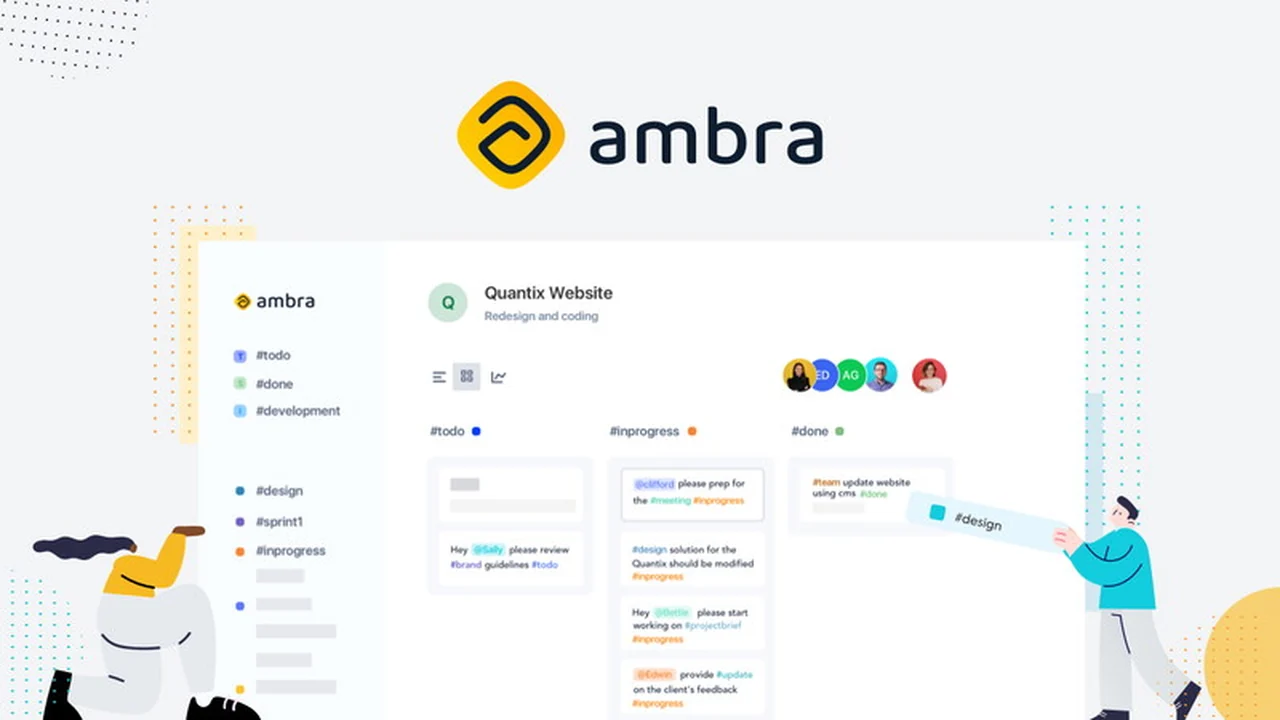
This review explores Ambra, a task management application designed to streamline team collaboration. We’ll cover its core functionalities and how it aims to simplify your workflow.
Discover if Ambra’s unique approach to task organization can transform how your team manages projects and boosts productivity. Read on for a detailed breakdown.
What is Ambra- Superhuman for task management | AppSumo
Ambra positions itself as a collaboration tool that allows teams to organize tasks using a natural language approach, relying solely on tags and mentions within a single input field. This design aims to eliminate the complexity often found in traditional task management systems that require multiple fields for task creation.
The philosophy behind Ambra is to empower users to write tasks naturally, mirroring how teams often develop their own communication language for daily tasks. By simplifying data entry, the tool intends to free up teams to focus more on delivering value.
Key Features
- Single Task Box: Enter all task-related information (title, description, status, assignee, etc.) in one unified field.
- Natural Language Processing: Uses tags (prefixed with ‘#’) and mentions (prefixed with ‘@’) to define task attributes.
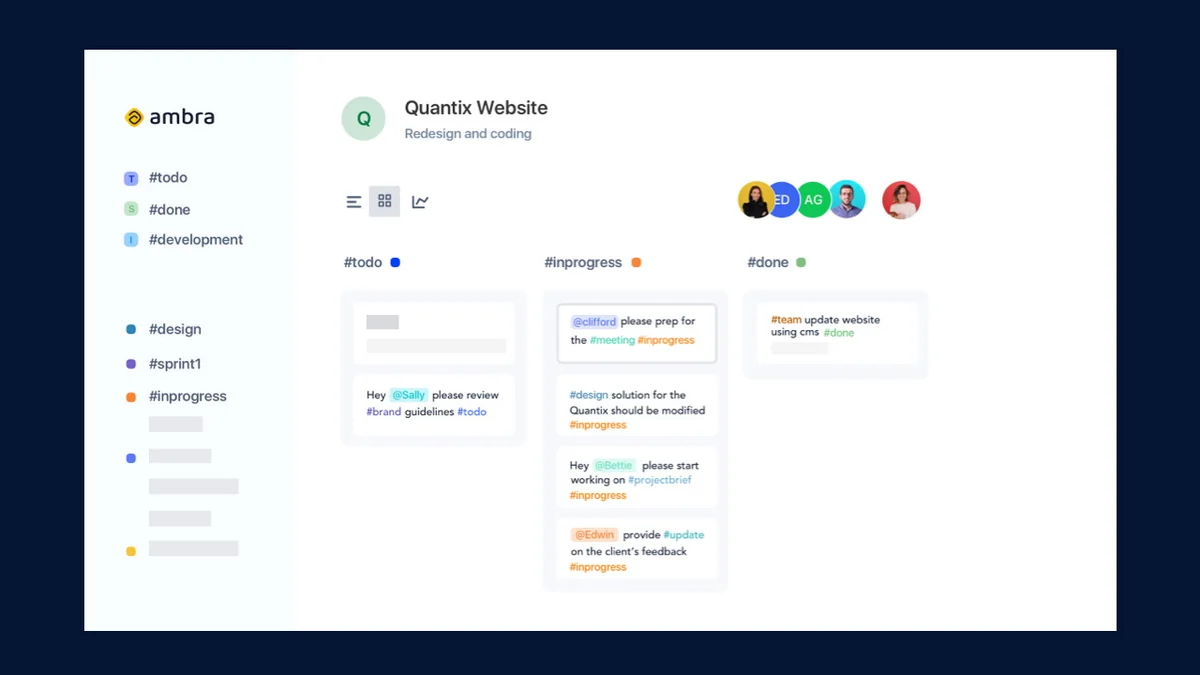
- Tagging System: Tags can define task type (#task, #feature, #bug), priority (#high, #low), status (#todo, #inprogress), or any custom category.
- User Mentions: Assign tasks to team members by mentioning them with the ‘@’ prefix. Multiple assignees are supported.
- Color-Coded Elements: Tags and team members can be color-coded for enhanced visual organization.
- Task Navigation: Navigate tasks efficiently based on team members.
- New Views: Access updated Roadmap and Team Member views for project oversight.
How It Works
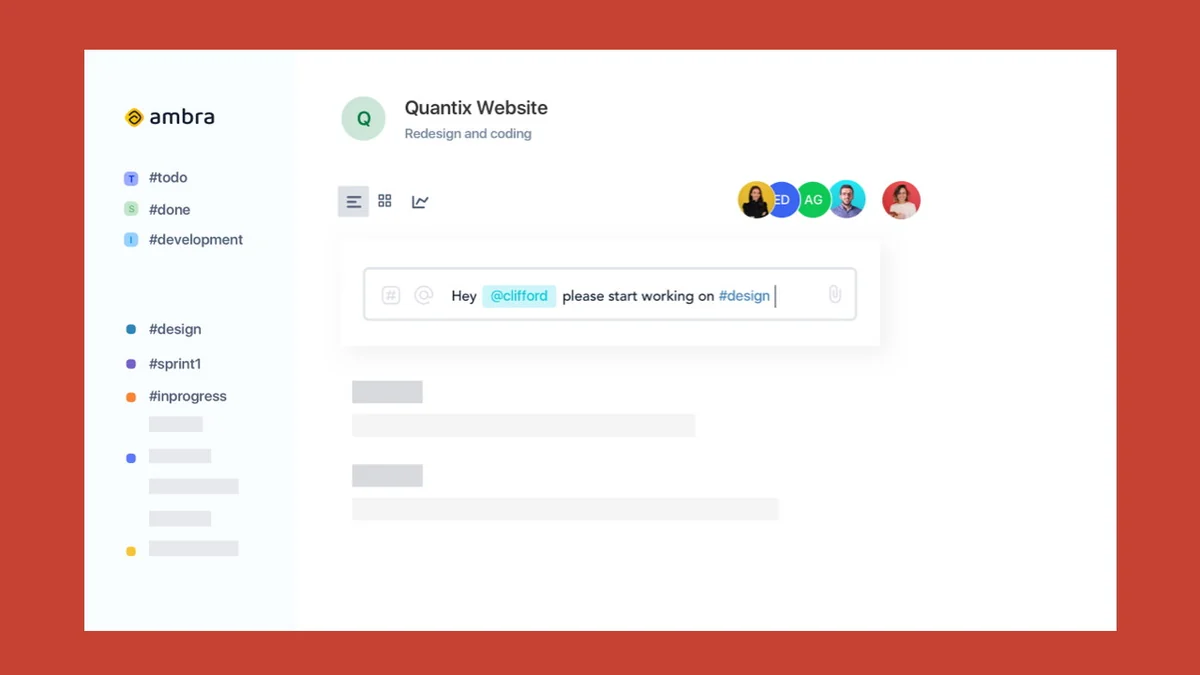
In Ambra, a task is created by simply typing your description into a single box and hitting enter. Instead of separate fields for title and description, the system interprets your natural language input.
Tags are added using the ‘#’ symbol, allowing you to categorize tasks by type, priority, or status. For example, ‘#todo #high #bug’ clearly defines the task’s state and importance. Similarly, ‘@mention’ is used to assign tasks to specific team members. The platform supports multiple assignees per task.
Use Cases
- Agile Development Teams: Quickly log bugs, features, and stories with clear assignments and priorities.
- Remote Collaboration: Facilitates clear communication and task delegation across distributed teams.
- Project Management: Organize project phases, client requests, and internal tasks with ease.
- Content Creation: Track content ideas, assignments, and publication statuses using custom tags.
- Daily Task Management: Simplify personal or team to-do lists with intuitive organization.
Integrations & Compatibility
- Ambra offers several integrations to connect with your existing workflow
- These include specific integrations with popular tools like Figma, Zeplin, Slack, Clockify, and Microsoft Teams
- These connections aim to enhance its utility within a broader digital ecosystem.
Pricing & Value
Ambra is available through a lifetime deal on AppSumo. This type of offering typically provides access to the software and its features for a one-time purchase. The value proposition lies in continuous access without recurring subscription fees, making it a potentially cost-effective solution for long-term use.
Deal Details
The current AppSumo deal for Ambra includes 10 Projects per plan for a lifetime, unlimited tasks per project, and unlimited users per project. It also offers 10 custom webhooks per project, 10 integrations with Figma and Zeplin per project, and 10 integrations with Slack, Clockify, and Microsoft Teams per project.
It’s important to note that while some older deal descriptions might mention 3 Projects per plan, the current offering has been upgraded to 10 Projects per plan for lifetime access. The deal comes with a 60-day money-back guarantee, allowing users to try the product risk-free.
Quick Take
- Ideal for teams seeking a simpler, more natural way to manage tasks.
- Beneficial for those who prefer natural language input over complex forms.
- A strong option for businesses looking for a one-time purchase lifetime deal.
FAQs
Is there a trial period for Ambra?
Yes, Ambra offers a 60-day money-back guarantee for risk-free evaluation.
What types of tags can I use in Ambra?
You can use tags for task type, priority, status, or any custom categorization.
Can I assign tasks to multiple team members?
Yes, you can assign tasks to multiple team members using the ‘@’ mention feature.
What makes Ambra different from other task management tools?
Ambra uses a single input box and natural language for task creation, simplifying the process.
Why does the plan sometimes show 3 Projects per plan, lifetime?
The plan was upgraded to 10 projects; older listings may still reflect the previous limit.
Final Thoughts
Ambra presents an innovative approach to task management, emphasizing simplicity and natural language interaction. Its core strength lies in consolidating task creation into a single, intuitive box, allowing teams to communicate and organize work more fluidly. The ability to use tags and mentions effectively streamlines the process of defining tasks, assigning responsibilities, and tracking progress.
For teams that find traditional task management systems overly complex or time-consuming, Ambra’s methodology could be a significant improvement. The lifetime deal on AppSumo further enhances its appeal, offering substantial value for a one-time investment, making it a compelling option for businesses aiming to boost productivity without ongoing subscription costs.