

Are you looking for a way to send professional email marketing campaigns without leaving your Gmail inbox? This review dives deep into Gumbamail, a tool designed to simplify your mass emailing efforts.
We’ll explore its core functionalities, how it streamlines your workflow, and who can benefit most from its features, all powered by its AppSumo offering.
What is Gumbamail | AppSumo
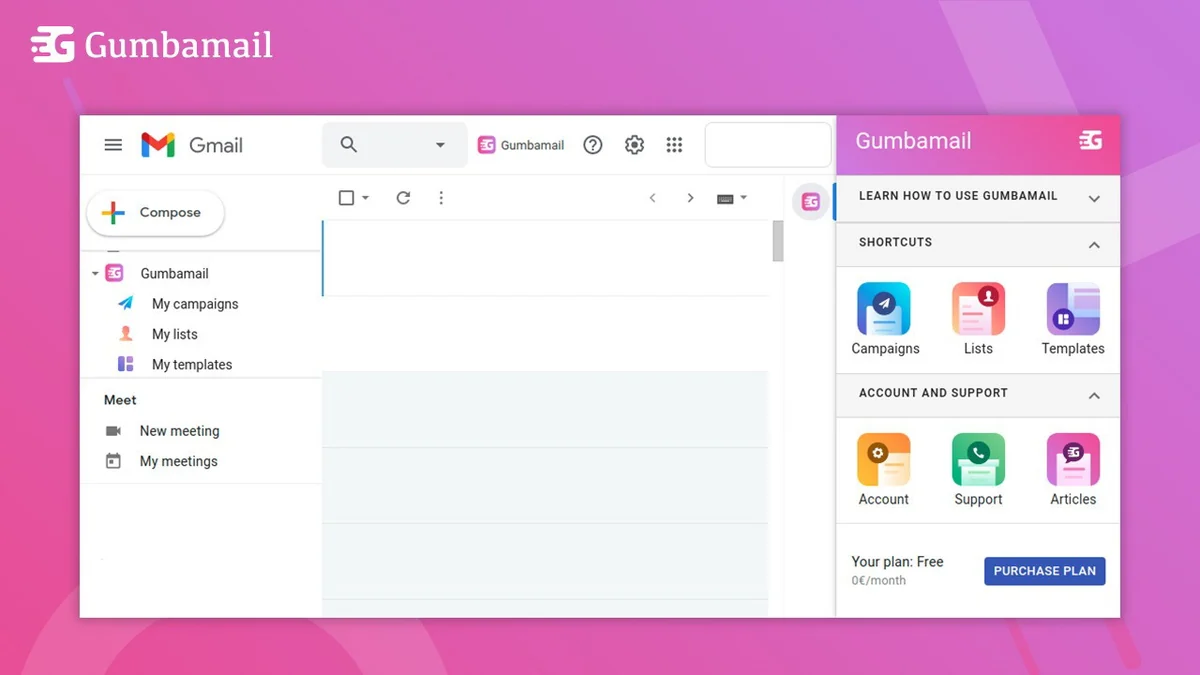
Gumbamail is a Google Chrome extension that acts as a mail merger and email marketing tool, all integrated directly within your Gmail interface. It allows users to create, schedule, and send mass emails with personalization capabilities, eliminating the need for separate, complex email marketing platforms.
Key Features
Gumbamail offers a robust set of features to enhance your email outreach:
- Campaign Creation: Quickly build and send promotions, news, and offers directly from Gmail.
- Scheduling Capabilities: Plan and schedule your email campaigns to be sent at your preferred times.
- No Sending Limits: Campaigns are managed through Gumbamail’s system, bypassing typical Gmail sending restrictions.
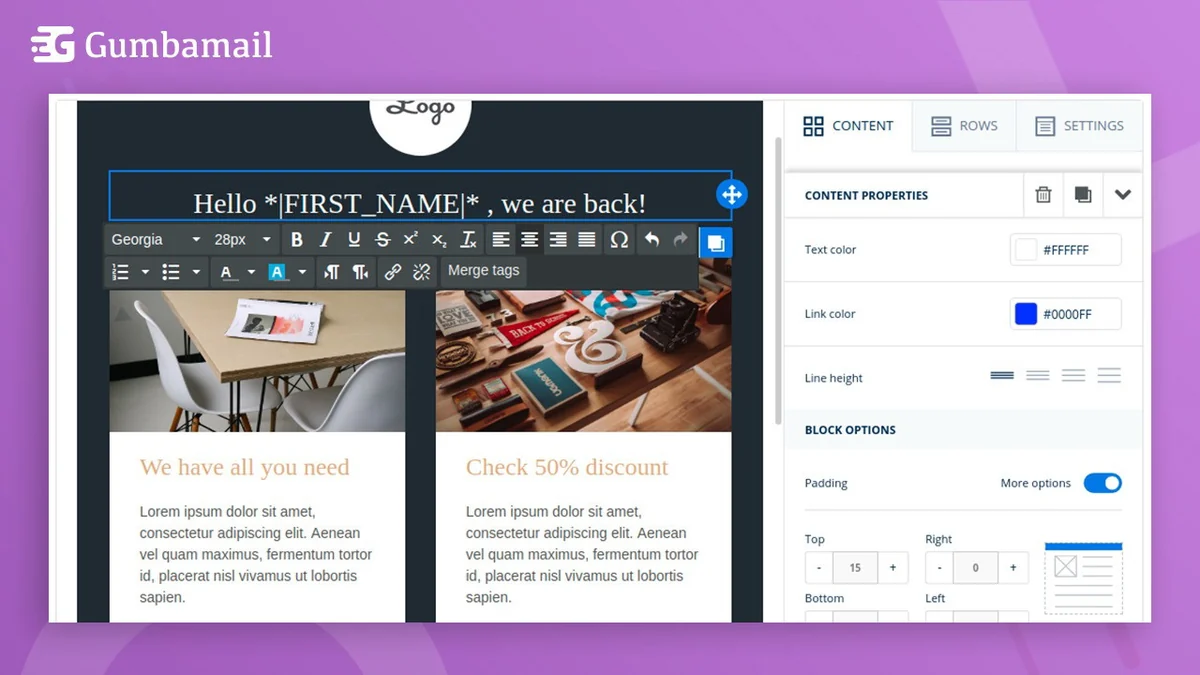
- Professional Template Design: Utilize a user-friendly editor to create responsive email templates, with over 250 pre-designed options available, no HTML knowledge required.
- Mailing List Management: Easily import subscriber lists from .csv files, Google Sheets, or Gmail contact groups, and manage subscriptions/unsubscriptions.
- Mail Merge Personalization: Include recipient names and other data points for highly personalized emails.
- Real-time Analytics: Monitor campaign performance with metrics such as opens, email status, and recipient status, all while respecting GDPR policy.
How It Works
Getting started with Gumbamail is designed to be straightforward. After installing the Chrome extension, you can access its features directly within your Gmail compose window. You can create an email, select a template or design your own, import your contact list, and then personalize the content using merge tags. Finally, you can send the campaign immediately or schedule it for a later time. Campaign analytics are accessible to review performance.
Use Cases
Gumbamail is versatile and can benefit various individuals and businesses:
- Sales Professionals: Streamline outreach and follow-ups with personalized mass emails.
- Small Businesses & Freelancers: Manage newsletter campaigns, announce new products or services, and engage with customers efficiently.
- Anyone Needing Enhanced Email Productivity: Individuals looking to send personalized group emails without the complexity of dedicated platforms.
Integrations & Compatibility
- Gumbamail is built to work seamlessly within your existing Google ecosystem
- A Gmail account is a requirement, and the functionality is accessed via the Google Chrome browser.
Pricing & Value
The value proposition of Gumbamail, especially when acquired through an AppSumo deal, centers on providing advanced email marketing capabilities at an accessible price point. It aims to replace the need for more expensive, standalone email marketing services by leveraging the familiarity and infrastructure of Gmail.
Deal Details
Typically, AppSumo deals for Gumbamail offer lifetime access to specific plans with future updates included. Redemption of purchased codes is generally required within 60 days of purchase. These deals often include perks like the removal of Gumbamail branding from outgoing emails.
Quick Take
- Ideal for Gmail users seeking to send personalized mass emails without leaving their inbox.
- Offers a user-friendly way to manage campaigns and templates, bypassing Gmail sending limits.
- A cost-effective solution for individuals and small teams focused on efficient email outreach.
FAQs
What metrics can I track?
You can track opens, email status, and recipient status for each campaign.
How can I import my contact lists?
You can import lists from .csv files, Google Sheets, or Gmail contact groups.
Do I need to know HTML to create templates?
No, Gumbamail provides a user-friendly editor and over 250 templates, no HTML knowledge is needed.
Can I send unlimited emails?
Yes, Gumbamail manages sending through its own system, so there are no sending limits.
What is Gumbamail?
Gumbamail is a Chrome extension for sending personalized mass emails directly from Gmail.
Final Thoughts
Gumbamail presents a compelling solution for anyone who relies on Gmail for their communication and wants to elevate their email marketing efforts. By consolidating powerful features like template design, personalization, and campaign management within a familiar interface, it significantly reduces complexity and cost. The ability to bypass Gmail’s sending limits and gain insights through real-time analytics further enhances its appeal. For small businesses, freelancers, or sales professionals aiming for more effective and streamlined email outreach, Gumbamail, particularly through its AppSumo offering, is a valuable tool worth considering.