
For content creators who meticulously craft their articles in Google Docs, the transition to a WordPress blog can often feel like a tedious chore.
This review dives deep into DocPress.it, a Google Docs add-on designed to streamline this exact workflow. We’ll explore its capabilities, how it simplifies exporting your content, and whether it offers the efficient solution you’ve been looking for.
What is DocPress.it – Export Google Docs to WordPress with 1 Click | AppSumo
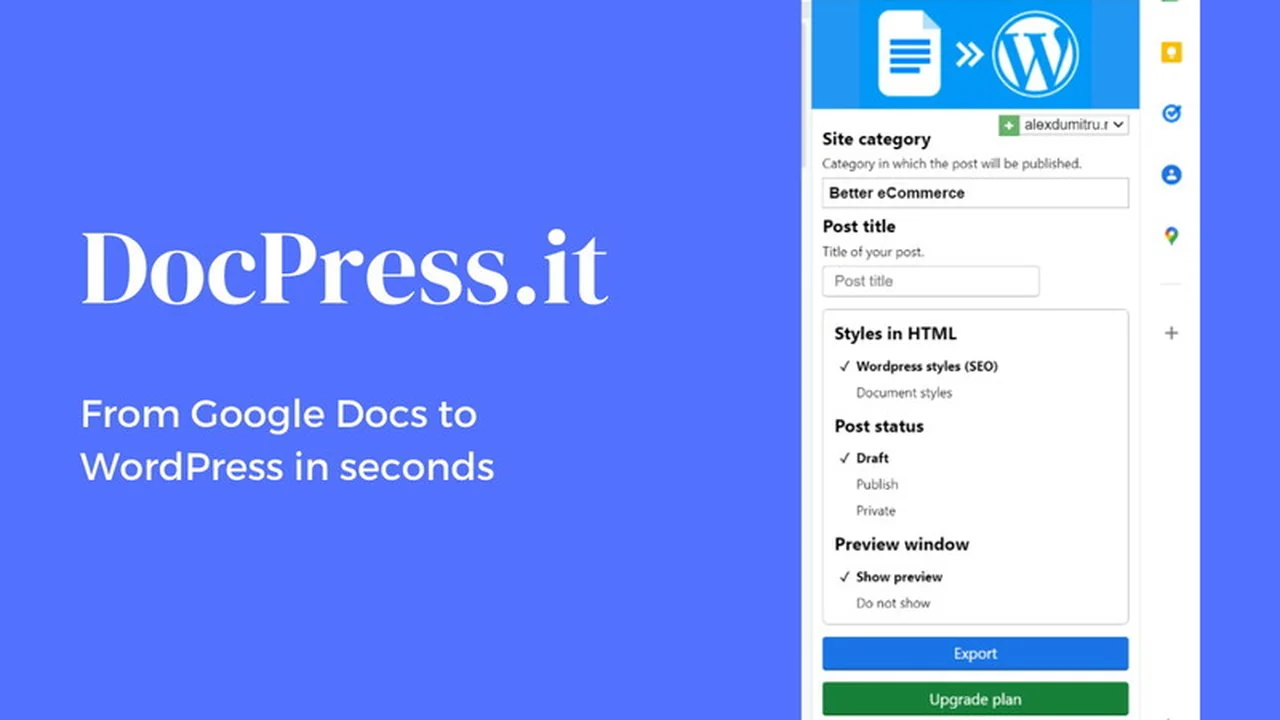
DocPress.it is a Google Workspace add-on for Google Docs that aims to eliminate the manual effort involved in transferring your written content to a WordPress website. It offers a one-click export functionality, preserving the formatting, images, and SEO details of your Google Docs directly onto your WordPress site without requiring additional WordPress plugins or complex setups.
Key Features
- Direct Publishing from Google Docs: Create and publish your articles without ever leaving Google Docs.
- Preserves Formatting: Ensures your headings, links, and overall article style are maintained during export.
- Image Handling: Supports the export of images, with options to rename them for better organization.
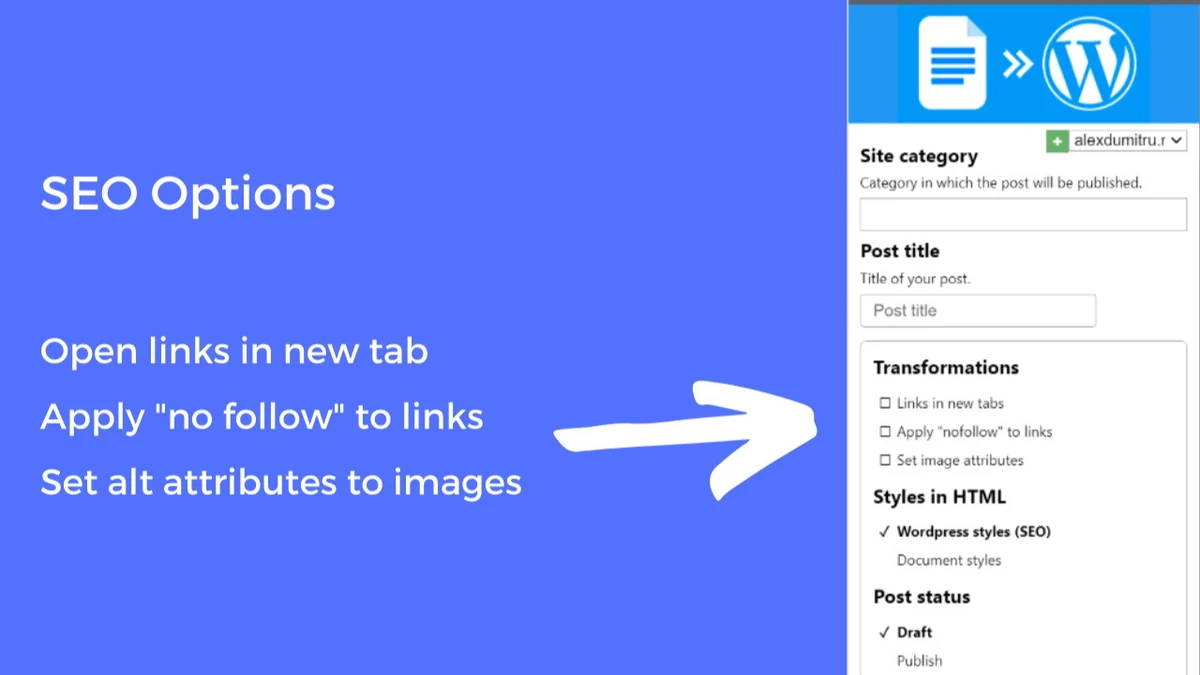
- SEO Optimization Tools: Includes features like adding alt text to images and applying ‘nofollow’ attributes to links to enhance SEO efforts directly from Google Docs.
- Writing Stats and Readability Score: Provides insights into your content’s word count, reading time, and readability score.
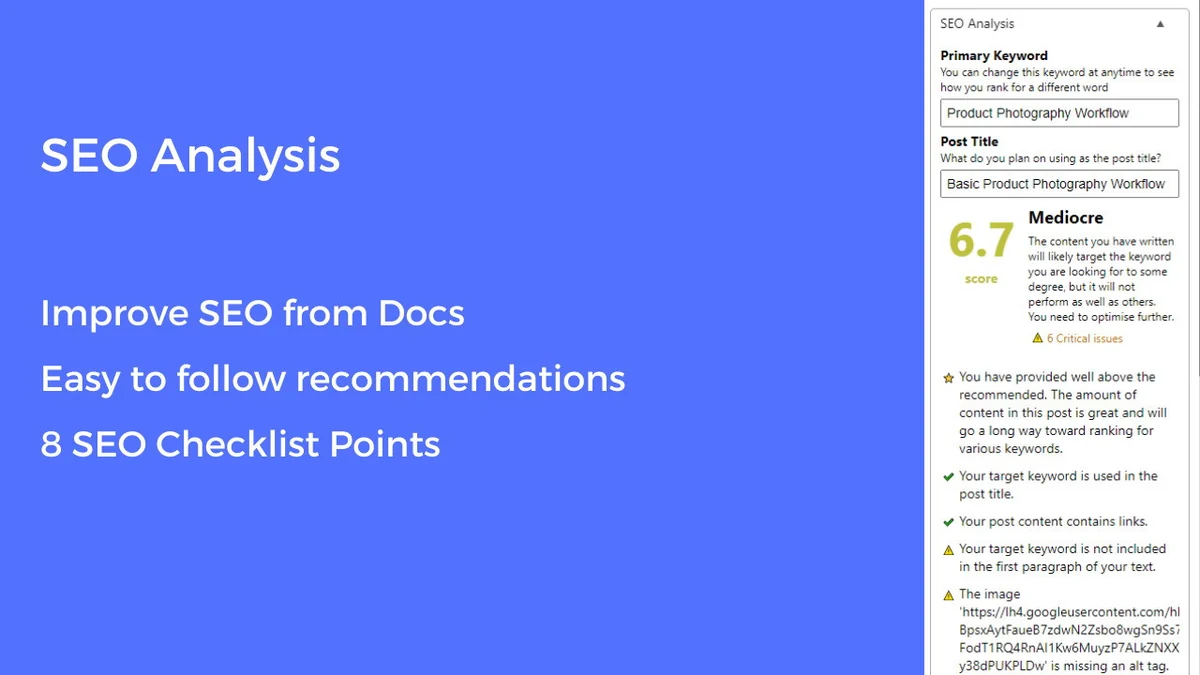
- SEO Content Analyzer: Analyzes your content against keywords and provides a grade to help improve your search engine performance.
- Multiple WordPress Blog Support: Ability to publish to more than one WordPress site.
- Category Import: Categories are automatically imported with your content.
- Export Options: Choose to export as a Draft, Publish directly, or set as Private.
- Link Management: Options to open all links in a new tab and apply ‘nofollow’ attributes.
- Content Updates: Easily update previously published posts directly from your Google Doc.
How It Works
The process with DocPress.it is designed for simplicity. After installing the Google Docs add-on, you connect your WordPress site. From within your Google Doc, you can then leverage the add-on’s interface to analyze your content for SEO, review writing stats, and initiate the export. This one-click action sends your formatted article, complete with images and defined SEO parameters, to your WordPress dashboard, saving considerable time compared to traditional copy-pasting or manual uploads.
Use Cases
- Bloggers who write extensively in Google Docs and want a faster publishing workflow.
- Content marketers aiming to maintain brand consistency and SEO standards across their WordPress site.
- Agencies managing multiple client WordPress blogs who need an efficient content transfer solution.
- Anyone looking to reduce the manual steps and potential errors in exporting content from Google Docs to WordPress.
- Users who wish to publish to WordPress pages in addition to posts for content backups and organization.
Integrations & Compatibility
- DocPress.it functions as a Google Docs add-on, meaning it works directly within the Google Workspace environment
- It is designed to integrate seamlessly with any WordPress website
- There is no requirement for additional WordPress plugins to be installed on your site for DocPress.it to operate.
Pricing & Value
DocPress.it offers a compelling value proposition, especially through its AppSumo deal. By automating a time-consuming manual process, it allows users to reclaim significant time. The ability to improve content SEO directly within the writing environment further enhances its value for anyone focused on organic search performance.
Deal Details
The AppSumo deal for DocPress.it provides lifetime access. Purchasing one code typically grants a one-year business plan. However, by acquiring two codes, users can secure lifetime access to the Agency plan, offering a robust solution for individual users or those managing multiple WordPress sites. The platform also offers annual plans for those who prefer a subscription model. All purchases on AppSumo come with a 60-day money-back guarantee, allowing ample time to evaluate the tool.
Quick Take
- Ideal for writers, bloggers, and marketers who use Google Docs for content creation.
- Simplifies the export process, saving time and reducing manual formatting efforts.
- Enhances SEO by integrating content analysis and optimization tools directly into the writing process.
FAQs
What SEO features are included in DocPress.it?
It offers features like adding image alt text, applying nofollow to links, and an SEO content analyzer.
Can I update existing posts on WordPress using DocPress.it?
Yes, you can update previously published posts directly from your Google Doc.
How does DocPress.it handle images during export?
Images are exported with your content, and you can rename them for better SEO and organization.
Do I need to install a WordPress plugin?
No, DocPress.it is a Google Docs add-on and does not require any WordPress plugins.
Can I publish to WordPress pages as well as posts?
Yes, DocPress.it supports publishing to both WordPress pages and posts.
Final Thoughts
DocPress.it presents a highly practical and efficient solution for anyone struggling with the manual process of transferring content from Google Docs to WordPress. Its one-click export, combined with integrated SEO analysis and formatting preservation, genuinely streamlines the publishing workflow. For content creators looking to save time and improve their publishing efficiency, DocPress.it is a valuable addition to their toolkit.



Leave a Reply