
In today’s fast-paced digital world, capturing audience attention is paramount, and static presentations often fall short. Video has emerged as a powerful engagement tool, but creating professional-looking content can seem daunting.
This review explores Wideo, an intuitive platform designed to help anyone, regardless of technical skill, produce dynamic animated videos and presentations. Discover how Wideo simplifies the creative process and enhances your content strategy.
What is Wideo – Create animated videos and presentations | AppSumo
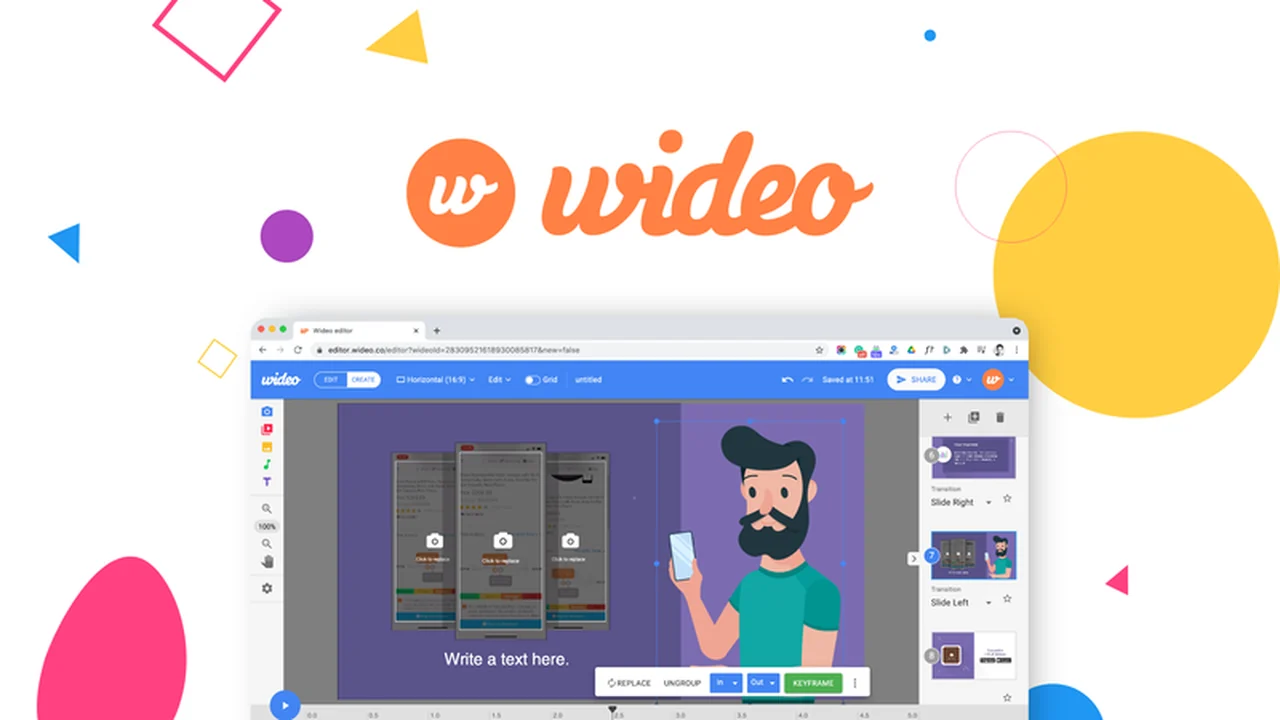
Wideo is a user-friendly online video editor that simplifies the creation of animated videos and presentations. It’s designed for marketers, educators, and entrepreneurs who need to produce engaging visual content quickly and efficiently, without requiring prior technical or design expertise.
Key Features
Wideo offers a robust set of features to facilitate video and presentation creation:
- Drag-and-Drop Customization: Easily personalize video templates with your own assets.
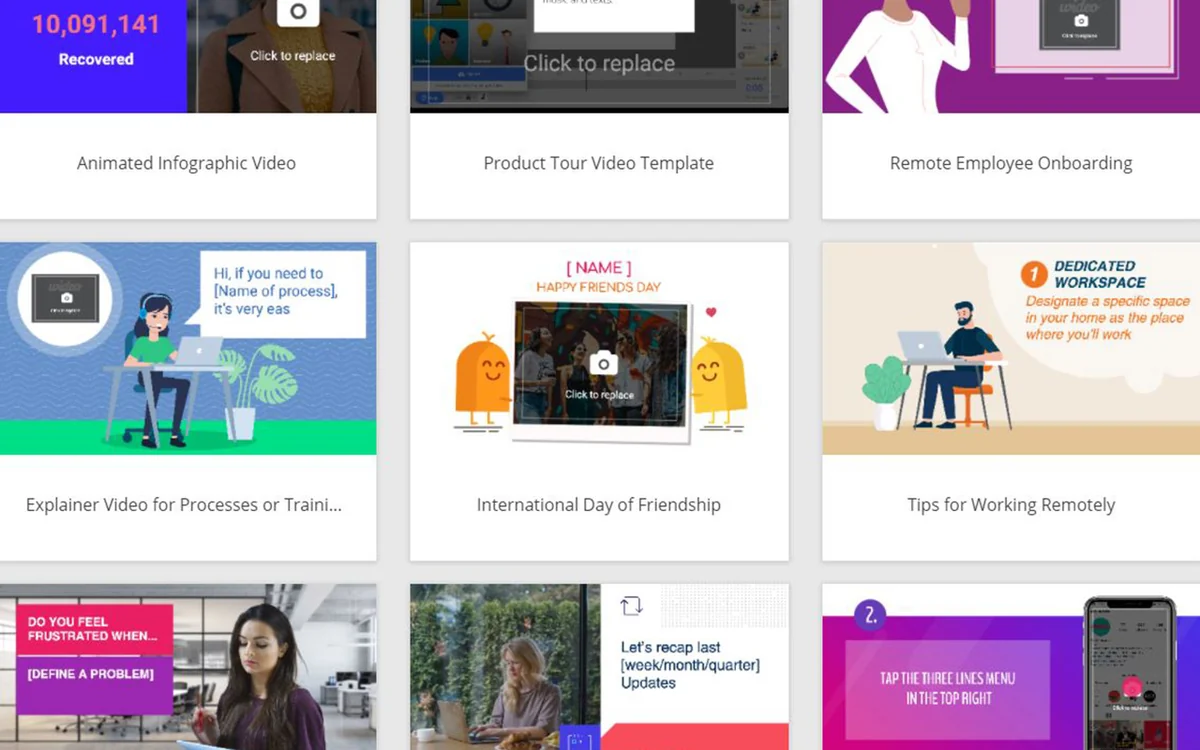
- Template Library: Access hundreds of professional, customizable video templates.
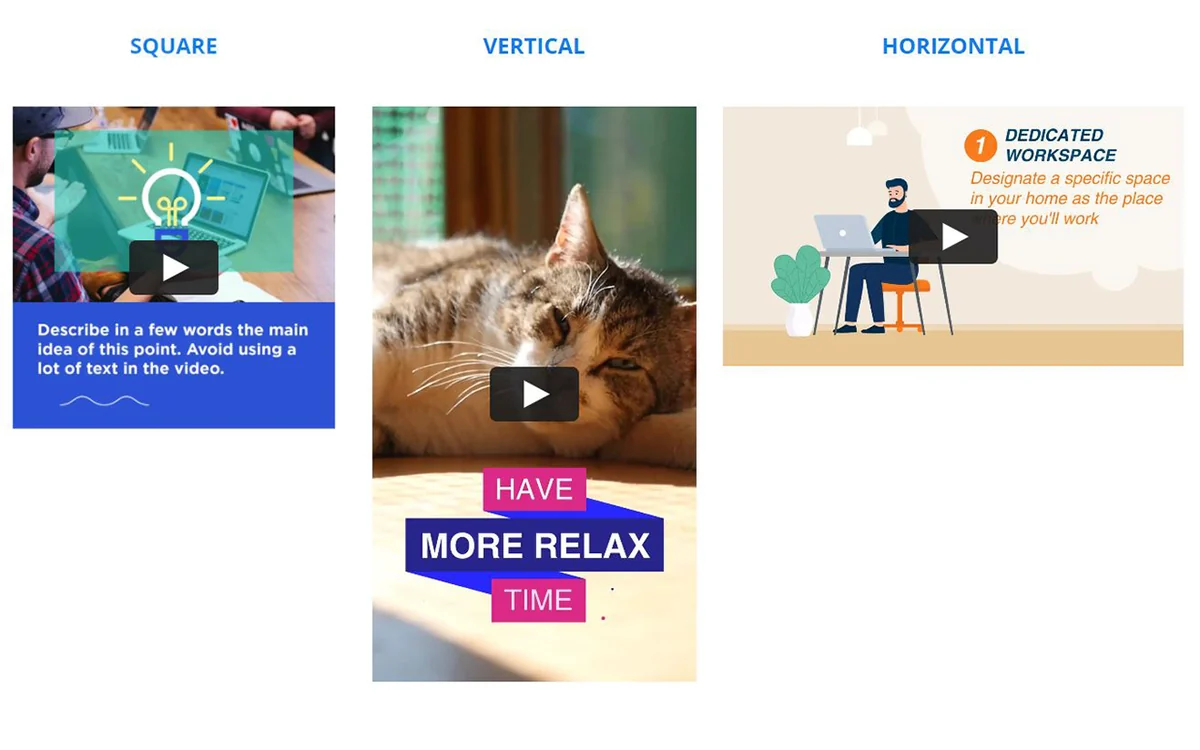
- Multi-Format Support: Create videos in landscape, square, and vertical formats.
- One-Click Layout Conversion: Effortlessly switch between different video layouts for various platforms.
- Instant Video Preview: See your video changes in real-time without lengthy rendering times.
- Extensive Stock Media: Utilize thousands of free stock video clips and images.
- Animated Effects: Add intro/outro animations and scene transitions with ease.
- Presentation Conversion: Transform video scenes into presentation slides for versatile content repurposing.
- AI-Powered Tools: Convert text, Shopify products, Twitter posts, and blog posts into videos using AI.
- Text-to-Speech: Add voiceovers to your videos using the text-to-speech feature.
- Audio Customization: Upload and adjust audio on a scene-by-scene basis.
How It Works
Getting started with Wideo is straightforward. You begin by selecting a video template from the extensive library or by starting from scratch. The platform’s drag-and-drop interface allows you to easily import and arrange your own videos, images, text, and audio.
Wideo enables you to add dynamic animated transitions between scenes and customize text and graphics. The instant preview feature lets you see your edits as you make them, streamlining the workflow. Once your video is complete, you can export it in high definition or share it via a unique link or embed code.
Use Cases
Wideo is versatile and can be used for a variety of purposes:
- Marketing Videos: Create promotional content, product demos, and social media ads.
- Explainer Videos: Simplify complex ideas and showcase how your product or service works.
- Social Media Content: Design engaging posts and stories for platforms like Instagram, Facebook, and TikTok.
- Educational Content: Develop captivating presentations and video lessons for students or trainees.
- Internal Communications: Produce informative videos for team updates and company announcements.
- Website Content: Enhance your website with animated introductions or feature highlights.
Integrations & Compatibility
- Wideo is a web-based application, accessible through any modern web browser, ensuring compatibility across different operating systems
- While the platform itself doesn’t directly integrate with external software in the traditional sense, its output is highly shareable
- Videos can be exported in MP4 format, making them compatible with virtually all video players and online platforms
- You can also obtain embed codes for direct integration into websites and blogs.
Pricing & Value
Wideo offers various plans to suit different user needs. The value proposition is particularly strong when considering the lifetime access deals often available. These deals provide a cost-effective way to gain access to the full suite of features, including ongoing updates and new AI capabilities, without recurring subscription fees.
Deal Details
The AppSumo deal for Wideo provides lifetime access to the platform. This typically includes all current and future features, ensuring you always have access to the latest tools for video creation. The offer often comes with a 60-day money-back guarantee, allowing ample time to explore its capabilities.
Quick Take
- Ideal for individuals and small businesses seeking to create professional videos without technical expertise.
- Offers a simple, intuitive interface with extensive templates and customization options.
- Provides a cost-effective solution for ongoing video content creation needs.
FAQs
How long does it take to create a video with Wideo?
With Wideo, you can create engaging videos in just a matter of minutes.
Can I have a DEMO before buying the deal?
Absolutely, you can test Wideo by visiting wideo.co before making a purchase.
Where can I find tutorials or demos about how to use your tool and its different features?
Tutorials and demos are available on the Wideo website to guide you through its features.
Is hosting included? Are there limits?
Yes, all tiers include 2GB of storage for your video projects.
How can I contact Wideo if I have a question?
You can contact Wideo via email at support@wideo.zendesk.com or use their online support channels.
Final Thoughts
Wideo stands out as an accessible and powerful tool for anyone looking to enhance their content with animated videos and presentations. Its user-friendly interface, extensive template library, and valuable AI features make it an excellent choice for marketers, educators, and business owners. The platform empowers users to produce professional-quality visuals efficiently, saving time and resources.
For those seeking an all-in-one solution for creating captivating video content without a steep learning curve or significant budget, Wideo offers a compelling and practical answer.


Leave a Reply