
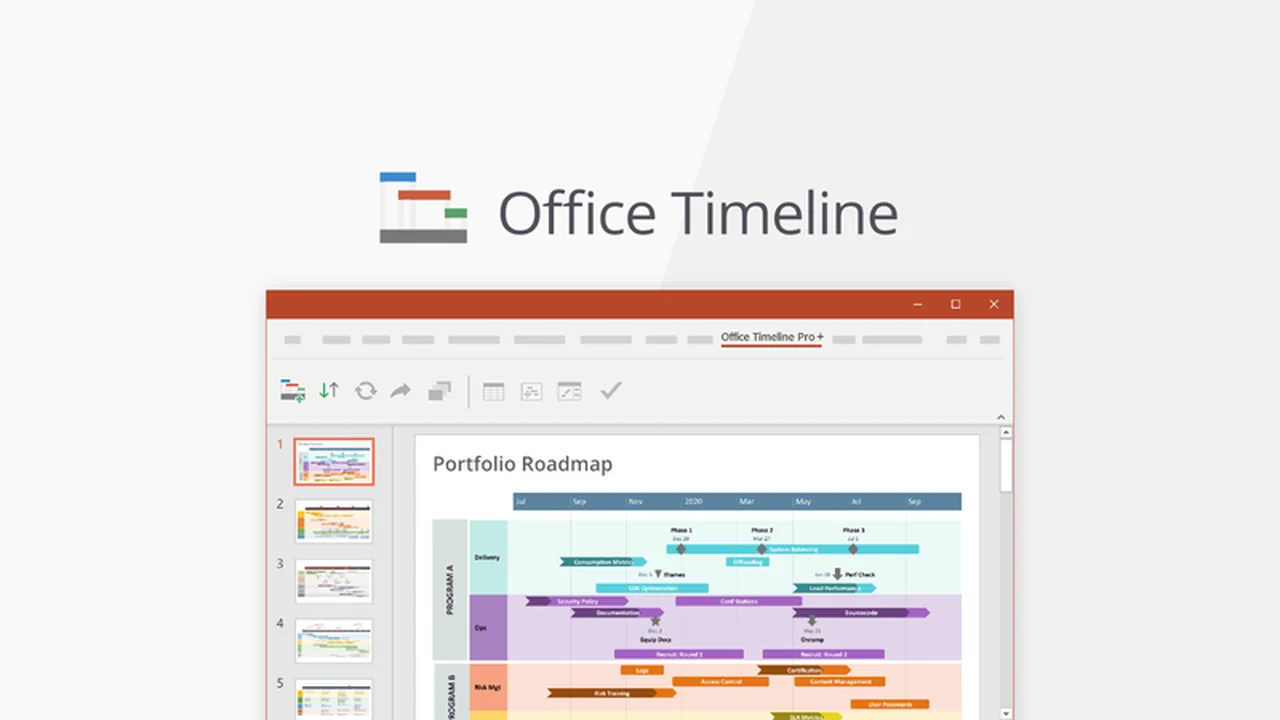
Transforming raw data into clear, visually appealing presentation elements can be a challenge. Many tools exist, but few integrate seamlessly with the software you already use for your presentations.
This review explores Office Timeline, a solution designed to bridge that gap, offering a straightforward way to craft professional-looking timelines and project visuals directly within PowerPoint.
What is Office Timeline – Turn data into engaging PowerPoint visuals | AppSumo
Office Timeline is a specialized tool designed to simplify the creation of professional timelines and project management visuals within Microsoft PowerPoint. It functions as an add-in or an online application, enabling users to transform complex data into easy-to-understand presentation slides.
The core purpose of Office Timeline is to make timeline creation efficient, allowing users to produce polished visuals like Gantt charts, roadmaps, and program schedules without leaving their familiar PowerPoint environment. This eliminates the need to switch between multiple applications, streamlining the design process.
Key Features
- Direct PowerPoint Integration: Operates as an add-in within Microsoft PowerPoint, enabling you to create and edit timelines directly in your slides.
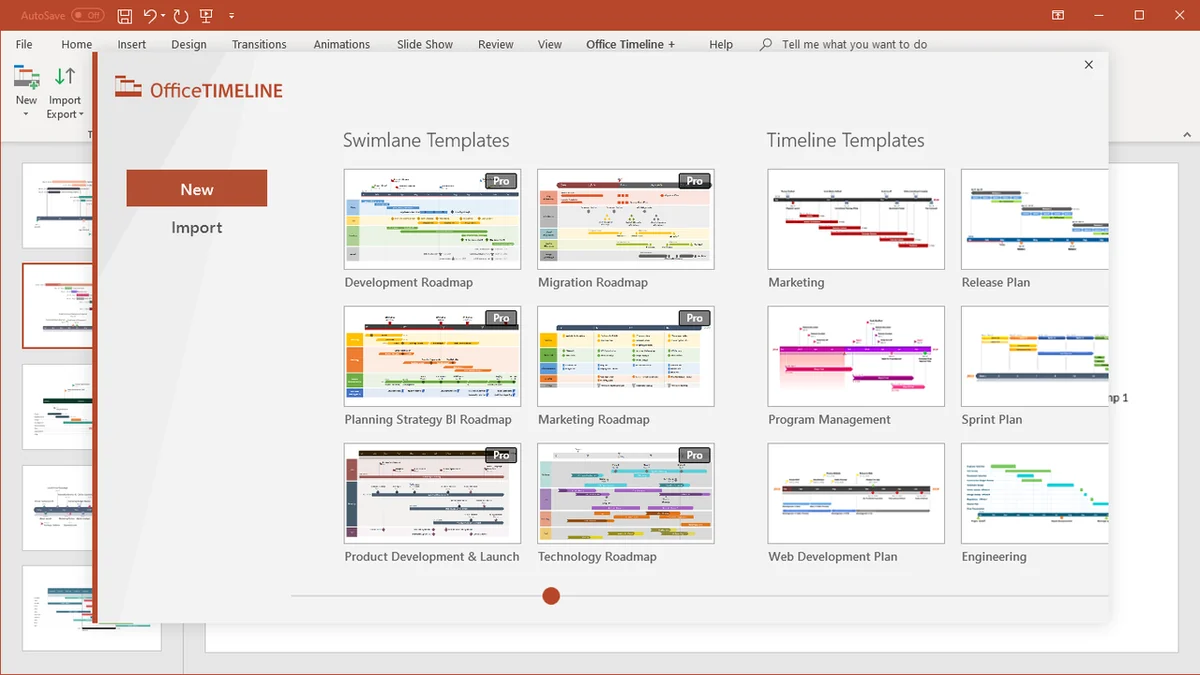
- Template Library: Offers a selection of pre-designed timeline templates (e.g., Gantt, Phases, Leaf) to kickstart your projects.
- Data Import & Entry: Allows you to build timelines by manually entering data or importing existing information.
- Extensive Customization: Provides tools to adjust fonts, shapes, colors, date formats, and task bar thickness for a personalized look.
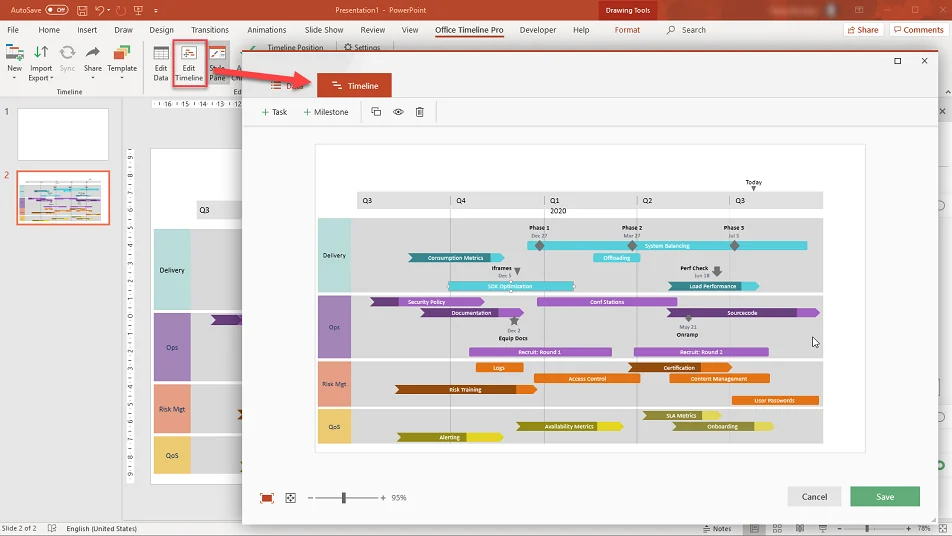
- Drag-and-Drop Editor: Facilitates easy adjustments and updates to your timelines through an intuitive interface.
- Collaboration Tools: The online version allows sharing timelines via view-only links or inviting team members to collaborate directly.
- Task Assignment: In the online app, you can assign individual tasks with due dates, improving project clarity.
- Native PowerPoint Output: Download your created visuals as editable, native PowerPoint slides.
How It Works
Getting started with Office Timeline is designed to be intuitive. Users can begin by selecting a desired timeline style from the provided templates, such as a Gantt chart or a phased roadmap. A wizard guides you through the initial setup.
Once a style is chosen, you input your project milestones and tasks, specifying their dates. With a simple click, the tool generates the initial timeline. Post-generation, the drag-and-drop editor allows for quick modifications and adjustments to spacing, duration, and positioning, ensuring the visual accurately reflects your project’s evolution.
Use Cases
- Project Management: Visualizing project schedules, milestones, and deadlines for team updates and stakeholder reports.
- Product Roadmaps: Presenting future product development plans and release timelines to internal teams or clients.
- Event Planning: Creating detailed timelines for conferences, marketing campaigns, or special events.
- Consulting Reports: Illustrating client project phases, deliverables, and expected outcomes.
- Educational Presentations: Explaining historical events, scientific processes, or complex sequential data.
Integrations & Compatibility
- Office Timeline is primarily designed to work within the Microsoft PowerPoint ecosystem
- It is available as an add-in that enhances the functionality of PowerPoint, allowing for seamless creation and editing of timeline visuals
- The online version of Office Timeline also ensures compatibility by allowing users to download their creations as native PowerPoint slides, which can then be edited like any other slide within PowerPoint
- This ensures that the final output integrates effortlessly into existing presentations.
Pricing & Value
The value proposition of Office Timeline lies in its ability to save significant time and effort in creating professional presentation visuals. By integrating directly into PowerPoint, it streamlines a process that often requires switching between multiple software applications.
The customization options and template library further add to its value, enabling users to produce visually consistent and engaging timelines tailored to specific project needs. For professionals who frequently present project plans or complex schedules, the efficiency gains can be substantial.
Deal Details
The Office Timeline deal provides perpetual access to the software, meaning you own it permanently after purchase. This ensures you can use it for all your future presentation needs without recurring subscription fees.
The deal includes the digital download of Office Timeline. It’s important to download and save your purchase within 60 days of acquiring it to ensure you retain access indefinitely.
Quick Take
- Ideal for project managers and presenters who frequently need to visualize timelines in PowerPoint.
- Offers a significant time-saving advantage by working directly within PowerPoint.
- Provides robust customization and template options for professional-looking visuals.
FAQs
Are the created timelines editable after downloading them as PowerPoint slides?
Yes, timelines download as native PowerPoint slides and are fully editable.
Can I collaborate with my team on timelines using Office Timeline?
Yes, the online version offers collaboration features for teams.
Is Office Timeline suitable for creating Gantt charts?
Absolutely, Gantt charts are one of the key visual types Office Timeline excels at creating.
Can I import data from Excel to create timelines?
Yes, Office Timeline supports data import for timeline creation.
What versions of PowerPoint is Office Timeline compatible with?
Office Timeline is compatible with recent versions of Microsoft PowerPoint.
Final Thoughts
Office Timeline presents a compelling solution for anyone looking to elevate their PowerPoint presentations with clear, professional timeline visuals. Its direct integration into PowerPoint is a significant advantage, streamlining the creation process and eliminating the need for external tools.
The combination of ease of use, extensive customization, and practical collaboration features makes it a valuable asset for project managers, consultants, and anyone tasked with communicating project progress or future plans effectively. The perpetual license offered through this deal further enhances its appeal as a long-term investment in presentation efficiency.


Leave a Reply