

Discover how Zoho Connect can centralize your team’s communication, file sharing, and project management. This review explores its powerful features designed to boost productivity and foster collaboration.
Learn about its intuitive interface, robust functionality, and how it integrates with your existing workflow, ultimately bringing your internal teams and external partners closer together.
What is Zoho Connect – Bring your team & partners together | AppSumo
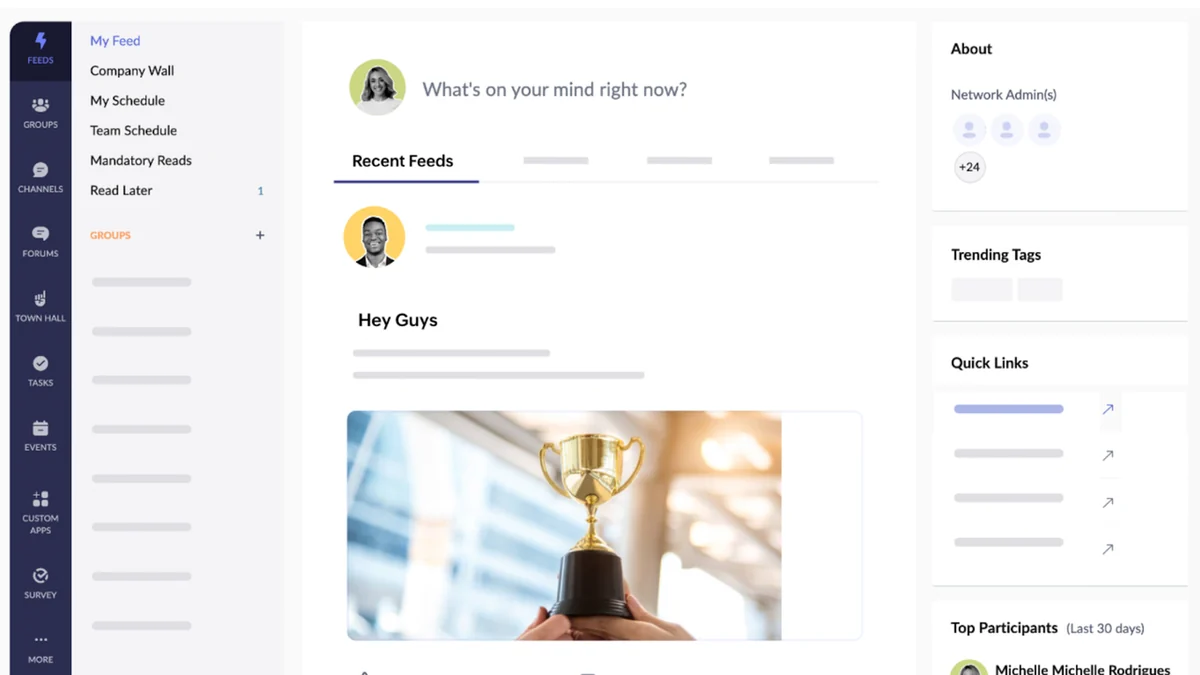
Zoho Connect is an enterprise-grade collaboration platform designed to unify teams, essential resources, and applications. It simplifies teamwork by creating a centralized hub that boosts overall productivity.
This software provides an organization-specific social network with administrative oversight, governance, and customizable user roles. It empowers your team to engage in discussions, share files, build a knowledge base, and manage applications efficiently.
Key Features
- Organization-Specific Social Network: Create an internal network for employees and external networks for other stakeholders, all managed with administrative control.
- Real-time Communication: Engage in instant voice or video calls with anyone within your network.
- Group-Specific Channels: Facilitate focused work-related discussions within teams or broader topics involving external participants.
- Integrated Editing Tools: Easily create and collaborate on documents, spreadsheets, and presentations in real-time.
- Document Repository: Centralize all your team’s files for quick access, easy sharing, and efficient collection of communication materials.
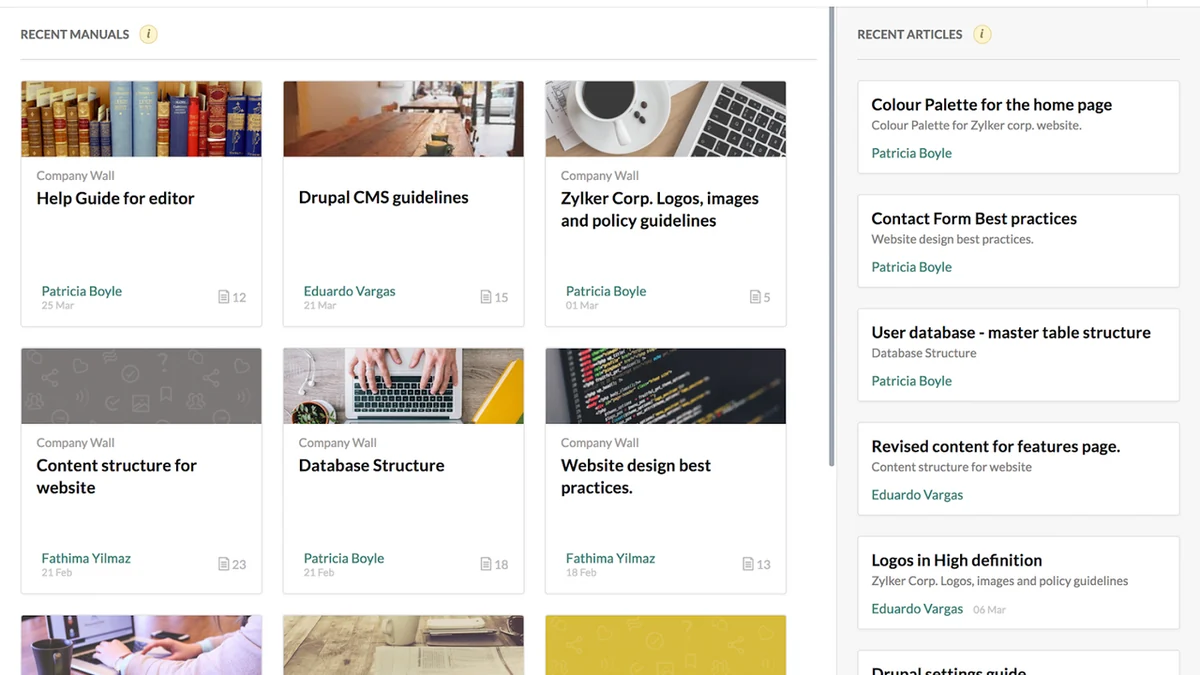
- Knowledge Management (Manuals): Document and share employee manuals, best practices, and company policies, with the ability to add contributors and organize content.
- Work Management: Create work plans and manage team tasks using tables, Kanban boards, or scheduled events.
- Synchronous and Asynchronous Exchanges: Support both instant messaging and forum-style discussions based on your needs.
How It Works
Zoho Connect functions by establishing a dedicated digital workspace. You can set up distinct networks for your internal team and extend them to include external partners or clients. Within these networks, users can initiate conversations, share documents, and access a central knowledge base.
The platform allows for the creation of specialized channels for different projects or discussion topics, ensuring that communication remains organized and relevant. Its intuitive interface makes it simple to upload and manage files, create collaborative documents, and track project progress.
Use Cases
- Connecting in-office employees with remote or distributed teams.
- Broadcasting critical company-wide announcements and updates efficiently.
- Creating and maintaining easily accessible employee manuals and best practice guides.
- Building a stronger sense of community and rapport among employees.
- Managing project tasks and workflows through visual boards and organized tables.
- Facilitating collaboration with external partners on shared initiatives.
Integrations & Compatibility
- Zoho Connect offers compatibility with a range of popular applications, enhancing its utility within your existing tech stack
- This allows for seamless data flow and streamlined workflows across different tools
- It integrates with applications such as Trello, Google Drive, MailChimp, GitHub, Zapier, and Lucidchart, among others
- This broad compatibility ensures that Zoho Connect can fit into diverse operational environments.
Pricing & Value
Zoho Connect, particularly through platforms like AppSumo, offers a compelling value proposition. The software is designed to consolidate multiple collaboration tools into a single, cost-effective solution, reducing the need for separate subscriptions.
By centralizing communication, file management, and project tracking, it aims to deliver significant ROI through increased team efficiency and reduced overhead costs.
Deal Details
The offer for Zoho Connect on AppSumo is a limited-time opportunity. Deals on this platform are known for their time-sensitive nature, providing access to powerful software at a reduced cost.
It’s an opportunity to acquire a comprehensive collaboration suite that can transform how your team and partners interact and work together.
Quick Take
- Ideal for businesses seeking a unified platform for internal and external team collaboration.
- A strong solution for organizations aiming to improve communication, document management, and project oversight.
- Offers a comprehensive set of features to foster a more connected and productive work environment.
FAQs
Is it possible to manage tasks within Zoho Connect?
Yes, it allows administrators to organize tasks in the form of Kanban boards or schedule events.
How does Zoho Connect help with document management?
It allows you to create a document repository for your team, keeping all files in one place.
Does Zoho Connect support real-time communication?
Yes, it supports real-time team conversations using voice or video calls.
Can Zoho Connect be used for external collaboration?
Yes, Zoho Connect allows for the creation of external networks to bring together all other stakeholders.
What is the primary purpose of Zoho Connect?
Its primary purpose is to bring teams and partners together in a single, collaborative platform.
Final Thoughts
Zoho Connect presents a robust solution for businesses looking to enhance team cohesion and external partner collaboration. Its integrated features for communication, file sharing, and work management address many common organizational challenges.
By providing a centralized and controlled environment, it empowers teams to work more efficiently and effectively, making it a valuable asset for any organization prioritizing seamless collaboration.

Leave a Reply