
Protecting critical business data is a paramount concern for any organization. Ensuring your databases are consistently backed up and readily recoverable can mean the difference between smooth operations and significant downtime.
This comprehensive review explores UpBack, a solution designed to simplify and automate database backup and recovery for popular database systems, providing insights into its features, functionality, and overall value.
What is UpBack | AppSumo
UpBack is a robust backup and recovery solution engineered for MySQL, MariaDB, and PostgreSQL databases hosted on Linux servers. It offers automated, scalable, and encrypted backup capabilities, aiming to make database protection straightforward for businesses.
Key Features
- Secure, Automated Backups: Implements secure and automated backup procedures for critical database systems.
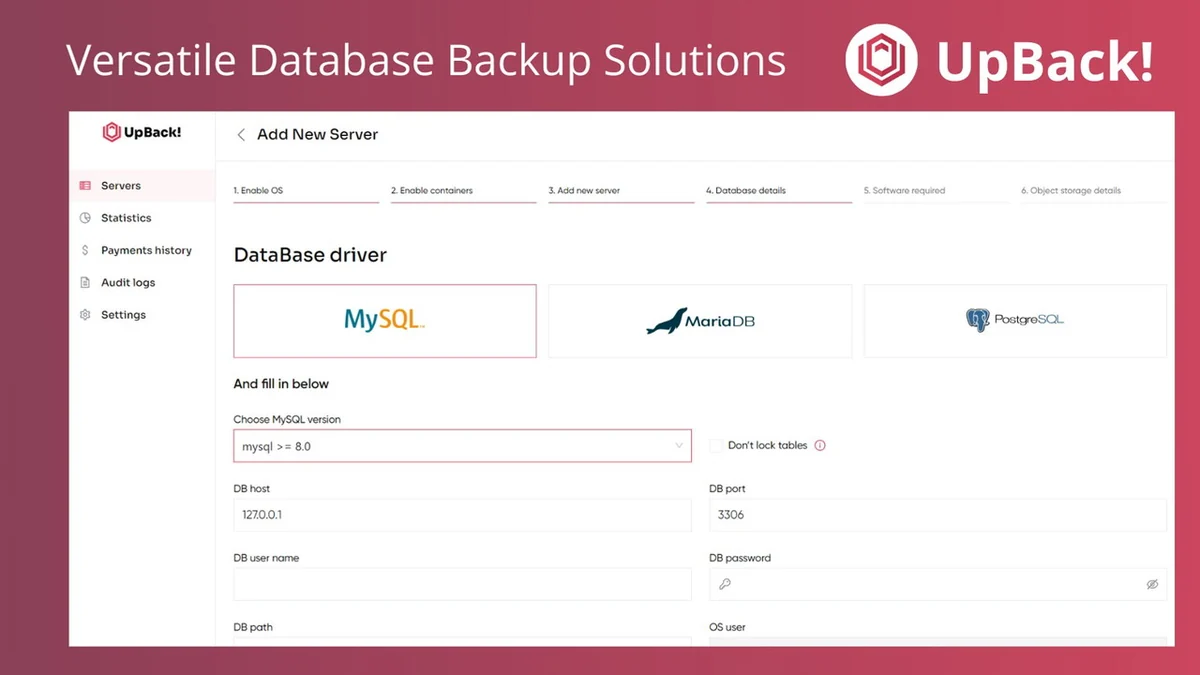
- Multi-Database Support: Provides comprehensive backup solutions for MySQL, MariaDB, and PostgreSQL.
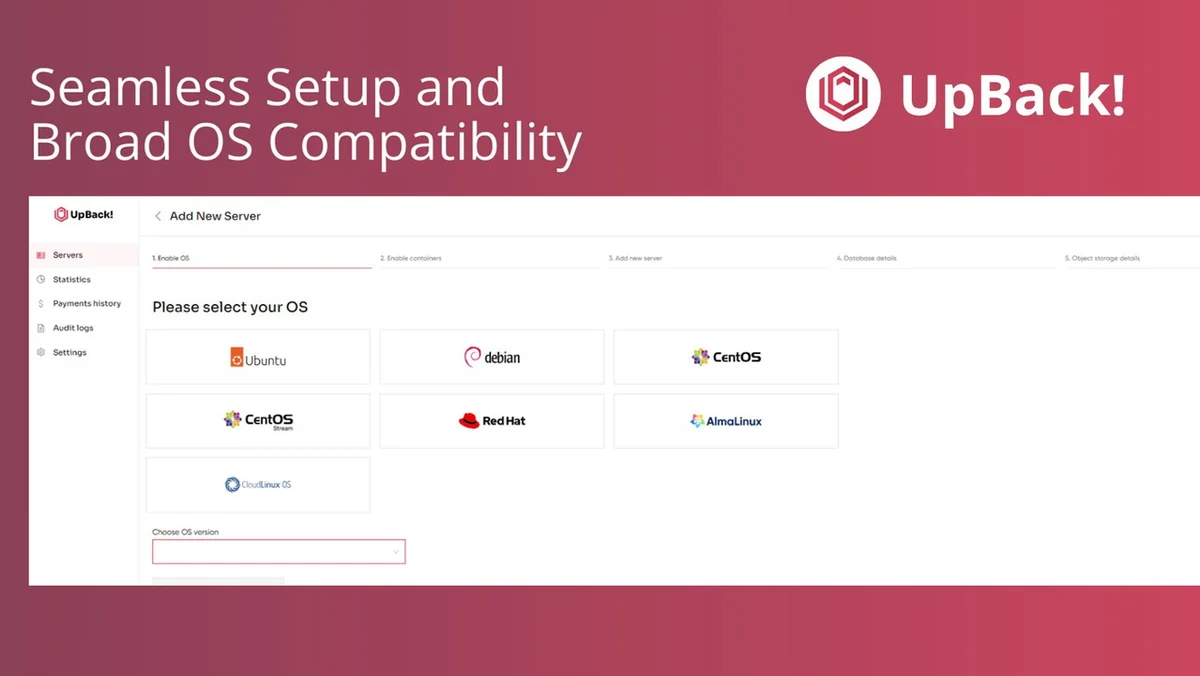
- Simplified Setup: Designed for easy setup and seamless integration across various operating systems.
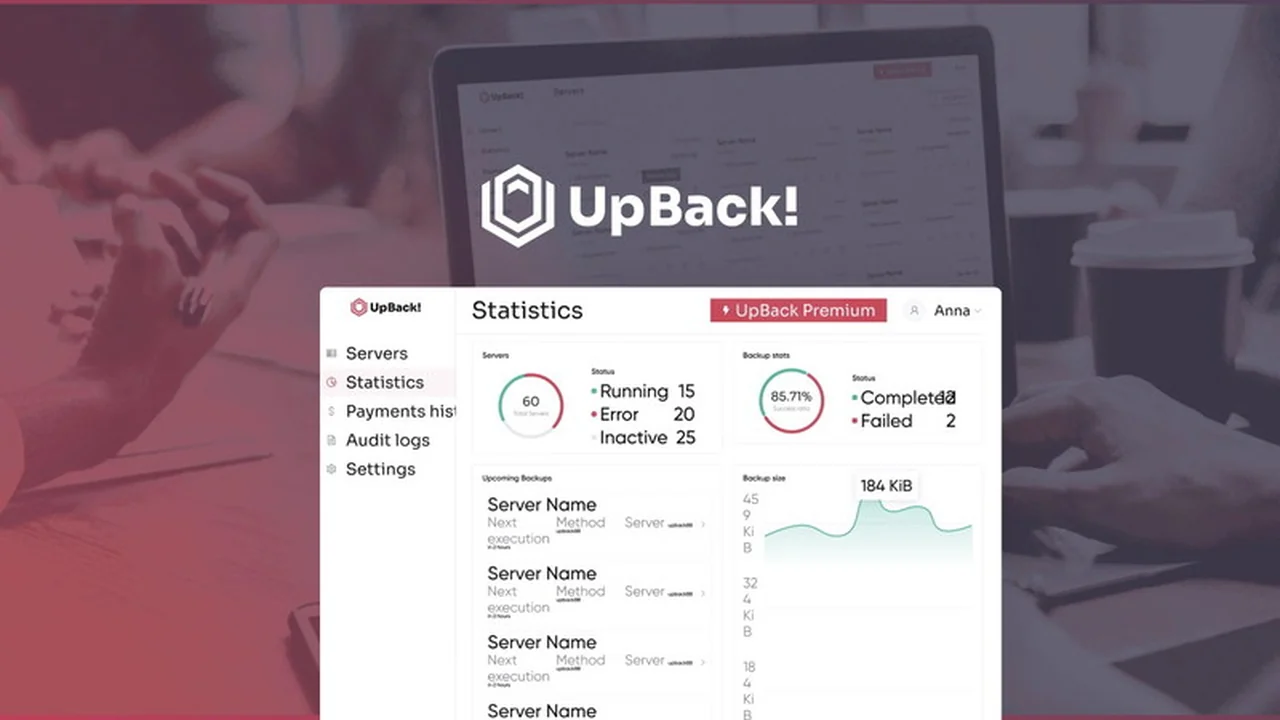
- Unified Dashboard: Features an intuitive, unified dashboard for managing and monitoring servers and backup processes.
- Data Integrity and Continuity: Focuses on safeguarding data integrity and ensuring operational continuity.
How It Works
UpBack operates by automating the process of backing up your database. It connects to your database server, typically via an agent installed on the same server, to perform regular, scheduled backups. These backups are then stored securely, with options for encryption. The unified dashboard provides a central point to oversee these operations, monitor server status, and initiate recovery if needed.
Use Cases
- Small to Medium Businesses: Ideal for SMBs that need a reliable way to protect their essential database information without a dedicated IT team for complex backup management.
- Web Development Agencies: Useful for agencies managing multiple client websites, each running on separate databases, requiring consistent data protection.
- E-commerce Platforms: Essential for online stores where database integrity is crucial for transactions, customer data, and product inventories.
- Startups: Provides a scalable and cost-effective solution for growing companies to secure their foundational data from day one.
Integrations & Compatibility
- UpBack is designed to work with MySQL, MariaDB, and PostgreSQL databases on Linux servers
- It supports any S3-compatible backend storage, which includes popular options like B2 Backblaze
- While direct support for cloud-managed databases like Amazon Aurora is not currently available, the developers are exploring future compatibility
- The solution relies on native tools and deep integrations via an agent installed on the database server.
Pricing & Value
The value proposition of UpBack, particularly through platforms like AppSumo, lies in providing lifetime access to powerful database backup tools. This offers a significant advantage over recurring subscription models that can accumulate substantial costs over time. The upfront investment for a lifetime deal ensures long-term data security without ongoing expenses.
Deal Details
The UpBack deal typically offers lifetime access to the software. This usually includes a comprehensive set of features designed for automated database backup and recovery. A 60-day money-back guarantee is often included, allowing users to test the service thoroughly and ensure it meets their needs.
Quick Take
- For businesses seeking automated, secure backups for MySQL, MariaDB, and PostgreSQL.
- Provides a simplified management interface for ease of use.
- An excellent option for long-term data protection through a lifetime deal.
FAQs
Where can I find system requirements for UpBack?
System requirements can be found on the UpBack Wiki at https://wiki.upback.cloud/en/requirements.
Is UpBack compatible with Amazon Aurora?
Currently, UpBack only supports MySQL from Oracle, MariaDB, and PostgreSQL servers.
Does UpBack support SFTP backups?
Currently, SFTP backup is not in the UpBack roadmap, favoring S3-compatible storage.
Can UpBack back up databases running in Docker containers?
Docker support is available in the Advanced version, not in the Lifetime Deal basic version.
What database systems does UpBack support?
UpBack currently supports MySQL, MariaDB, and PostgreSQL databases.
Final Thoughts
UpBack presents a compelling solution for businesses needing to automate and secure their database backups. Its focus on key database systems, combined with an intuitive interface and the long-term value of a lifetime deal, makes it a practical choice for safeguarding critical data. The ease of setup and unified management approach can significantly reduce the burden of database protection, allowing businesses to focus on their core operations with confidence.