
Elevate your audio and video content with an AI-powered solution designed for effortless post-production. This review explores how Auphonic streamlines the editing process, saving you time and enhancing the quality of your work.
Discover the smart features that automate complex audio tasks, from leveling to noise reduction, and learn how this tool can benefit creators across various fields. We’ll cover its functionality, applications, and the exceptional value it offers.
What is Auphonic – Automate flawless audio editing with AI | AppSumo
Auphonic is an intelligent audio post-production tool that leverages artificial intelligence to significantly improve the quality of recordings. It’s designed to automate a wide range of audio editing tasks, making professional-sounding results accessible to everyone.
This platform is ideal for content creators such as podcasters, broadcasters, videographers, and anyone who needs to ensure their audio is clear, consistent, and free from distracting background noise.
Key Features
- Intelligent Leveler: Balances the loudness of different sounds within your audio, such as speech and music, ensuring a consistent listening experience.
- Global Loudness Normalization: Adjusts loudness across multiple files to meet a defined target level, ensuring uniformity.
- Audio Restoration: Utilizes a noise reduction algorithm to effectively eliminate background noises, hums, and hisses from recordings.
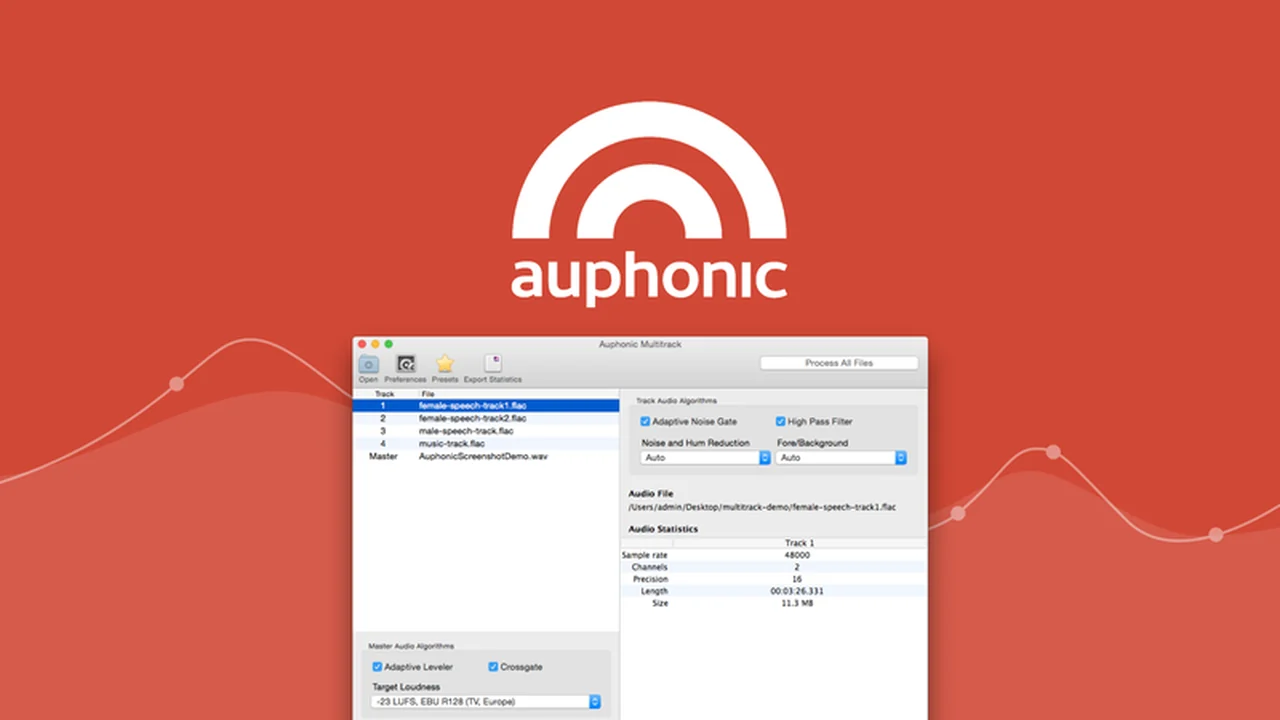
- Automatic Multitrack Editing: Processes single and multi-track recordings, applying various effects for a polished final mix.
- Speech Recognition: Features a robust engine capable of recognizing speech in over 80 languages, with the ability to generate transcripts.
- Transcription Editor: Provides an HTML output file with a transcript editor, allowing for easy review and correction of transcriptions by displaying word confidence values.
How It Works
Using Auphonic is a straightforward process. Begin by uploading your audio or video recording to the platform’s website. Once uploaded, you can select your desired settings, which range from basic loudness adjustments to advanced noise reduction parameters.
After confirming your chosen settings, Auphonic’s AI takes over. It automatically processes the file, applying the selected enhancements to produce a refined audio output. The system intelligently analyzes the content to deliver optimal results with minimal user intervention.

Use Cases
- Podcasting: Automatically balance host and guest audio, remove background noise from interviews, and normalize episode loudness.
- Broadcasting: Ensure consistent audio levels and clarity for radio shows and news segments.
- Screencasting & Videos: Enhance the audio quality of tutorials, presentations, and video content, making speech clear and reducing distractions.
- Audiobooks & Narration: Achieve professional, studio-quality audio for spoken word content.
- Conferences & Meetings: Clean up recordings of online meetings and lectures for better comprehension.
Integrations & Compatibility
- Auphonic is designed to work seamlessly with your existing workflow
- It supports audio editing for video files and allows direct export to platforms like YouTube
- Additionally, it offers robust import and export capabilities, connecting with cloud storage services such as Dropbox, Google Drive, OneDrive, and Amazon S3.
Pricing & Value
Auphonic offers a unique value proposition, particularly through its availability on platforms like AppSumo. The core benefit lies in automating complex audio editing tasks, which traditionally require significant time, expertise, and expensive software.
By leveraging AI, Auphonic democratizes high-quality audio post-production, making it an accessible and cost-effective solution for individuals and small teams looking to improve their content’s sonic clarity and professional polish.
Deal Details
This specific offering provides lifetime access to Auphonic, meaning you own the product perpetually if you download and save it within 60 days of purchase. This ensures long-term access to its powerful AI audio editing features without recurring subscription fees.
Quick Take
- Ideal for podcasters, video creators, and anyone needing polished audio without technical expertise.
- Streamlines post-production with AI-powered leveling, noise reduction, and transcription.
- Offers significant cost and time savings compared to traditional audio editing methods.

FAQs
What kind of output files can I expect from Auphonic?
Auphonic produces enhanced audio files and can also generate transcripts in HTML format with confidence values.
How many languages does the speech recognition support?
The speech recognition engine supports a wide range of languages, covering over 80 distinct languages.
Does Auphonic remove background noise?
Yes, its Audio Restoration feature effectively eliminates unwanted background noises and hums.
Can Auphonic handle multiple audio tracks?
Yes, Auphonic is capable of processing and editing both single and multi-track audio files automatically.
What is the primary function of Auphonic?
Auphonic’s main goal is to automate and enhance audio post-production using AI for superior sound quality.
Final Thoughts
Auphonic stands out as an exceptional tool for anyone looking to achieve professional audio quality with minimal effort. Its AI-driven automation tackles time-consuming editing tasks, freeing creators to focus on content creation rather than technicalities.
The combination of intelligent leveling, robust noise reduction, and accurate transcription makes it a comprehensive solution. For those seeking to elevate their podcasts, videos, or broadcasts, Auphonic presents a powerful and accessible pathway to superior sound.