
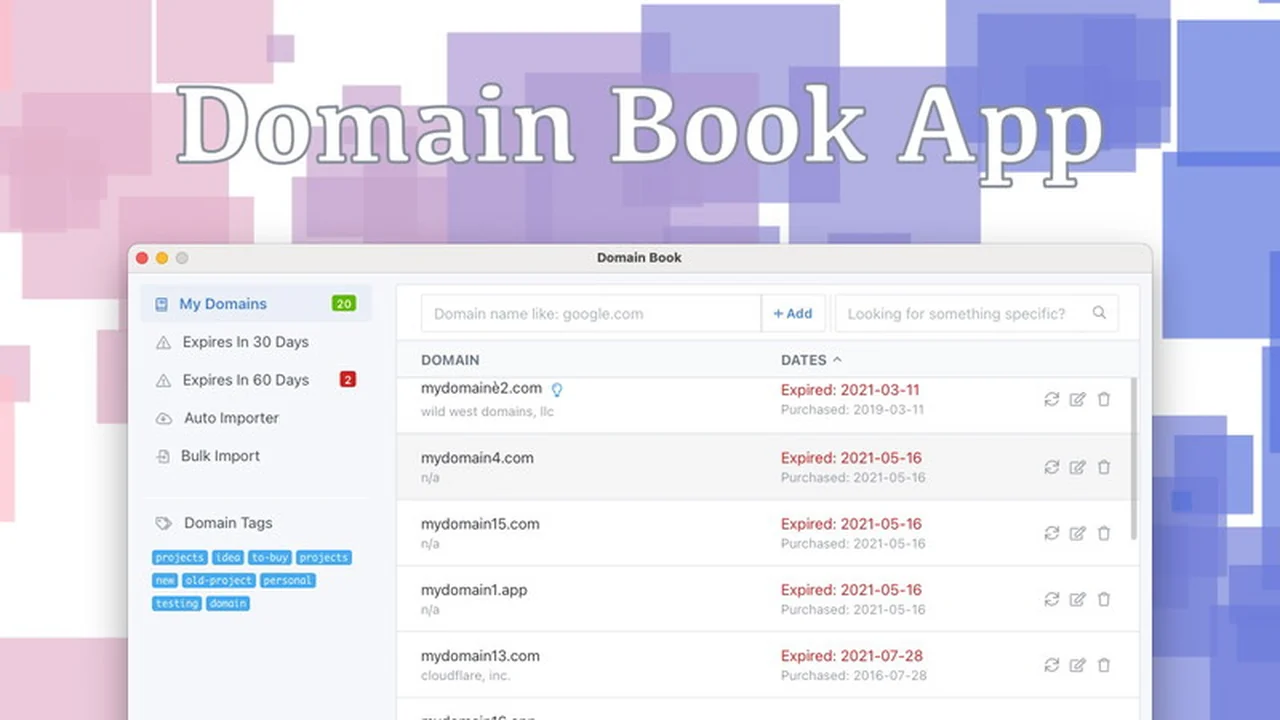
Keeping track of all your purchased domains can become a complex task, especially when renewal notices are buried in your inbox.
This review delves into the Domain Book App for Mac, a desktop solution designed to simplify the oversight of your domain portfolio, ensuring you never miss a critical renewal date.
What is Domain Book App (Mac) | AppSumo
The Domain Book App for Mac is a standalone desktop application developed to help individuals and businesses efficiently manage their domain names. It provides a centralized dashboard to monitor purchase dates, expiration dates, and registrar information for all your domains. The app leverages public Whois data to populate domain details, offering a convenient way to maintain an organized overview of your digital assets.
Key Features
Domain Tracking: Automatically pulls public Whois information including purchase date, expiration date, registrar, and nameservers when a domain is added.
Manual Date Adjustment: Allows users to manually edit purchase and expiration dates if the Whois data is incomplete or unavailable.
Visual Indicators: Displays a red dot next to domains that have had their dates manually edited, providing a quick visual cue.
Notes and Tags: Enables users to add custom notes and up to five tags to each domain for better organization and categorization.
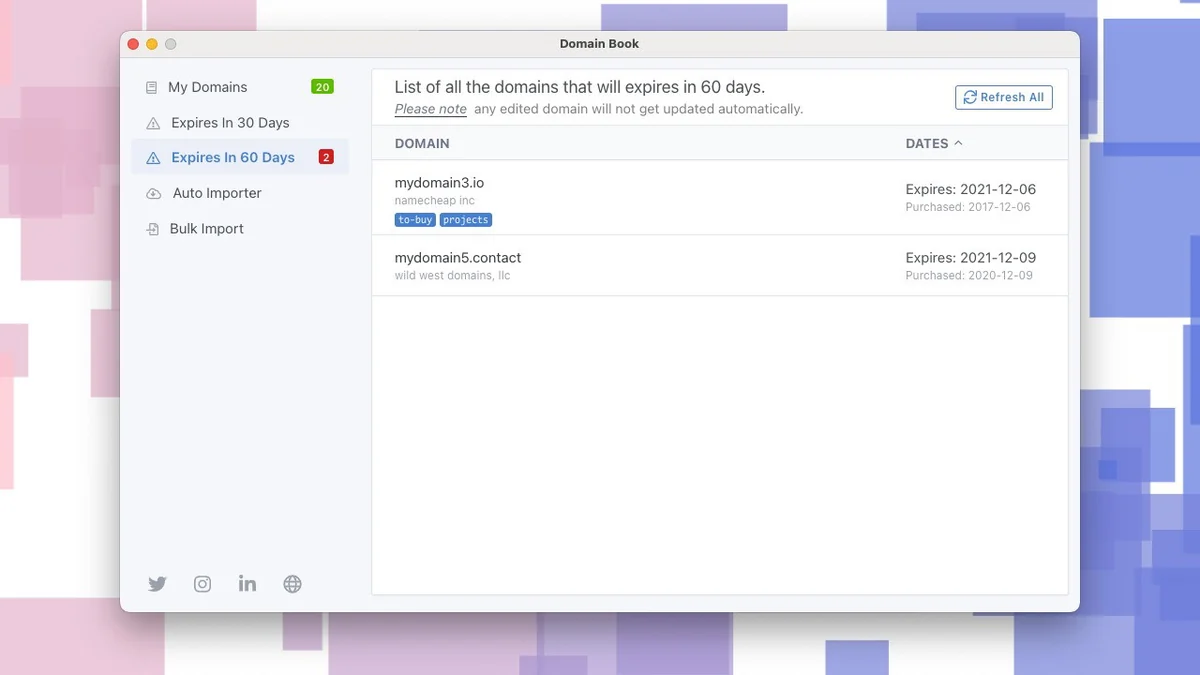
Expiration Alerts: Features an ‘Expires in 30 days’ tab to highlight domains nearing their expiration, allowing for timely action.
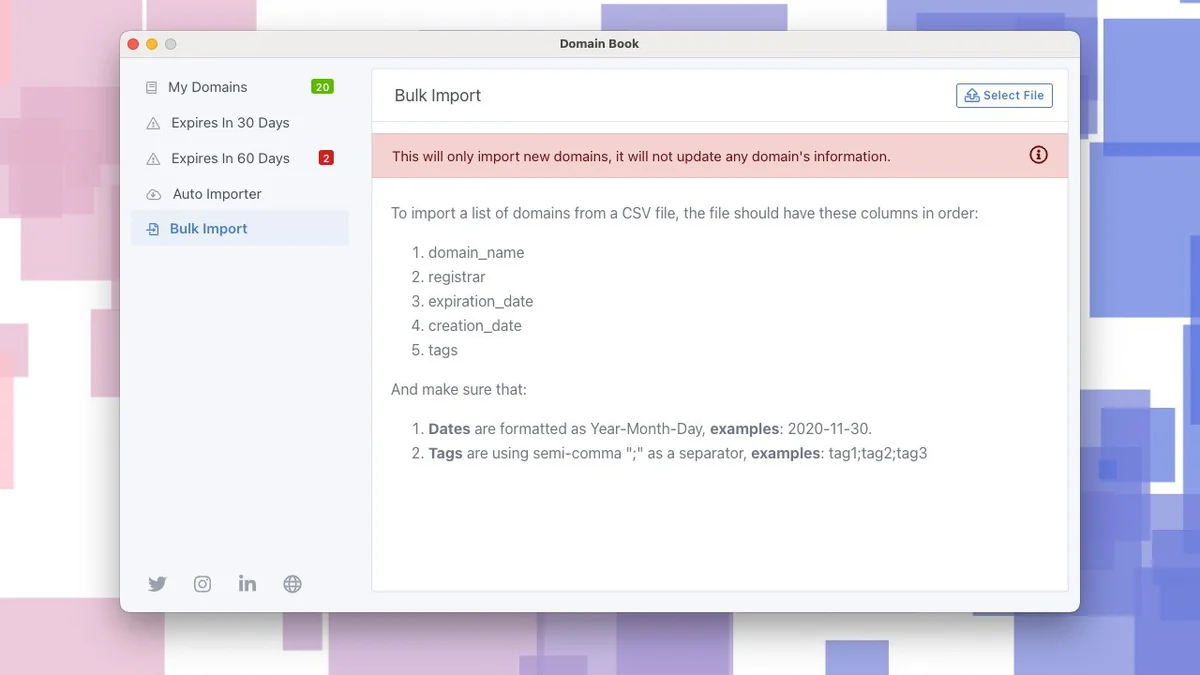
Bulk Import: Supports importing multiple domains from a CSV file, streamlining the addition of large domain lists.
Desktop Notifications: Utilizes Apple’s native desktop notification system to alert users about upcoming domain expirations.
Menu Bar Icon Option: Includes an option to hide the menu bar icon, allowing the app to run discreetly in the background.
How It Works
Upon adding a domain, the Domain Book App queries public Whois servers to retrieve relevant details. If specific dates like purchase or expiration are not publicly available, the app defaults to the current date. This approach acknowledges the privacy measures many registrars now employ. Users have the flexibility to override these fetched dates with their own records, which are then marked for easy identification. The application can also be used to manage renewals by providing a clear view of upcoming expirations and allowing for manual data correction.
Use Cases
- Individuals managing a personal portfolio of domain names.
- Small business owners who rely on multiple domain names for their online presence.
- Web developers who register and manage domains for client projects.
- Anyone seeking a more robust system than email alerts for domain renewals.
Integrations & Compatibility
- The Domain Book App is designed exclusively for macOS
- It functions as a standalone desktop application and does not integrate with SaaS platforms or offer cloud synchronization
- While it can import domain data purchased through registrars like Cloudflare, it does not maintain a live connection to these services post-import
- Notifications are delivered via Apple’s native desktop notification system.
Pricing & Value
The Domain Book App offers a one-time purchase model, providing lifetime access to the software. This approach offers significant value compared to subscription-based domain management tools, especially for users who prefer a perpetual license and don’t require ongoing cloud services.
Deal Details
This product is available through AppSumo, offering a lifetime deal for a single purchase. The deal provides access to the current features and any future enhancements released by the developer, ensuring continued utility and improvement of the application.
Quick Take
- Ideal for Mac users who need a dedicated desktop tool for domain tracking.
- Simplifies the monitoring of domain purchase and expiration dates.
- Offers a cost-effective, one-time purchase solution for domain management.
FAQs
Will the app update information at the registrar end?
No, this is a tracking app and does not update information at the registrar.
Does it offer notifications via Apple’s desktop notifications?
Yes, the application utilizes Apple desktop notifications for alerts.
Can DomainBook monitor multiple accounts from the same registrar?
Yes, you can import domains from multiple accounts of the same registrar.
What about the Windows Version?
A Windows version was discontinued and is no longer available for purchase.
Is it possible to add an option to the top bar icon to hide itself?
Yes, the latest version includes an option to hide the menu bar icon.
Final Thoughts
The Domain Book App for Mac presents a practical and focused solution for individuals and professionals who manage a substantial number of domain names. By moving domain tracking from scattered emails to a dedicated desktop interface, it significantly reduces the risk of missed renewals. The app’s straightforward functionality, coupled with its one-time purchase model via AppSumo, makes it a compelling tool for any Mac user aiming for better domain portfolio oversight.