
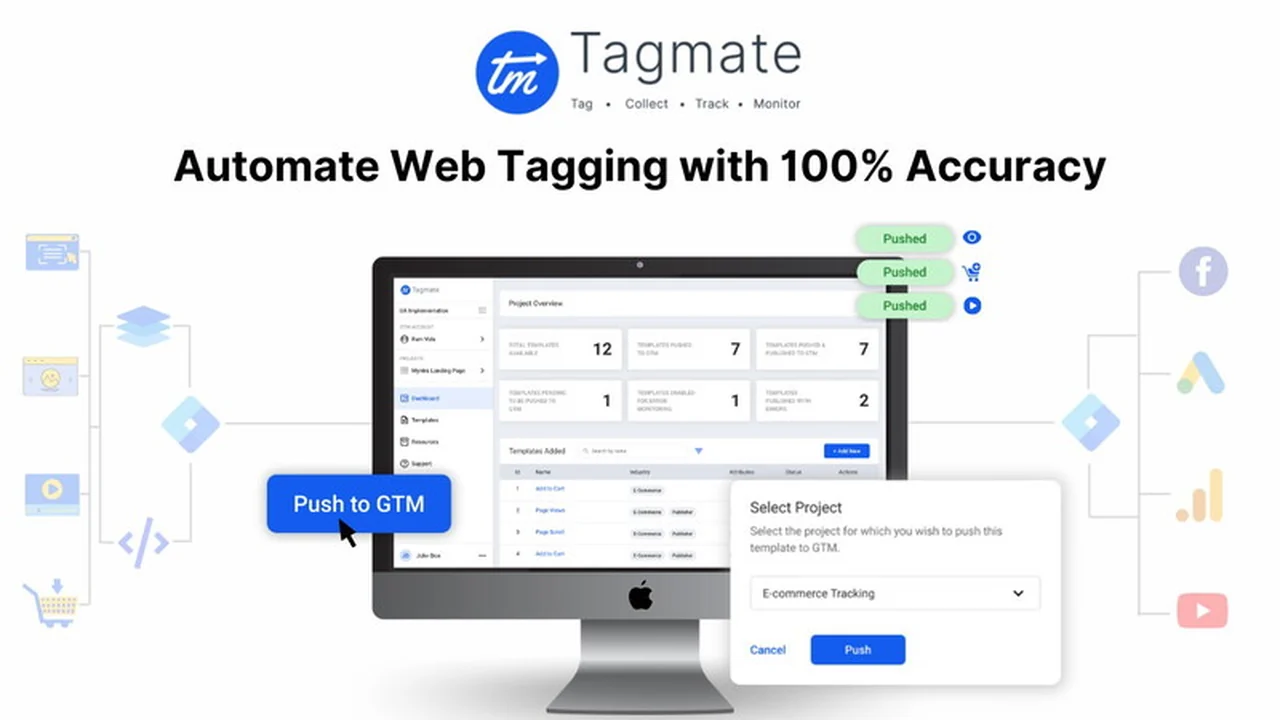
Setting up website tracking and marketing pixels can often be a complex and time-consuming task, especially for those without extensive technical expertise. This is where Tagmate aims to provide a streamlined solution.
In this comprehensive review, we’ll explore how Tagmate | AppSumo can help you manage your website’s tracking needs efficiently, focusing on its features, ease of use, and overall value for marketers and website owners.
What is Tagmate | AppSumo
Tagmate is a low-code SaaS platform designed to simplify website tracking for marketers, product managers, agencies, and website owners. It aims to reduce the dependency on technical teams for implementing analytics and marketing tags, making the process accessible to users of varying technical skill levels.
Key Features
- Low-Code Implementation: Offers a user-friendly interface that requires minimal to no coding knowledge for setting up tracking.
- GTM Sync: Seamlessly integrates with your Google Tag Manager (GTM) account for easy implementation and migration of tags.
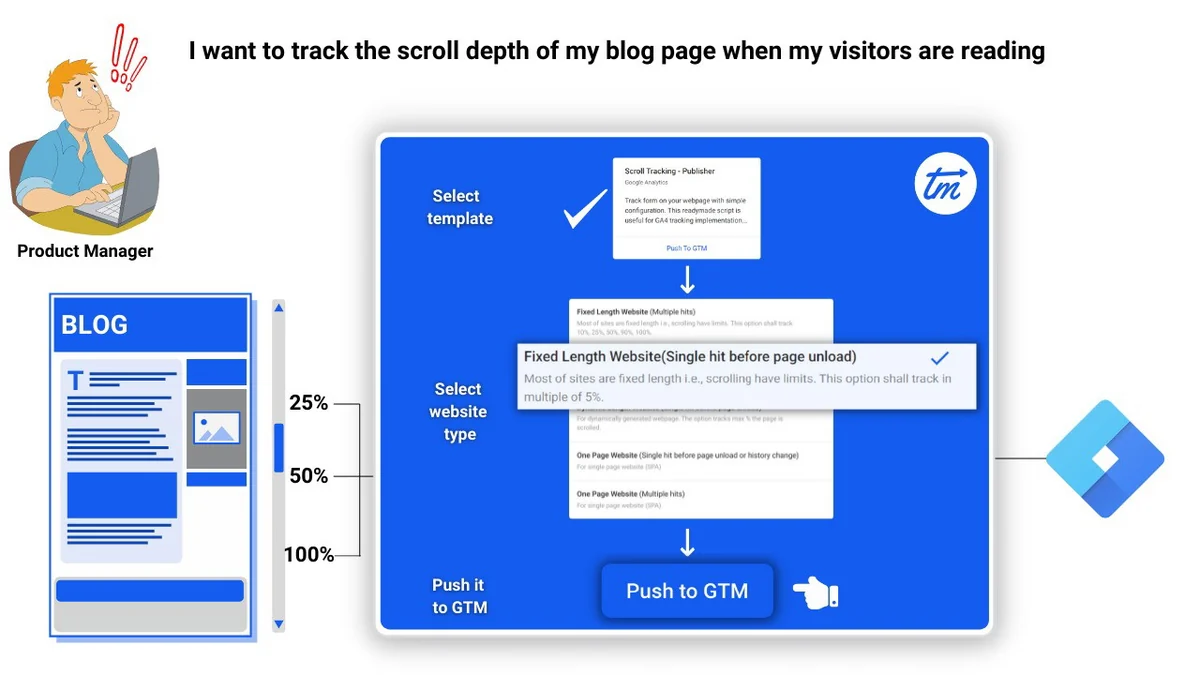
- Pre-built Templates: Provides over 30 pre-built templates for tracking various user actions like clicks, scrolls, and form submissions, tailored for different industries.
- eCommerce Focus: Includes 14+ exclusive eCommerce templates that work across platforms like Shopify and WordPress, with sample data layer snippets for events such as ‘Add to Cart’ and ‘Checkout’.
- UA to GA4 Migration: A dedicated module to help migrate Universal Analytics tags to Google Analytics 4 (GA4) properties with accuracy and ease.
- Auto-Configuration: Automatically configures custom dimensions for data collection in GA4, reducing manual effort and potential errors.
How It Works
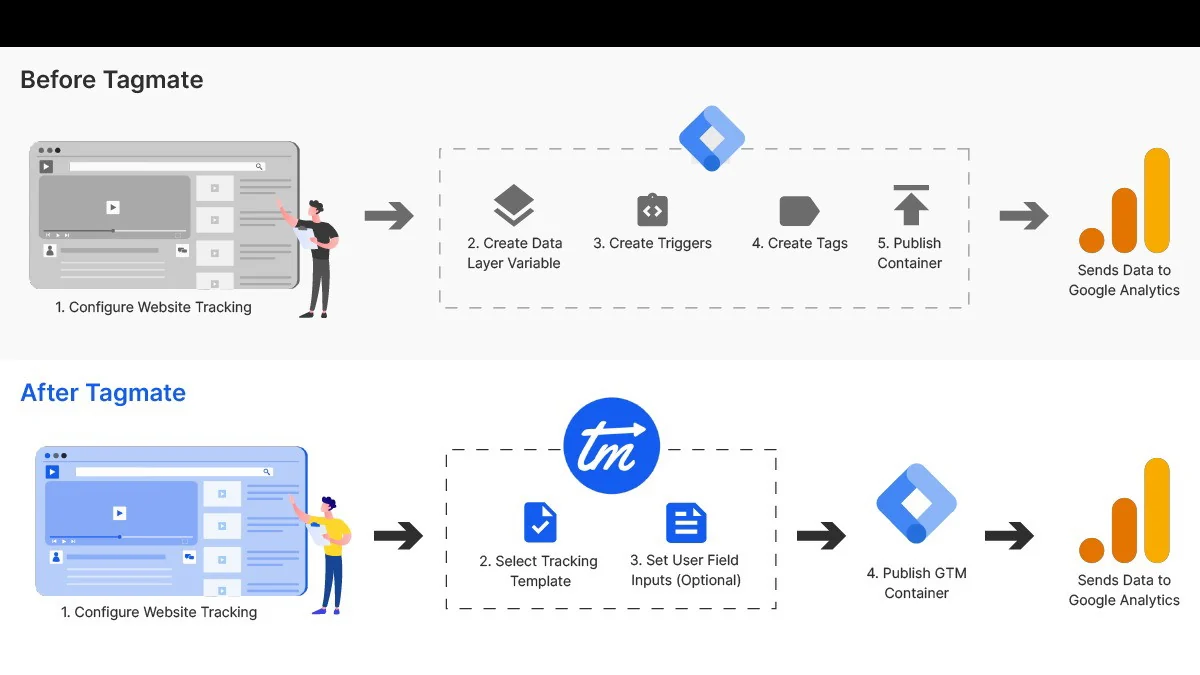
Tagmate simplifies the process of website tracking into a few key steps. You can select a pre-built template that corresponds to the user action or marketing goal you wish to track. The platform then helps in auto-configuring the necessary variables, triggers, and tags within your GTM account, often requiring just a few clicks. This approach significantly cuts down on the manual configuration effort typically involved.
Feature: Setting up website tracking with Tagmate can reportedly take less than 5 minutes, eliminating the need for manual configuration of variables, triggers, and tags in GTM.
Feature: The tool auto-configures custom dimensions for data collection in Google Analytics 4, which helps in standardizing the implementation process and reducing manpower costs.
Use Cases
- Marketers: Easily implement tracking for marketing campaigns, conversion events, and user behavior without relying on developers.
- Website Owners: Gain insights into how visitors interact with their site through simplified analytics setup.
- Product Managers: Track user engagement with specific features and product updates to inform development decisions.
- Agencies: Efficiently manage tracking for multiple client websites, saving time and resources.
- eCommerce Businesses: Set up detailed tracking for sales, add-to-carts, and checkout processes to optimize online stores.
Integrations & Compatibility
- Tagmate is designed to sync with your Google Tag Manager (GTM) account, serving as a central hub for managing your tracking tags
- It also focuses on compatibility with Google Analytics 4 (GA4) for data analysis
- The platform’s templates are built to be compatible with various website platforms, including Shopify, WordPress, and custom JavaScript implementations.
Pricing & Value
While specific pricing details can vary, Tagmate’s value proposition lies in its ability to save significant time and resources that would otherwise be spent on manual tag implementation and developer reliance. The AppSumo deal often offers a cost-effective way to access these capabilities, providing substantial benefits compared to traditional methods.
Deal Details
The AppSumo deal for Tagmate has offered flexible licensing options, allowing users to acquire access for multiple websites and user logins with the purchase of additional codes. This scalability makes it suitable for individuals and agencies managing a diverse portfolio of online properties. The deal structure aims to provide considerable value, equating to financial benefits through increased website and user limits.
Quick Take
- Ideal for marketers and website owners who need to simplify their tracking setup.
- Offers a fast and efficient way to implement analytics and marketing tags without coding.
- Valuable for migrating from Universal Analytics to GA4 with ease.
FAQs
What kind of templates does Tagmate offer?
Tagmate provides pre-built templates for various user actions and industries, including eCommerce.
How quickly can I set up website tracking with Tagmate?
Website tracking setup with Tagmate can reportedly take less than 5 minutes.
Can Tagmate help with migrating to GA4?
Yes, Tagmate offers a dedicated module for migrating Universal Analytics tags to GA4.
Does Tagmate require coding knowledge?
No, Tagmate is a low-code platform designed for users with minimal to no coding expertise.
What is the primary goal of Tagmate?
Tagmate’s main goal is to simplify website tracking for non-technical users.
Final Thoughts
Tagmate | AppSumo presents a compelling solution for anyone looking to streamline their website tracking and analytics implementation. By offering a low-code approach, pre-built templates, and seamless GTM integration, it democratizes the process of gathering essential website data. For marketers, business owners, and agencies seeking efficiency and accuracy in their tracking efforts, Tagmate is certainly worth considering.