
Are you a writer struggling to keep your complex projects organized and your focus sharp? This review dives deep into Scrivener, a powerful writing application designed to streamline your workflow.
Discover how Scrivener can transform your writing process, from initial brainstorming to final export, ensuring you stay on track and productive with your creative endeavors.
What is Scrivener – Manage and organize writing projects | AppSumo
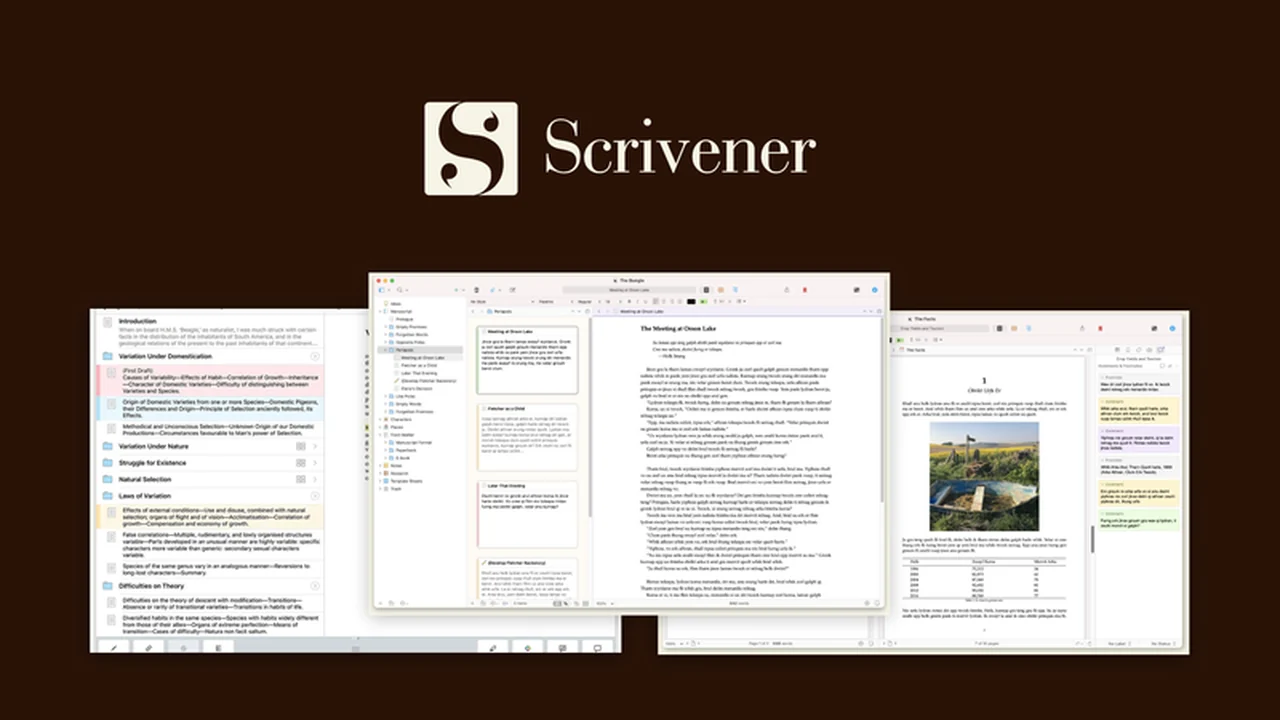
Scrivener is a comprehensive writing software crafted to assist writers in managing and organizing their projects. It provides a suite of tools aimed at enhancing focus and productivity, suitable for novelists, screenwriters, academics, and researchers alike. It helps writers concentrate on their creative work without being hindered by technical complexities.
Key Features
Scrivener offers a robust set of features to support writers:
- Built-in Word Processor: Essential writing tools combined with advanced formatting and styling options are readily available.
- Customizable Writing Environment: Tailor your writing space to your preferences, set achievable writing goals, and monitor your progress effectively.
- Project Templates: Access pre-built templates for various project types, including novels, screenplays, and research papers, to kickstart your work.
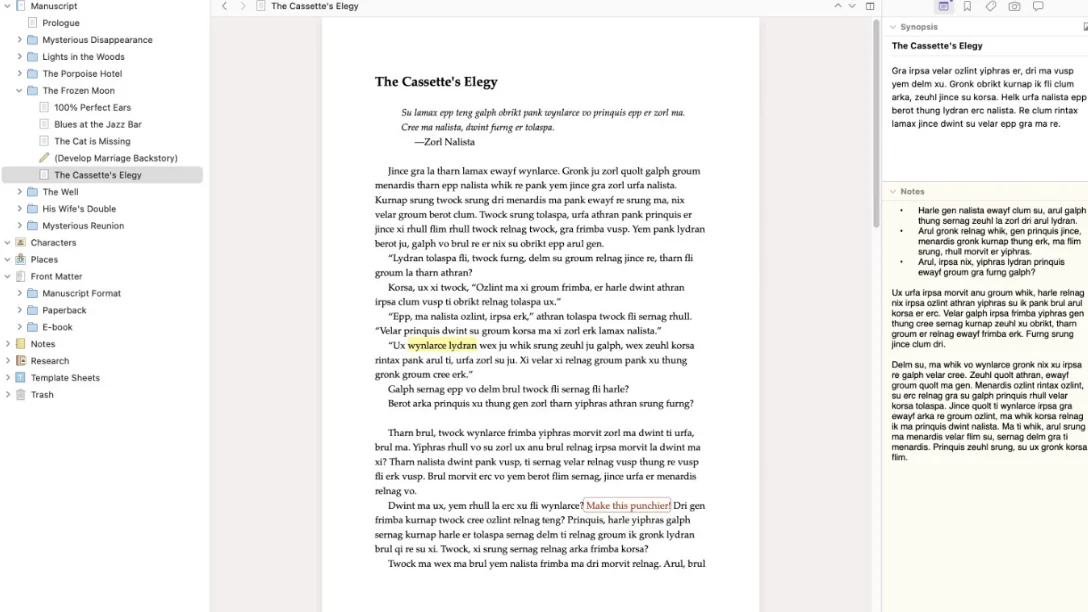
- Breaking Down Projects: Scrivener aids in managing long-term projects by allowing you to divide them into smaller, more manageable sections. You can easily create outlines, split content, and rearrange elements as needed. This is particularly beneficial for complex narratives with multiple scenes and characters.
- Snapshot Feature: Keep meticulous track of revisions and changes. The Snapshot tool lets you save the state of specific sections, compare versions side-by-side, and revert to previous drafts if required.
- Corkboard View: Gain a visual overview of your project. This feature displays your writing as a series of index cards, allowing you to add notes, summaries, and images to track characters, locations, and plot points efficiently.
- Distraction-Free Mode: Minimize interruptions with Scrivener’s full-screen mode, which conceals interface elements like toolbars and navigators, promoting deep focus on your writing.
- Research Management: Seamlessly integrate and organize research materials. Import and manage documents, web pages, and other resources directly within your project, enabling easy referencing.
- Split-Screen View: Work with multiple sections of your project simultaneously. This allows you to view and edit two different parts of your document side-by-side, ideal for cross-referencing or comparing content.
How It Works
Scrivener functions by providing a structured environment for all aspects of your writing project. It allows you to compile research materials, draft sections, and organize them into a cohesive whole. The software facilitates a non-linear approach to writing, enabling you to rearrange chapters or scenes easily. Its interface is designed to keep everything related to your project in one place, from character sketches to final manuscript drafts.
Use Cases
Scrivener is versatile and caters to a wide range of writing needs:
- Novelists: Manage complex plots, character arcs, and multiple storylines with ease, using the Corkboard and outlining features.
- Screenwriters: Structure scripts, track scenes, and incorporate research notes within the project framework.
- Academics and Researchers: Organize extensive research, compile bibliographies, and structure lengthy papers or dissertations.
- Students: Break down essays and term papers into manageable sections for a less overwhelming writing process.
- Content Creators: Plan and write blog posts, articles, and other digital content with a clear organizational structure.
Integrations & Compatibility
- Scrivener is designed to be a standalone writing application, focusing on providing a complete environment for writers
- It supports exporting projects into common formats such as Microsoft Word documents, PDFs, and ebooks, ensuring compatibility with other applications for sharing and distribution.
Pricing & Value
Scrivener offers significant value by consolidating numerous writing and organizational tools into a single, powerful application. The software aims to be a long-term asset for writers, providing a comprehensive solution that grows with their projects. The lifetime license model means you acquire the software outright, avoiding recurring subscription fees for core functionality.
Deal Details
The AppSumo deal for Scrivener provides an opportunity to acquire this robust writing software. These offers are typically time-sensitive, making it advisable to act promptly to secure access. The purchased license provides lifetime access to the software’s core features, with the understanding that downloads and saves should ideally occur within 60 days of purchase to ensure continued ownership.
Quick Take
- Ideal for authors, screenwriters, and researchers needing to manage large, complex projects.
- Streamlines the writing process with intuitive organization and distraction-free writing modes.
- Offers a comprehensive toolkit to keep all your research and writing in one accessible place.
FAQs
What file formats can Scrivener export to?
Scrivener can export projects to Microsoft Word, PDF, and ebook formats.
Does Scrivener have a distraction-free writing mode?
Yes, Scrivener includes a full-screen mode to minimize distractions.
Is Scrivener suitable for academic research?
Absolutely, its research management and organizational tools are ideal for academics.
Can Scrivener help with novel writing?
Yes, Scrivener offers templates and features specifically designed for novel writing.
What is Scrivener primarily used for?
Scrivener is used to manage and organize writing projects of all sizes and complexities.
Final Thoughts
Scrivener stands out as an exceptional tool for any writer dealing with substantial or intricate projects. Its ability to break down complex tasks, manage research efficiently, and provide a distraction-free writing space makes it an invaluable asset. The comprehensive feature set, from the visual Corkboard to the revision-tracking Snapshots, empowers writers to maintain control and focus throughout their creative journey.
For those seeking a dedicated, powerful, and well-organized writing environment, Scrivener is a compelling choice. The AppSumo deal presents a particularly attractive opportunity to invest in a tool that can significantly enhance your writing productivity and project management capabilities.