
This review dives into EaseUS VideoKit for Windows PC, a software designed to streamline these various video and audio tasks into one accessible platform. We will explore its core functionalities, how it simplifies your workflow, and who can benefit most from its capabilities.
What is EaseUS VideoKit for Windows PC – Simplify video editing | AppSumo
EaseUS VideoKit for Windows PC is an all-in-one video and audio toolkit that aims to simplify the creation and manipulation of digital media. It consolidates numerous essential functions, allowing users to convert, compress, edit, and enhance their video and audio files without needing separate applications for each task.
Key Features
EaseUS VideoKit is equipped with a suite of features designed to meet a wide range of video editing needs.
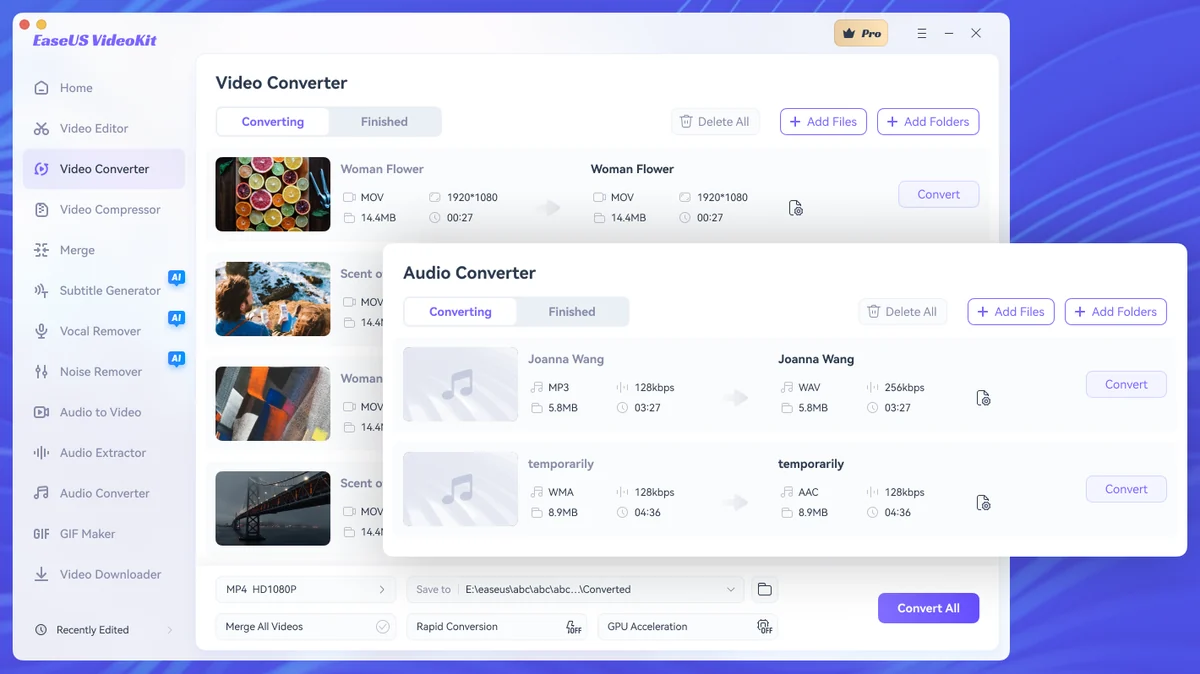
- Video & Audio Converter: Effortlessly convert videos and audio files across over a thousand formats, including popular types like MP4, AVI, MOV, MP3, and ACS. This ensures your content is compatible with various platforms and devices.
- Video Compressor: Reduce the file size of your videos significantly without compromising on visual quality, making them easier to share and store.
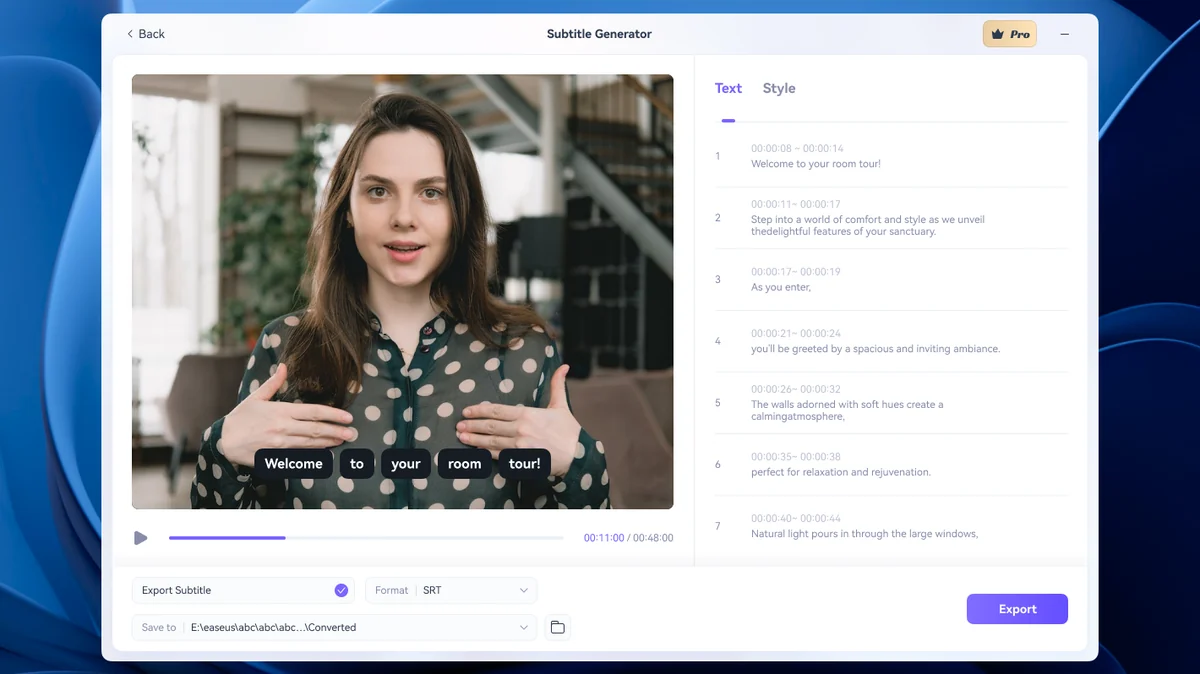
- Speech-to-Text: Generate captions for your videos automatically with the speech-to-text functionality, saving you manual transcription time.
- Text Export: Export generated captions as SRT or TXT files, which can be reused for different projects or platforms.
- Background Customization: Modify the background of your videos to enhance visual appeal or meet specific creative requirements.
- Music & Audio Tools: Personalize your videos with custom music and effectively remove background noise for a clearer audio experience. The software can distinguish human voices from background elements for focused sound editing.
- Editing Capabilities: Perform essential editing tasks such as cropping, cutting, trimming, and applying various effects to bring your video narrative to life.
- Watermarking: Protect your video content and enhance brand awareness by easily adding watermarks.
- Video Downloader: Download online video and audio assets directly from platforms like YouTube, Facebook, Instagram, or Twitter.
How It Works
The software is built with an intuitive interface, designed to make video editing accessible even for beginners. Users can typically import their media files, select the desired functions from the toolkit, apply edits or conversions, and then export their finished product in the required format.
Use Cases
EaseUS VideoKit is suitable for a variety of users and projects:
- Content creators looking to quickly edit social media clips.
- Individuals needing to convert video files for different playback devices.
- Educators creating video lectures with clear captions.
- Marketers producing promotional videos that require specific branding and audio quality.
- Anyone looking to simplify their video workflow and reduce the need for multiple software programs.
Integrations & Compatibility
- EaseUS VideoKit is designed for Windows PC operating systems
- Its compatibility with a wide range of video and audio file formats ensures flexibility when working with diverse media sources.
Pricing & Value
The value proposition of EaseUS VideoKit lies in its consolidation of multiple video tools into a single package. This can lead to significant cost savings compared to purchasing individual software for conversion, compression, and editing. The AppSumo deal offers a lifetime access option, providing ongoing access to the software’s features.
Deal Details
The current deal provides lifetime access to EaseUS VideoKit for Windows PC. It is important to redeem the product within 60 days of purchase to ensure access.
Quick Take
- Ideal for Windows users seeking a unified video and audio toolkit.
- Simplifies complex tasks like conversion, compression, and captioning.
- Offers essential editing features for creating professional-looking content efficiently.
FAQs
Can I download online videos with this tool?
Yes, it includes a video downloader for assets from popular online platforms.
Is it easy to add captions to videos?
The speech-to-text feature generates captions automatically in just a few clicks.
Does it help with video quality when compressing?
The compressor aims to shrink files without sacrificing video quality.
Can I convert videos to different formats?
Yes, it supports converting over a thousand video and audio file types.
What is EaseUS VideoKit?
It’s an all-in-one toolkit for converting, compressing, and editing video and audio on Windows PCs.
Final Thoughts
EaseUS VideoKit for Windows PC presents a compelling solution for anyone looking to streamline their video and audio production workflow. By bundling essential tools like conversion, compression, captioning, and basic editing into a single, user-friendly interface, it effectively reduces complexity and saves time. The ability to handle a wide array of file types and perform tasks such as background noise removal and background customization adds significant value for creators aiming for polished output. For Windows users who want to simplify their video editing process without investing in multiple specialized applications, EaseUS VideoKit offers a practical and efficient alternative.