
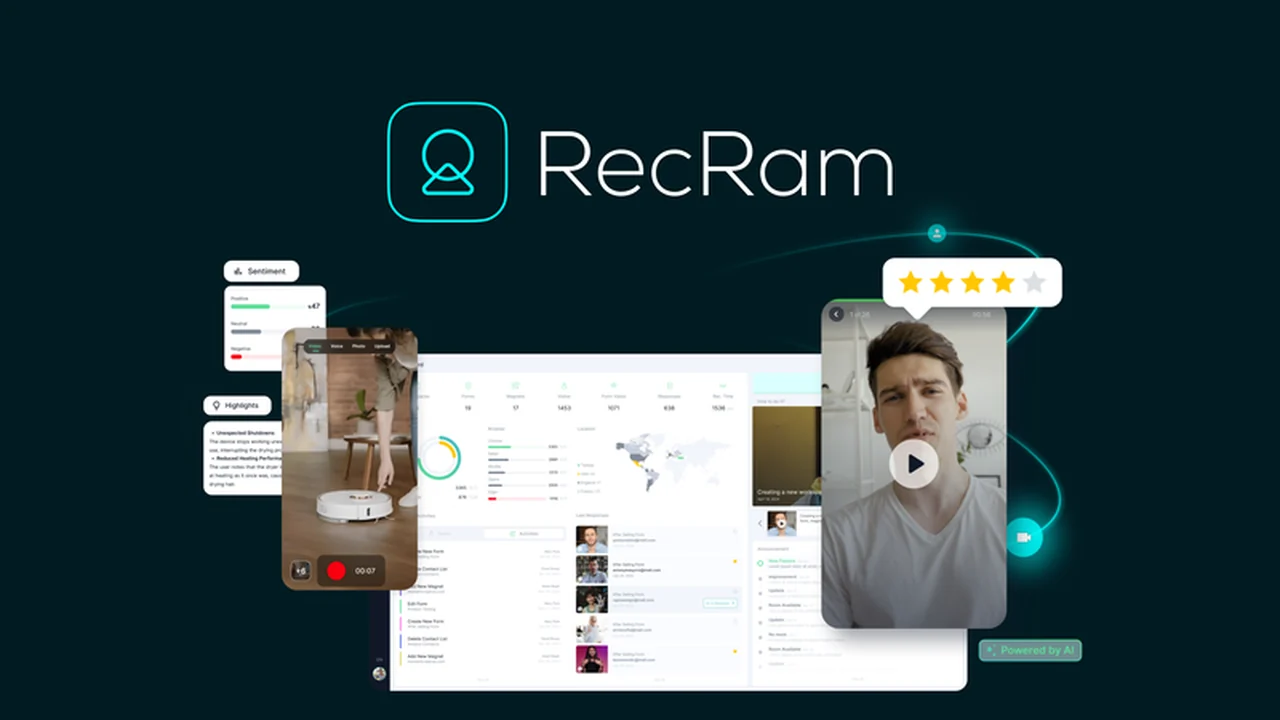
Navigating customer support can be a challenge when understanding the exact nature of an issue is difficult. Reading through lengthy text feedback often delays critical strategic improvements.
This review dives into RecRam, a platform designed to simplify customer feedback by leveraging video and AI, offering a more intuitive and efficient way to resolve issues and gather insights.
What is RecRam – Capture customer feedback on video | AppSumo
RecRam is a video-first customer support platform that enables users to capture customer experiences directly from their browsers. It eliminates the need for downloads or logins, allowing customers to record video or audio responses to share their issues. The platform utilizes AI to analyze these video recordings, providing summaries and insights to help businesses resolve problems more effectively.
Key Features
RecRam offers a suite of features designed to streamline customer feedback and support:
- Real-Time Screen Recording (Beta): Users can instantly record and save screen activity directly within their browser for immediate AI analysis, with no upload time.
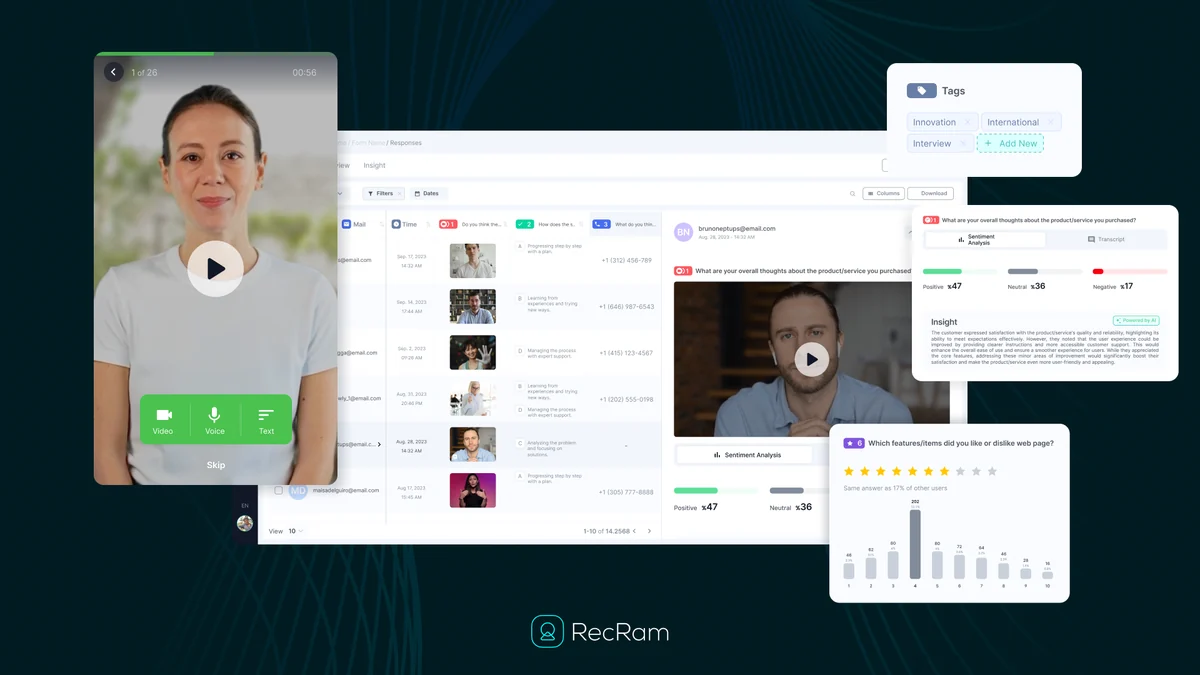
- AI-Powered Insights: The platform uses AI to analyze video and audio feedback, summarizing key details and identifying issues to aid support teams.
- Customizable Video Widgets: Businesses can embed RecRam feedback widgets anywhere on their website to collect customer responses.
- Interactive Video Forms: Create engaging, Netflix-style video forms that feel more like an experience than a traditional survey.
- Multilingual Support: Forms and feedback capture are available in nine languages, including English, Spanish, French, and Japanese.
- Form Customization: Personalize forms with brand colors, button styles, and fonts to match your company’s identity.
- Automated & Manual Naming: Video entries can be automatically named or manually designated for better organization.
- Contact Information Collection: Option to collect essential customer details like name, email, and phone number with each response.
- Response Type Breakdowns: Analyze feedback based on response type, including text, video, and screen recordings.
How It Works
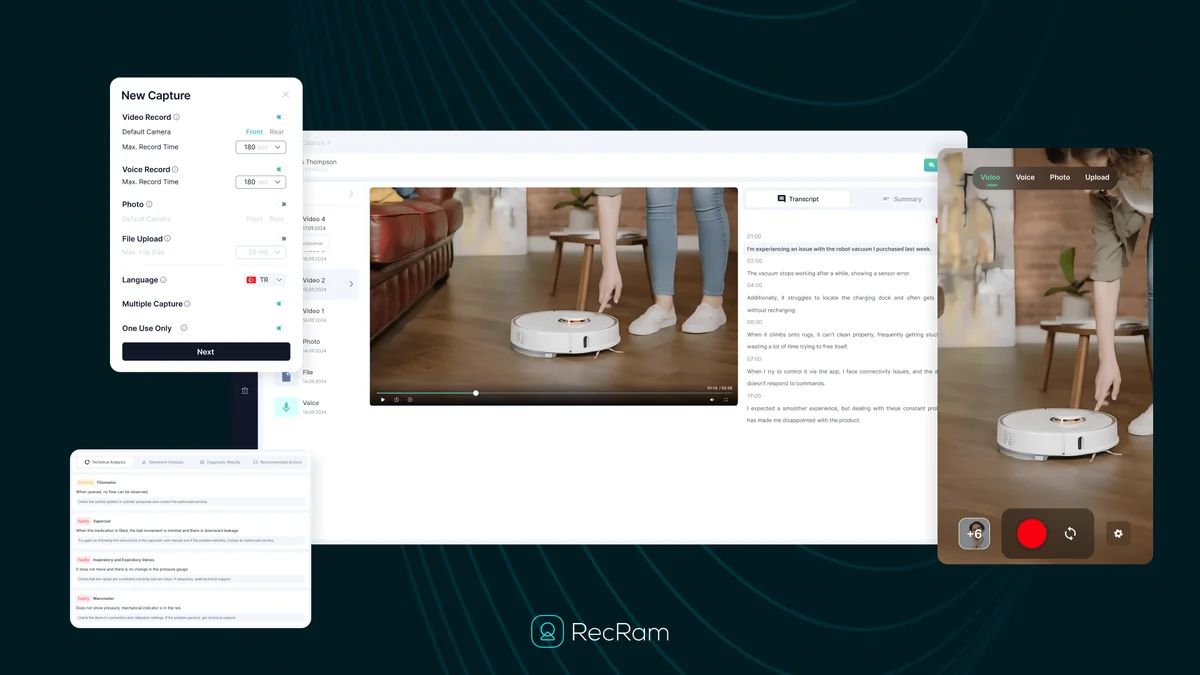
The process with RecRam is designed for simplicity. Customers visit a designated link or click on an embedded widget on your website. They can then choose to record a video or audio response, or use the real-time screen recording feature to demonstrate their issue. No downloads or complex steps are required on their end. Once recorded, the feedback is submitted directly to your RecRam dashboard, where AI tools help analyze and summarize the content. Support teams can then access these insights for quicker problem resolution.
Use Cases
RecRam is versatile and can be applied across various business needs:
- Product Verification: Customers can record products to showcase defects or confirm functionality.
- Visual Technical Support: Users can visually demonstrate technical problems, making it easier for support agents to understand and diagnose.
- Bug Reporting: Developers can receive clear, visual evidence of software bugs directly from users.
- User Experience Feedback: Gather insights into how users interact with a website or application by seeing their journey.
- Customer Onboarding: Provide video feedback on onboarding processes to identify areas for improvement.
Integrations & Compatibility
- RecRam is designed to work seamlessly within your existing workflow
- While specific direct integrations are not detailed in the provided notes, the platform’s browser-native functionality and focus on ease of use suggest compatibility with most modern web browsers
- The ability to embed widgets on websites means it can be integrated into various online platforms and content management systems.
Pricing & Value
RecRam offers a compelling value proposition, particularly through its AppSumo deal, which typically provides lifetime access to its features. This model eliminates recurring subscription costs, making it an attractive option for businesses looking to invest in a long-term solution for customer feedback management.
Deal Details
The RecRam deal on AppSumo grants lifetime access to the platform. This includes features such as AI-powered video analysis, customizable widgets, interactive video forms, and real-time screen recording. A 60-day money-back guarantee is also provided, allowing users ample time to evaluate the service.
Quick Take
- Ideal for customer-first teams and rapidly growing businesses.
- Streamlines support by enabling direct video feedback.
- Leverages AI for faster issue identification and resolution.
FAQs
Is RecRam available in multiple languages?
Yes, RecRam supports nine different languages for its forms and feedback capture features.
Can I customize the feedback forms to match my brand?
Yes, RecRam allows customization of forms with brand colors, button styles, and fonts to align with your brand identity.
How does AI assist with customer feedback in RecRam?
AI analyzes video feedback to summarize issues and recommend relevant solutions to support teams.
Do customers need to download any software to use RecRam?
No, customers can capture feedback directly from their browsers without any downloads or logins required.
What is the primary benefit of using RecRam for customer feedback?
RecRam provides video-first feedback, offering clearer insights than text-based methods for faster issue resolution.
Final Thoughts
RecRam presents a modern and efficient approach to capturing customer feedback and managing support. By shifting to a video-first methodology and incorporating AI analysis, it addresses the shortcomings of traditional text-heavy feedback systems. The platform’s ease of use for both customers and businesses, combined with its feature set and the value offered through lifetime deals, makes it a strong contender for any organization prioritizing customer satisfaction and efficient support operations.