
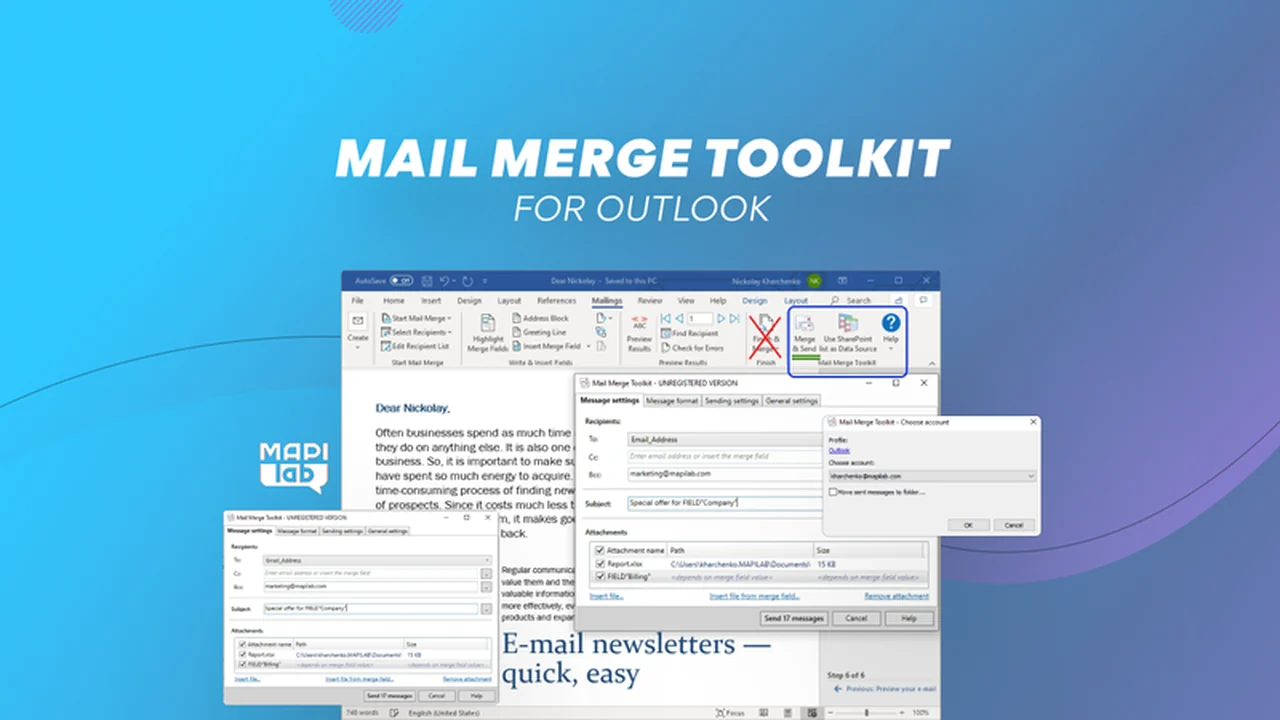
If you’re looking to elevate your email marketing and streamline communications, this tool offers a robust solution for Outlook users.
Discover how Mail Merge Toolkit can overcome the limitations of standard mail merge, enabling greater personalization and efficiency in your outreach.
What is Mail Merge Toolkit for Outlook | AppSumo
Mail Merge Toolkit for Outlook is a powerful add-in designed to enhance the native mail merge functionality within Microsoft Outlook. It addresses common limitations, allowing for more dynamic and personalized mass email campaigns directly from Microsoft Word.
Key Features
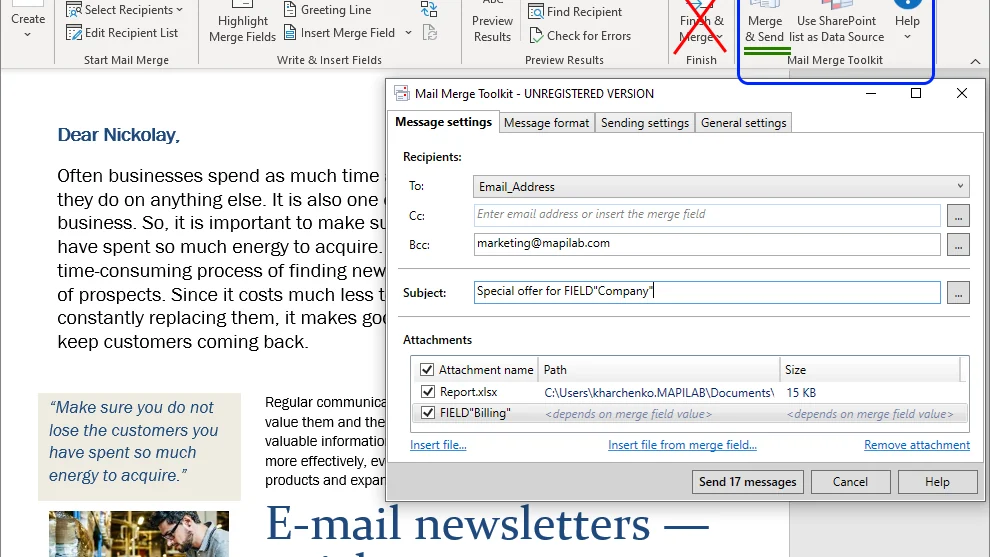
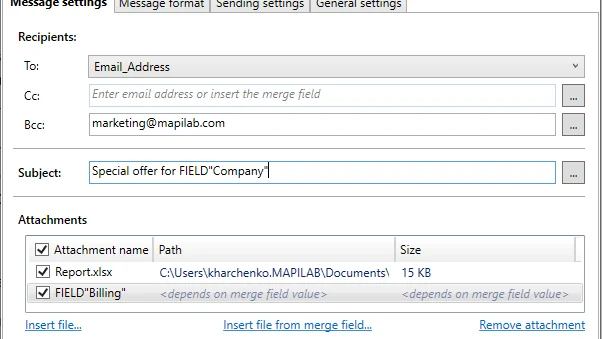
- Personalized Subject Lines: Incorporate recipient-specific data directly into your email subject lines for increased open rates.
- Attachments Management: Send emails with attachments, including the ability to include a unique file for each recipient based on your data source. Supports attaching entire folders using file masks.
- Multiple Message Formats: Choose to send your messages in HTML, Plain Text, or RTF formats.
- Sender Flexibility: Select different email accounts configured in Outlook to send your merged emails from, allowing for diverse communication channels.
- Advanced Recipient Options: Utilize CC and BCC fields to specify additional recipients for your mass mailings.
- Data Source Versatility: Works with various data sources including Excel spreadsheets, Outlook Contacts, Access databases, SQL server, and ODBC interfaces.
How It Works
Mail Merge Toolkit operates as a COM add-in, integrating seamlessly with Microsoft Office. It functions much like the built-in mail merge but introduces advanced capabilities. After installation, you can leverage your existing contact groups or mailing lists to create highly personalized email campaigns.
The process involves using Microsoft Word to compose your email, pulling data from your chosen source. The toolkit then allows you to specify personalized elements for the subject line, body, and attachments before sending via Outlook.
Use Cases
- Marketing Campaigns: Send targeted promotions and newsletters with personalized greetings and offers.
- Client Communications: Deliver personalized updates, invoices, or reports to a list of clients.
- Event Invitations: Distribute invitations with unique details or personalized thank-you notes post-event.
- HR Communications: Send company-wide announcements or role-specific information efficiently.
- Sales Outreach: Follow up with leads using tailored messages and relevant resources.
Integrations & Compatibility
- This deal is specifically designed for and compatible with Windows operating systems
- It functions as a COM add-in for Microsoft Office applications, making it a native extension of your existing workflow.
Pricing & Value
The Mail Merge Toolkit for Outlook offers a way to significantly enhance your email communication capabilities without relying on complex external platforms. By empowering you to personalize each message and manage attachments effectively, it aims to improve engagement and save considerable time.
Deal Details
This offer provides access to the Mail Merge Toolkit for Outlook. As is standard with AppSumo deals, a 60-day money-back guarantee is included, allowing you to evaluate the tool risk-free.
Quick Take
- Ideal for professionals and businesses using Outlook on Windows who need to send personalized mass emails.
- Perfect for overcoming the limitations of standard mail merge, especially for campaigns requiring attachments or custom subject lines.
- Offers a significant time-saving solution for anyone managing regular email outreach to multiple recipients.
FAQs
What types of data sources can be used?
You can use Excel, Outlook Contacts, Access databases, SQL server, and other ODBC interfaces.
How can I improve my email marketing with this tool?
Personalized subject lines and greetings, along with attachments, can significantly improve open and engagement rates.
Is Mail Merge Toolkit safe to use?
Yes, the product is safe as it generates messages locally and Outlook handles the sending process.
How does Mail Merge Toolkit work?
It functions as a COM add-in for Microsoft Office, extending native mail merge with advanced features.
Can I test the product before purchasing?
Yes, a 30-day trial version is available with a limit of 50 messages per session.
Final Thoughts
Mail Merge Toolkit for Outlook | AppSumo presents a compelling solution for anyone seeking to move beyond basic mass emailing. Its ability to personalize subjects, manage attachments on a per-recipient basis, and offer multiple output formats makes it a valuable asset for businesses and individuals alike. If you’re looking to increase the effectiveness of your email campaigns and save time in the process, this toolkit is definitely worth considering.