
Creating engaging video content consistently can be a challenge, especially when managing multiple takes or raw footage. This platform offers a streamlined solution to produce professional videos efficiently.
This review dives deep into Moovly, detailing its capabilities, how it simplifies video production, and its overall value proposition for individuals and teams looking to enhance their video marketing efforts.
What is Moovly – Create videos and video presentations | AppSumo
Moovly is an intuitive, cloud-based online video creation studio designed to simplify the process of creating and editing professional videos. It allows users to work independently or collaboratively, making it suitable for a wide range of needs.
Key Features
Moovly comes equipped with a robust set of features to facilitate high-quality video production:
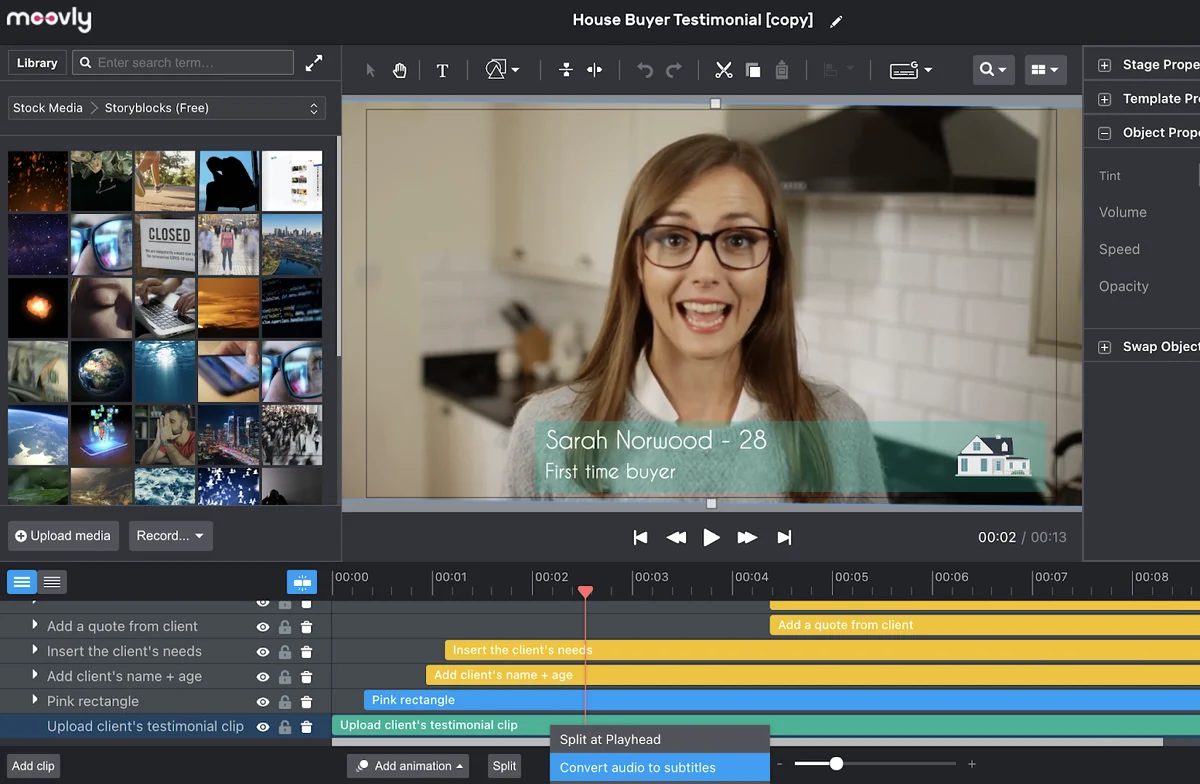
- Drag-and-Drop Editor: A user-friendly interface that makes editing and animating content straightforward.
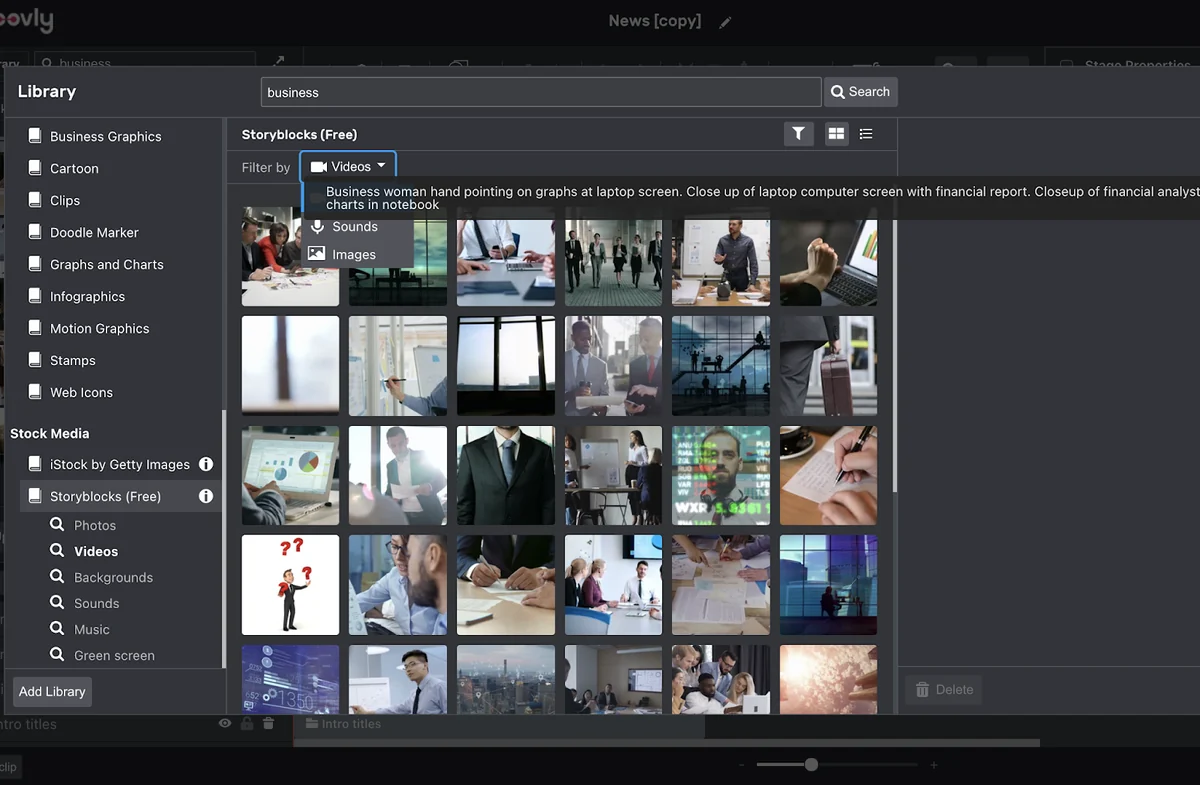
- Extensive Media Library: Access to millions of stock media assets, including videos, images, audio, and cartoons, to enhance video projects.
- Media Uploads: Easily upload your own videos, sound clips, and images for a personalized touch.
- Recording Capabilities: Record directly from your webcam, screen, or voice within the platform.
- Text-to-Speech: Generate professional-sounding voice-overs from text.
- Audio-to-Subtitle: Instantly add subtitles to your videos and audio tracks.
- Automatic Translation: Utilize the integrated Google Translate feature to automatically translate subtitles, expanding global reach.
- Collaboration Tools: Create shared libraries and galleries for teams to work together, maintaining brand consistency.
- Brand Management: Organize users into groups, manage shared media libraries, fonts, colors, and templates to ensure brand alignment.
- Analytics: Explore usage data through the self-management back-office tool.
How It Works
Getting started with Moovly is designed to be a hassle-free experience. Users can begin by selecting from a variety of templates or starting from scratch.
The platform’s drag-and-drop interface allows for easy manipulation of media assets, text, and other elements. You can upload your own content, record directly within Moovly, or leverage the extensive stock media library. Adding voice-overs, subtitles, and music is also a seamless process. For teams, shared libraries and collaborative editing features ensure everyone is working with the same assets and brand guidelines.
Use Cases
Moovly is versatile and can be applied to numerous scenarios:
- Marketing Videos: Create promotional content, product demos, and social media video campaigns.
- Educational Content: Develop engaging video lectures, tutorials, and explainer videos for e-learning platforms.
- Business Presentations: Enhance traditional presentations with dynamic video elements and professional voice-overs.
- Team Collaboration: Facilitate seamless teamwork on video projects with shared assets and co-creation capabilities.
- Personal Projects: Produce high-quality videos for personal branding or creative endeavors.
Integrations & Compatibility
- Moovly integrates with Google Translate for subtitle translation
- The platform operates in a web browser, ensuring compatibility across devices with internet access.
Pricing & Value
Moovly offers a cloud-based solution with various plans to suit different user needs. The value lies in its comprehensive feature set, including extensive stock media, collaboration tools, and advanced editing capabilities, all within a single platform.
Deal Details
The deal provides lifetime access to Moovly, eliminating recurring subscription costs. It features a 60-day money-back guarantee, allowing ample time to explore its functionalities and ensure it meets your video creation requirements.
Quick Take
- Ideal for marketers, educators, and small businesses needing to create branded video content efficiently.
- Offers a powerful yet user-friendly platform for both individual and collaborative video projects.
- Provides excellent value with lifetime access to a comprehensive suite of video creation tools.
FAQs
Can I translate subtitles in my videos?
Yes, Moovly offers an audio-to-subtitle feature with automatic translation through Google Translate.
Is Moovly suitable for users with no prior video editing experience?
Moovly’s drag-and-drop interface and intuitive design make it accessible for beginners.
How does Moovly help with brand consistency?
Moovly allows for shared libraries, custom branding, and user groups to maintain brand guidelines.
Can I record my screen or webcam with Moovly?
Yes, you can record your webcam, screen, and voice directly within the Moovly platform.
What kind of media assets are available in Moovly?
Moovly offers millions of stock videos, images, audio clips, and cartoons for use in projects.
Final Thoughts
Moovly stands out as a powerful and accessible video creation tool. Its combination of an intuitive interface, a vast media library, collaborative features, and essential tools like text-to-speech and auto-subtitling makes it an excellent choice for anyone looking to elevate their video content without a steep learning curve or excessive complexity.