
In the competitive digital landscape, optimizing your website for search engines is paramount to achieving visibility and attracting organic traffic.
This review delves into the capabilities of SEO Checker for Windows, a tool designed to simplify SEO audits and analysis for users on the Windows operating system. We will explore its features, how it operates, and who can benefit most from its functionalities.
What is SEO Checker for Windows | AppSumo
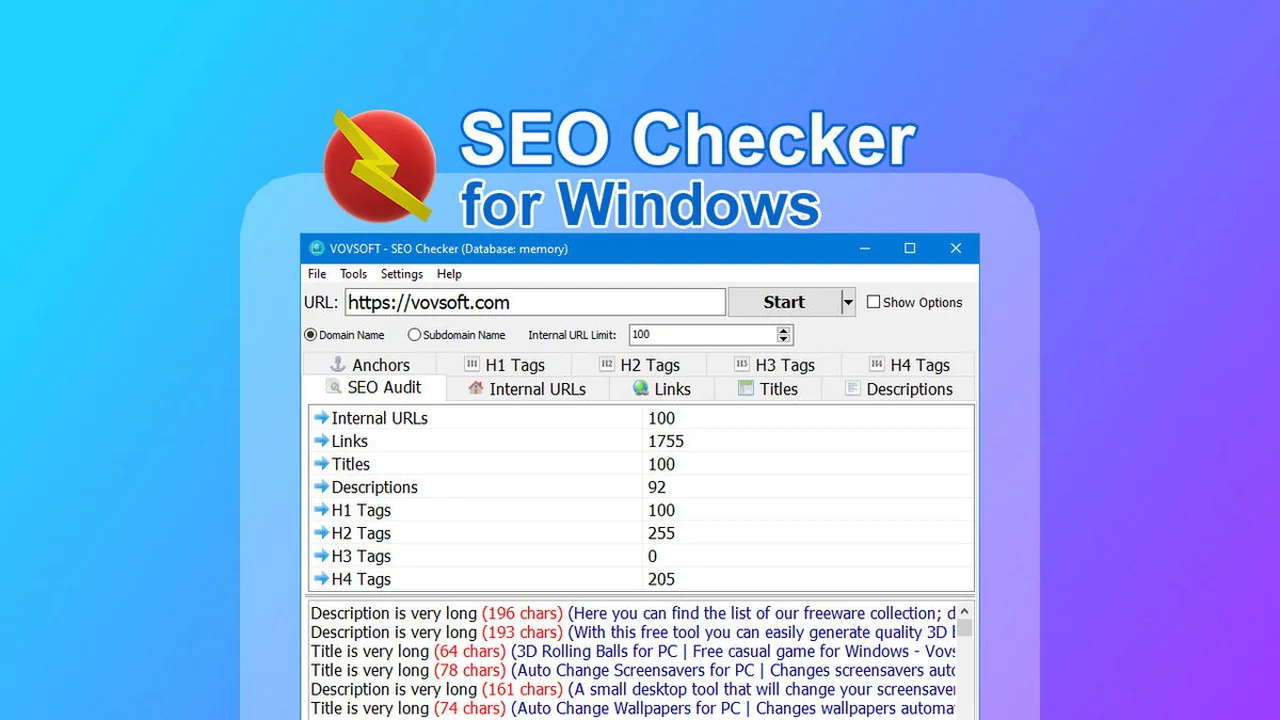
SEO Checker for Windows is a lightweight desktop application designed for performing fast and comprehensive SEO audits and analysis directly on your Windows machine. Developed by Vovsoft, it aims to empower users with efficient website scanning capabilities without unnecessary complexity.
The tool focuses on identifying technical SEO errors and broken links that can negatively impact your website’s traffic and search engine rankings. It provides detailed reports on various on-page elements, allowing for quick identification and resolution of optimization opportunities.
Key Features
SEO Checker for Windows offers a range of features to assist in website analysis and optimization:
- Fast Site Crawling: Scans websites rapidly, from seconds to minutes, to provide quick insights.
- Broken Link Detection: Identifies all broken links within a website to prevent user frustration and SEO penalties.
- Meta Tag Analysis: Reviews meta titles and descriptions for optimization and relevance.
- Heading Structure Reports: Analyzes the hierarchy and usage of H1-H6 tags to ensure proper content structure.
- Link Classification: Categorizes different types of links found on the site.
- Lightweight Application: Designed to be efficient and not consume excessive system resources.
- Offline Activation: Offers the convenience of using the software without a constant internet connection after initial activation.
- Portable Edition: Provides flexibility for users who prefer not to install software traditionally.
How It Works
The operation of SEO Checker for Windows is straightforward. Upon launching the application, users input the URL of the website they wish to analyze. The software then systematically crawls the site, examining various on-page SEO elements.
During the scan, it identifies issues such as broken links, evaluates meta tags, and checks the structure of headings. The results are presented in detailed reports, offering clear data on the identified problems and opportunities for improvement. This allows users to pinpoint specific areas needing attention and implement fixes efficiently.

Use Cases
This tool is particularly beneficial for several user groups and scenarios:
- Small Business Owners: Quickly assess their website’s SEO health without needing to hire external experts.
- Web Designers & Developers: Integrate SEO checks into their workflow to deliver optimized websites to clients.
- SEO Professionals: Conduct rapid preliminary audits and identify common technical issues.
- Bloggers & Content Creators: Ensure their content is structured correctly and linked effectively for better search visibility.
- Anyone Managing a Website on Windows: A straightforward solution for ongoing site maintenance and optimization.
Integrations & Compatibility
- SEO Checker for Windows is a standalone application designed for the Windows operating system
- As of its current development, it focuses on providing direct website analysis capabilities within its own interface
- It does not currently feature direct integrations with third-party SEO platforms or tools, but its output can be manually used in conjunction with other services.
Pricing & Value
The value proposition of SEO Checker for Windows is significantly enhanced when available through platforms like AppSumo, which often offer lifetime access at a considerable discount compared to recurring subscription models from other SEO tools. While standard pricing might involve tiered options, the deal context suggests a singular, cost-effective purchase.
Deal Details
When available on AppSumo, this deal typically offers lifetime access to SEO Checker for Windows. This means you pay once and receive ongoing access to the software and its updates. It’s important to note that there’s usually a redemption period after purchase, often 60 days, during which you must activate your license code. This particular deal is often non-stackable, meaning you purchase a single license for the offered price.
Quick Take
- Ideal for Windows users needing a straightforward SEO audit tool.
- Effective for identifying broken links and on-page SEO errors quickly.
- A cost-effective solution, especially when available as a lifetime deal.

FAQs
Hi, I’m looking for a website scraper that will scrape all of the content from a site. Does your tool do this?
SEO Checker focuses on technical SEO and does not currently scrape full website body content.
Hi, I’m new to this and did a quick research. How would you compare to Beam Us Up & Greenflare which are free?
SEO Checker is digitally signed, ensuring a verified and secure installation, unlike some free alternatives.
Do you have a place to submit ideas/feedback?
Users can share specific ideas on how AI should help inside SEO Checker with the development team.
Have you considered how to add AI to the tool?
The development team is considering integrating AI capabilities into the tool.
What is the answer to the challenges we face today, such as AI?
SEO fundamentals still matter, and SEO Checker helps you stay aligned with them.
Final Thoughts
SEO Checker for Windows offers a practical and efficient solution for individuals and small businesses looking to perform essential SEO audits directly on their Windows computers. Its focus on speed, core SEO elements like broken links and meta tags, and its user-friendly interface make it an accessible tool for those who may not have extensive technical SEO knowledge.
The availability of such a tool, especially through a lifetime deal, provides exceptional value. It empowers users to take control of their website’s technical health, leading to improved search engine performance and a better user experience. While it may not encompass the full spectrum of advanced SEO features found in enterprise-level software, its effectiveness in its intended purpose is noteworthy.