
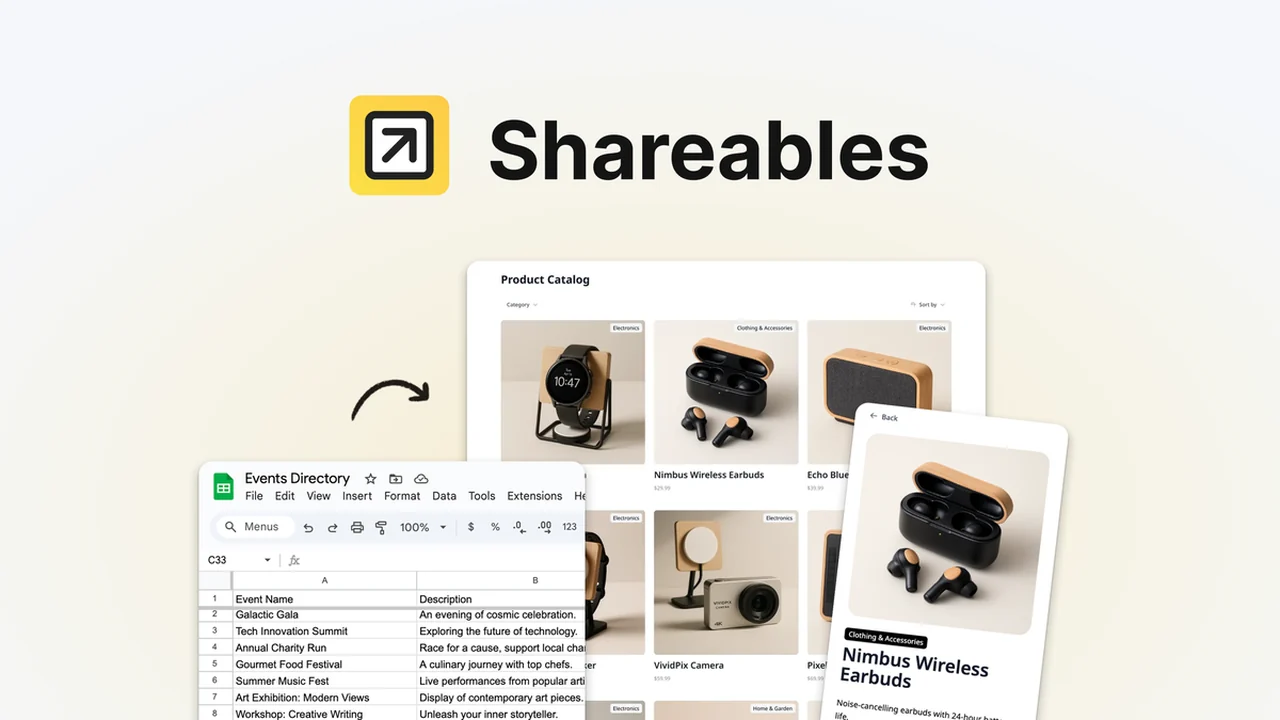
Transforming your data into a dynamic website has never been simpler. This review dives deep into Shareables, a powerful no-code solution that leverages your existing Google Sheets, Airtable, or Notion databases to create interactive online presences.
We’ll explore its core functionalities, how it streamlines website creation, and the various scenarios where it can significantly benefit your projects. Get ready to discover how to build professional-looking sites without touching a line of code.
What is Shareables – No-code websites from Google Sheets | AppSumo
Shareables is a revolutionary no-code platform designed to convert your spreadsheets and databases into fully functional, interactive websites in mere minutes. It eliminates the need for technical expertise, allowing individuals and businesses to showcase their data in a visually appealing and easily navigable format.
Key Features
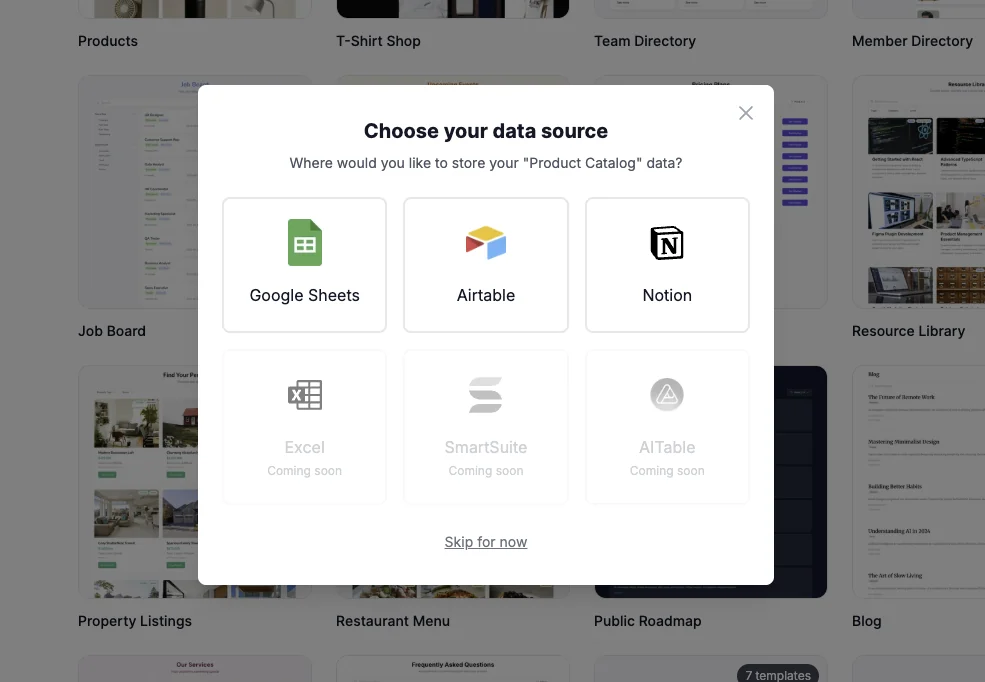
- Data Integration: Seamlessly connect with Google Sheets, Airtable, and Notion to pull your data directly into your website.
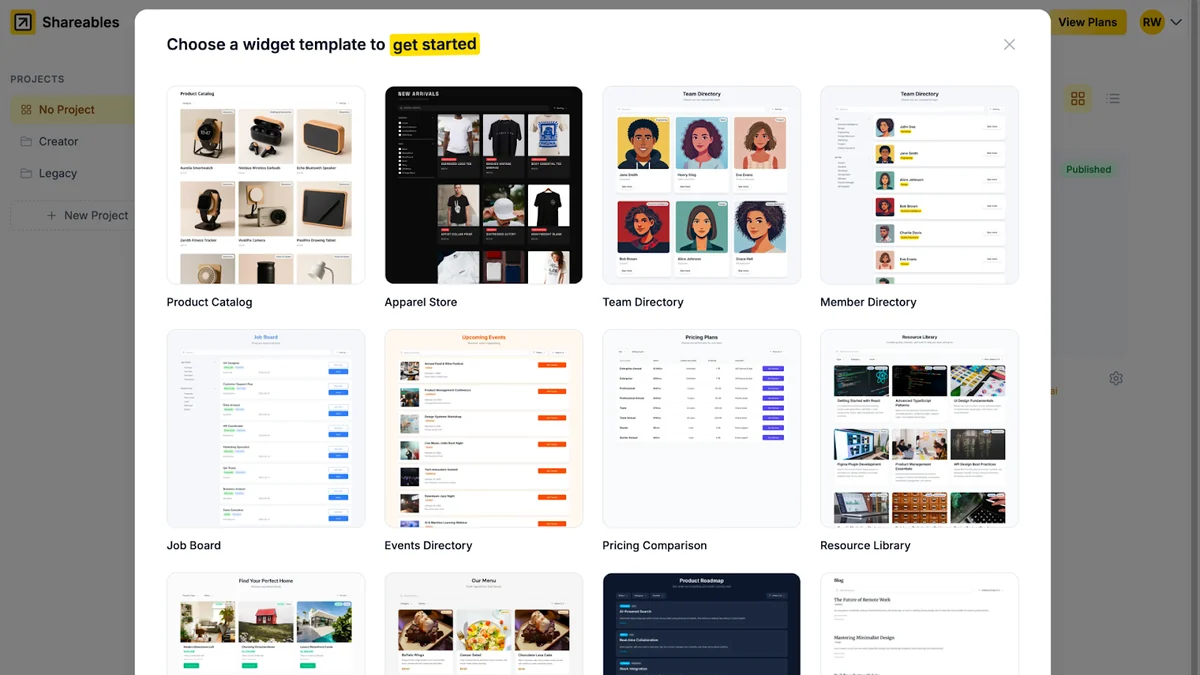
- Template-Driven Widgets: Utilize pre-built templates to quickly whip up engaging content widgets.
- Rapid Publishing: Launch your next website or embeddable content in an incredibly short timeframe.
- Interactive Content: Make your data easy to explore with features designed for user engagement.
- Brand Customization: Apply brand colors for a consistent and professional look.
- Conditional Visibility: Control which items are displayed based on specific criteria.
How It Works
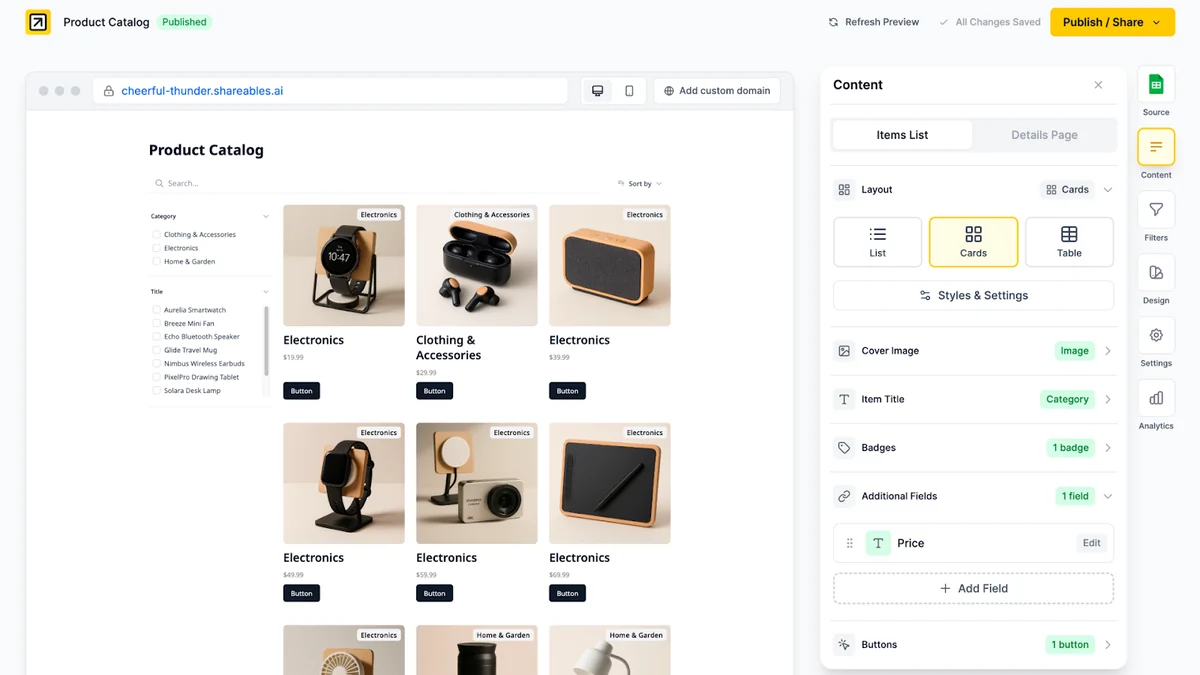
The process with Shareables is remarkably straightforward. First, you connect your chosen data source – whether it’s a Google Sheet, Airtable Base, or Notion database. Shareables then intelligently interprets this data, allowing you to select templates and customize the presentation. You can then publish this as a standalone website or embed specific sections as widgets onto your existing site. The platform handles the technical heavy lifting, so you can focus on your content.
Use Cases
- Product Catalogs: Display product listings, details, and pricing from a spreadsheet.
- Event Directories: Showcase upcoming events, dates, locations, and registration links.
- Team Portfolios: Feature team members, their roles, and project contributions.
- Resource Hubs: Organize and share articles, links, or frequently asked questions.
- Directory Listings: Create searchable directories for businesses, services, or contacts.
- Real Estate Listings: Present properties with all relevant details and imagery.
Integrations & Compatibility
- Shareables boasts a strong set of integrations to enhance its functionality
- It natively connects with Google Sheets, Airtable, and Notion
- Additionally, it offers compatibility with platforms like Webflow
- Emerging integrations include AiTable, Teable.ai, and NoCodeBackend, with more planned for the future
- This broad compatibility ensures you can integrate your data seamlessly into your existing digital workflows.
Pricing & Value
Shareables, through its AppSumo deal, offers significant value by providing lifetime access to its premium features. The pricing structure on AppSumo allows for tiered access, with options ranging from basic functionality to comprehensive plans that unlock more advanced capabilities and higher usage limits. This approach makes it an accessible solution for individuals and businesses of all sizes looking for a cost-effective way to build data-driven websites.
Deal Details
The AppSumo deal for Shareables provides lifetime access to the platform. Purchasers can select from various license tiers, each offering a different set of features and limits. Importantly, the deal includes all future updates to the mapped plan. Licenses must be activated within 60 days of purchase, and there’s an option to upgrade or downgrade between tiers within the first 60 days. AppSumo’s 60-day money-back guarantee offers additional peace of mind.
Quick Take
- Ideal for marketers, small businesses, and solopreneurs needing quick website solutions.
- Perfect for anyone who wants to showcase data from Google Sheets, Airtable, or Notion without coding.
- Offers a straightforward path to creating interactive and professional online content.
FAQs
Does Shareables require any coding knowledge?
No, Shareables is a no-code platform designed for users without coding skills.
What is the purpose of a ‘Website’ in Shareables?
Websites are for linking custom domains to host your widgets directly, if not embedding.
How many data sources can I use with Shareables?
You can use as many data sources as you need across multiple widgets.
Can I activate URL slugs for blog posts when embedding into WordPress?
Yes, by enabling data-sync mode in the share/publish modal under ‘Add to Website’.
What is a widget versus a project in Shareables?
Widgets are distinct content displays, while projects help organize multiple widgets for clarity.
Final Thoughts
Shareables presents a compelling solution for anyone looking to bridge the gap between their data and their online presence. Its intuitive interface, robust integration capabilities, and rapid deployment features make it an invaluable tool for creating dynamic websites and web components. For those seeking to leverage their existing data in a more engaging format without the complexities of traditional web development, Shareables is a strong contender worth serious consideration.