
Are your team’s meetings a scattered mess of emails, chats, and documents? Keeping track of agendas, notes, and action items can feel like an impossible task.
This review explores SoapBox, an application designed to consolidate all your meeting essentials into a single, user-friendly platform, enhancing collaboration and clarity for your team.
What is SoapBox – Manage agendas, feedback, notes & tasks | AppSumo
SoapBox is a comprehensive meeting management tool that brings together your meeting agendas, notes, action items, feedback, and more into one centralized location. It aims to streamline the entire meeting lifecycle, from preparation to follow-up, ensuring that no critical information gets lost and that everyone on the team stays aligned.
Key Features
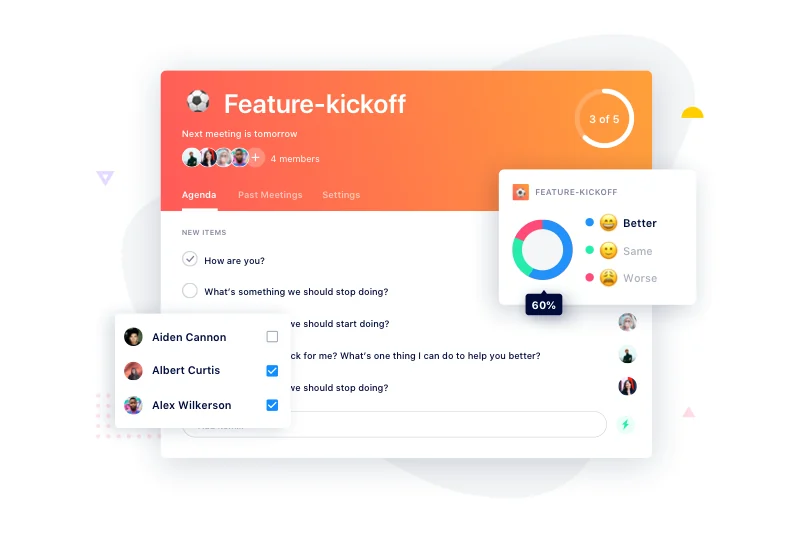
- Shared Agendas: Allow team members to contribute to agendas before, during, and after meetings, ensuring everyone is prepared and informed.
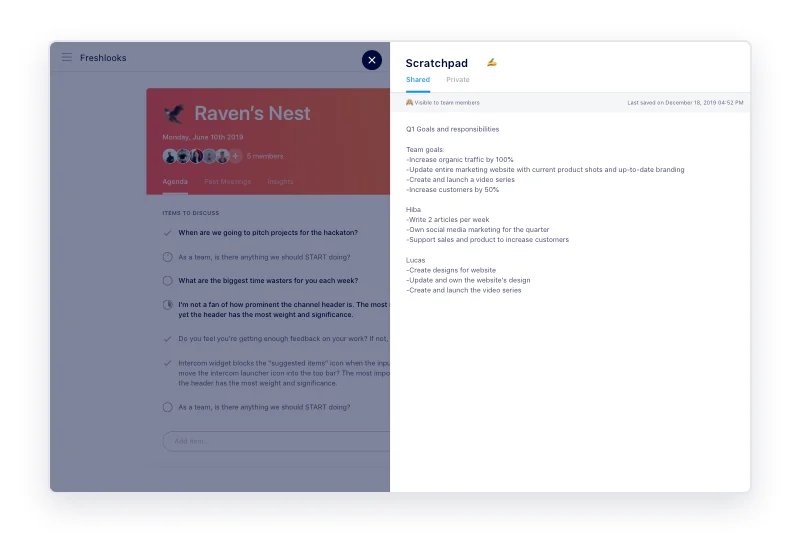
- Meeting Notes: Capture notes directly within agenda items, with options for both public visibility for all participants and private notes for personal reference.
- Action Items & Tasks: Easily assign next steps and tasks to individuals with specified due dates, ensuring accountability and follow-through.
- Automatic Email Summaries: Receive automatically generated meeting notes, including decisions, next steps, and summaries, delivered via email post-meeting.
- Meeting Feedback: Send quick post-meeting surveys to gather feedback and continuously improve meeting quality.
- Past Meetings Archive: Access all previous meeting notes and agendas easily through a dedicated archive, eliminating the need to search through old communications.
- Insights Tab: Gain valuable insights into meeting discussions and receive guidance on how to enhance conversations based on recent interactions.
How It Works
Using SoapBox is designed to be straightforward. You start by setting up a meeting agenda and inviting your team. As the meeting progresses, you can take notes directly on the agenda items. Key decisions can be summarized, and action items can be assigned with clear owners and deadlines. After the meeting, SoapBox automatically compiles and sends out the meeting notes, ensuring everyone has a record of what was discussed and decided.
Use Cases
- Team Meetings: Keep all participants on the same page with shared agendas and clear action items.
- One-on-One Meetings: Facilitate productive discussions with structured agendas and documented feedback.
- Project Stand-ups: Track progress, identify roadblocks, and assign tasks efficiently.
- Client Meetings: Maintain detailed records of client discussions and agreed-upon next steps.
- Brainstorming Sessions: Capture ideas and feedback in a collaborative and organized manner.
Integrations & Compatibility
- SoapBox offers integrations with popular tools like Slack, Google Calendar, and Asana, allowing it to fit seamlessly into your existing workflow without requiring you to adopt an entirely new system.
Pricing & Value
SoapBox provides a free basic plan for individuals looking to manage simple meetings. The AppSumo deal offers enhanced features often found in paid plans, making it a valuable option for teams seeking more robust meeting management capabilities without recurring monthly costs.
Deal Details
The current offering on AppSumo provides lifetime access to SoapBox. Users can download and save their license within 60 days of purchase, securing access to its full suite of features.
Quick Take
- Ideal for managers and teams looking to organize their meetings effectively.
- Perfect for those overwhelmed by scattered meeting notes and action items across different platforms.
- A strong choice for improving team communication and accountability post-meeting.
FAQs
Is it possible to capture private notes during meetings?
Yes, SoapBox includes a private scratchpad feature for your personal meeting notes.
Will I receive meeting summaries automatically?
Yes, meeting notes including agenda items and summaries are automatically emailed after each meeting.
Does SoapBox help track action items?
Absolutely, you can assign next steps and tasks with due dates directly within the app.
Can team members contribute to the agenda?
Yes, shared agendas allow for pre-meeting contributions from your team.
What is the primary benefit of using SoapBox?
It centralizes meeting agendas, notes, and tasks into one accessible platform.
Final Thoughts
For teams struggling with meeting inefficiency and disorganization, SoapBox presents a compelling solution. By consolidating agendas, notes, and tasks, it promotes better preparation, clearer communication during meetings, and more effective follow-up. The AppSumo deal offers significant value for those looking to enhance their meeting management processes long-term.