
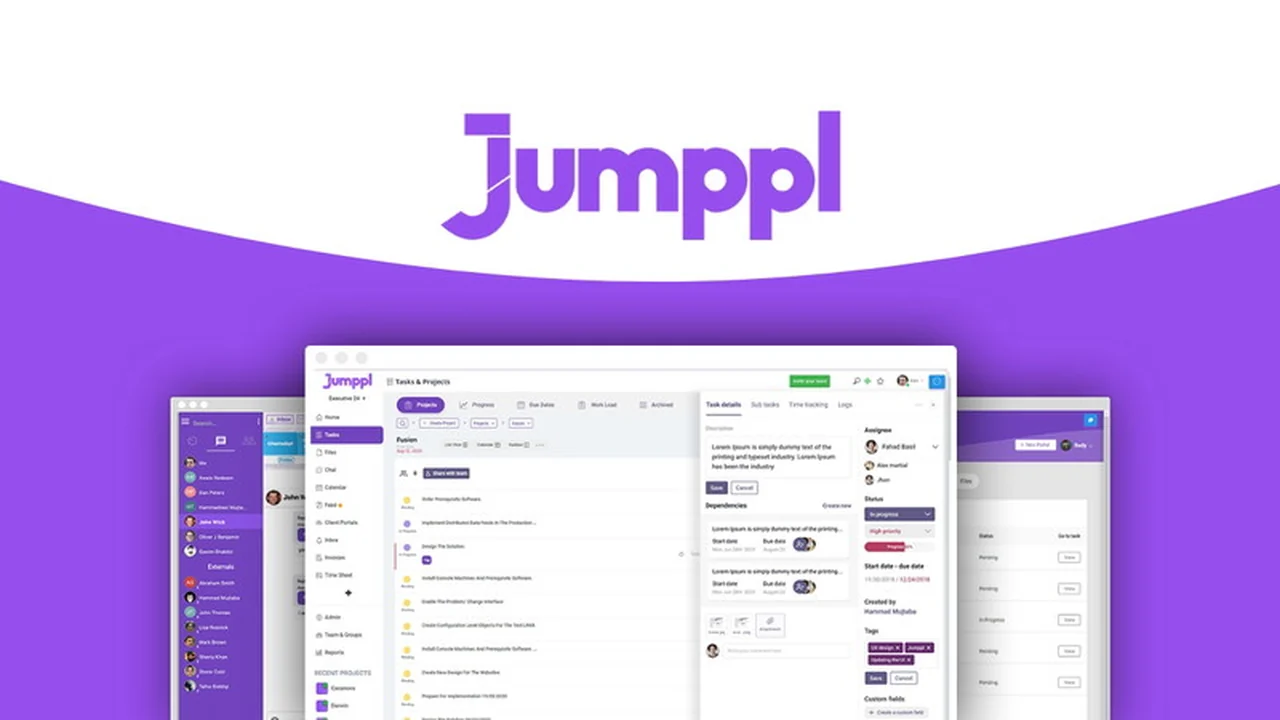
We will explore its core functionalities, practical applications, and the value it brings to businesses looking to reduce app-switching and centralize their workflow. Get ready to see how Jumppl can transform your team’s productivity.
What is Jumppl – Manage projects calendars, and teams | AppSumo
Jumppl is a comprehensive business management platform aiming to bring together disparate functions like project management, team chat, client portals, and calendar scheduling into a single, cohesive interface. It addresses the common challenge of juggling multiple applications, which often leads to decreased productivity and fragmented communication.
Key Features
Jumppl offers a robust suite of features designed to streamline various aspects of business operations:
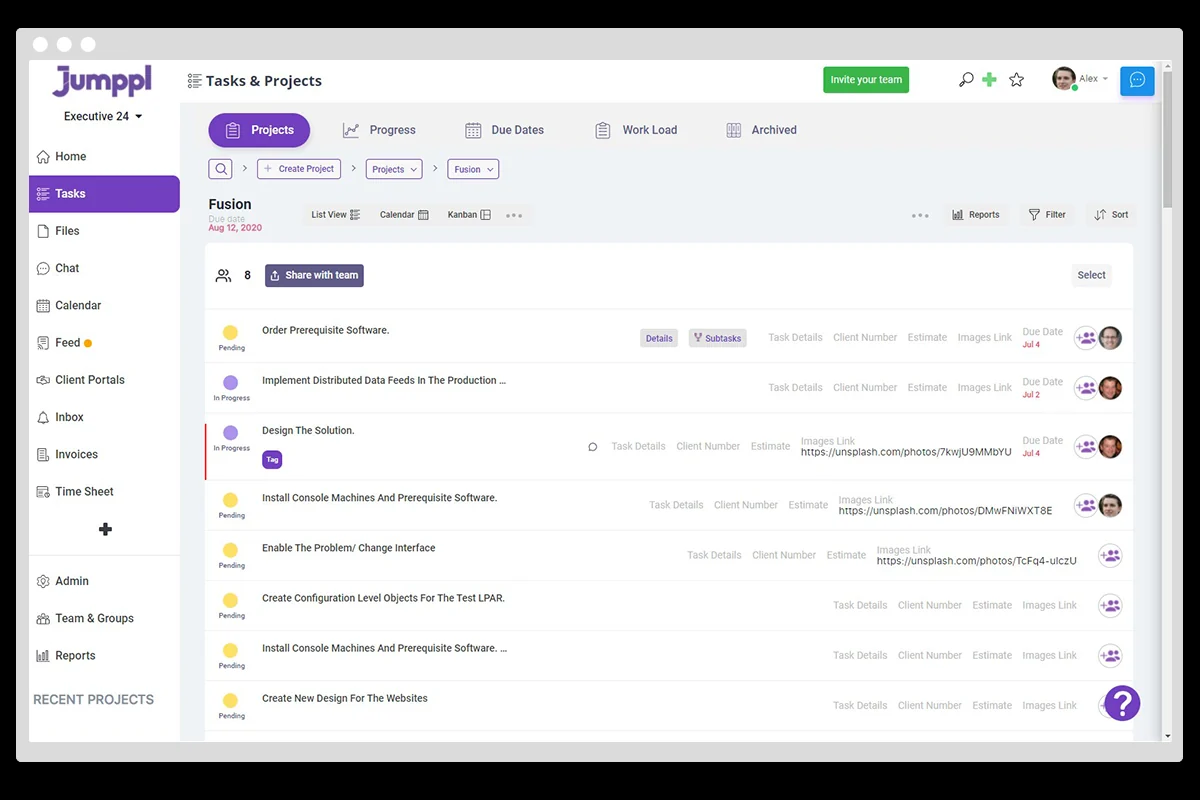
- Project Management: Track tasks with custom fields and statuses, assign tasks to team members, and utilize project templates for recurring structures.
- Task Views: Switch between Kanban boards, Gantt charts, and spreadsheet/table views for flexible project visualization and data analysis.
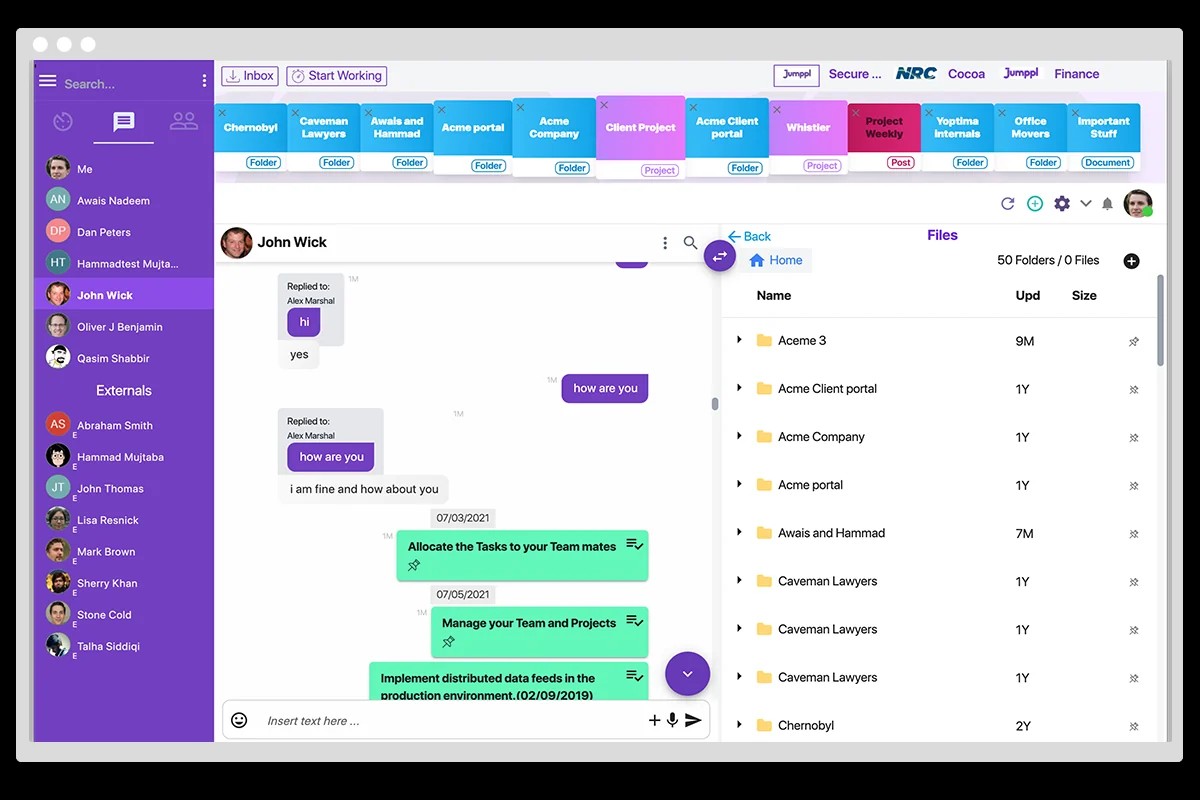
- Team Communication: Engage in one-on-one and group chats, with the ability to keep the messenger open while navigating other platform modules.
- Video Messaging: Create video messages with screen recordings, which can be stored directly as task files for clear, visual communication.
- Client Portals: Manage client interactions within a dedicated portal, allowing for easy sharing of tasks, notes, and documents. Create complex job requests that automatically convert into tasks.
- Time Tracking & Invoicing: Utilize a timesheet and attendance module to monitor hours worked and generate invoices directly from the platform.
- Workload Management: Visually plan weekly tasks for staff and manage timeframes across all projects.
- Staff Monitoring: Includes modules for staff monitoring, with features like screenshot capturing.
How It Works
Jumppl simplifies workflow by integrating essential business tools. Instead of switching between separate apps for tasks, communication, and scheduling, users can access all these functions within the Jumppl interface. This unified approach helps maintain focus and ensures that vital business data and communications are centralized, reducing the risk of missed information or duplicated efforts.
Use Cases
Jumppl is beneficial for a variety of business needs:
- Agencies: Manage client projects, communicate with clients through secure portals, and track team progress.
- Remote Teams: Facilitate seamless communication and collaboration, with clear task assignments and time tracking for distributed staff.
- Small to Medium Businesses: Consolidate multiple software subscriptions into one platform, saving costs and improving operational efficiency.
- Freelancers: Organize multiple client projects, manage deadlines, and maintain professional client communication.
Integrations & Compatibility
- While Jumppl aims to be an all-in-one solution, it also acknowledges the importance of connectivity
- The platform is designed to reduce reliance on other tools by integrating core functionalities
- Users can leverage its built-in features for project management, team chat, file storage, and client management, minimizing the need for external applications for these core tasks.
Pricing & Value
Jumppl offers a lifetime access deal, providing significant value by consolidating multiple software functionalities into a single platform. This approach not only reduces the ongoing costs associated with various subscription services but also enhances productivity by eliminating the need to switch between different applications. The lifetime access model ensures long-term benefits for users.
Deal Details
The current deal provides lifetime access to Jumppl, including all features and updates. This signifies a one-time purchase for ongoing access to the platform’s evolving capabilities. A 60-day money-back guarantee is offered, allowing users to test the platform thoroughly to ensure it meets their business requirements.
Quick Take
- Ideal for businesses seeking to consolidate project management, team communication, and client interactions.
- Reduces reliance on multiple software subscriptions, leading to cost savings and improved efficiency.
- Aims to simplify daily operations by offering an integrated, all-in-one platform.
FAQs
What is included in the lifetime deal for Jumppl?
The lifetime deal grants continuous access to all current and future features of Jumppl.
Is there a way to manage client interactions with Jumppl?
Yes, Jumppl provides a dedicated client portal for communication and task sharing.
How does Jumppl handle team communication?
Jumppl offers one-on-one and group chat functionalities within the platform.
Can Jumppl replace my current project management tools?
Yes, Jumppl is designed to replace tools like Trello, Clickup, and Jira.
What is the primary goal of Jumppl?
Jumppl aims to consolidate project management, team communication, and client interactions into one platform.
Final Thoughts
Jumppl presents a compelling solution for businesses struggling with the complexities of managing multiple software tools. By integrating essential functions like project management, team chat, and client portals into a single platform, it offers a streamlined and efficient way to operate. The emphasis on intuitive design and comprehensive features makes it a strong contender for those looking to boost productivity and simplify their daily workflow, all while offering significant value through its lifetime access deal.