
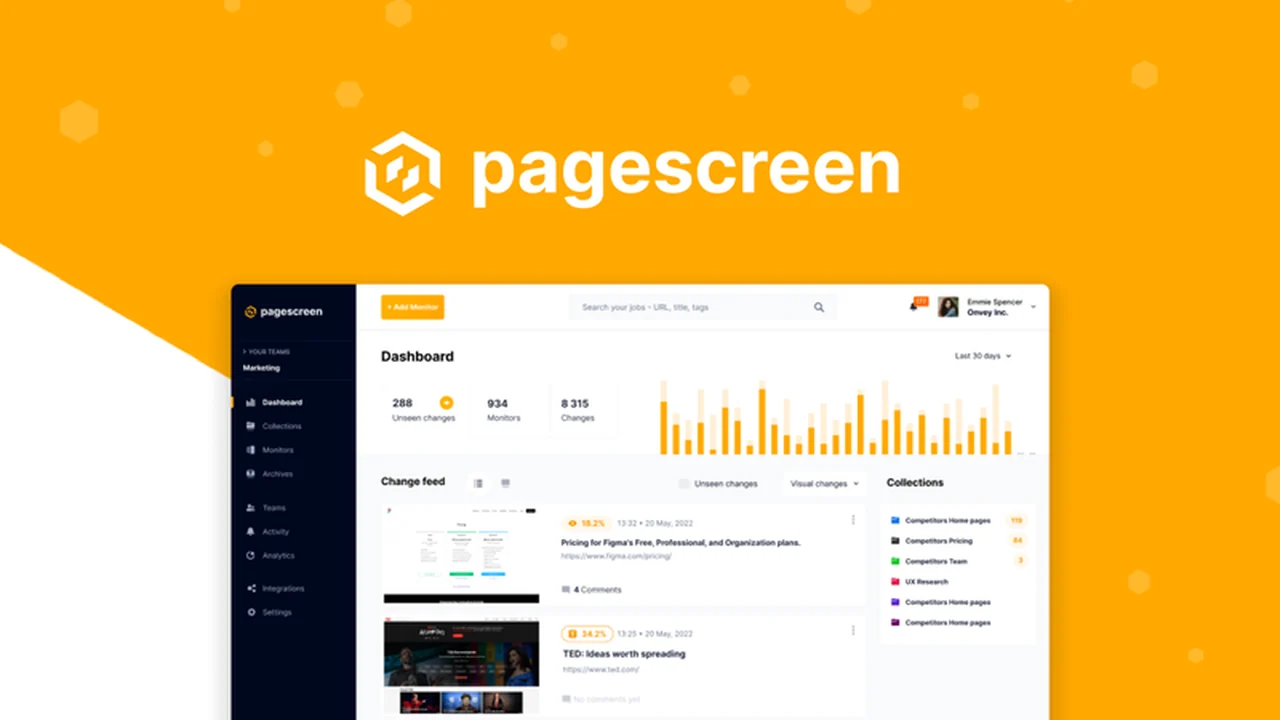
Keeping up with the dynamic nature of websites can be a challenge, especially when staying informed about subtle visual alterations. This review explores Pagescreen, a tool designed to automate the process of tracking these changes.
We’ll delve into its core functionalities, how it operates, practical applications, and what makes it a valuable asset for individuals and businesses alike. If you’re looking to gain an edge by monitoring website updates efficiently, this is for you.
What is Pagescreen – Monitor visual site changes 24/7 | AppSumo
Pagescreen is an automated tool engineered to monitor visual changes across any website and archive every screenshot taken. It provides real-time information on website updates, helps track competitor content, and facilitates quality assurance analysis for landing pages.
Key Features
- Automated Visual Change Monitoring: Pagescreen captures pixel-perfect visual copies of web pages across various screen sizes and devices whenever a change is detected.
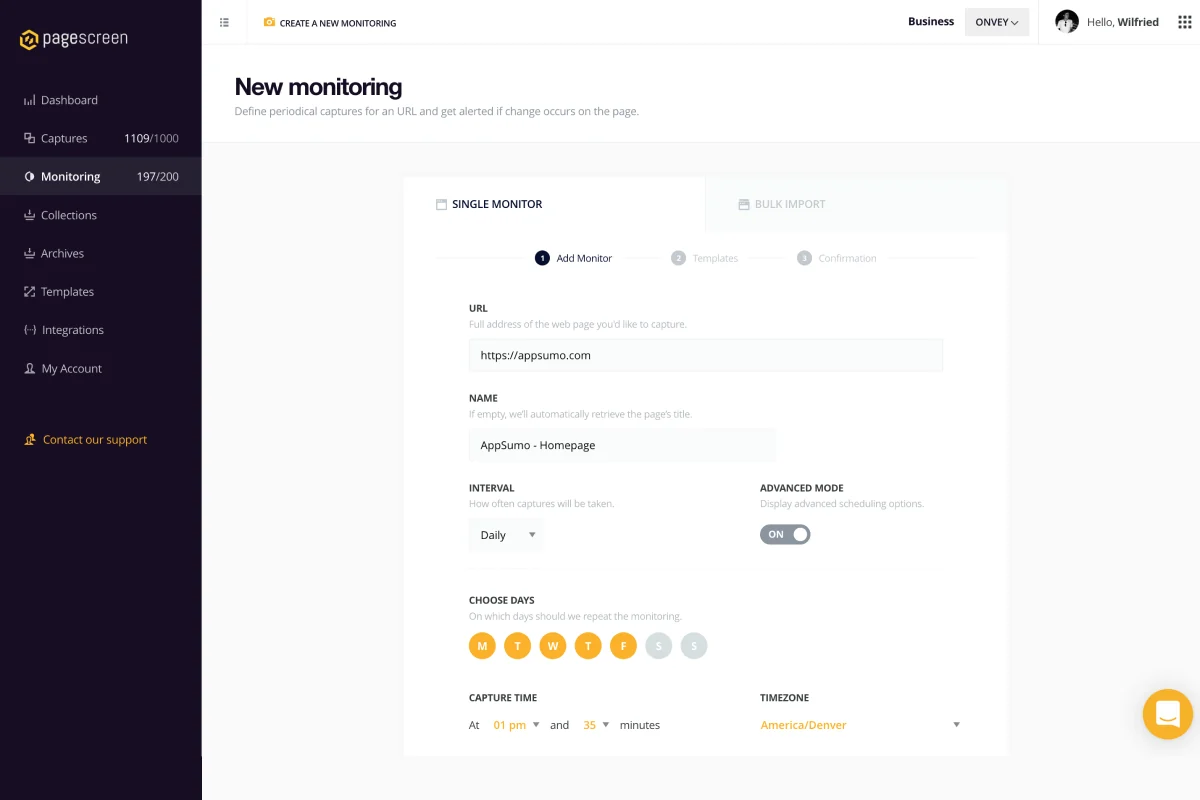
- Customizable Scheduling: Users can schedule screen captures at custom intervals, specifying particular times and days of the week.
- Multi-Site Monitoring: The platform allows for tracking multiple websites simultaneously, either by adding individual URLs or bulk uploading a list.
- Flexible Alerting System: Receive custom alerts for new changes via email, webhooks, or messaging apps like Slack.
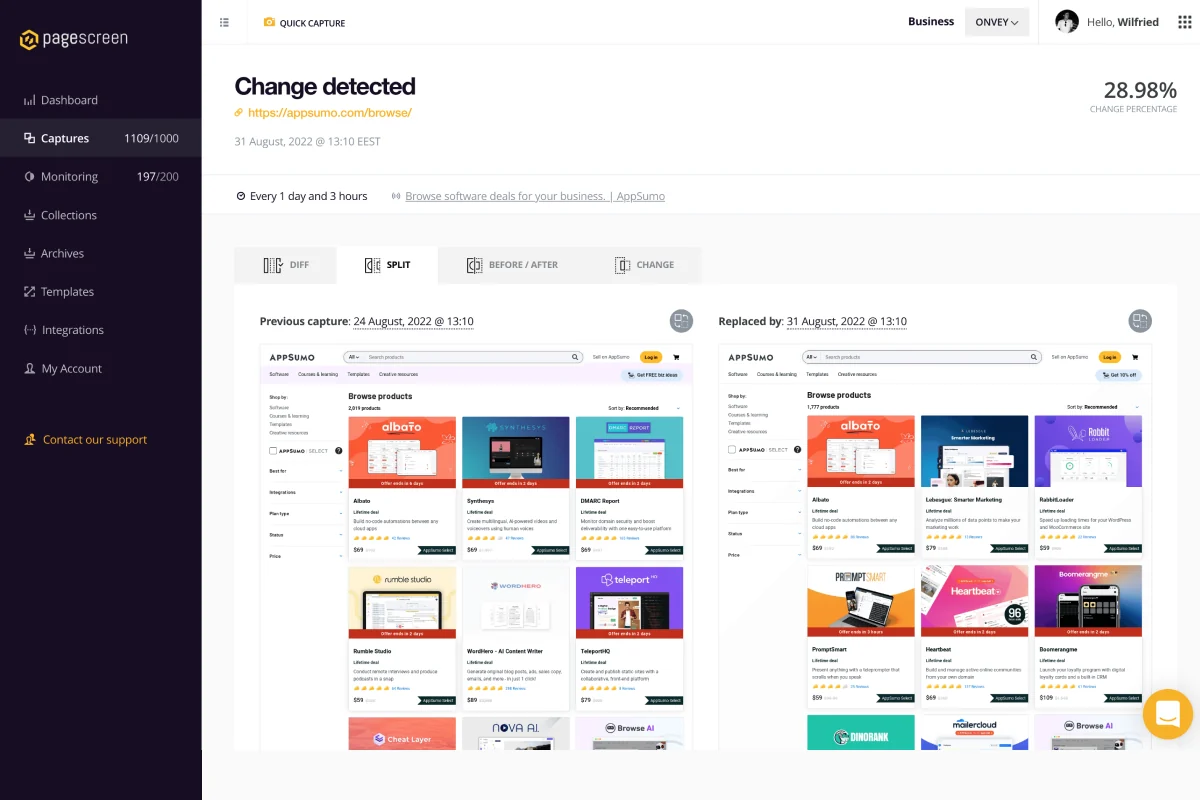
- Comparison Tools: Compare screen captures in multiple modes, including side-by-side, overlays, and before-and-after views, to easily track visual history.
- Organized Collections: Create visual collections to easily organize desktop and mobile screenshots, filtering them by date, size, or change percentage.
- GDPR Compliant & Secure: The platform offers a centralized space for gathering business intelligence that is GDPR compliant and secure.
- API and Webhook Integration: Integrate Pagescreen into any workflow using built-in APIs and webhooks for automation.
How It Works
The process with Pagescreen is straightforward. You begin by entering the URL of the website you wish to monitor. Following that, you set up a schedule for when screen captures should be taken, which can be adjusted to fit your specific needs.
When Pagescreen identifies any visual alterations on the page, it automatically generates a high-fidelity screenshot. This ensures you have a record of the changes across different devices. You can then organize, compare, and receive notifications about these updates.
Use Cases
- Competitor Analysis: Stay informed about new features, design changes, or content updates on competitor websites.
- Website Quality Assurance: Monitor your own landing pages and website elements for any unintended visual regressions or bugs.
- Market Trend Tracking: Observe how websites within your industry evolve visually and adapt your own online presence accordingly.
- Third-Party Site Updates: Keep track of release notes, announcements, or changes on external platforms relevant to your business.
- Content Archiving: Maintain a historical record of website versions for compliance, reference, or trend analysis.
Integrations & Compatibility
- Pagescreen is designed to fit seamlessly into existing workflows
- It offers built-in APIs and webhooks, enabling integration with a wide range of other applications and services
- This allows for advanced automation of quality analysis and version control processes.
Pricing & Value
Pagescreen offers a compelling value proposition, especially when considering its capabilities for continuous website monitoring and data archiving. The ability to automate these tasks can save significant time and resources compared to manual checks.
Deal Details
This particular offer provides lifetime access to Pagescreen, ensuring you have ongoing access to its features for monitoring visual site changes. It comes with a 60-day money-back guarantee, allowing ample time to evaluate its effectiveness.
Quick Take
- Ideal for marketers, web developers, and business owners focused on competitor intelligence or website integrity.
- Offers automated 24/7 visual monitoring and a robust archiving system.
- Provides valuable insights through change tracking and comparative analysis.
FAQs
Do you plan to offer automatic cookie banner removal in the future?
Efforts are made to handle common cookie banners, but 100% success is challenging.
Is your software available in French, and can the dashboard be set to French?
Yes, Pagescreen is available in both English and French.
If we are tracking a product page and just want to narrow down to the pricing section, can it send an alert when an event is detected?
The focus is on general visual changes, not specific element alerts like price drops.
Do you plan to implement text comparison, not only visual?
Yes, text comparison is planned and will be added to the roadmap.
Will this deal ever return to Appsumo?
Information about future deal availability is not provided.
Final Thoughts
Pagescreen presents a robust solution for anyone needing to stay on top of visual website changes. Its automated nature, flexible scheduling, and comprehensive reporting tools make it a significant asset for competitive analysis, quality assurance, and general web intelligence gathering.
The ability to archive historical data and compare changes over time adds a layer of strategic depth. For those who rely on accurate and up-to-date information about website evolution, Pagescreen offers a streamlined and efficient approach.