
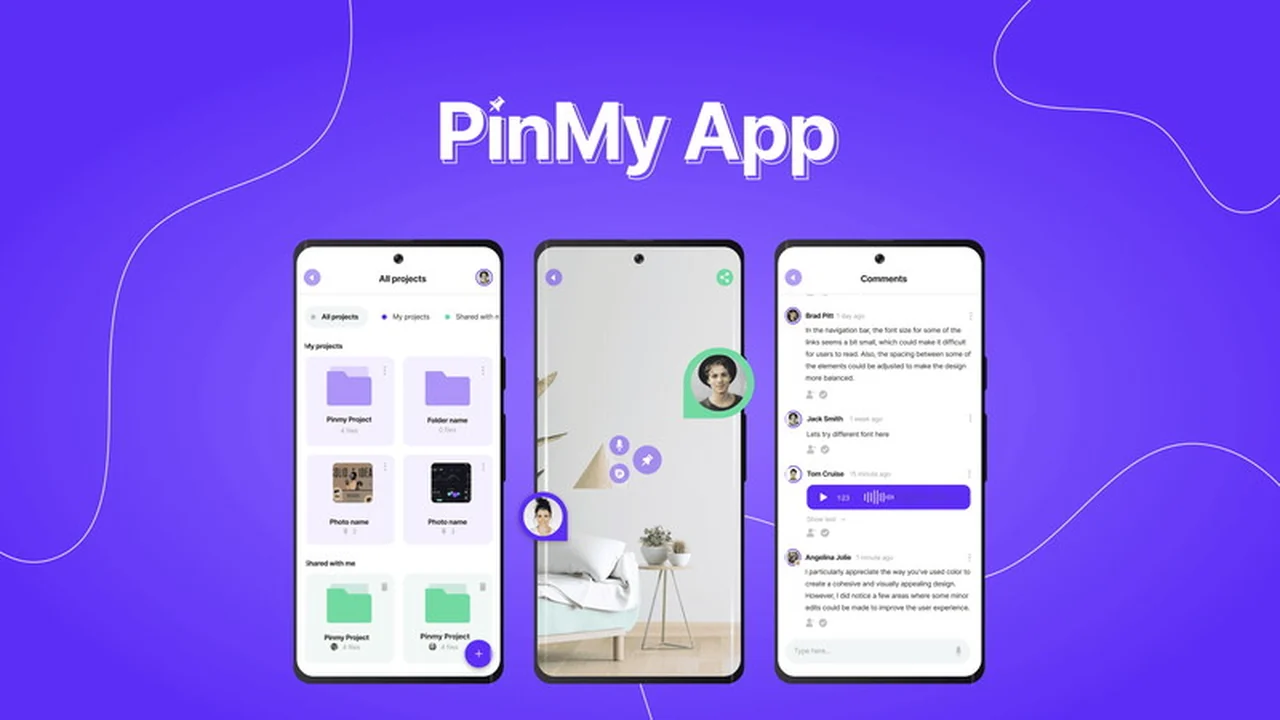
In today’s fast-paced professional environments, clear and immediate communication is paramount, especially in fields like design and construction. PinMy, available through AppSumo, offers a robust solution to bridge visual communication gaps.
This review will explore what PinMy is, its core functionalities, how it enhances project workflows, and its overall value proposition, particularly for those looking to improve team collaboration and feedback processes.
What is PinMy | AppSumo
PinMy is a collaborative annotation tool designed to transform static images, PDFs, and videos into dynamic workspaces. It allows professionals to add precise feedback directly onto visual assets, facilitating clearer discussions and quicker decision-making.
Key Features
- Real-time Annotations: Mark up images, PDFs, and videos instantly with text or visual cues for immediate feedback.
- Voice Comments: Add voice notes to annotations, making it easier to explain complex ideas or provide nuanced feedback without typing.
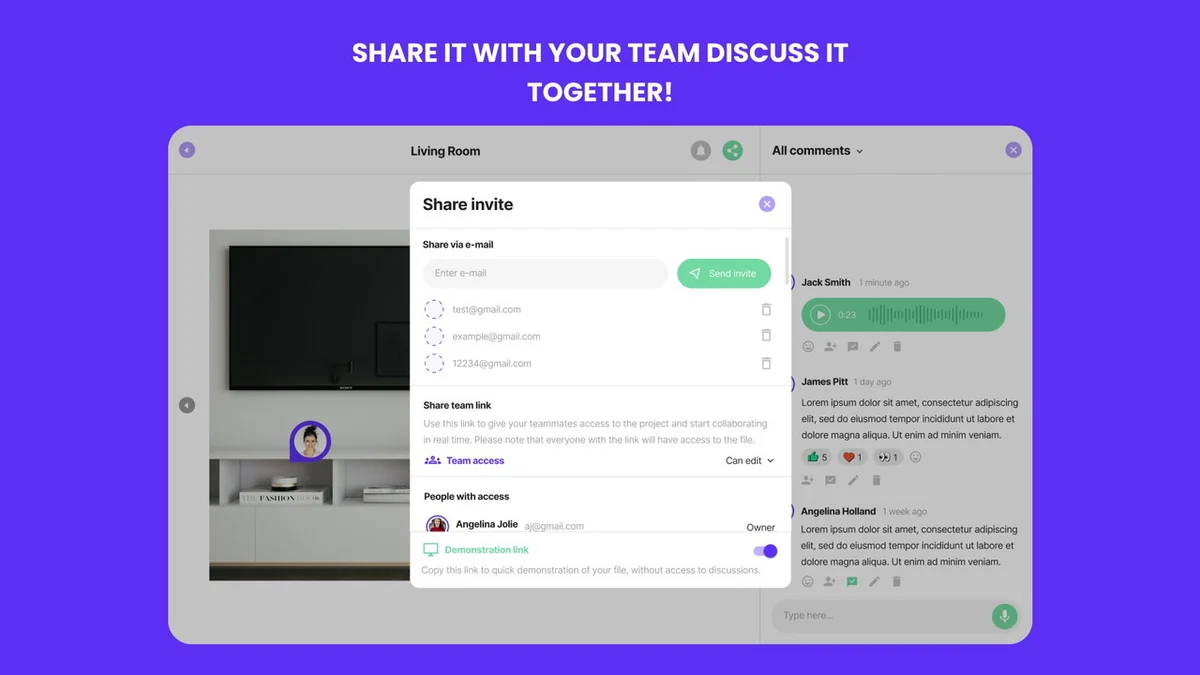
- Efficient Collaboration: Share and discuss annotations with team members in real-time, fostering a connected and productive work environment.
- Mobile Optimization: Designed for fieldwork, PinMy ensures seamless access and usability across multiple devices for on-the-go teams.
- Extensive File Support: Works with a wide array of file formats including JPEG, PNG, PDF, GIF, WebP, BMP, WBMP, SVG, AI, mp4, and MOV.
- Guest Mode: Allows external collaborators to provide feedback without requiring registration, simplifying the review process.
- Dual-Pane Workspace: Organizes projects into ‘My Projects’ and ‘Shared with Me’ sections for enhanced project management and overview.
How It Works
PinMy operates by allowing users to upload various visual assets and then apply annotations directly onto these files. Users can select specific areas of an image, PDF, or video to add comments, draw shapes, or record voice notes. These annotations are then visible to all collaborators, creating a shared understanding and a clear record of feedback. The platform supports both individual project management and shared collaborative spaces, making it adaptable to different team needs.

Use Cases
- Construction Professionals: Share blueprints and site progress images for managers and contractors to annotate, ensuring accurate communication and issue tracking from the field.
- Designers: Provide detailed feedback on graphic designs, website mockups, or architectural plans, streamlining the revision and approval process with clients.
- Marketers: Collaborate on campaign visuals and content with external agencies or consultants, allowing for quick and precise input.
- Photographers: Receive immediate client feedback on photo selections or edits directly on the images themselves.
- Fashion Teams: Distribute collection lookbooks or product designs for fast-paced input from buyers, designers, and other stakeholders.
Integrations & Compatibility
- PinMy supports a comprehensive range of file formats including common image types (JPEG, PNG, GIF, WebP, BMP, WBMP, SVG), design files (AI), documents (PDF), and video formats (mp4, MOV)
- While direct integrations with platforms like WhatsApp are being explored, the current system allows for easy sharing via email or by generating team access links that can be shared through various communication channels.
Pricing & Value
PinMy is offered through a special deal on AppSumo, providing significant value for professionals looking to enhance their visual collaboration toolkit. The deal typically includes access to premium features and expanded usage limits, making it a cost-effective solution compared to traditional subscription models for similar software.
Deal Details
The PinMy | AppSumo deal offers lifetime access to the platform’s core features, including advanced annotation capabilities for images, PDFs, and videos. This typically comes with a generous amount of storage and user access, all for a one-time purchase. A 60-day money-back guarantee is also provided, allowing ample time to evaluate its fit for your workflow.
Quick Take
- Ideal for design and construction teams needing precise visual feedback.
- Simplifies collaboration with clients and external partners through guest mode.
- Offers a cost-effective solution for enhancing project communication.
FAQs
How do guests provide feedback?
Guests can add comments and pins by simply entering their name without needing to register.
Is PinMy mobile-friendly?
Yes, PinMy is mobile-optimized to support fieldwork and on-the-go access across devices.
Can I sign up for PinMy?
If you encounter issues signing up, please contact PinMy support for assistance with the process.
Character and Voice Comments Limits
Character and voice comment limits are per single comment, not a monthly renewable total.
Any plan for a comeback in Appsumo?
PinMy plans to return to AppSumo with new features after current updates are released.
Final Thoughts
PinMy | AppSumo presents a compelling solution for industries that heavily rely on visual communication. Its intuitive annotation tools, voice commenting capabilities, and mobile-first design make it an indispensable asset for teams striving for efficiency and clarity. The guest mode further enhances its utility by simplifying external collaboration. For designers, construction professionals, and many other visual-centric roles, PinMy offers a powerful way to streamline feedback loops and drive projects forward more effectively.