
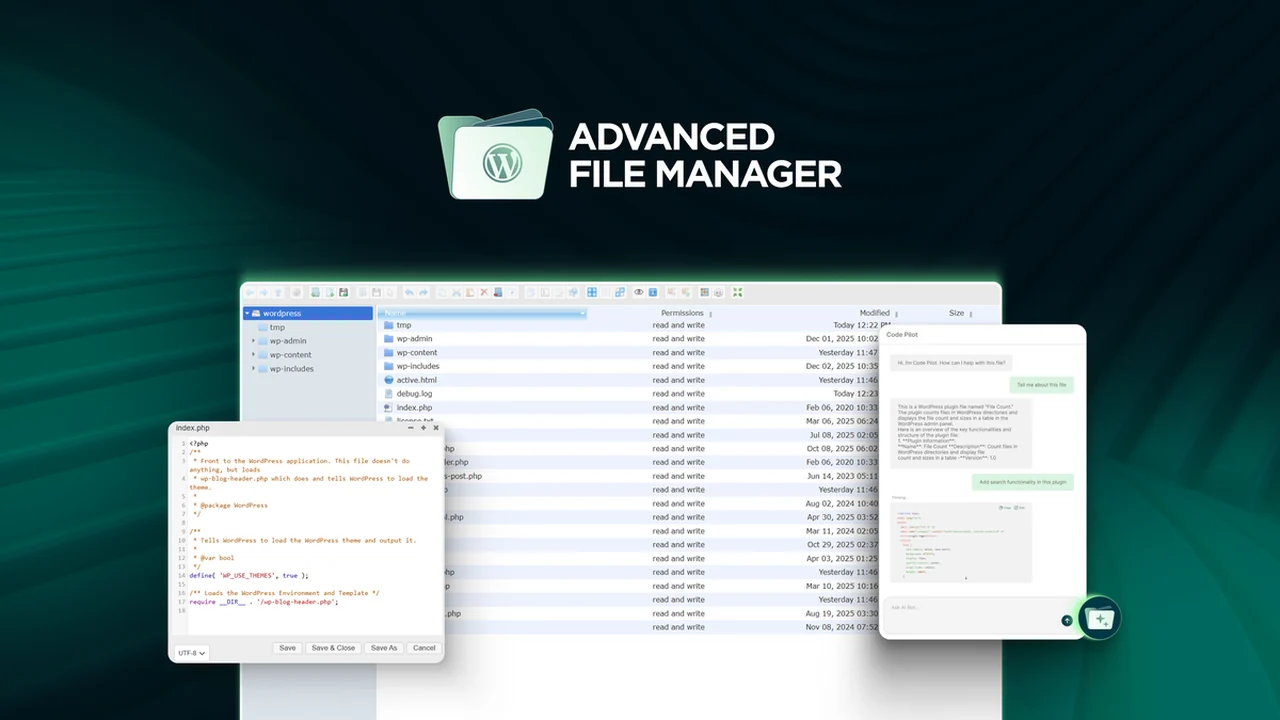
Working with website files often involves navigating complex interfaces or relying on external tools. This can lead to fragmented workflows and a loss of valuable time.
This review delves into how the Advanced File Manager streamlines WordPress file management, offering a centralized solution directly within your dashboard, aiming to simplify your digital asset organization.
What is Advanced File Manager – Manage files without FTP | AppSumo
Advanced File Manager is designed to be an all-in-one solution for organizing and managing WordPress files. It aims to eliminate the need for traditional FTP clients or cPanel interfaces for everyday file operations. The tool integrates directly into your WordPress dashboard, providing a centralized hub for all your file management needs.
It was developed to address the limitations of the default WordPress file manager, which can feel cumbersome. By introducing an intuitive drag-and-drop interface and proper folder structures, it makes organizing files seamless.
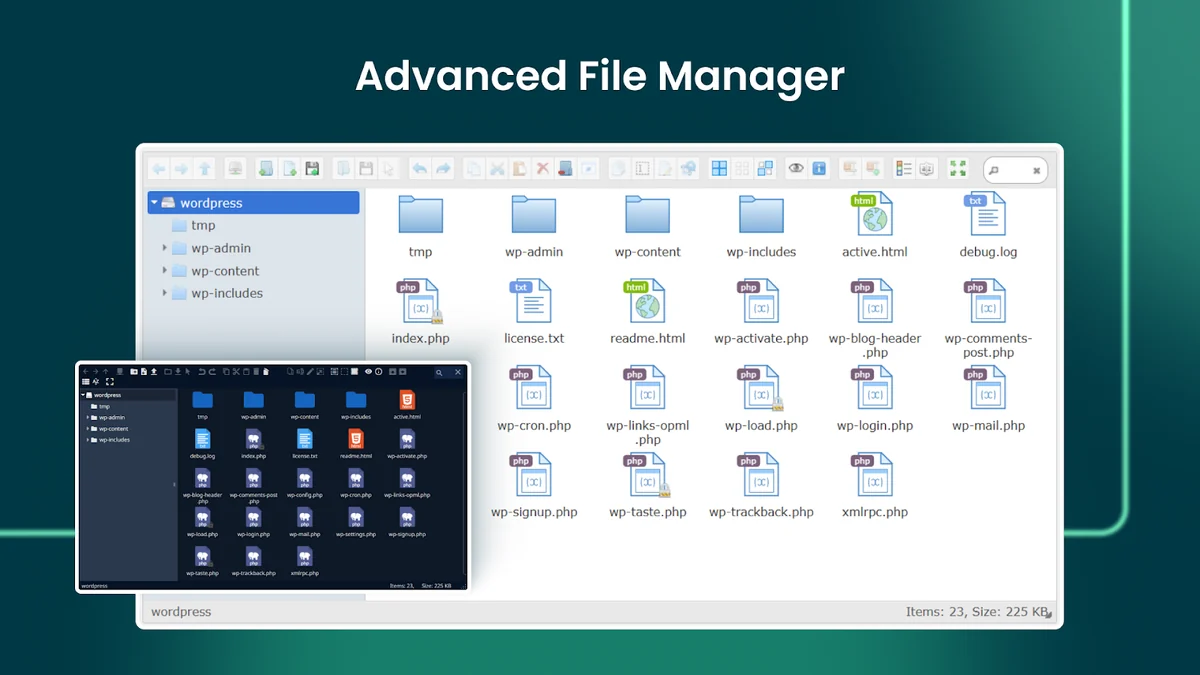
Key Features
Centralized Dashboard Management: Organize all your WordPress files directly from within your website’s dashboard, eliminating the need for multiple tools or open tabs.
Code Editing: Offers built-in code editing capabilities for quick adjustments to your files without leaving the WordPress environment.
Cloud Sync: Facilitates synchronization with cloud storage services, allowing for better organization and accessibility of your files.
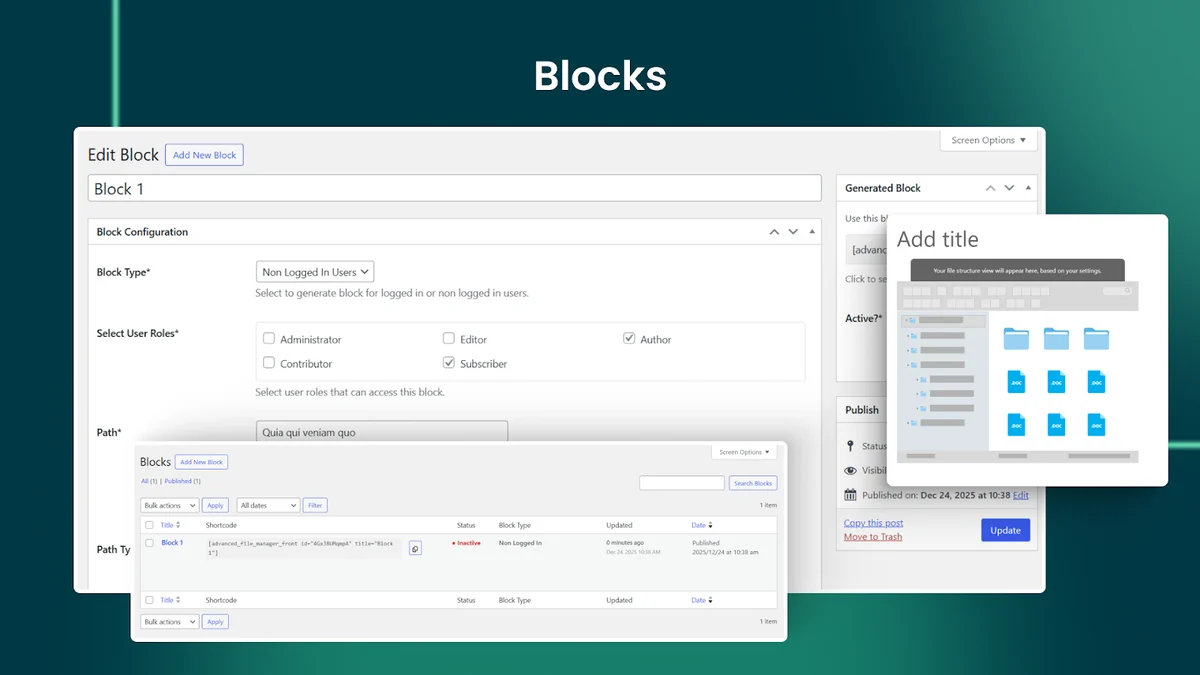
Role-Based Restrictions: Implement granular control over file access for different user roles, enhancing security and permissions management.
Front-End Access: Provides the ability to access and manage files directly from the front end of your website, offering flexibility for certain workflows.
Divi 5 Support: Ensures compatibility and smooth operation with the latest versions of Divi, a popular WordPress theme.
pCloud Integration: Direct integration with pCloud for seamless file management between your WordPress site and this cloud storage solution.
Streamlined Workflows: Features powerful search, bulk actions, and in-app preview, rename, move, and delete functions, reducing the need for FTP.
Intuitive Interface: A clean, user-friendly UI designed for faster task completion and reduced user frustration.
How It Works
Once installed as a WordPress plugin, Advanced File Manager presents a dedicated section within your admin dashboard. From here, you can browse your website’s file structure, similar to how you would with an FTP client.
The interface allows for direct manipulation of files and folders. This includes creating new folders, uploading new files via drag-and-drop, editing existing files with a built-in editor, and performing bulk operations. Its design focuses on making these common tasks accessible and efficient directly within your familiar WordPress environment.
Use Cases
- Web Developers: Quickly access and modify theme or plugin files, troubleshoot issues, or upload new assets without needing separate FTP software.
- Web Design Agencies: Manage client websites efficiently, control file access for team members, and ensure organized project directories.
- Content Creators: Easily upload and manage media files, documents, or other assets directly related to your website’s content.
- Website Owners: Perform routine file maintenance, organize backups, or make minor code adjustments without technical expertise required for FTP.
- Managing Cloud Storage: Integrate with services like pCloud to centralize file management for your WordPress site and cloud-based data.
Integrations & Compatibility
- Advanced File Manager is built for WordPress and is designed to work within its ecosystem
- It has specific support for Divi 5, ensuring compatibility with users of that popular theme
- Furthermore, it offers direct integration with cloud storage services, with pCloud being explicitly mentioned as a live integration
- The tool is generally compatible with most standard WordPress setups
- Users can manage files without FTP, making it a versatile solution for various website management tasks
- Its focus is on enhancing the native WordPress file management capabilities.
Pricing & Value
Advanced File Manager is available through a lifetime access deal, offering significant value for users looking for a long-term solution. The pricing structure typically involves different tiers, with options like $49, $70, $109, $150, $239, and $250 representing various levels of features or site activations.
The lifetime access model means you pay once and gain ongoing access to updates for the chosen plan. This can be a cost-effective approach compared to recurring subscription fees for similar tools, especially for agencies or individuals managing multiple websites.
Deal Details
The current offering provides lifetime access to Advanced File Manager. This includes all future updates for the Professional (Tier 1), Business (Tiers 2-3), or Infinite Access (Tier 4) plans, depending on the chosen tier. No stacking of codes is required; you select the plan that best suits your needs.
Licenses must be activated within 60 days of purchase. The deal also allows for upgrades between the 4 license tiers while the offer is active, and downgrades are possible within 60 days. AppSumo’s 60-day money-back guarantee provides a secure purchase experience.
Quick Take
- Ideal for WordPress users who want to avoid FTP for daily file management.
- Beneficial for developers, designers, and agencies seeking streamlined workflows.
- Offers a cost-effective lifetime solution for centralized file organization.
FAQs
Is there a limit to the file size I can upload?
File size limits are typically determined by your server’s PHP configuration, not the plugin itself.
How does the front-end access feature benefit users?
It offers flexibility by allowing file management directly from your website’s public-facing pages.
What is the Document Library feature on the roadmap?
It’s a custom post type for managing and presenting documents with metadata, designed for large file collections.
Can this tool manage files on servers without WordPress installed?
No, this tool is specifically designed for managing files within a WordPress installation.
Bought unlimited activations but showing 1000 !?
The “1000 activations” is a system representation of the unlimited plan, treated as unlimited usage.
Final Thoughts
Advanced File Manager – Manage files without FTP | AppSumo presents a compelling solution for simplifying WordPress file management. By integrating directly into the dashboard and offering a suite of powerful features, it addresses the common pain points associated with traditional methods like FTP.
The lifetime access deal makes it an attractive investment for individuals and businesses looking to enhance their website management efficiency and reduce reliance on external tools. Its ease of use and comprehensive functionality make it a valuable addition to any WordPress user’s toolkit.