
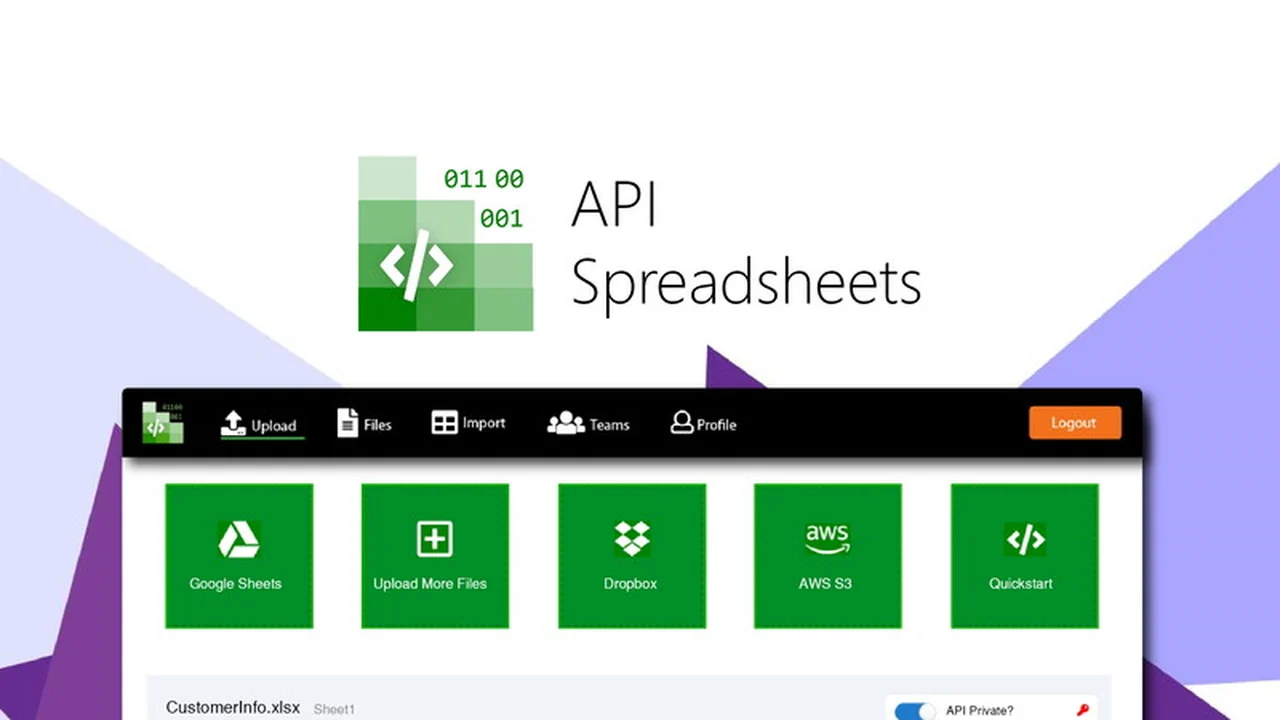
Tired of the tedious process of building spreadsheet import and data management systems? This review dives into a solution designed to simplify that complex task for both developers and non-technical users.
Discover how API Spreadsheets can centralize your data, automate reporting, and provide powerful API functionalities without extensive coding knowledge.
What is API Spreadsheets – Create spreadsheet importers | AppSumo
API Spreadsheets is an all-in-one platform designed to streamline the way businesses handle spreadsheet data. It offers a comprehensive suite of tools for importing files, managing form data, and setting up automated reporting, all accessible through intuitive interfaces and pre-written code.
The primary goal of API Spreadsheets is to eliminate the time-consuming effort of building custom spreadsheet capabilities. It consolidates various single-purpose solutions into a single, cohesive system, making it easier to manage and leverage spreadsheet information effectively.
Key Features
- Automated Importing: Effortlessly import files, with the ability to configure settings like column names, colors, and password protection for automatic file organization.
- Data Collection via Forms: Use your spreadsheets as a database and collect user-submitted information through APIs that automatically update connected spreadsheets.
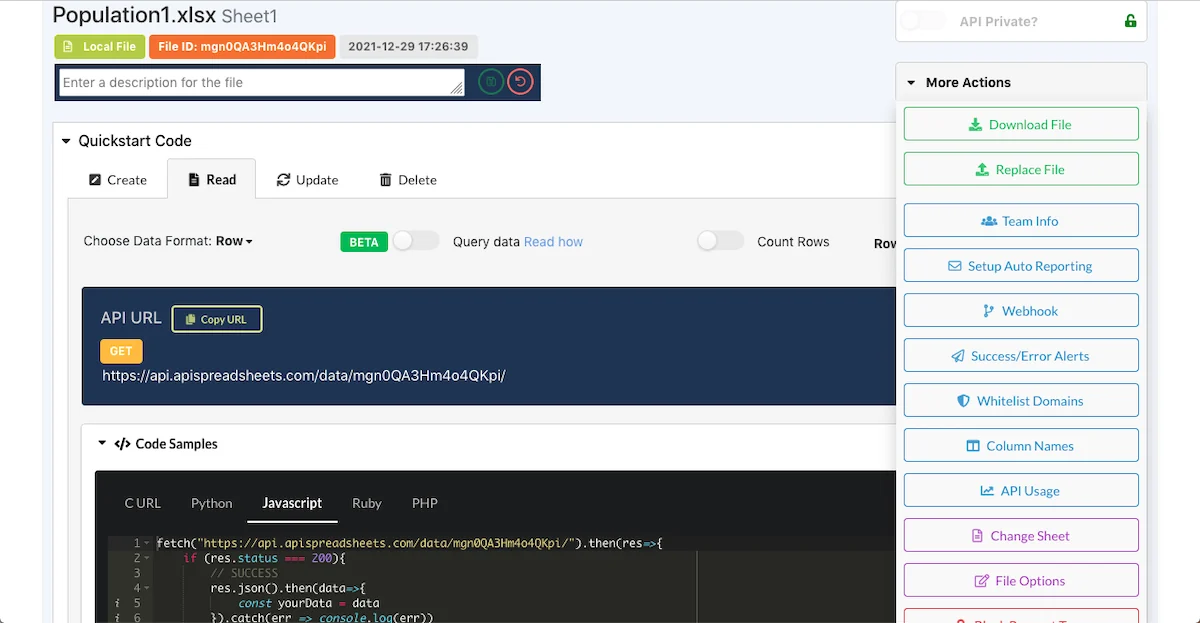
- REST API Generation: Each imported file gets a unique REST API, allowing for CRUD operations (create, read, add, delete) directly on your spreadsheet data.
- Pre-written Code Snippets: Developers and non-developers alike can easily integrate API functionalities into apps and websites using automatically generated code in languages like Javascript, Python, Ruby, and PHP.
- Automated Reporting: Set up custom email reports with a specified send schedule, including customizable subject lines, body copy, and recipient lists, with files attached automatically.
- Team Management: Organize teams within your organization to manage spreadsheet access and reporting visibility based on roles.
- Cloud Storage Integration: Seamlessly upload from and store data in major cloud platforms including Google Sheets, AWS S3, and Dropbox.
How It Works
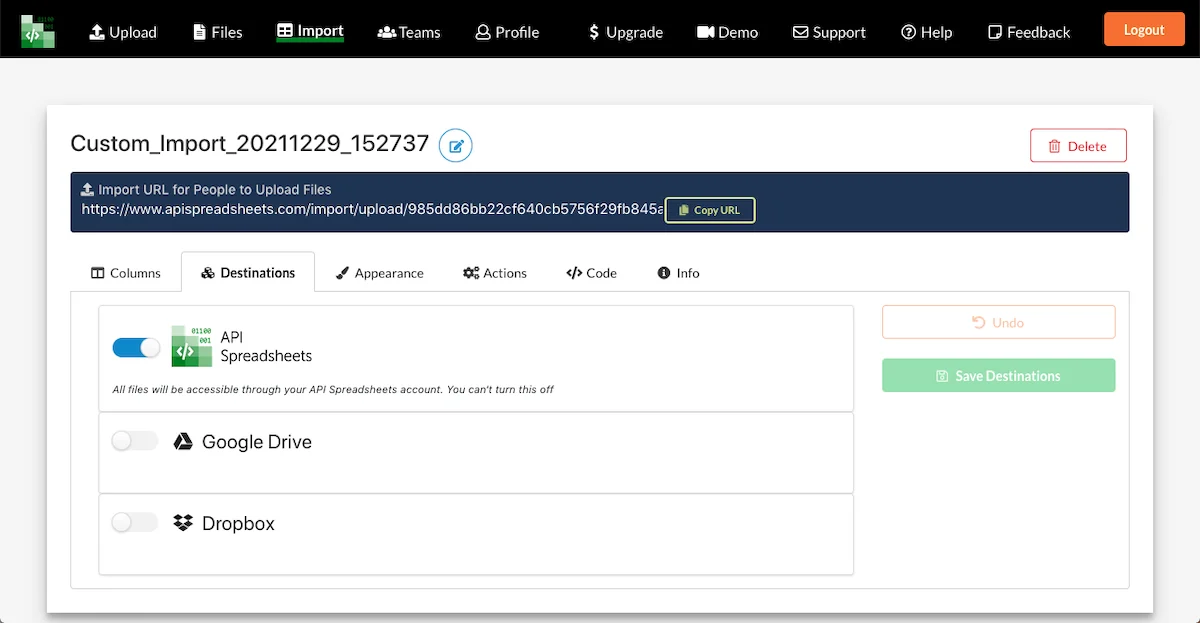
API Spreadsheets simplifies data management by allowing you to connect and configure your spreadsheet files. You can define how incoming data should be structured and stored, ensuring consistency and accuracy.
The platform then generates a custom upload URL, which can be shared with relevant parties. Once files are uploaded, they are automatically processed and saved to your specified cloud storage locations or accessible via the API Spreadsheets site. For those needing to programmatically interact with the data, REST APIs are generated for each file, providing direct access to manipulate the spreadsheet content.
Use Cases
- Saving data submitted through web forms directly into spreadsheets or Google Sheets.
- Collecting files from users on your website or application with ease.
- Utilizing spreadsheets as a backend database without needing to build a separate backend infrastructure.
- Incorporating spreadsheet data into various parts of your applications.
- Automating the distribution of spreadsheet reports to your teams.
- Facilitating easy sharing of spreadsheet data within an organization.
- Collecting key performance data from different business units via custom upload URLs.
Integrations & Compatibility
API Spreadsheets offers broad compatibility with popular cloud storage solutions, allowing for flexible data storage and retrieval. This includes seamless integration with:
- Google Sheets
- AWS S3
- Dropbox
- User databases
The generated API code supports multiple standard programming languages, ensuring it can be plugged into a wide array of existing applications and workflows.
Pricing & Value
The value proposition of API Spreadsheets lies in its ability to consolidate multiple functionalities into one platform. By reducing the need for separate tools for importing, data handling, and reporting, it saves both time and resources.
The platform’s approach to providing pre-written code also significantly lowers the technical barrier for implementing advanced data features, making it an accessible solution for a wider range of users.
Deal Details
This product is available through a special offer. Included in the deal are all features across all plans, providing a comprehensive set of tools for spreadsheet importing, reporting, and API code generation for developers.
A 60-day money-back guarantee is provided, allowing users ample time to evaluate the platform and ensure it meets their specific needs.
Quick Take
- Ideal for businesses and individuals needing to streamline spreadsheet data handling without complex coding.
- Perfect for those who want to easily collect data from forms, automate reports, and integrate spreadsheet data into applications.
- A powerful yet user-friendly solution for managing and leveraging spreadsheet information efficiently.
FAQs
Can I create forms to collect data with API Spreadsheets?
Yes, you can generate custom upload URLs and code for web forms that update spreadsheets automatically.
What cloud storage platforms are supported?
It integrates with Google Sheets, AWS S3, and Dropbox for flexible data storage.
How does API Spreadsheets handle data security?
Users can set password protection for imported files and manage access through team roles.
Can non-developers use API Spreadsheets?
Yes, it provides pre-written code for easy integration without extensive programming knowledge.
What is the primary function of API Spreadsheets?
It streamlines spreadsheet importing, data collection, and automated reporting with API code generation.
Final Thoughts
API Spreadsheets offers a robust and accessible solution for anyone looking to enhance their spreadsheet data management processes. Its blend of user-friendly features and powerful API capabilities makes it a valuable asset for improving efficiency and data utilization.
Whether you’re a seasoned developer or new to API integrations, this platform provides the tools to transform how you work with spreadsheets, saving you time and effort.